1. Function description
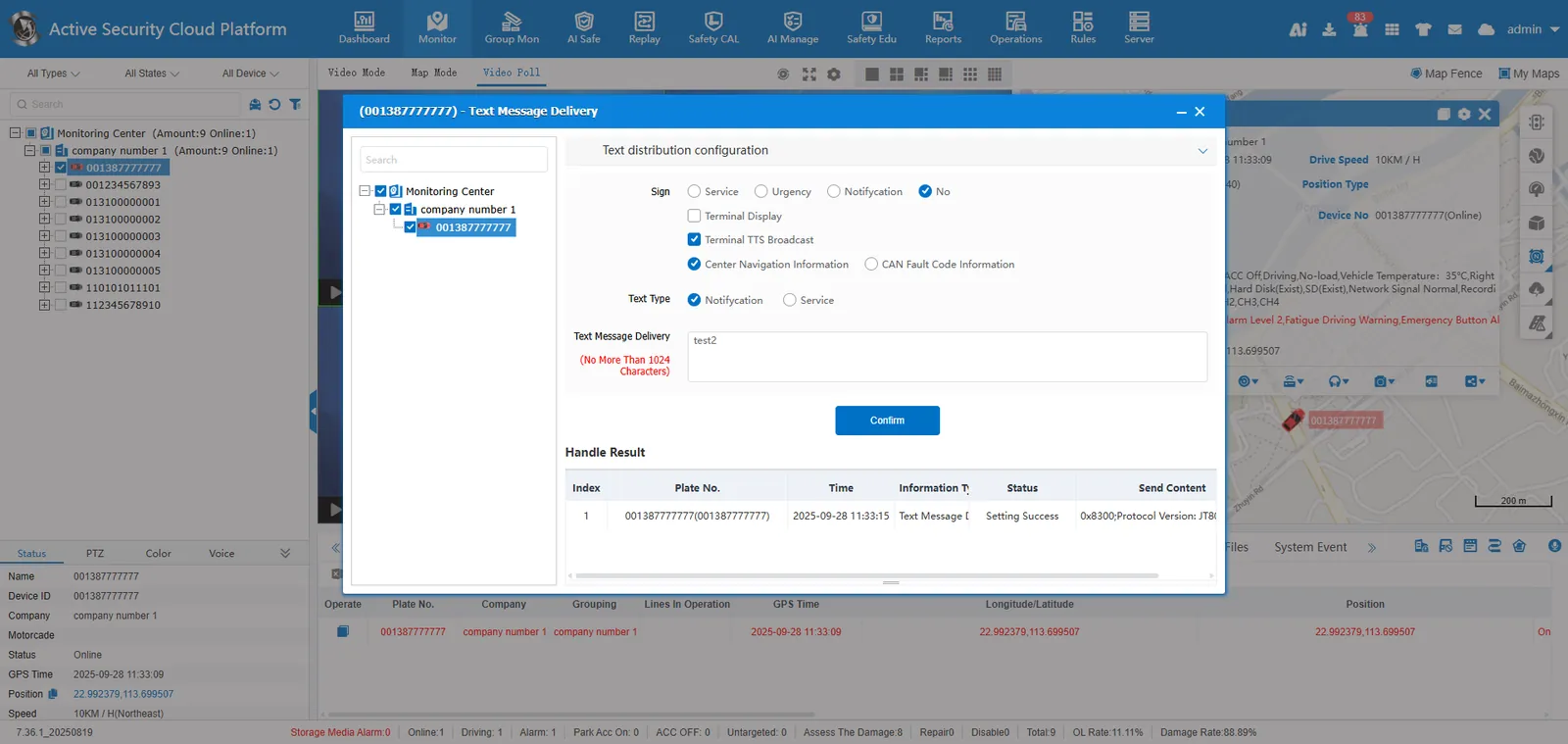
The platform can send text information to the device, and the device responds according to the message type, such as voice broadcast or advertisement screen display.
2. operating instructions
2.1 Method 1
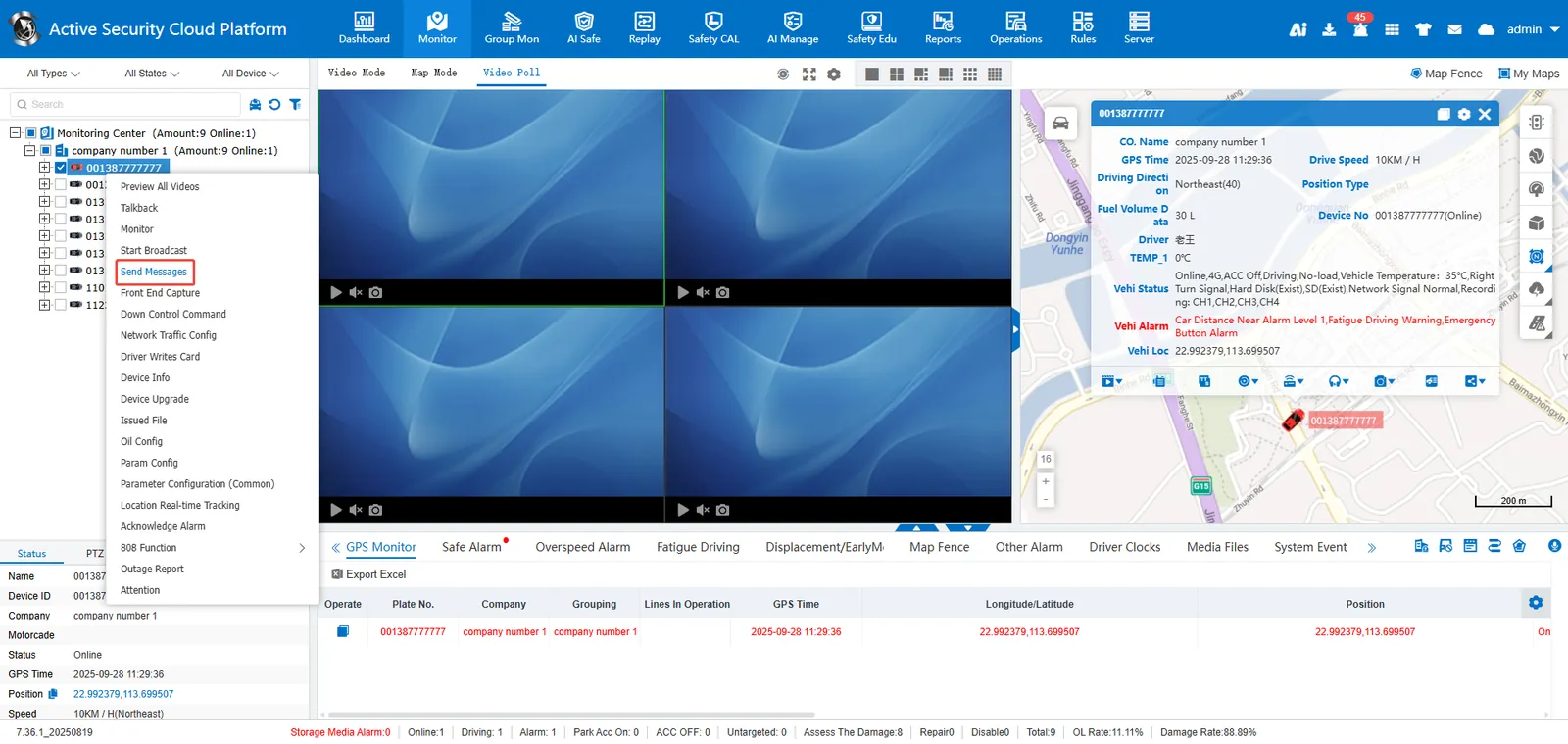
Select a vehicle in the vehicle monitoring tree and click Right- click> Send Text Message
Fill in text message> Check message type> Send
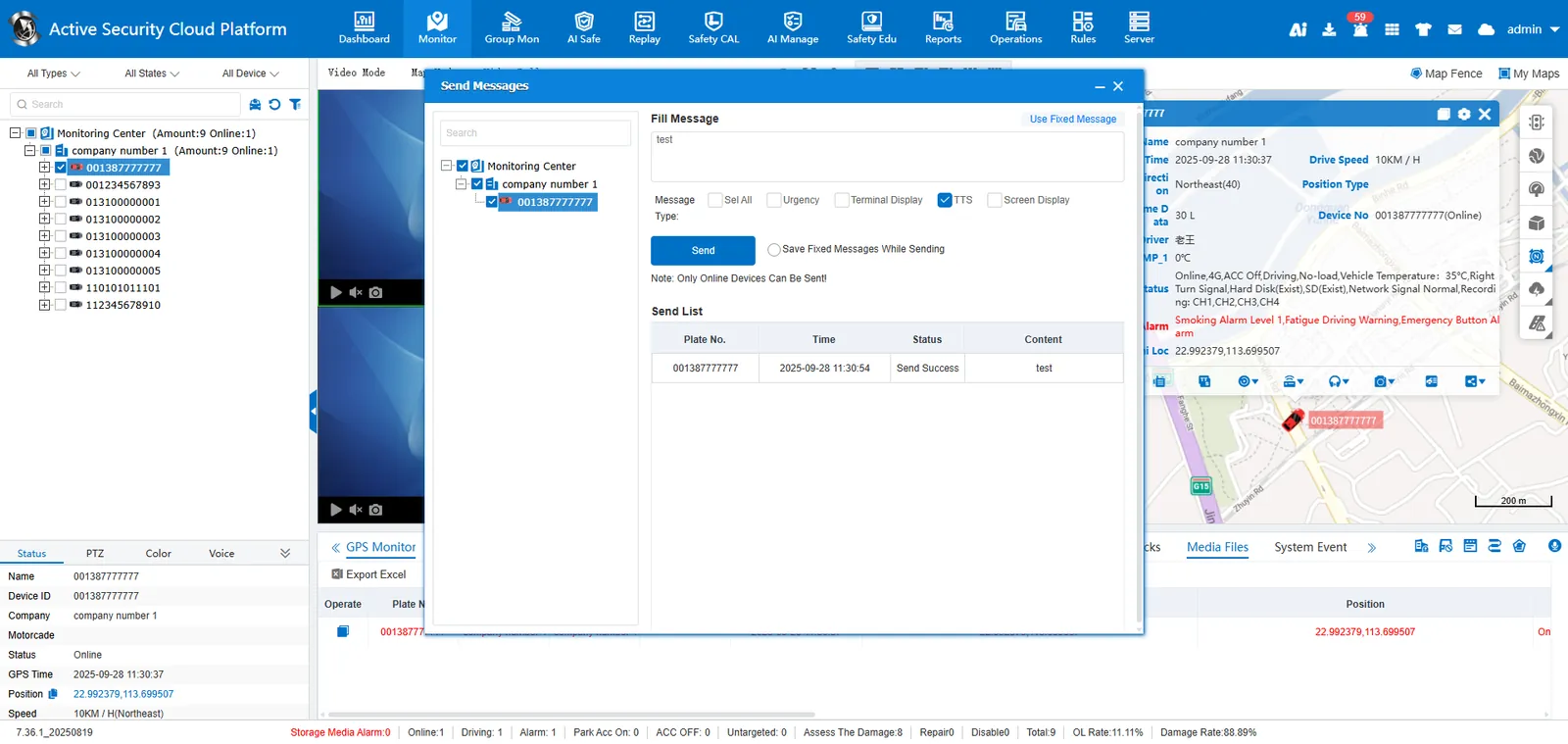
Remarks:
- Support check multiple vehicles to send at the same time;
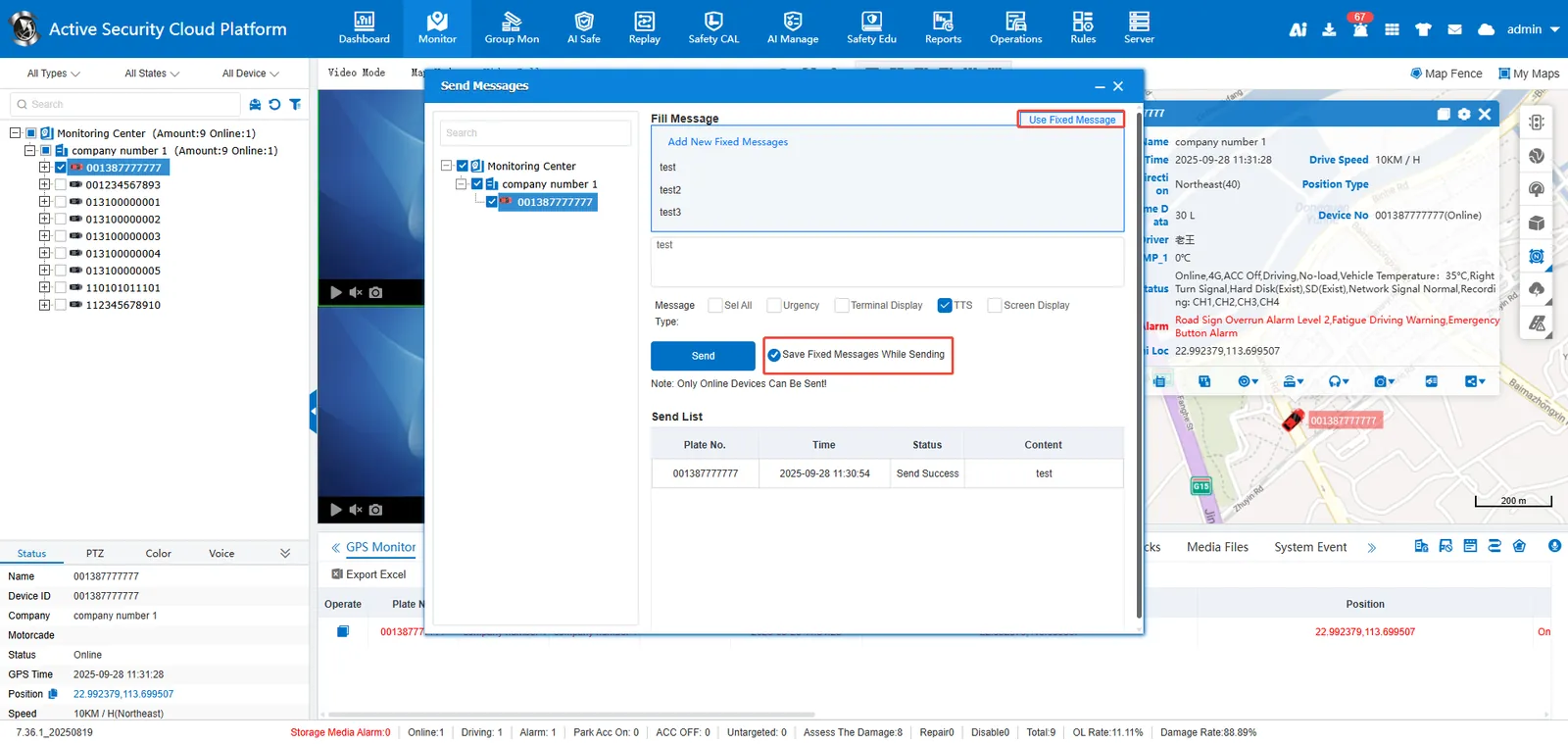
- Support to add fixed text information manually;
- Support to automatically save the sent content as a fixed text message;
- After selecting the text information, you can quickly fill it into the sending column.
2.2 mode 2:
Select a vehicle in the vehicle monitoring tree. Right- click> 808 Function> Send Text Message
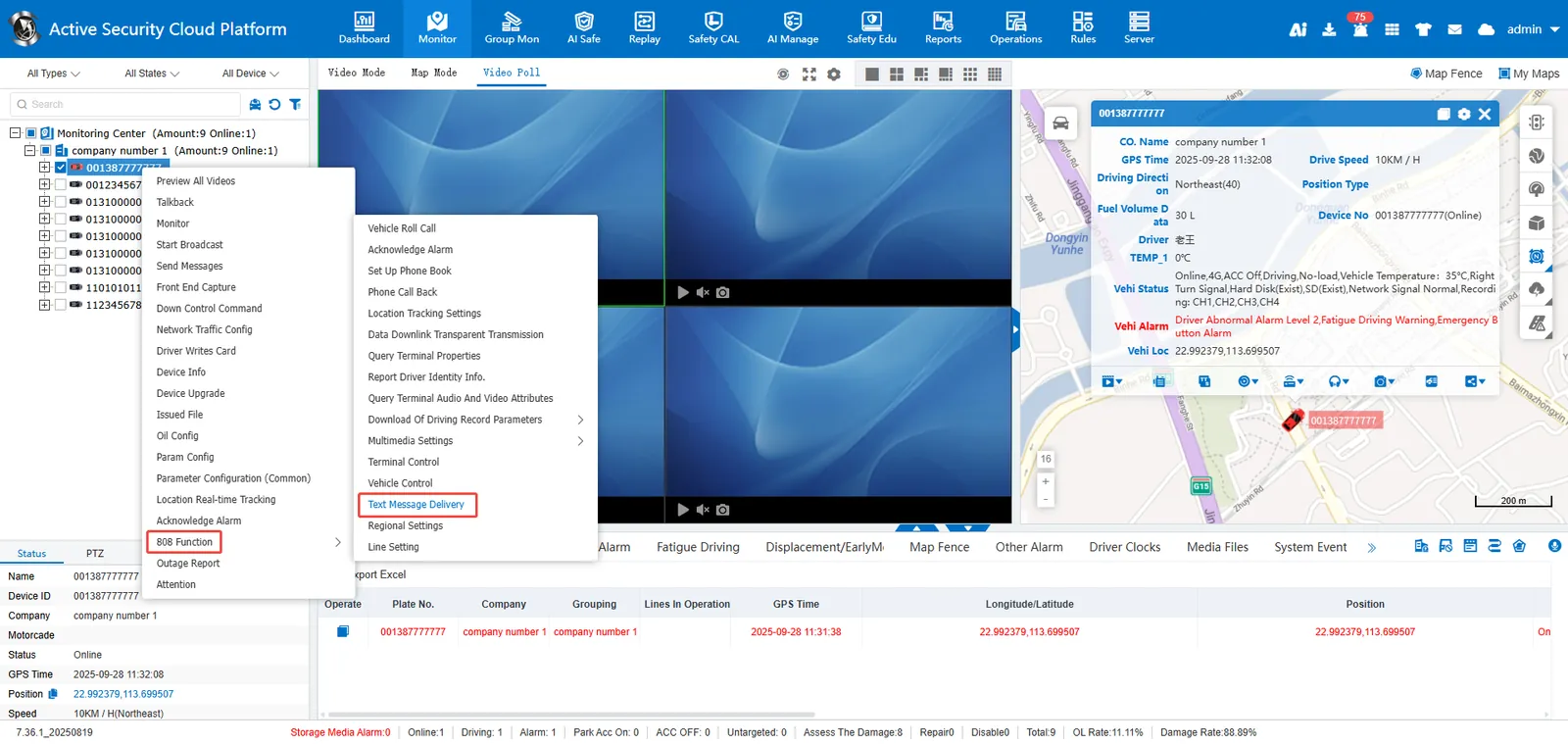
Check Flags> Fill Text Message> Send
3. Precautions
- Only online devices can send.
- Devices with different protocol versions cannot be deployed in batches simultaneously. For example, 808-2011 and 808-2019 devices must be deployed in separate batches.