1. Function description
- The emergency button alarm of the equipment shall be manually confirmed and released by the platform monitoring personnel.
- The document describes in detail the method of releasing the emergency button alarm
2. operating instructions
-
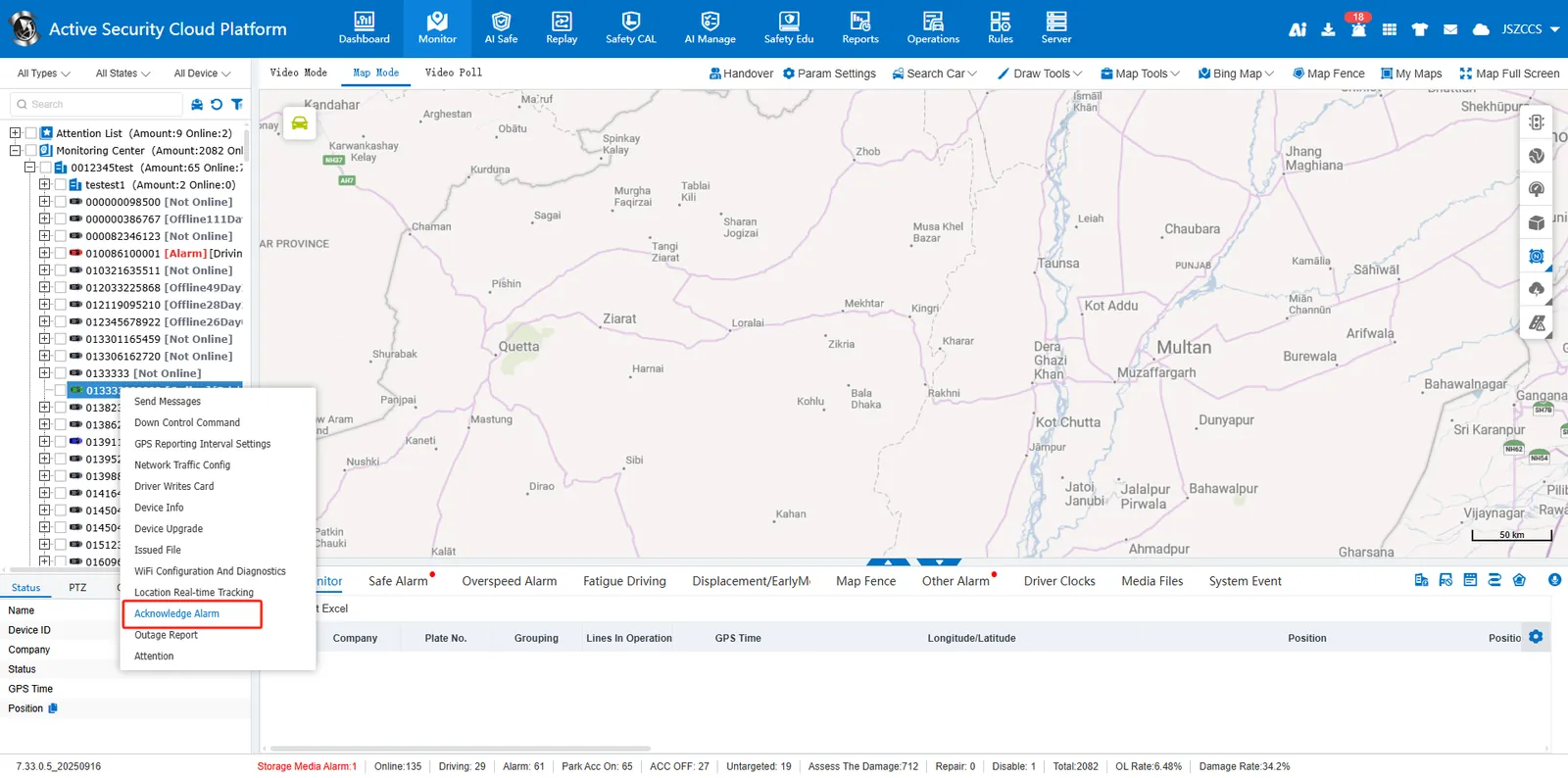
When the vehicle triggers the emergency button alarm, select the vehicle in the vehicle monitoring tree on the left side of "real- time monitoring" - > right- click- > [confirm alarm]
-
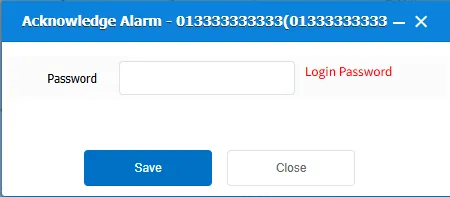
To cancel the emergency button alarm, the authority of the current login user shall be verified, and the password of the current login platform user shall be entered in the pop- up window and confirmed **
-
There is also a "confirmation alarm" in the "808 function" of the ministry standard equipment"
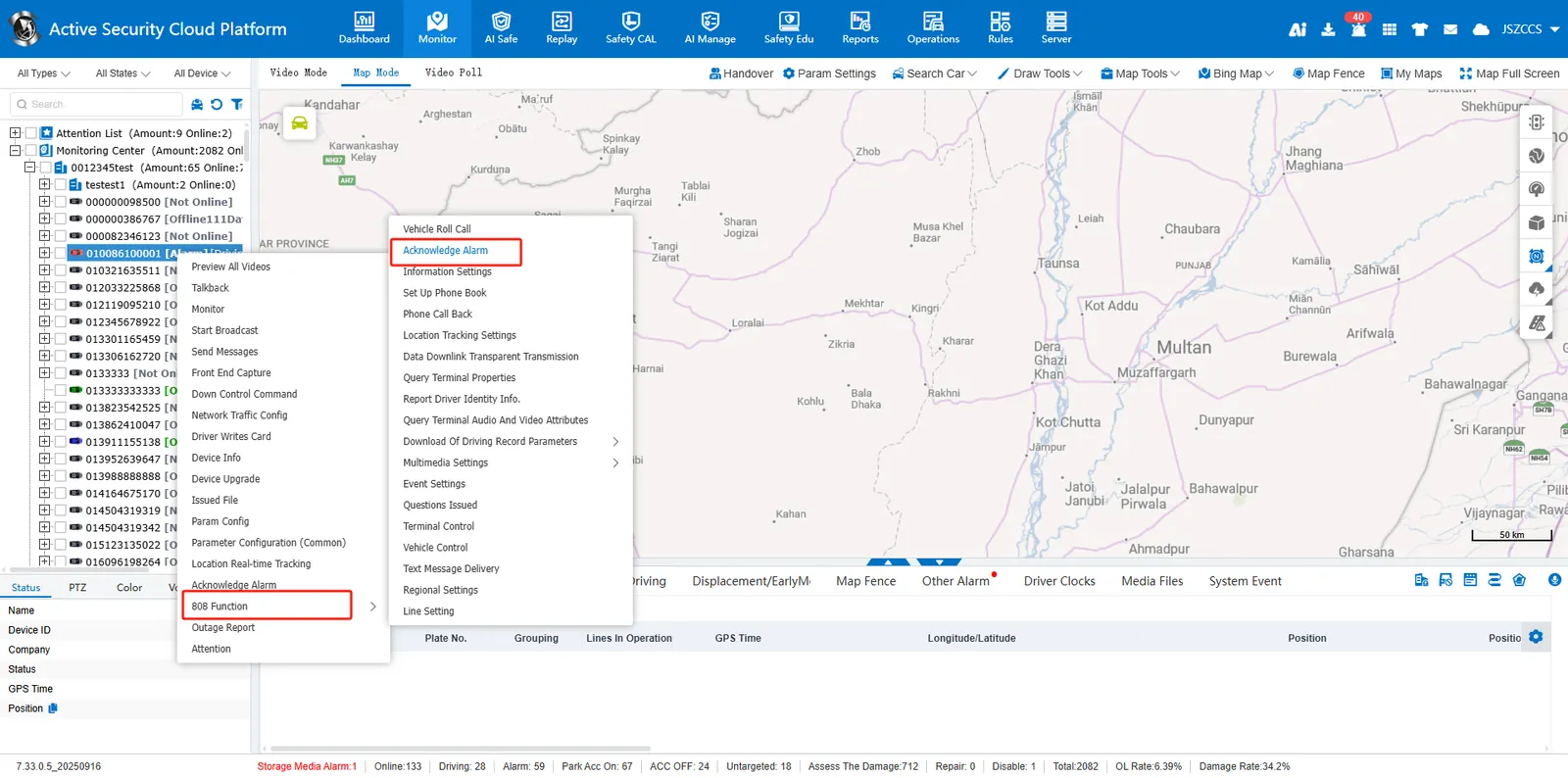
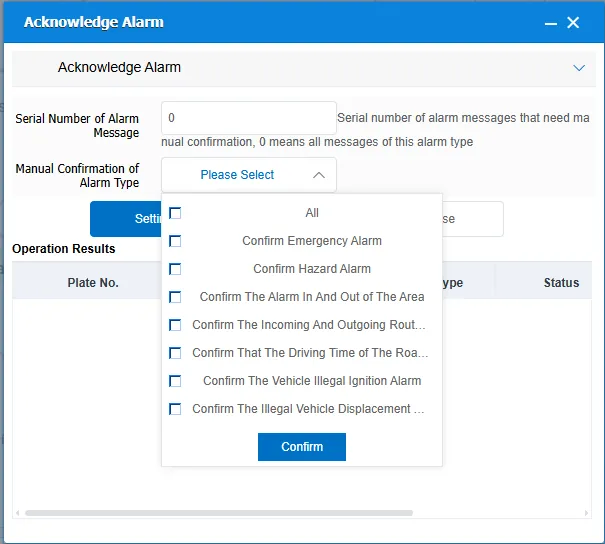
The difference between the two:
| Function Location | Same Point | Difference | Remarks |
|---|---|---|---|
| Basic menu | Release emergency alarm, applicable to all protocol equipment | 1. Release all alarm requiring manual confirmation 2. Apply to TTX protocol and ministry standard protocol equipment 3. Enter the password of the current account |
|
| 808 Function | Dismiss Emergency Alarm, applicable to all protocol devices | 1. Dismiss according to serial number and alarm type 2. This menu is available only for department mark devices 3. No password is required |
Dismiss alarm type: 1. Emergency alarm 2. Hazard alarm 3. In- and- out area alarm 4. In- and- out line alarm 5. Insufficient or too long driving time on the road section Alarm 6. Illegal ignition alarm 7. Illegal displacement alarm |