1. function introduction
After this function is enabled, you can collect real- time statistics on the traffic consumed by the device to upload GPS, video, etc., and remind or limit the daily traffic and monthly traffic usage.
2. operating instructions
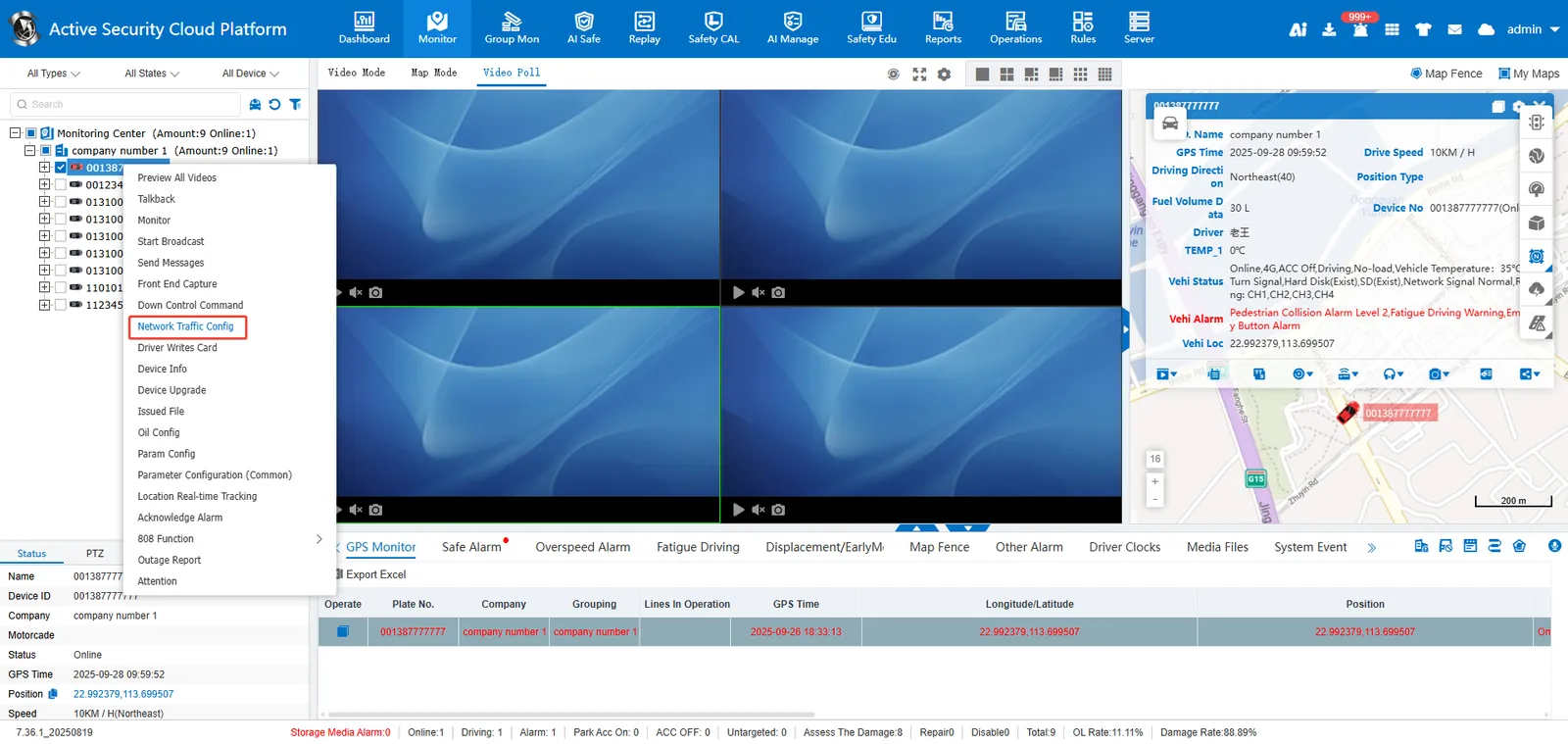
2.1 Open [Real- time Monitoring], select the vehicle and right- click to open [Network Traffic Configuration] **;
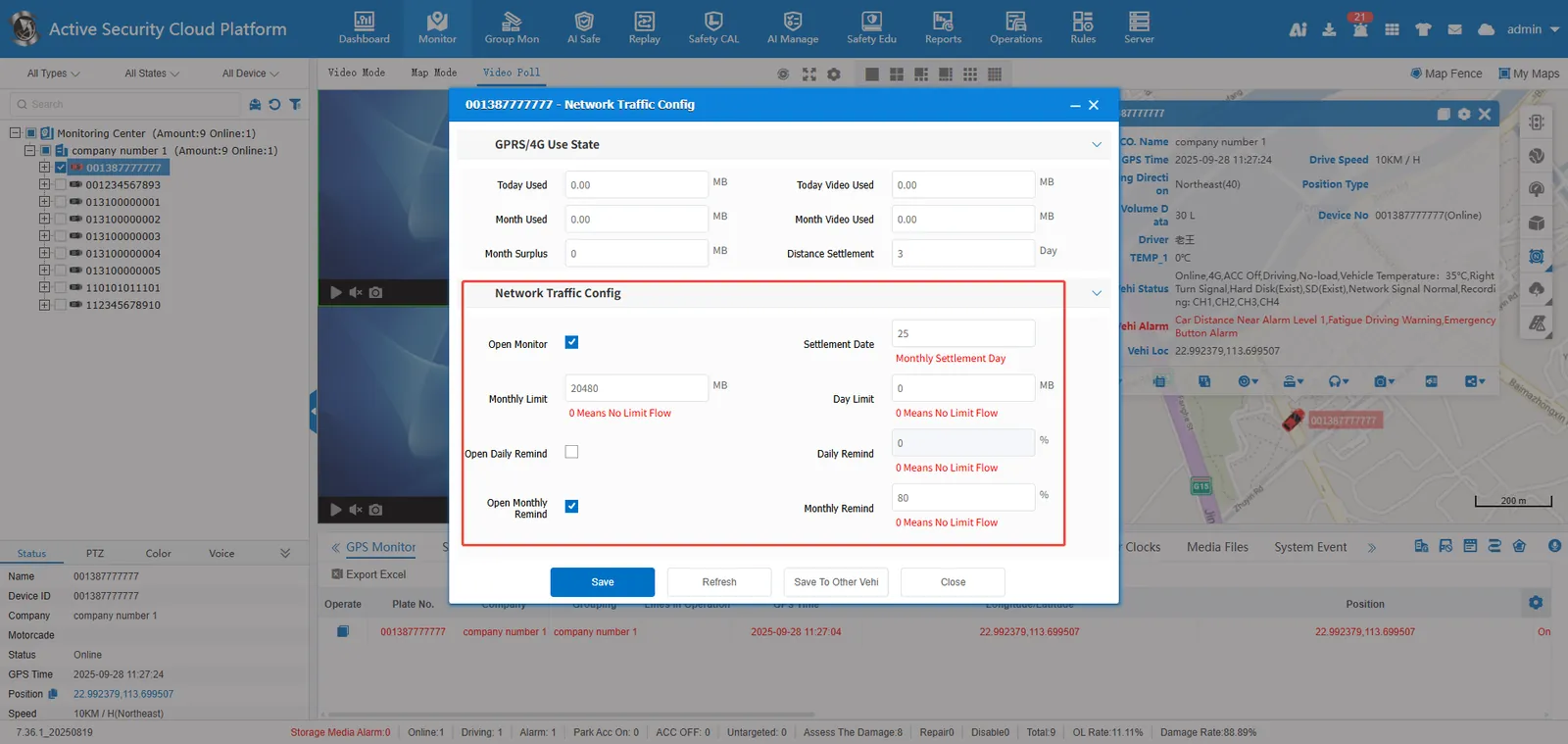
2.2 enter the relevant parameters, select Enable traffic monitoring, and click Save to take effect only for the current vehicle.
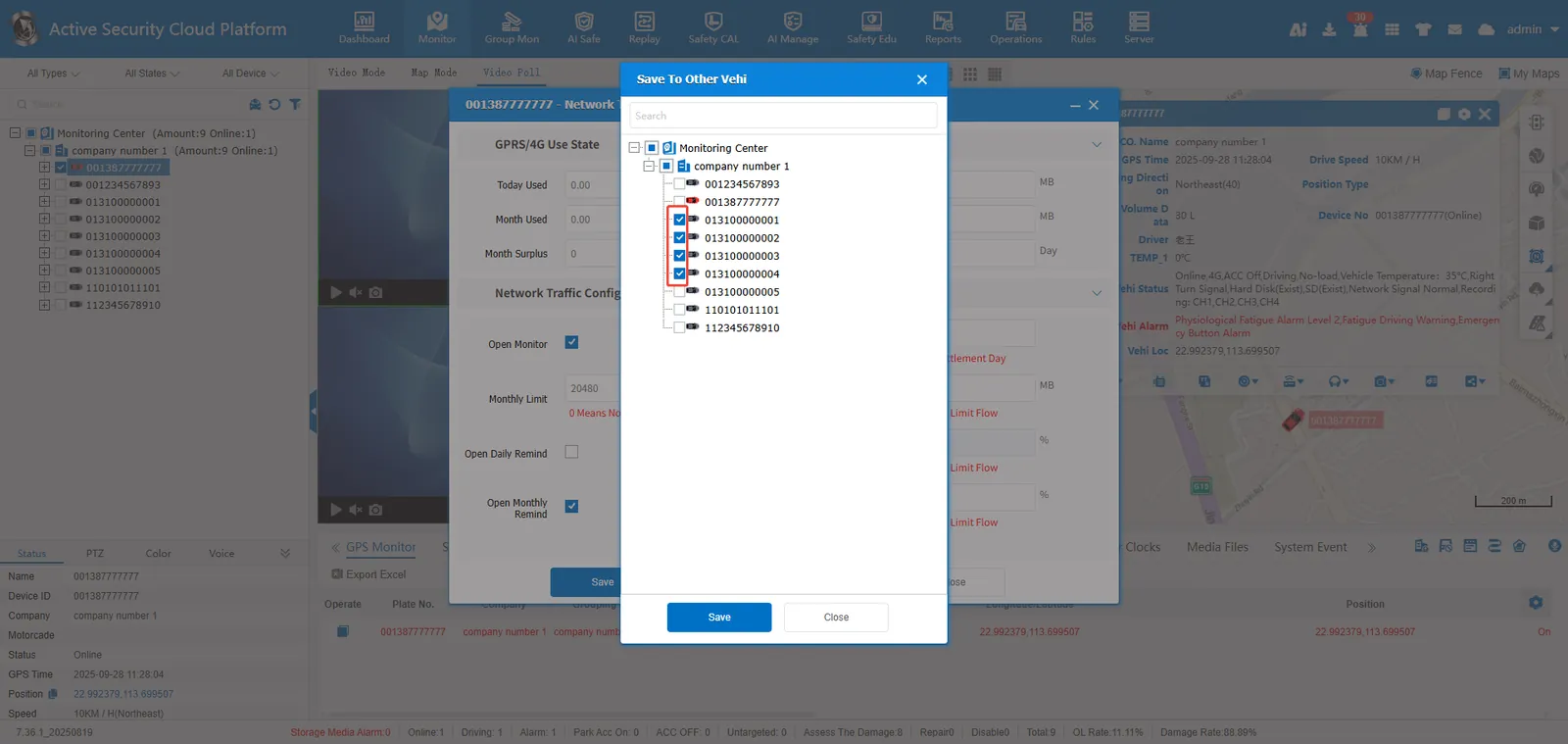
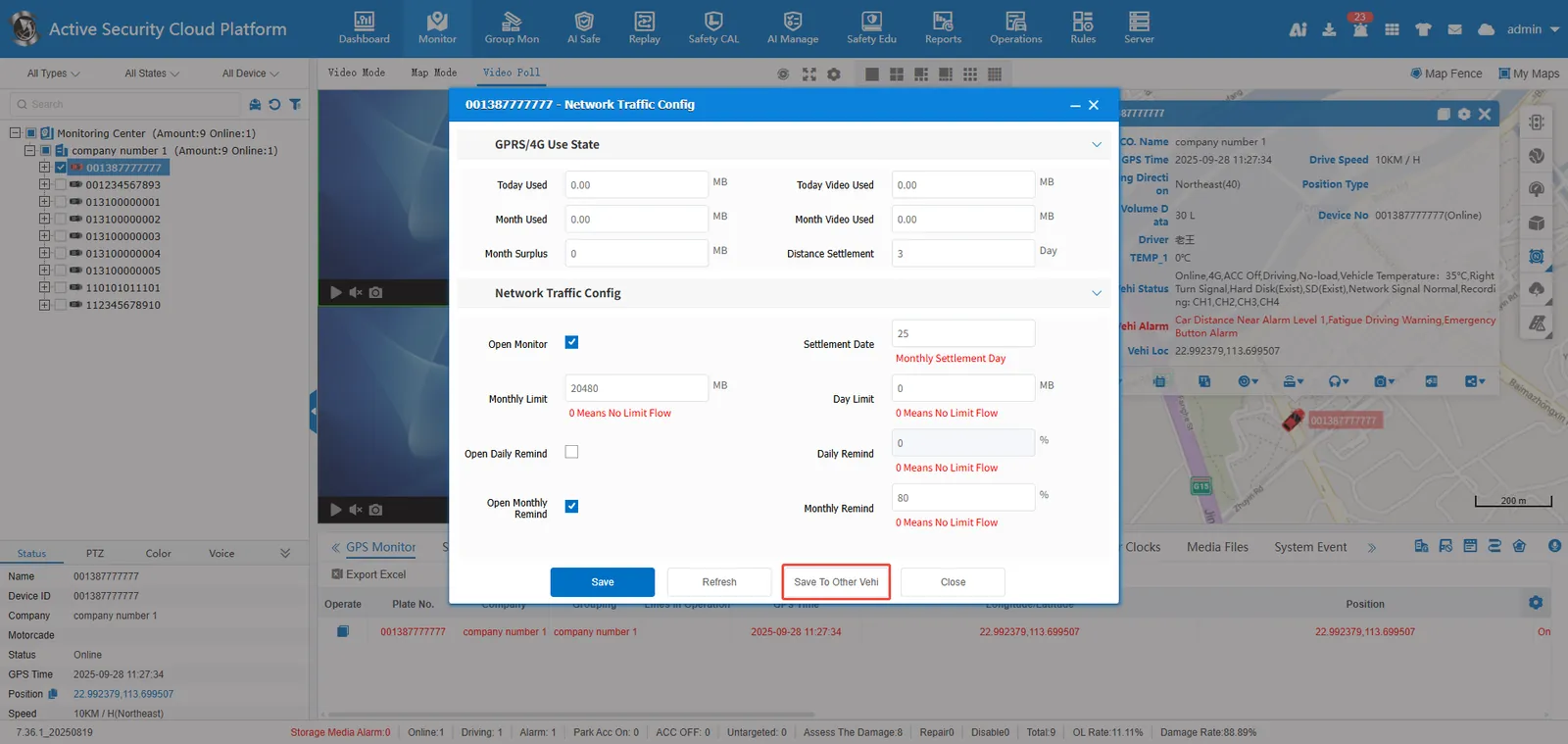
2.3 select Save to other vehicles and select the vehicles that need to enable the current configuration.
Check vehicle: