1. Function description
- When the driver swipes the card to sign in, the device will actively report the driver's sign- in information to the platform, thus associating the vehicle with the driver;
- If the device does not actively report, the platform can also manually obtain the driver information currently checked in by the device.
2. operating instructions
-
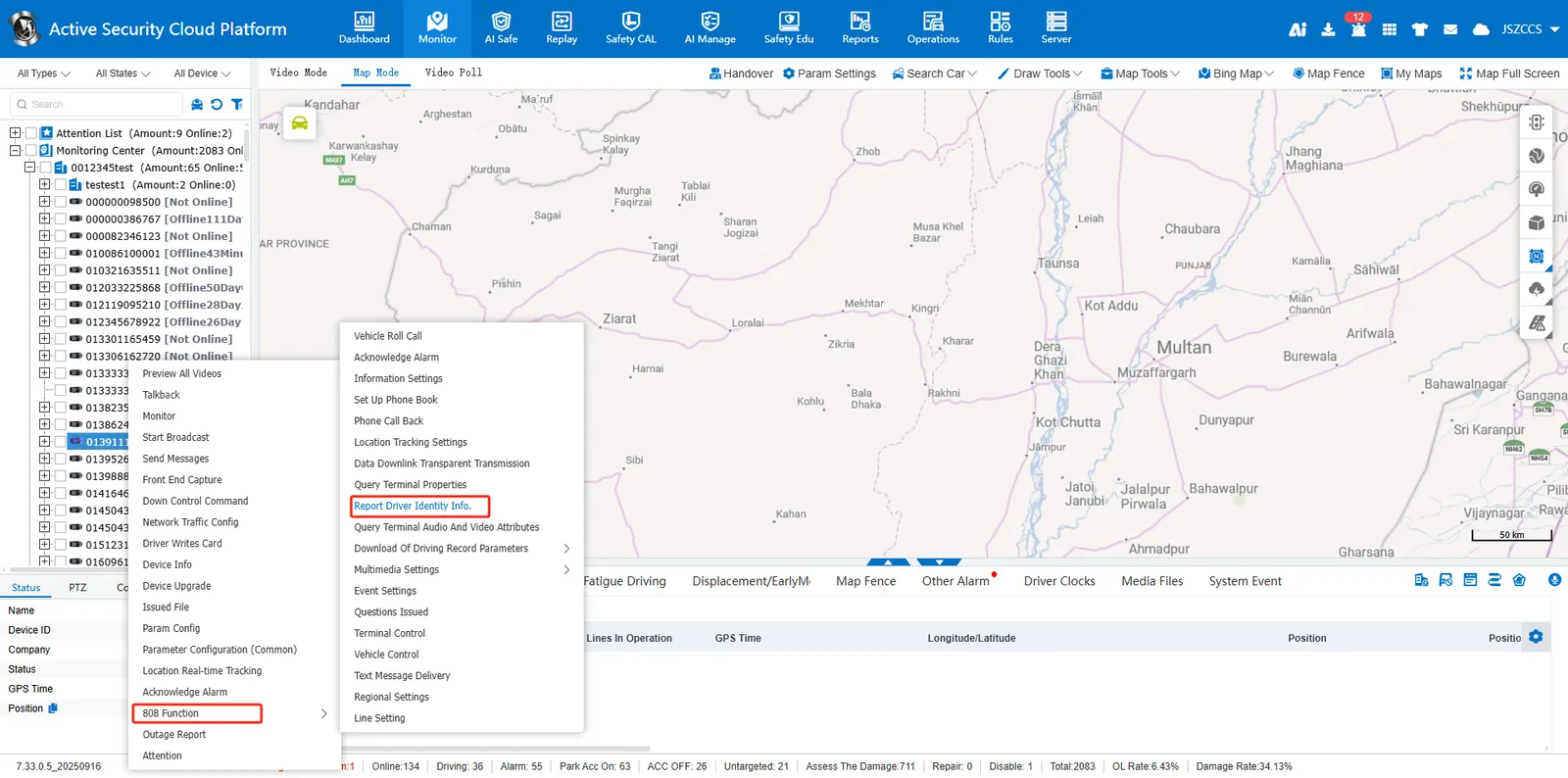
In the vehicle monitoring tree, select the vehicle -> right click -> [808 function] -> [report driver identity information]
-
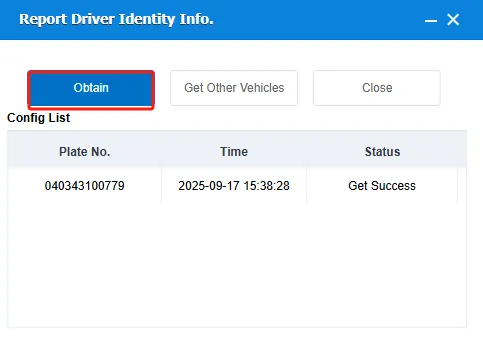
Click [Acquire] to obtain only the driver information of the currently selected vehicle; Click [Acquire Other Vehicles] to obtain the driver information of multiple vehicles at the same time
-
Two ways to view the obtained driver information:
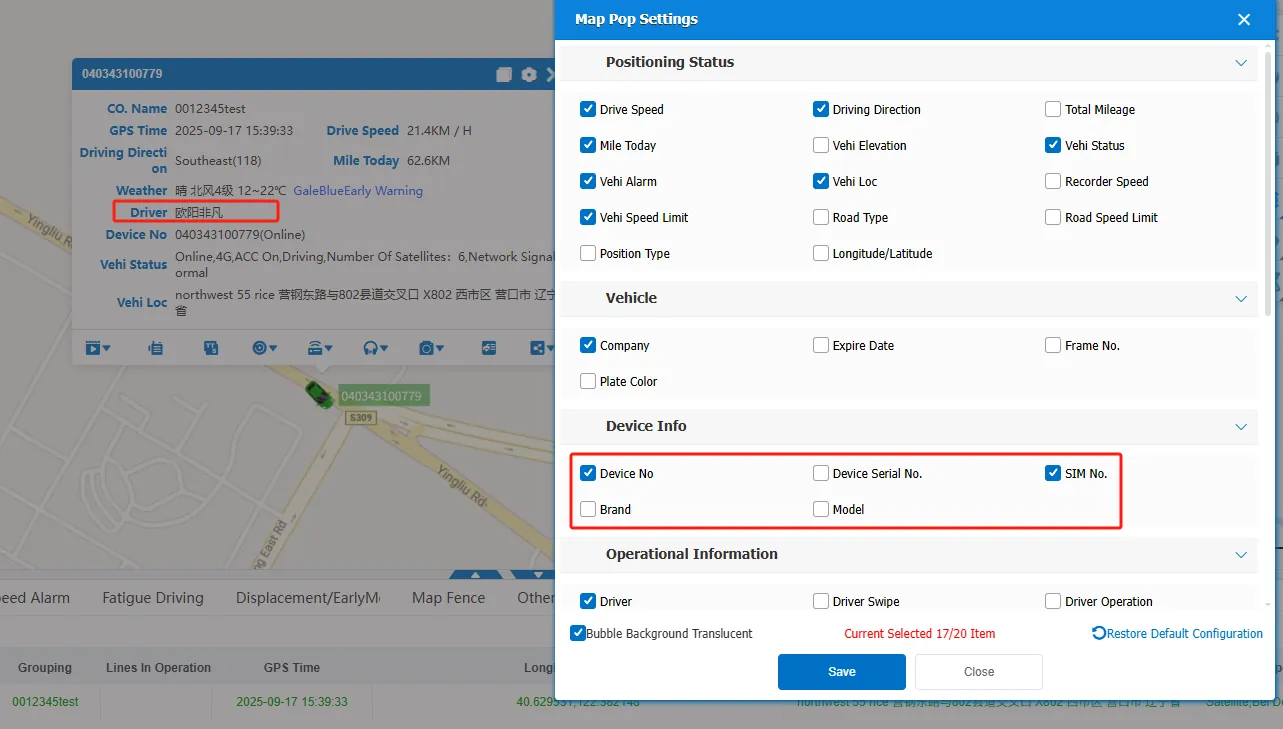
A. check ** driver name and driver swipe card * in the map bubble, and the driver information will be displayed in the map bubble.
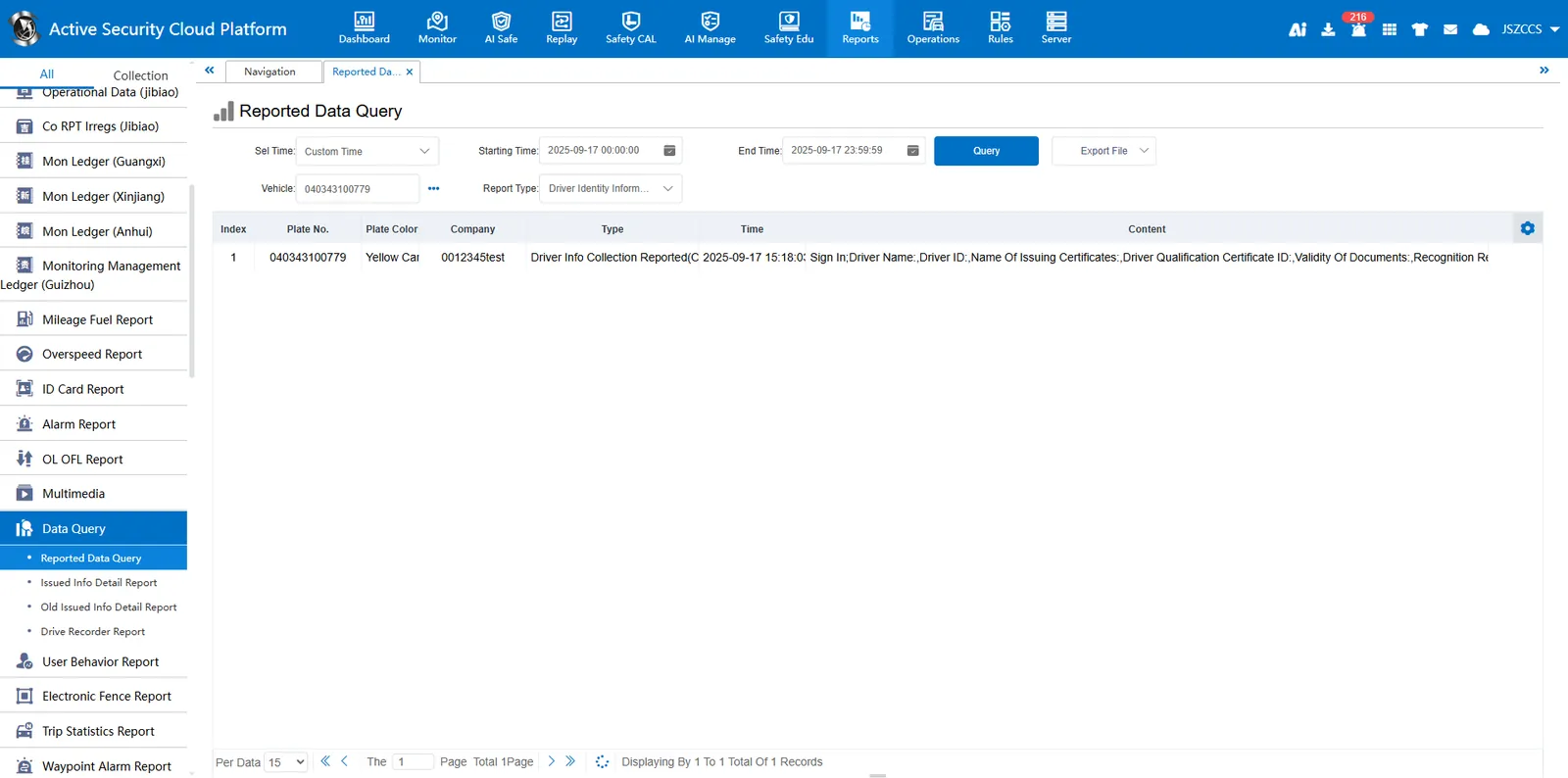
B. enter ** [statistical report]> [driver clock- in report]> [identity collection report] ** to view
Note:
1. The reported driver qualification number will be compared with the driver qualification number entered on the platform. If the two are consistent, the identification will be successful, otherwise the identification will fail.
2. Successful identification of the driver will synchronize the associated track playback, vehicle alarm driver information