Author 谢周轩Updated 2025-10-16 15:07:25Doc ID 238696 words · 1 min readView original ↗
Function description
for equipment troubleshooting, analysis of ttx protocol equipment data reporting, audio and video issues
Operating instructions
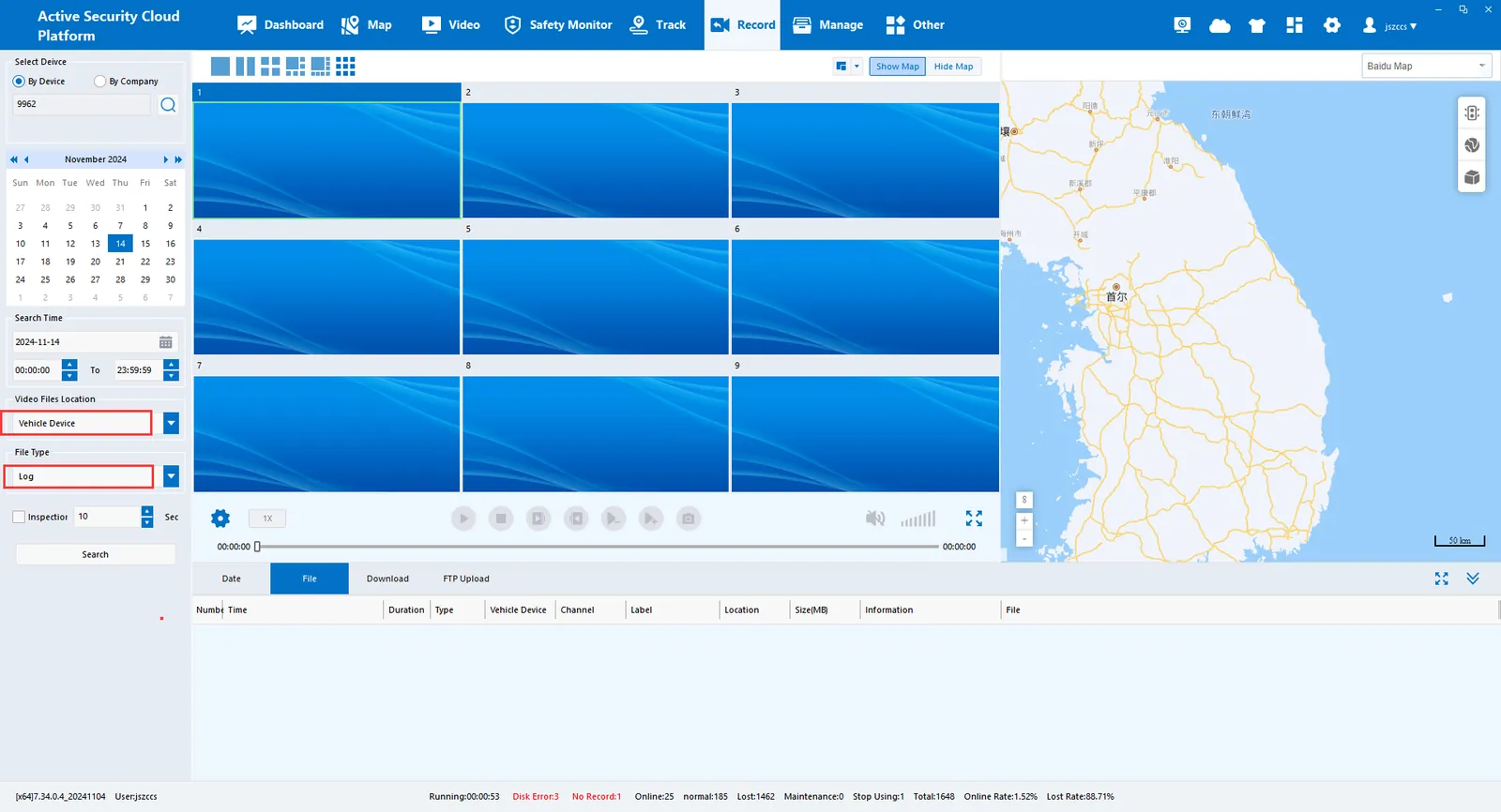
The device log is saved to the body memory or SD card, then the terminal log is searched in the CMSV6 client, and then the log file is downloaded for analysis.
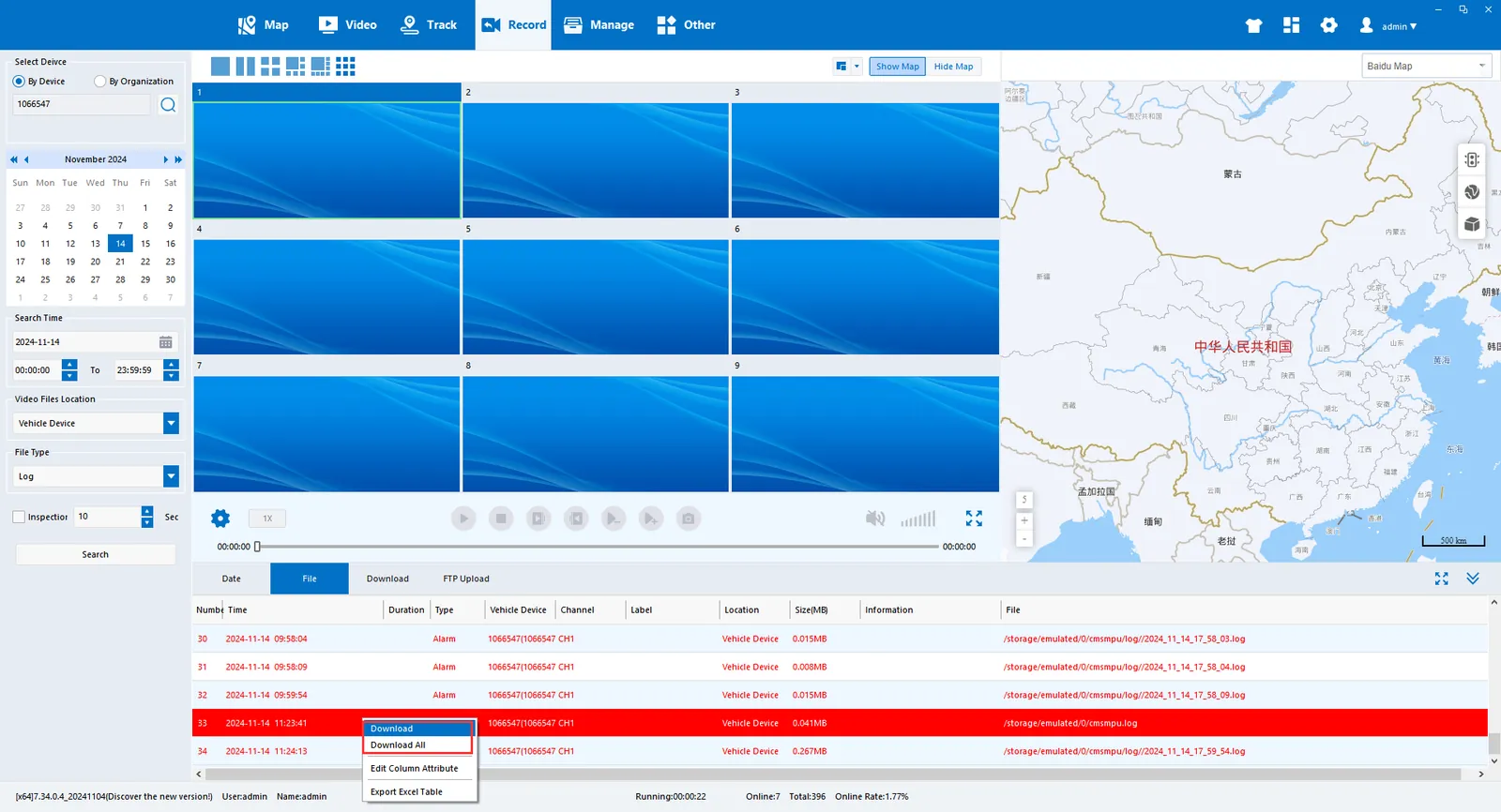
On the video playback page, select the terminal device for the file location and log for the file type. After searching the log file, select the required file and right- click "File Download"
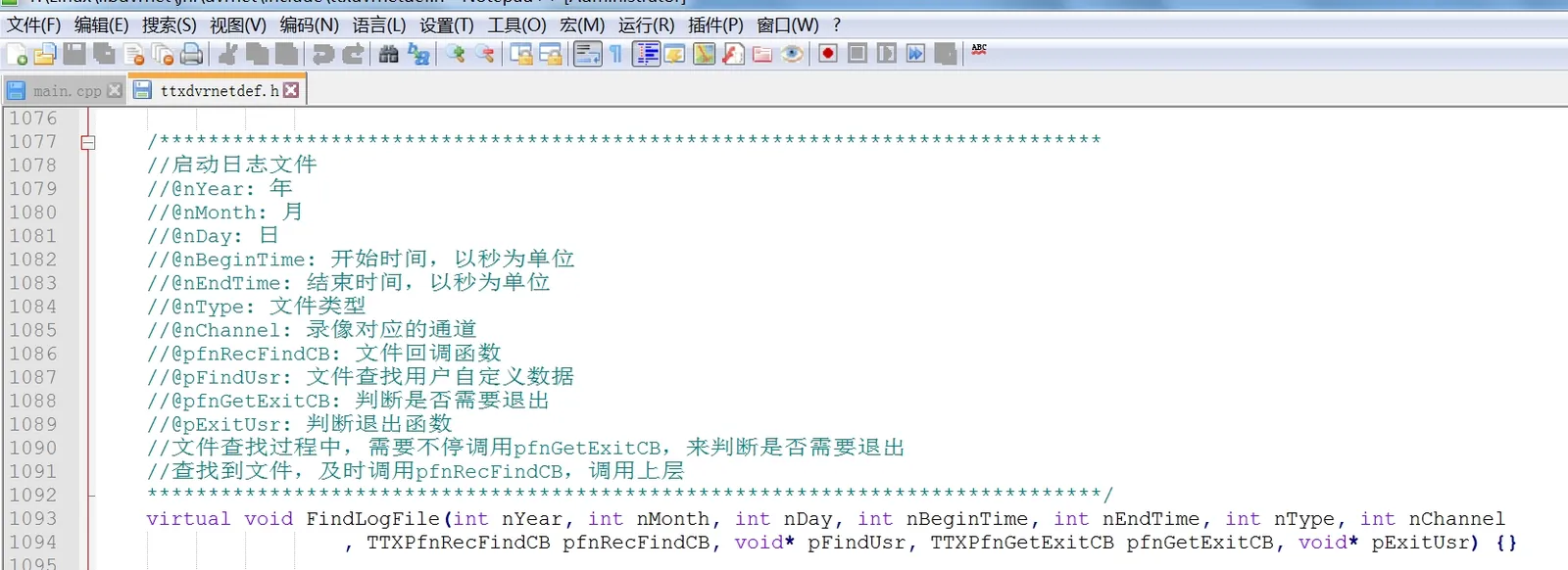
LINUX SDK corresponding interface
Implement FindLogFile interface for log search when devices are integrated