1. Function description
Internal network authorization/offline authorization is used by servers to complete software registration authorization using serial numbers in scenarios where they cannot connect to the public network. Servers with a public network environment cannot force offline authorization. If switching from the internal network environment to the public network results in authorization failure, please isolate the public network environment and use the serial number to re operate the registration authorization
2. operating instructions
2.1 windows offline authorization
2.1.1 Create a configuration file
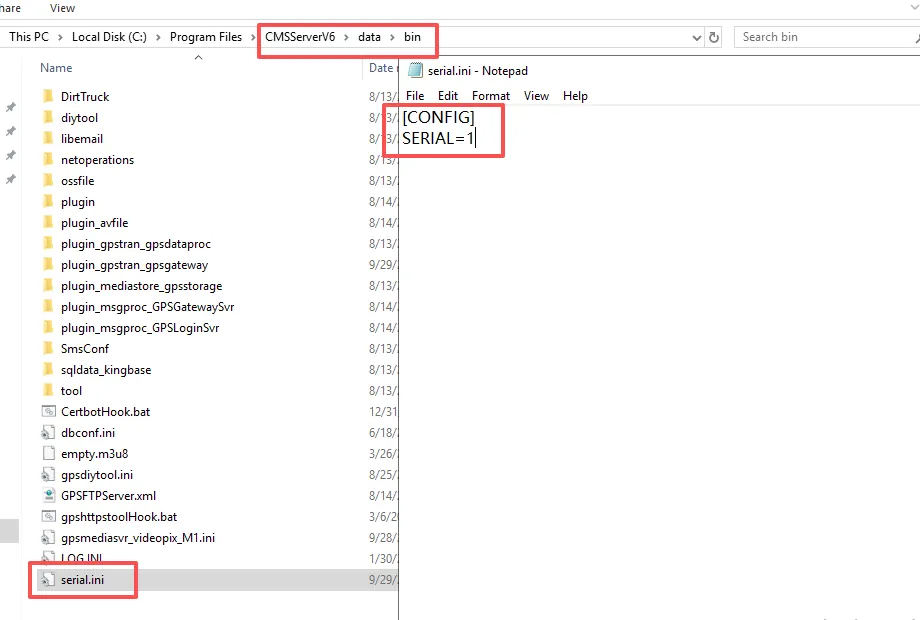
Manually create a configuration file named serial.ini in the server software CMSServerv6/data/bin directory
(note that it is .ini configuration file, not .txt text)
The configuration contents are as follows:
[CONFIG]
SERIAL=1
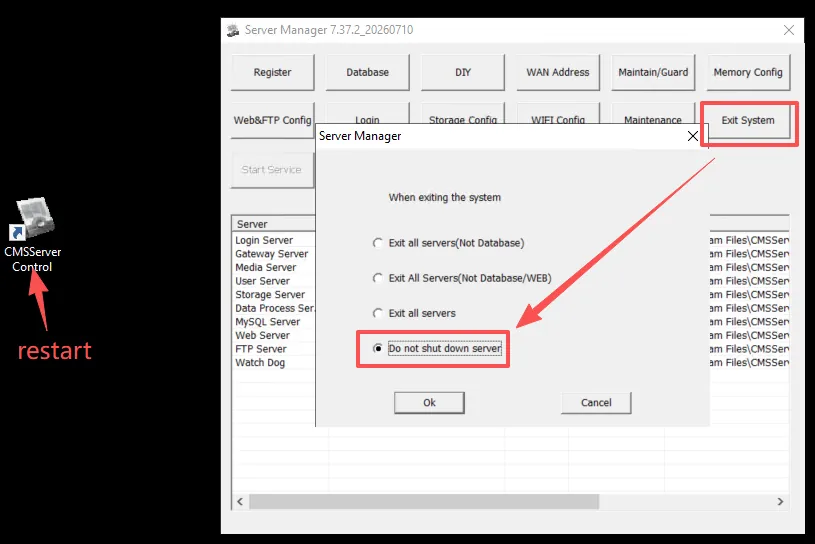
After adding the configuration file, click "Exit System", select "Do not shut down server", and then run the software again after exiting.
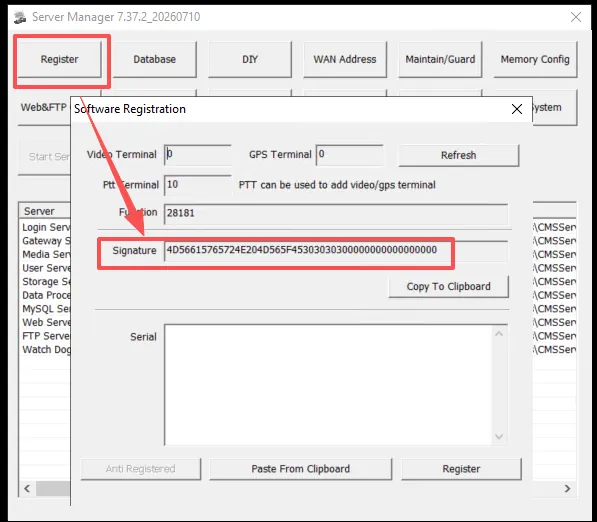
2.1.2 Obtain signature
Find and click "Register" in the upper left corner of the server software console, copy the Signature of the server and send it to the TTX business for authorization. After authorization, the TTX business will return a string of serial numbers.
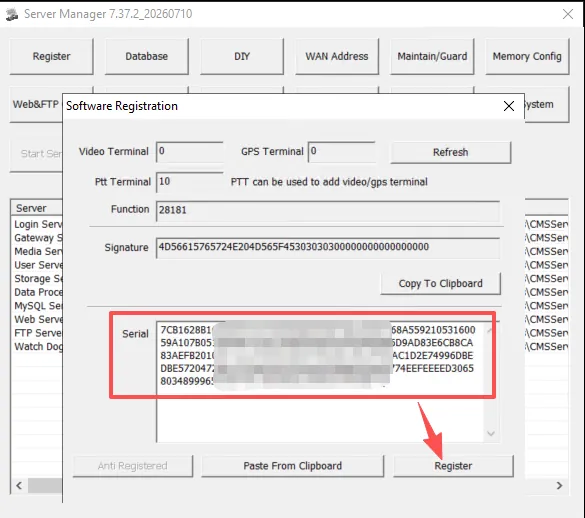
2.1.3 Serial Number Registration
Please save the serial number privately, fill in the serial number column under "Register" and click "Register".
2.1.4 Restart Login Server
If it does not take effect, try restarting the "Login Server"
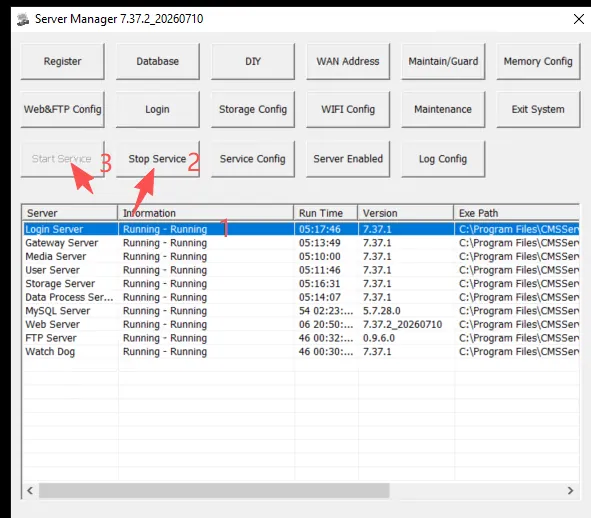
2.2 Linux offline authorization
- Add the "serial.ini" configuration file
SERIAL=1
KEY = serial number (serial number acquisition method is the same as the second step of the windows)
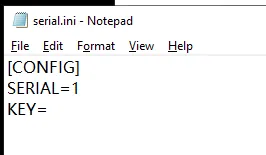
2. Place the serial.ini configuration file in the server software /opt/CMSServerv6/data/bin directory and restart the server software
3. Frequently Asked Questions
- The number of authorizations in software registration remains unchanged, and offline registration authorization can only query the actual number of authorizations on the device management page after logging into the system;
- The authorization number of the equipment management page has not changed, check whether the first and third steps are operated correctly;
- If it is a public network server, offline authorization will fail;
- 7.36 and earlier versions, please place the serial.ini configuration file in the CMSServerv6/bin directory
