1. function description
Upgrade mysql version to 5.7
2. operating instructions
2.1 turn off the server software;
2.2 backup the entire mysql folder;
2.3 decompress mysql5.7.zip, rename the bin folder, and add a bin folder for 5.7; Add the lib folder;
2.4 uninstall mysql service in the console, and then reinstall mysql service;
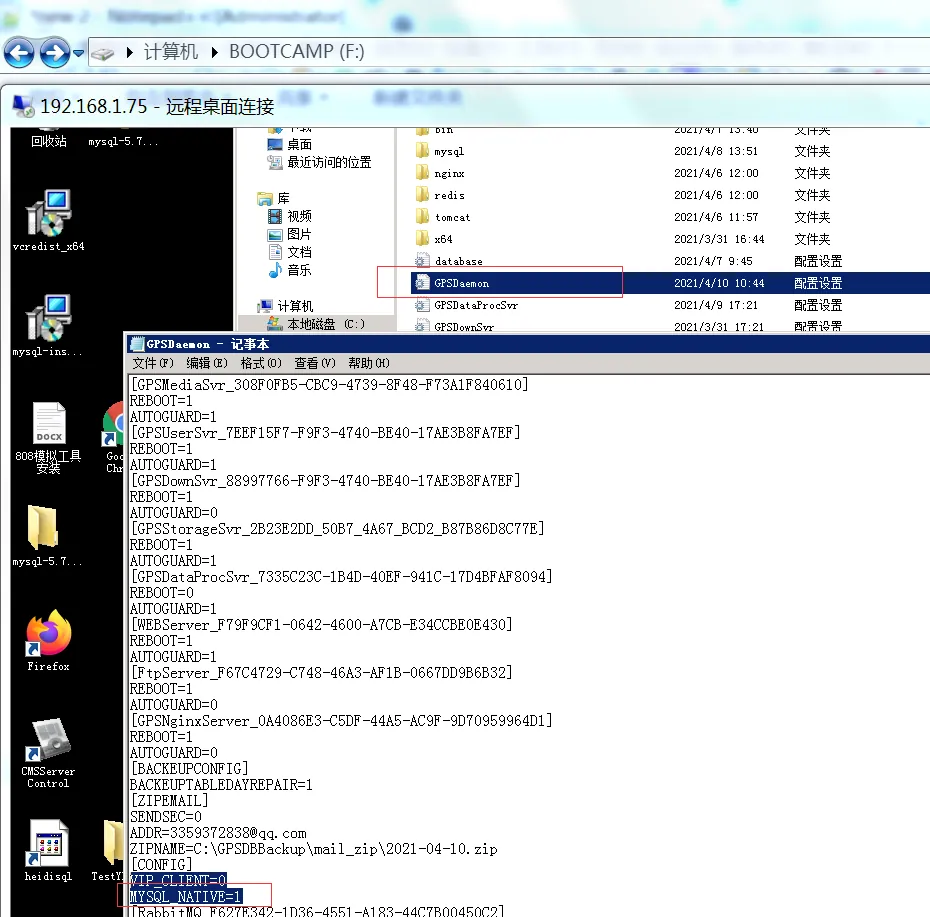
2.5 Add configuration items in D:CMSServerV6\GPSDaemon.ini;
[CONFIG]
MYSQL_NATIVE = 1
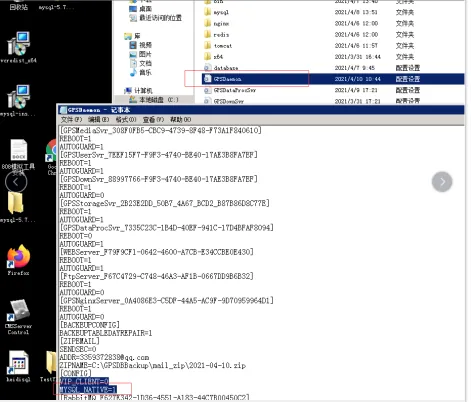
2.6 change the path of the following two configuration items in my.ini configuration file to the path configured in the original my.ini configuration file; Click Save
basedir=”C:/Program Files/CMSServerV6/mysql /"
datadir=”C:/Program Files/CMSServerV6/mysql/gserver_dbdata /"
2.7 open server software
Note: This step needs to confirm the memory configuration of MySQL data, which will be reset to 1G and need to be modified manually.
At this step, the gpmysqld.exe of the software has been upgraded to 5.7, which can be viewed in the task manager:
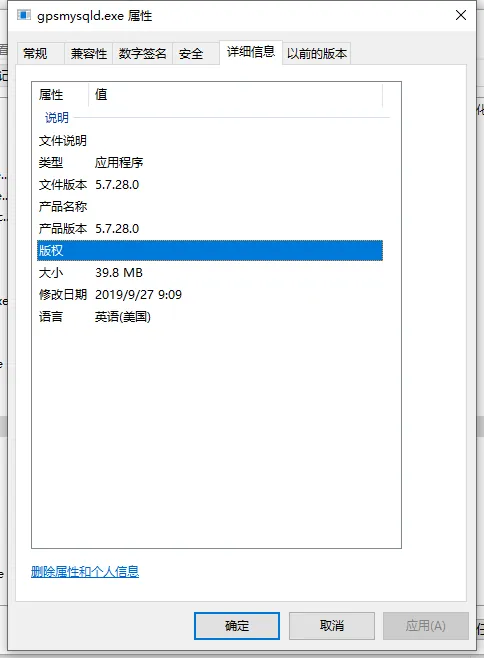
However, if you enter the database for relevant operations at this time, 1146 errors will appear:
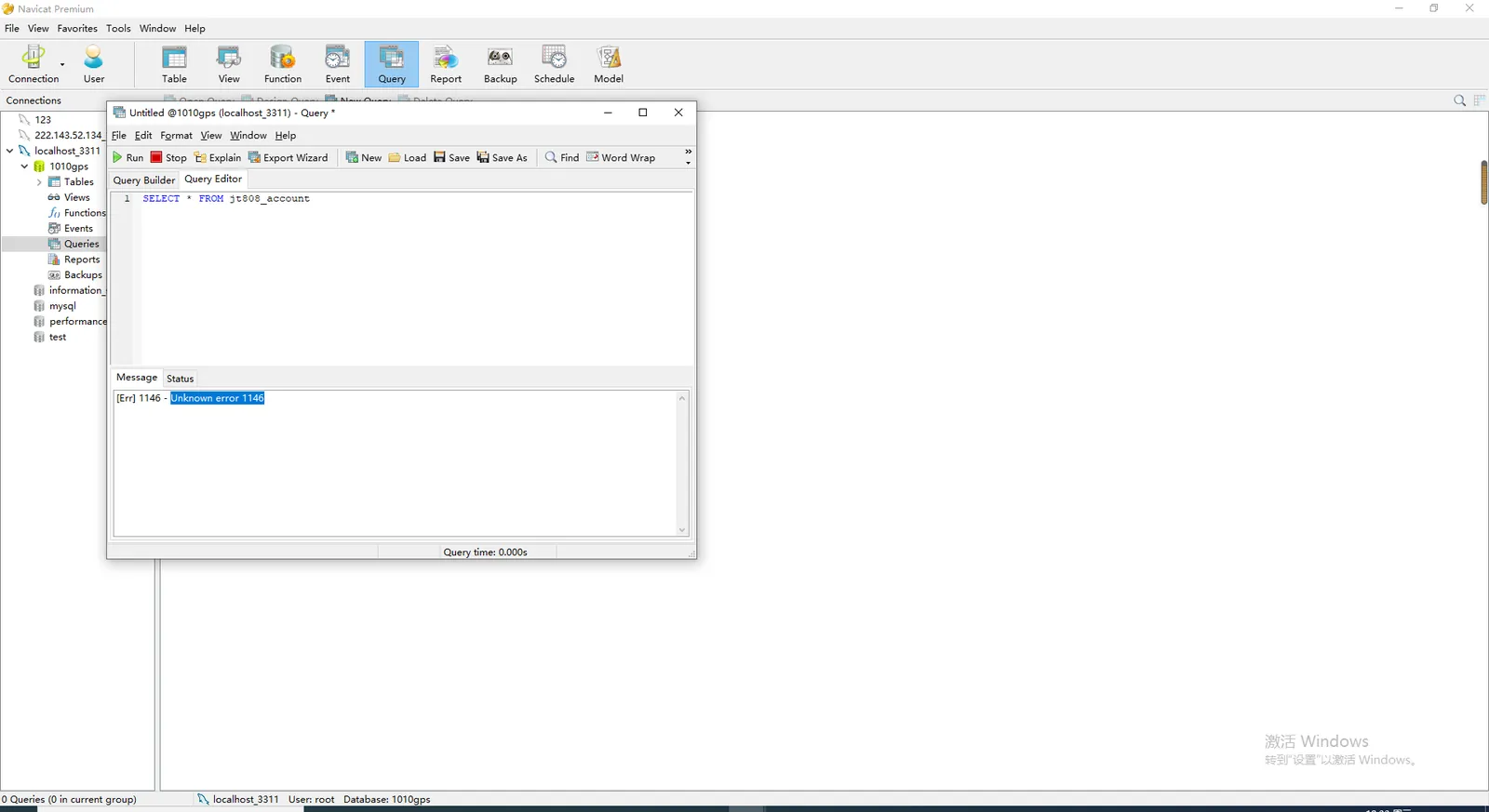
Then use the cmd command to execute the following command: 'cd D:\Program Files\CMSServerV6\mysql\bin' (specify the path of the program mysql.exe)
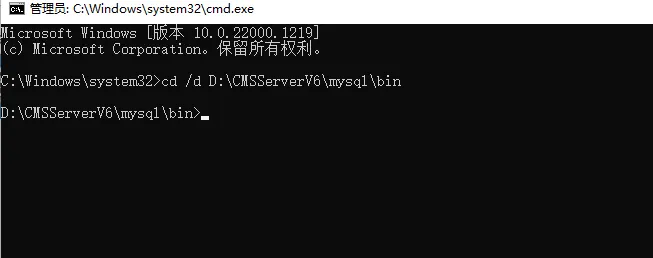
Finally, execute the following command with the cmd command:
mysql_upgrade - u root - pcmsserverv6
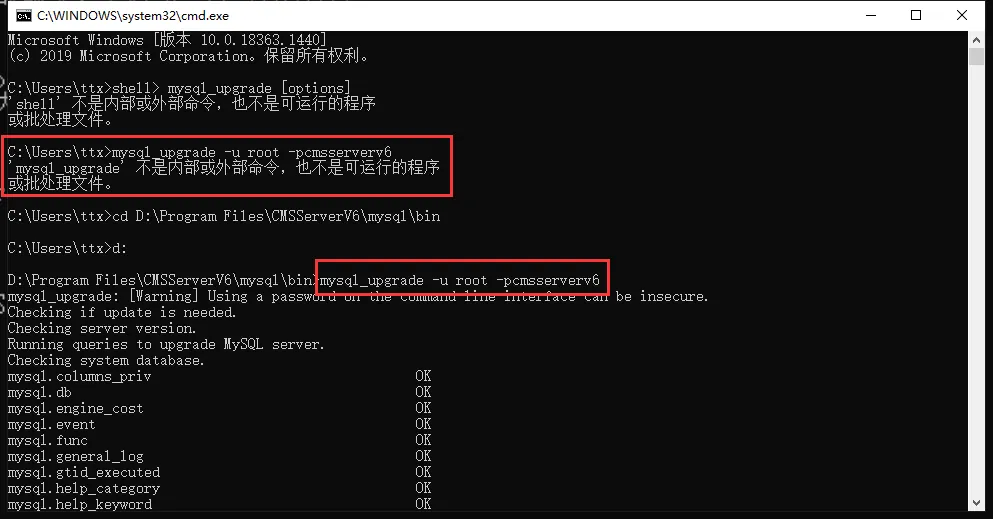
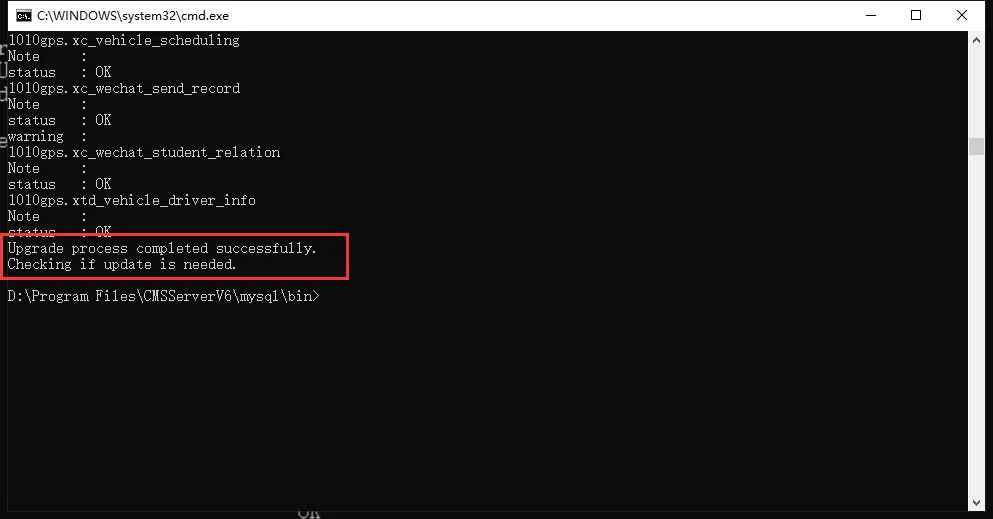
Successful execution is completed (if the database data volume is large, the upgrade will take a long time)
After synchronizing and upgrading the system database, enter the database for related operations: (no 1146 error will occur again)
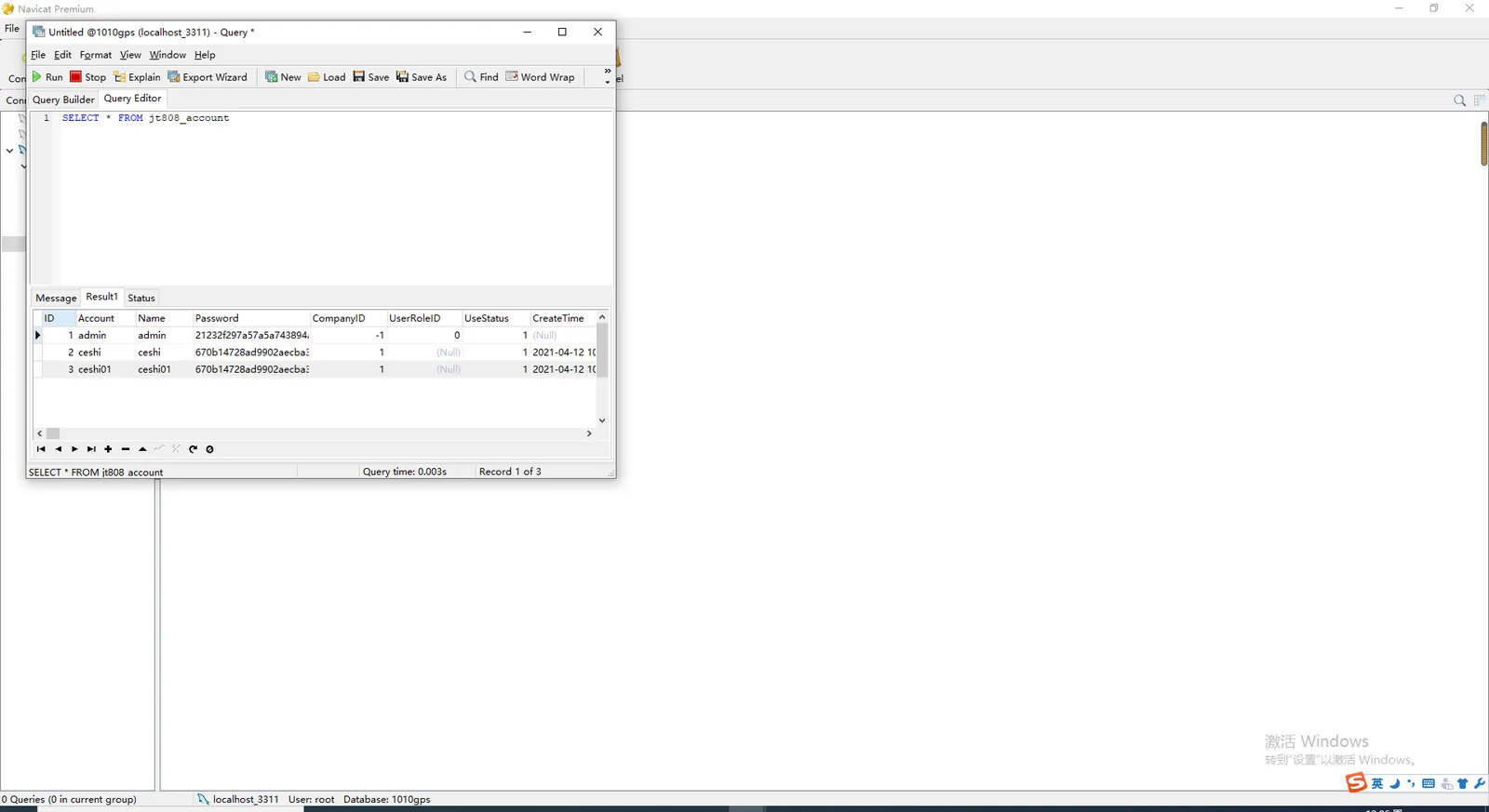
If the Unknown error 1682 reports an error, restart the mysql service.
**Supplementary: **
cmd statement to check whether my.ini configuration item is valid:
Confirm mysql.exe path first
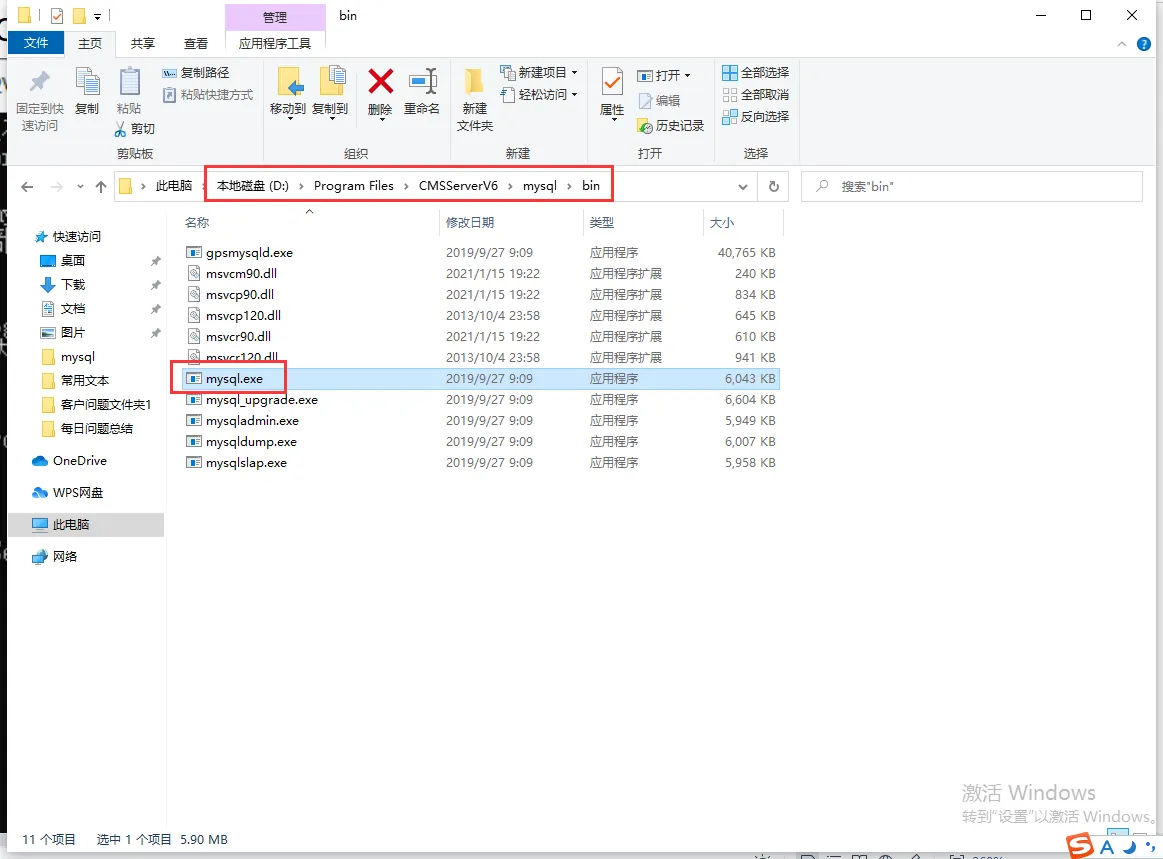
Then execute the following command with the cmd command
cd D:\Program Files\CMSServerV6\mysql\bin (specify the mysql.exe path)
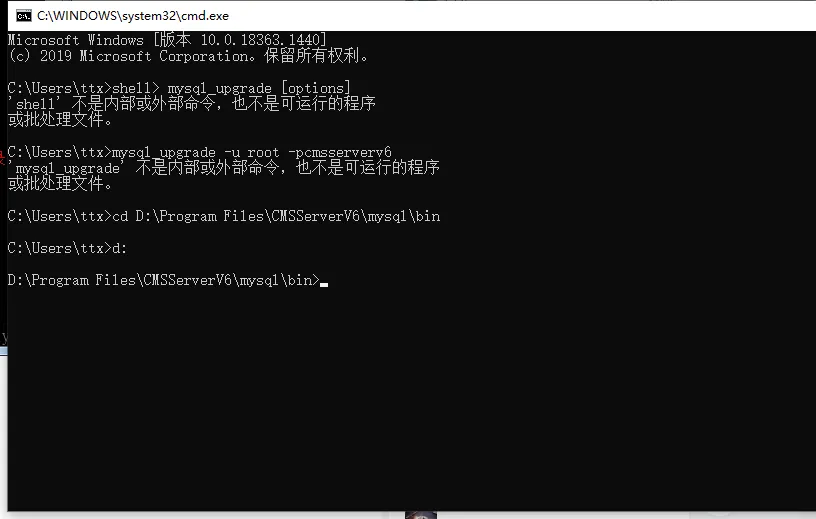
Finally, execute the following command with the cmd command
mysql_upgrade -u root -pcmsserverv6
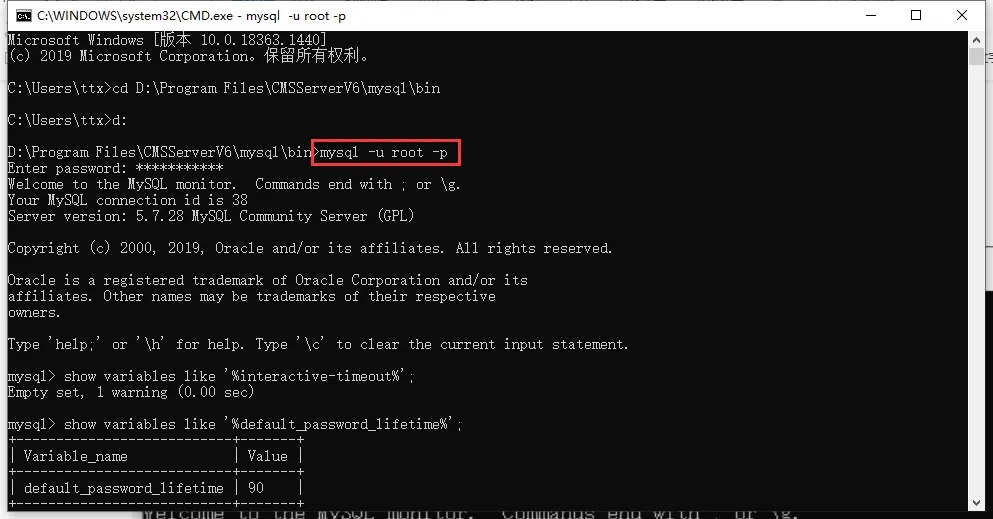
show variables like '%default_password_lifetime% ;
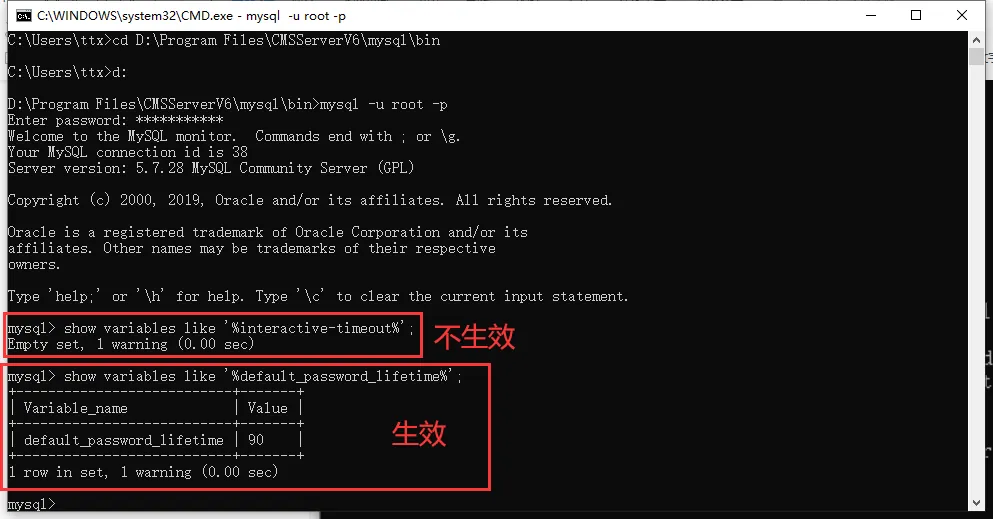 '
'
3. Frequently Asked Questions
Some commonly used configuration items in my.ini configuration file:
- Set database password validity period (unit days)
SET GLOBAL default_password_lifetime = 90 ;
- Query database password validity period (unit day)
show variables like '%default_password_lifetime% ';
- The database system limits the maximum number of login users (number of units)
max_connections
- Database system configuration compliant operation timeout lock (unit seconds)
innodb_lock_wait_timeout
- Install the database password complex policy plugin
INSTALL PLUGIN validate_password SONAME 'validate_password.dll';
- Binary log save path
log-bin ="D:/Program Files/CMSServerV6/mysql/log-bin/logbin.log"
- The time that MySQL clears expired logs, that is, the number of days that binary logs are automatically deleted. The default value is 0, which means it will not be deleted automatically. The file may be deleted when MySQL starts or refreshes the binary log.
expire_log_days = 7
- The size limit of a single file. If the size of the written content exceeds the given value, the log will be rolled back (close the current file and reopen a new log file). Default 1GB, cannot be greater than 1GB or less than 4096B
max_binlog_size = 100M
- Open to save slow log
slow_query_log=ON
slow_query_log_file="D:/Program Files/CMSServerV6/mysql/slow_query/slow_query.log"
long_query_time=10
* If the above path lacks a folder, you need to create it manually, otherwise the database cannot start normally
- Mask password authentication
Note:#skip- grant- tables
- Query error log log_error
mysql>show variables like ‘log_error’; - query log
mysql>show variables like ‘log’; - Open general log
set global general_log=ON; - Query general logs
show global variables like '%general%'; - Query login failure times lock
show variables like '%connection_control%'; - Set the number of login failures and lock time
set GLOBAL connection_control_failed_connections_threshold=5;
set GLOBAL connection_control_max_connection_delay=500000;
set GLOBAL connection_control_min_connection_delay=300000; - Query wait time
show variables like '%timeout%'; - Query slow log status
show VARIABLES like '%slow%'; - Query binary log status
show variables like 'log_bin';
SET GLOBAL expire_logs_days = 7; - Query database password policy status
SHOW VARIABLES LIKE 'validate_password%'; - Check the ssl parameter status, check the have_ssl, YES, which means SSL has been supported
show global variables like '%ssl%'; - Modify the database password policy
set global validate_password_policy=STRONG; - parameters related to mysql password policy;
1) validate_password_length the total length of the fixed password;
2), validate_password_dictionary_file to specify the file path for password verification;
3) validate_password_mixed_case_count the total number of upper/lower case letters in the entire password;
4), validate_password_number_count the entire password to contain at least the number of Arabic numerals;
5), validate_password_policy the strength of the specified password verification level, the default is MEDIUM; - About the value of the validate_password_policy:
0/LOW: only length is verified;
1/MEDIUM: Verify Length, Number, Case, Special Characters;
2/STRONG: Verify length, numbers, case, special characters, dictionary files;
6) validate_password_special_char_count the number of special characters that must be included in the entire password; - Enable database auditing:
INSTALL PLUGIN server_audit SONAME 'server_audit.dll'; - Configure upgrade parameters:
set global server_audit_events='CONNECT,QUERY,TABLE,QUERY_DDL';
set global server_audit_logging=on;
set global server_audit_file_rotate_now=on;
set global server_audit_file_rotations=200;
set global server_audit_file_rotate_size=1000001; -
Query audit status:
show variables like '%audit%'; -
Close the audit log:
SET GLOBAL general_log = 'OFF';
server_audit_events: Specifies the type of event to be logged. Multiple values can be separated by commas.
server_audit_excl_users: User [behavior] for this list will not be recorded and connect information will not be affected by this setting
server_audit_file_path: Use this variable to set the file for storing logs. You can specify a directory. By default, it is stored in the server_audit.log file of the data directory.
server_audit_file_rotate_now: Do you know the forced cutting log
server_audit_file_rotate_size: Limiting the size of the log file
server_audit_file_rotations: Specifies the number of log files, if 0 logs will never rotate
server_audit_incl_users: Specify which users' activities will be recorded, connect will not be affected by this variable, which has a higher priority than the server_audit_excl_users
server_audit_loc_info:
server_audit_logging: Enables or disables auditing ON/OFFserver_audit_mode: Identifies the version for development testing
server_audit_output_type: Specifies the log output type, which can be SYSLOG or FILE. When it is syslog, it is logged to/var/log/messagesserver_audit_query_log_limit : 1024
server_audit_syslog_facility : LOG_USER
server_audit_syslog_ident : mysql- server _auditingserver_audit_syslog_info:
server_audit_syslog_priority : LOG_INFO
* The following default configuration items need to be added to the my.ini file, otherwise the configuration parameters will be invalid if the database is restarted'
"If the log path is missing a folder, you need to create it manually, otherwise the database cannot be started normally'
[mysqld]
# Path to save the binary log
log- bin="F:/CMSServerV6/mysql/log- bin/logbin.log"

# Enable slow log saving
slow_query_log=ON
slow_query_log_file="F:/CMSServerV6/mysql/slow_query/slow_query.log"
long_query_time = 10

# Enable general log
general_log=ON
# Log file location
general_log_file="F:/CMSServerV6/mysql/tmp/mysql_log.log"

# Login failures locked
connection_control_failed_connections_threshold = 5
connection_control_max_connection_delay = 500000
connection_control_min_connection_delay = 300000

# Database Password Policy
validate_password_policy=STRONG

# Password validity period
default_password_lifetime = 90

# Database audit configuration
server_audit_events='CONNECT,QUERY,TABLE,QUERY_DDL'
server_audit_logging=on
server_audit_file_rotate_now=on
server_audit_file_rotations = 200
server_audit_file_rotate_size = 1000001
