1. Functional Description
It is used to solve the problem of weak passwords and anonymous access to ftp servers.
2. Operating Instructions
2.1 to change ftp server password
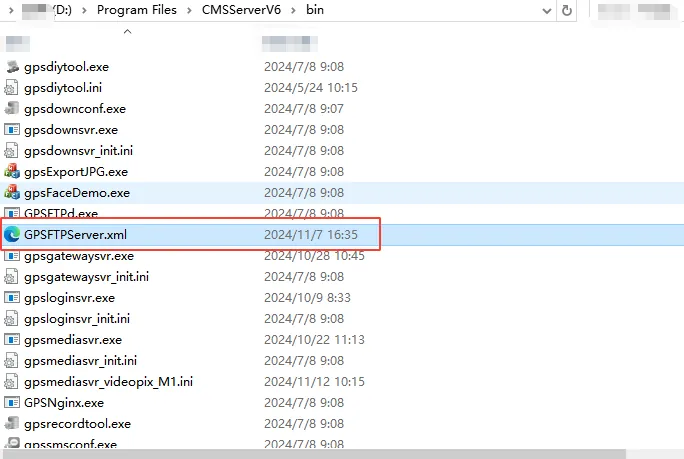
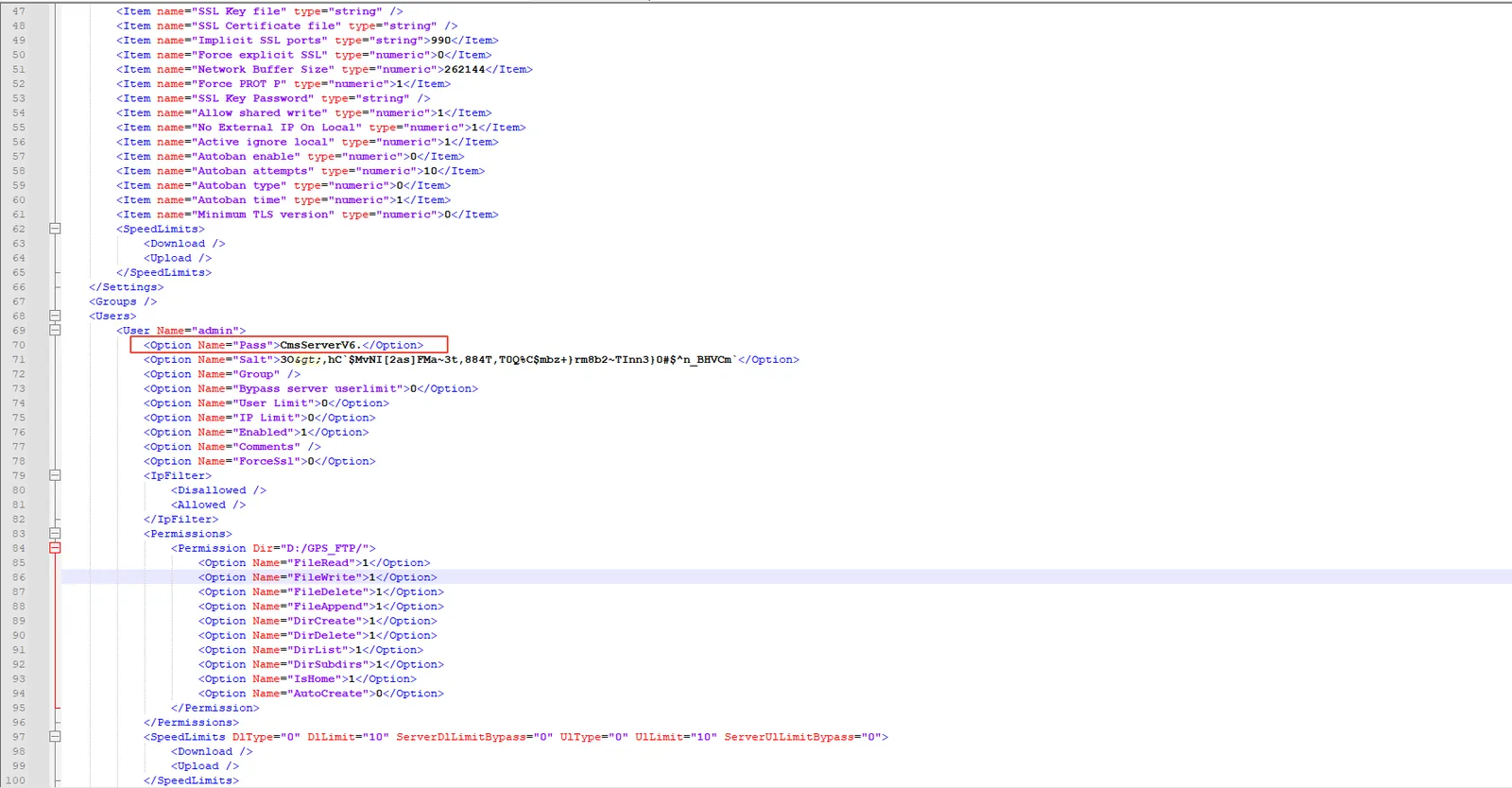
Open the GPSFTPServer.xml file in the CMSServerV6/bin directory, find the pass field, and modify the password. It is recommended to modify it to a combination of upper and lower case letters and numbers, such as CmsServerV6.Special characters @, (), etc **
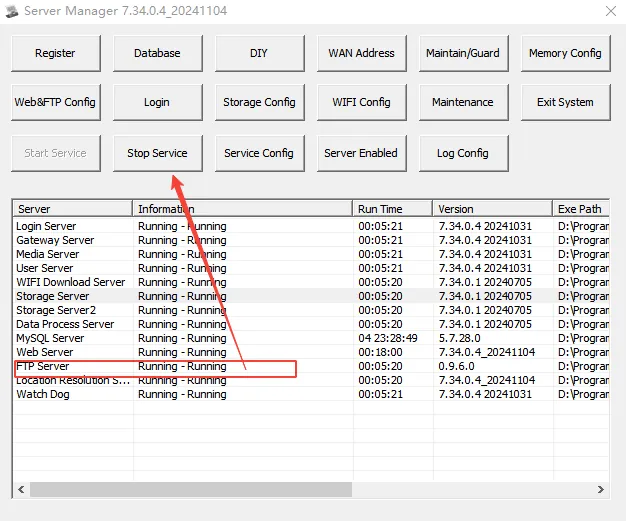
Restart the ftp server after modification
2.2 turn off anonymous access
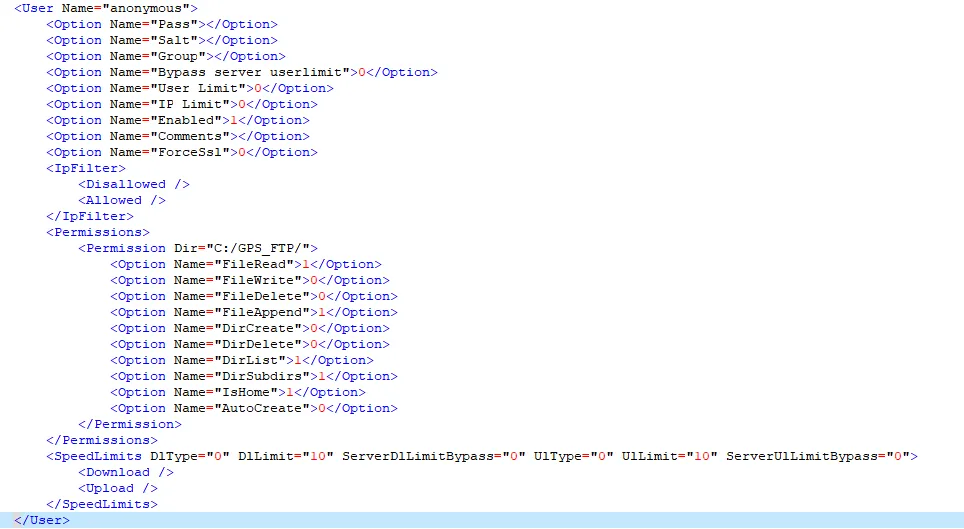
Turn off anonymous access, delete the following figure directly from GPSFTPServer.xml in the bin directory, save it, and restart the ftp server.