1 function description
When the Hongsoft SDK expires, you need to perform the following configurations or directly upgrade to the latest version of the server.
2 operating instructions
2.1 customers apply to Hongsoft for commercial SDK (version C) and provide the following parameters;
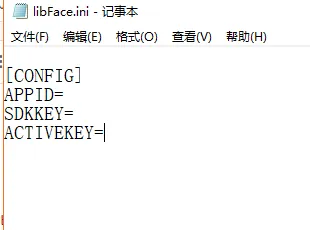
APPID=
SDKKEY=
ACTIVEKEY = (trial code)

2.2 copy the following files in Hongsoft SDK to the server path;
libarcsoft_face.dll
libarcsoft_face_engine.dll
Path: D:\CMSServerV6\bin\plugin\Face
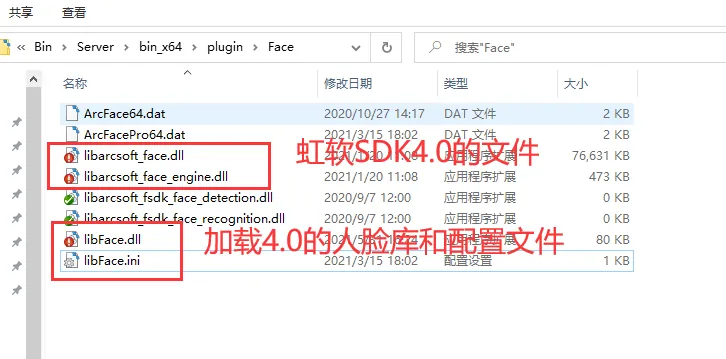
2.3 Configure the libFace.ini parameter (if the server does not have this file, you can create or download an attachment file);
Path: D:\CMSServerV6\bin\plugin\Face
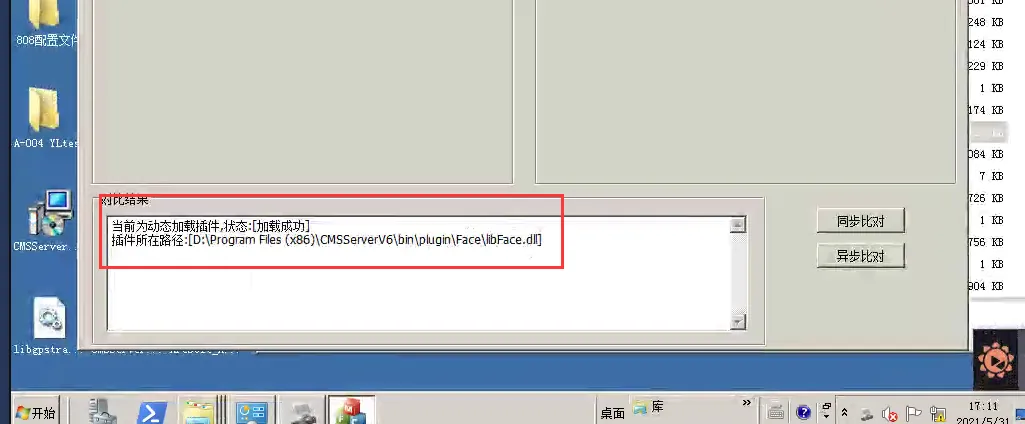
2.4 run gpsFaceDemo.exe to test whether the plug- in is loaded successfully;
Path: D:\CMSServerV6\bin \gpsFfaceDemo.exe
Success Marks:
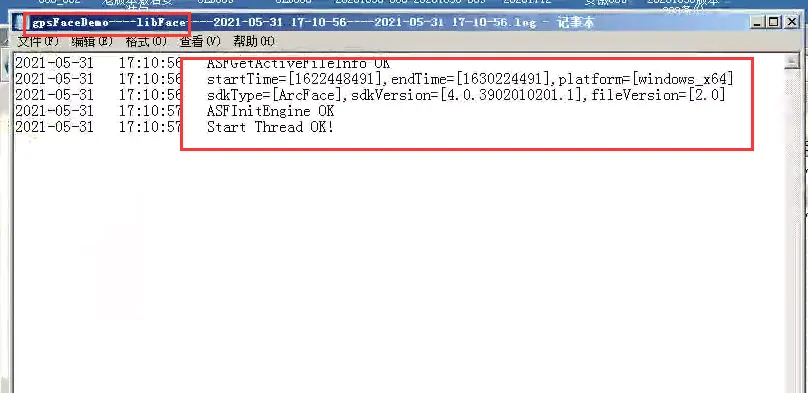
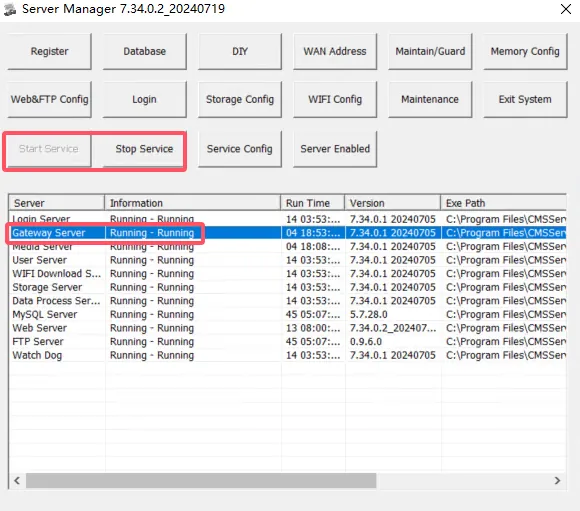
Restart the gateway server after the 2.5 test is successfully loaded.