1. Function Description
1.1 the superior platform to obtain attachments, usually in the form of ftp.
1.2, if the ftp related information is not obtained correctly, the attachment cannot be obtained.
1.3 this document note introduces how to correct ftp server- related information.
2. Operating Instructions
2.1 the following example is a third- party platform in Hebei Province.
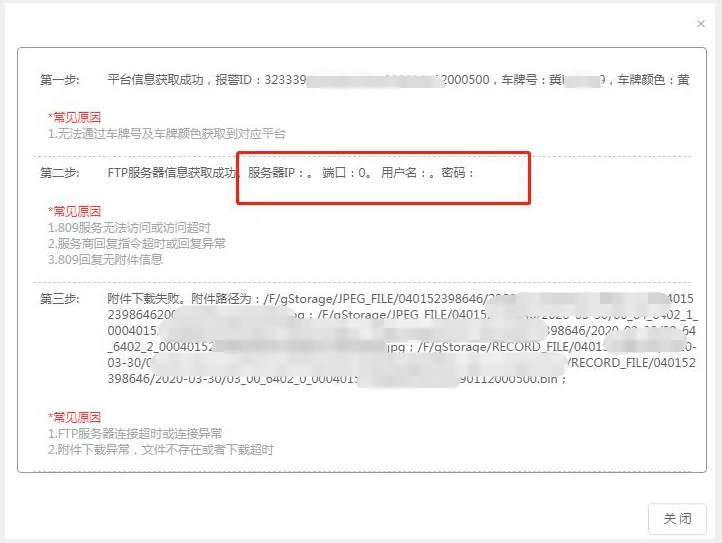
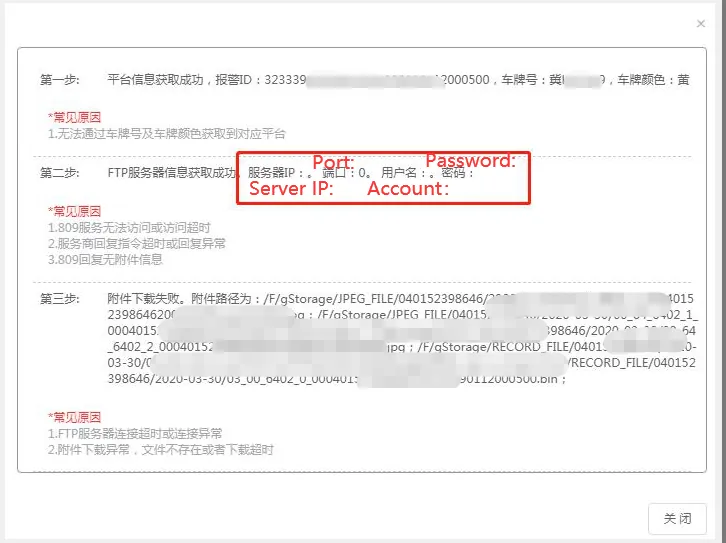
2.2. Telnet check whether the FTP port is open
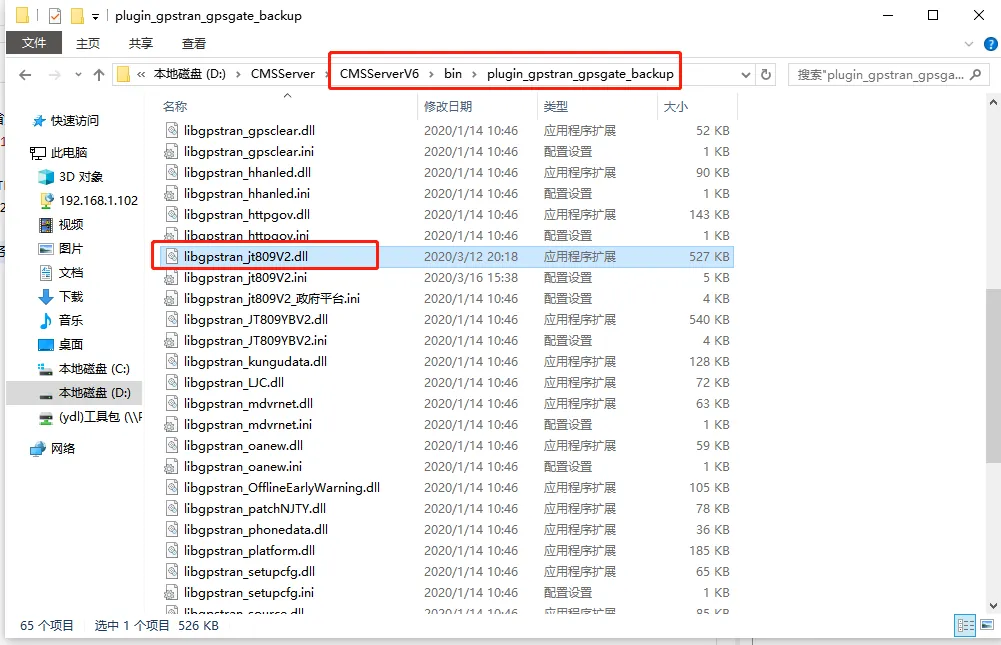
2.3. After upgrading the 7.21 version from the old version, since the FTP server has been replaced by the new version, it is necessary to re- obtain the 809 forwarding plug- in under the plugin_gpstran_gpsgate_backup, replace the original dll file, and restart the corresponding server.
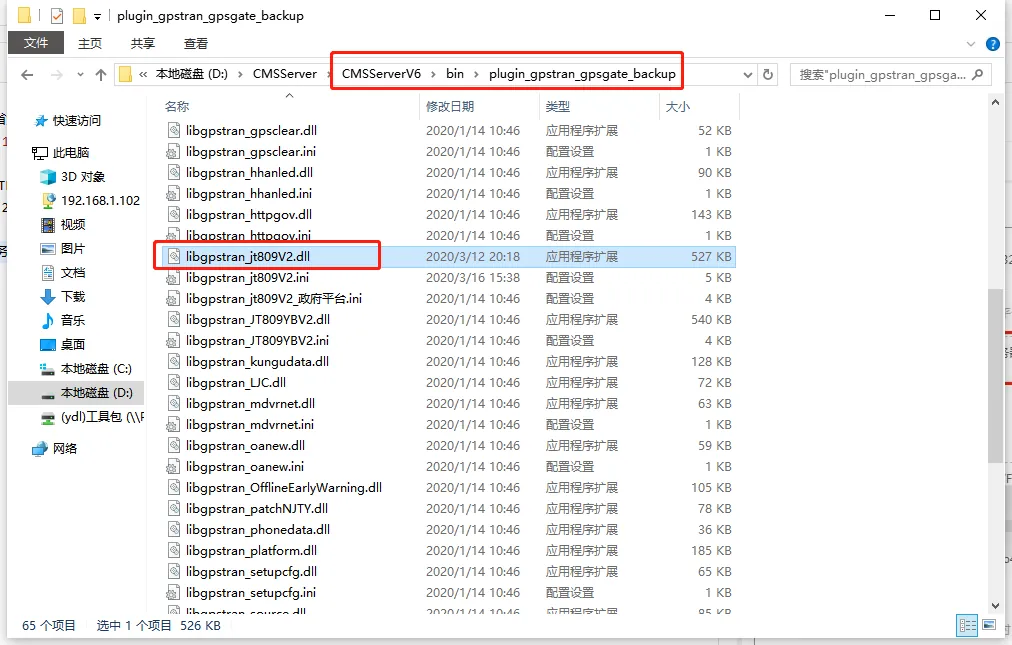
2.4. The obtained FTP server address is not the public IP address of the server.
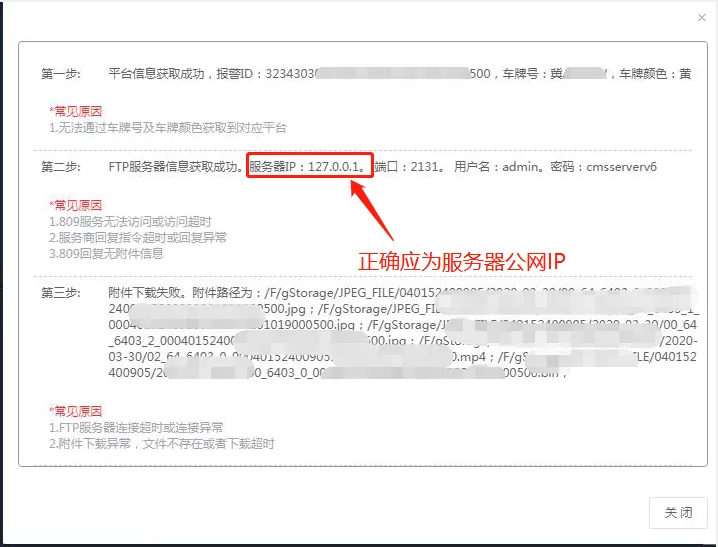
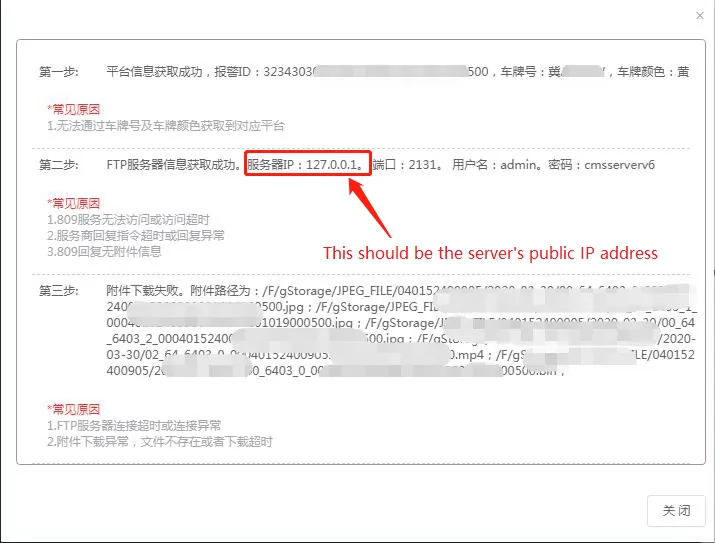
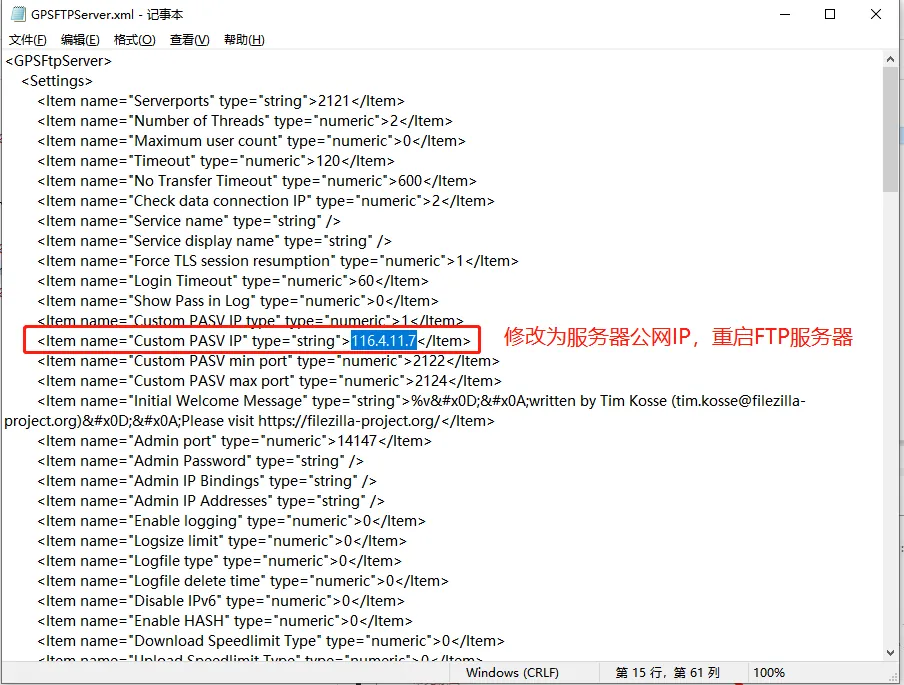
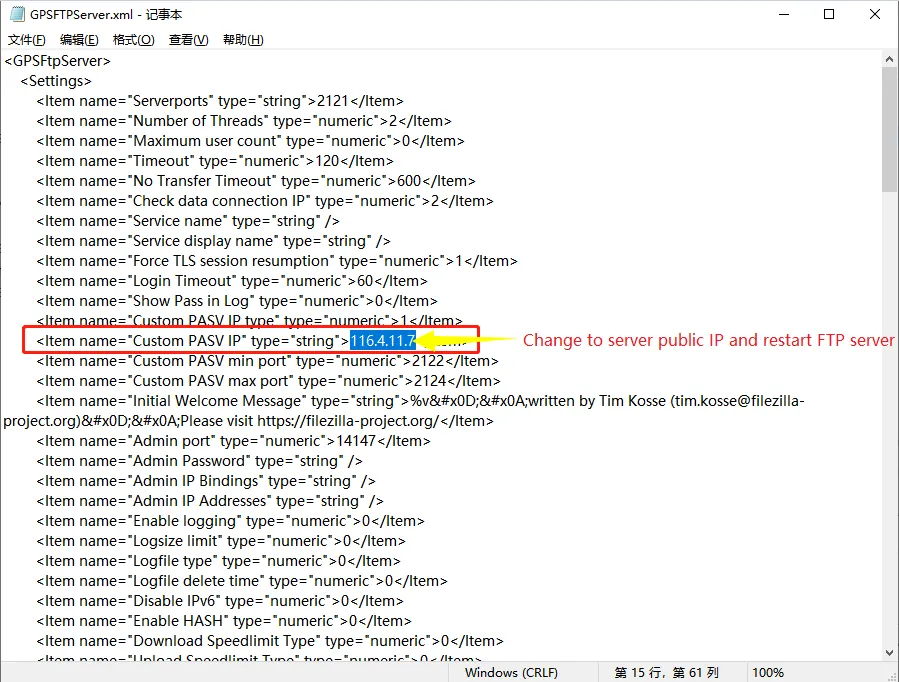
2.5. Open the GPSFTPServer.xml file under bin path, modify IP to server public network IP, and restart FTP server.
3. Notes
Modify the server ip in the 3.1 GPSFTPServer.xml file, and then modify the port after the port is determined.
