1、 function description
Tianyi Cloud Object Storage Configuration Method
2、 operating instructions
Parameters to be obtained:AccessKeyID,SecretAccessKey,EndPoint
2.1 Go to Tianyi Cloud official website (www.ctyun.cn) to register an account and authenticate with your real name
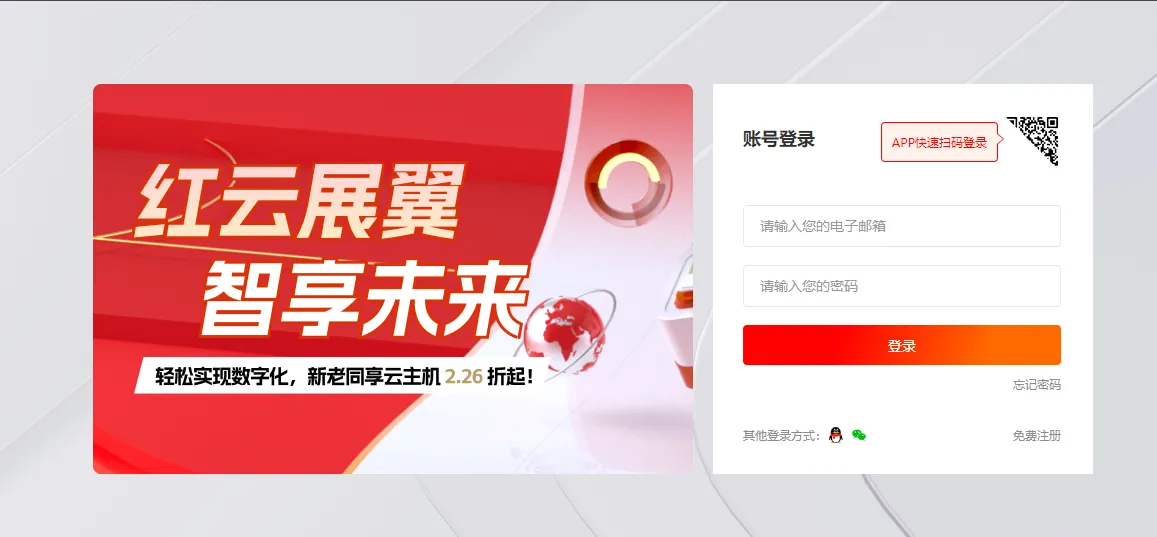
2.2 click on "Control Center" and log in

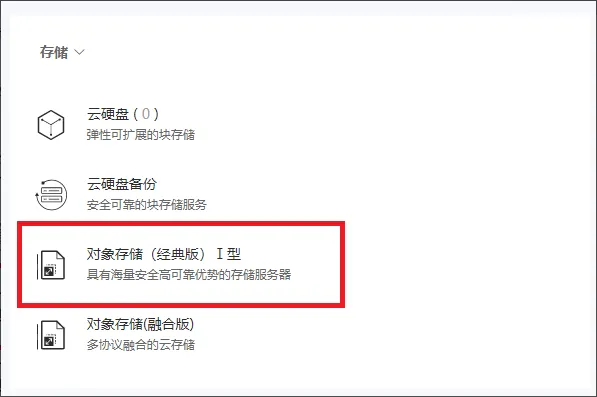
2.3 click "Object Storage (Classic Edition) Type I", you need to open it first
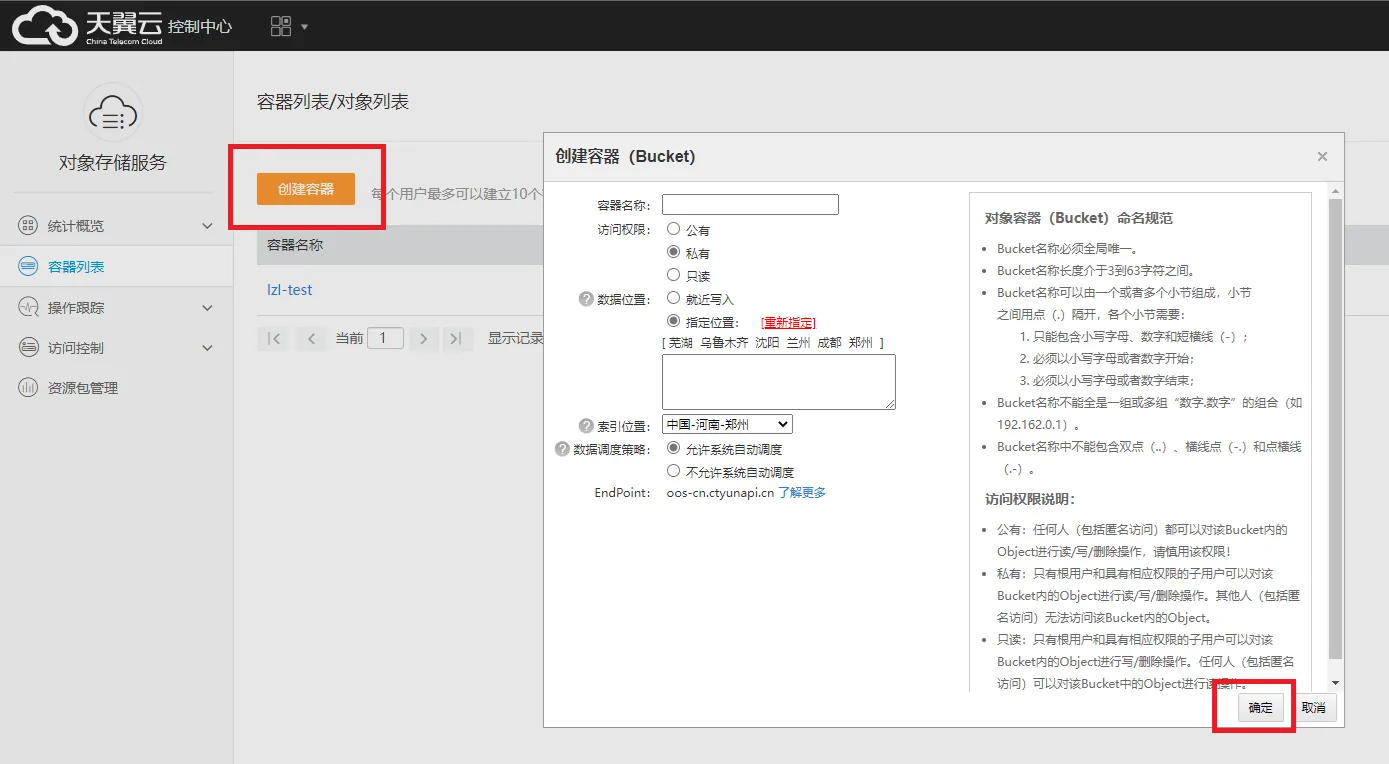
2.4 click "Create container" and enter the container name, click "OK"
2.5 click on "Properties"

2.6 note "Index Position" and click "Learn More"
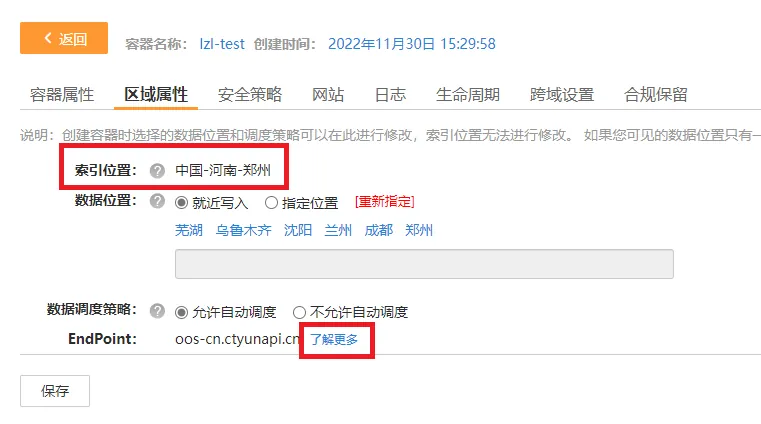
2.7 Find the corresponding EndPoint according to the index position.
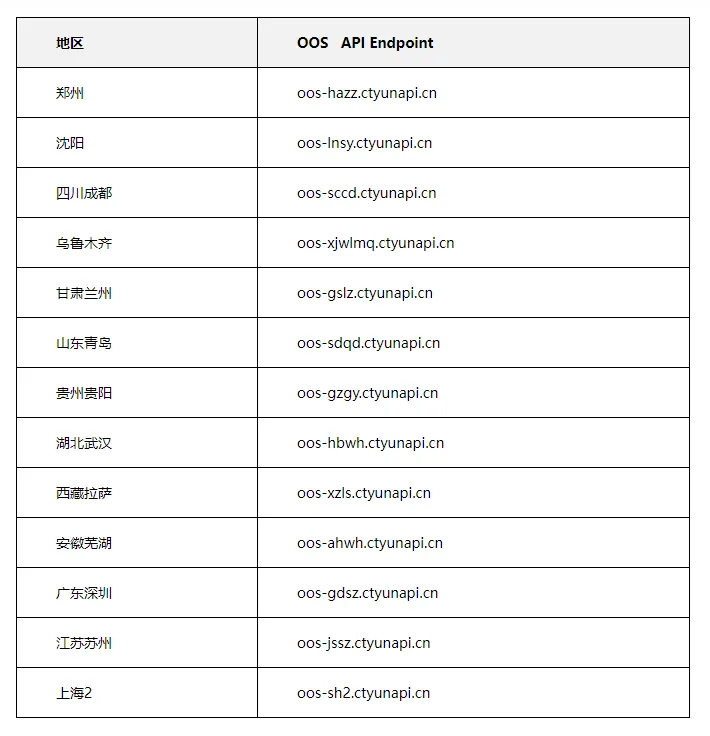
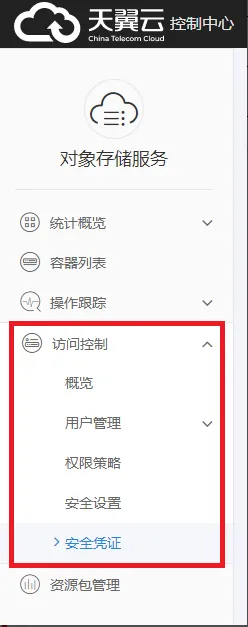
2.8 Click "Security Credential" in "Access Control" on the left side of the control center, you can create a key and download files, view AccessKeyID,SecretAccessKey, note: you can only download it once
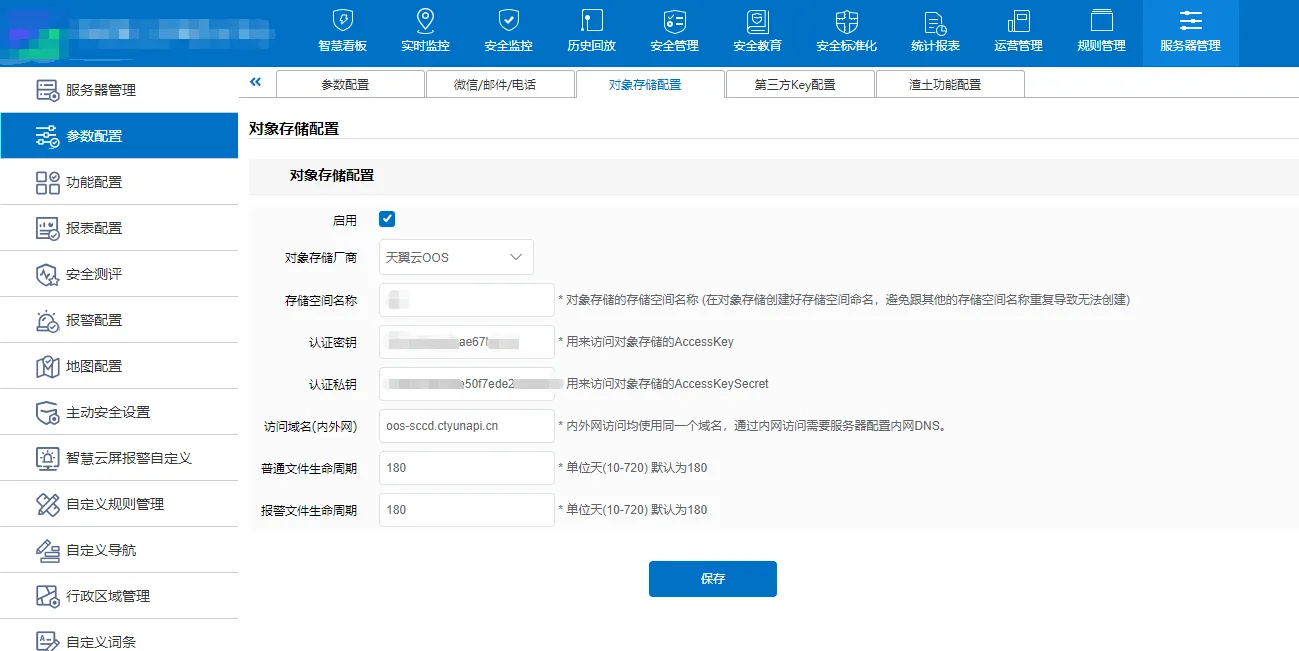
2.9 At this point, the three parameters are obtained and filled in the object storage configuration page, "authentication key" is AccessKeyID, "authentication private key" is SecretAccessKey, "access domain name (internal and external network)" is EndPoint
3、 Precautions
The 7.30 version server needs to update the following files before it can have the Tianyi cloud storage function (see attachment):
Replace libOssFile.dll, path: CMSServerV6\bin\libOssFile.dll
Update web package: 7.30 upgrade package - 2022- 12- 15 19- 29- 31.zip
