1. problem phenomenon
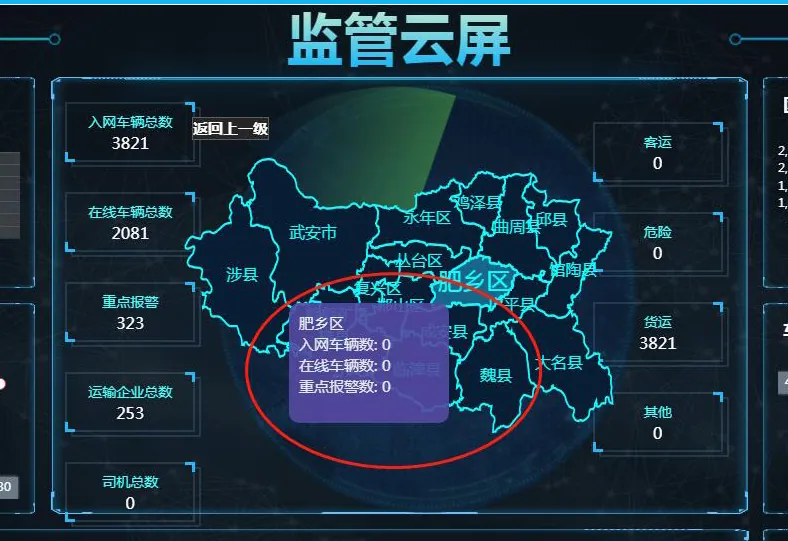
The area in the middle of the supervision cloud screen does not display vehicle and alarm data.
2. Cause of the problem
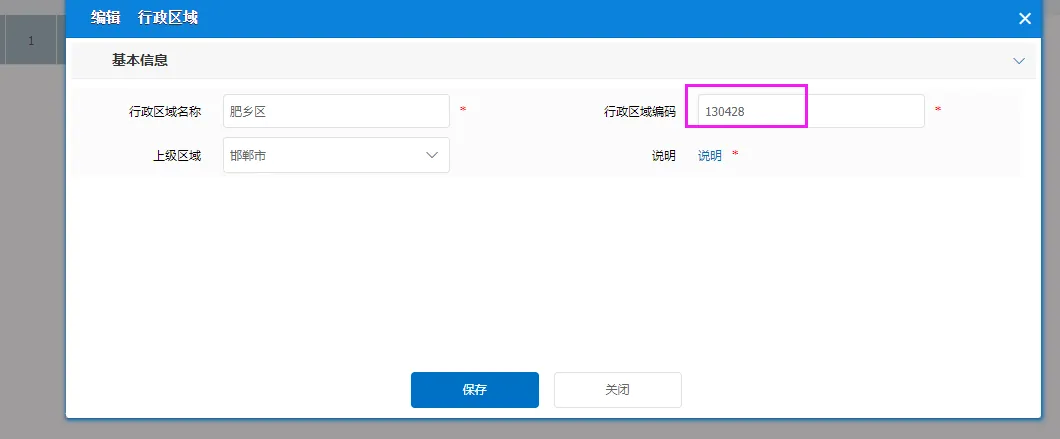
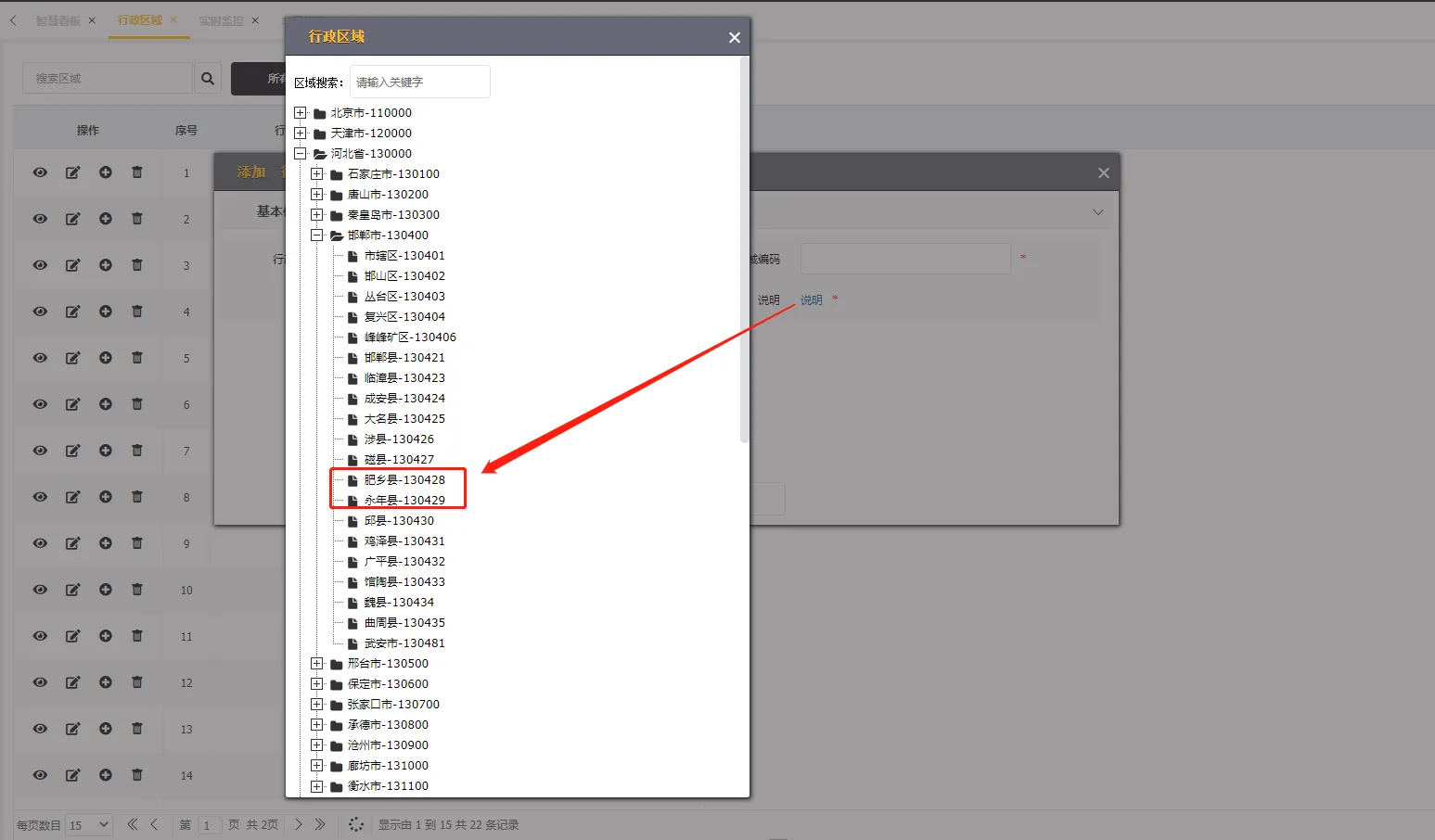
When adding administrative region information, the entered administrative region code is incorrect.
3. Troubleshooting
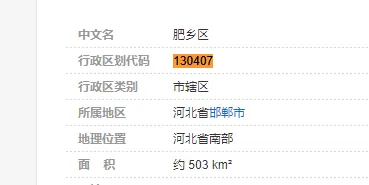
You can search the latest administrative code in the corresponding area through Baidu, modify the correct administrative code, and refresh the supervision cloud screen page.
4. Other
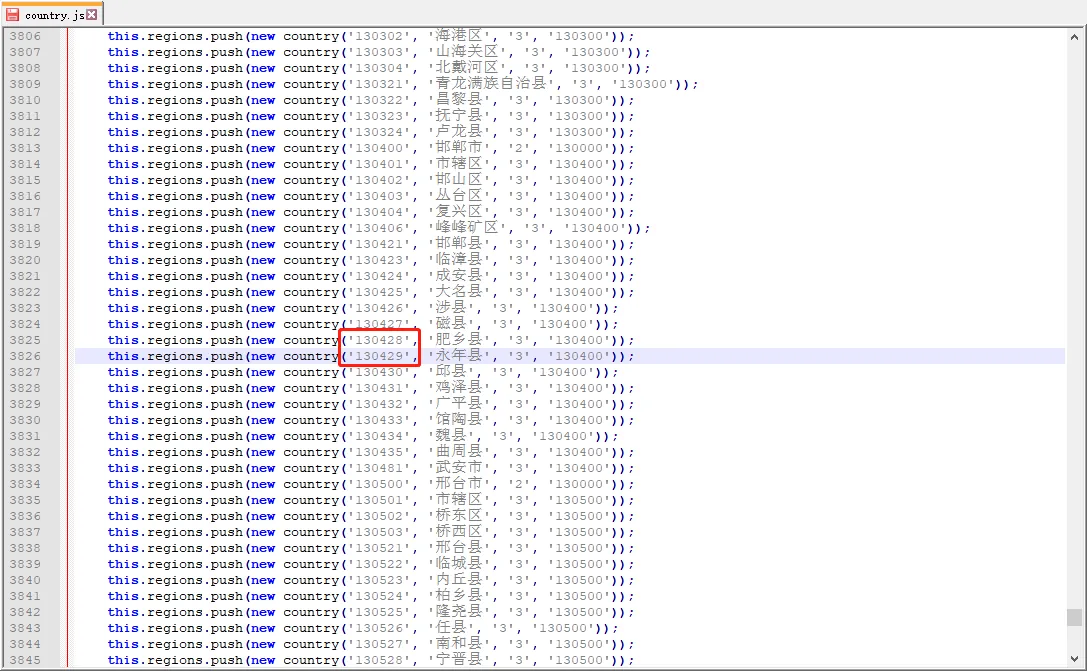
If the administrative code provided in the platform description is incorrect, you can feed it back to the corresponding technical support, or modify the country.js file. After modification, you need to clear the browser cache.
Path:
CMSServerV6 omcatwebappsgpsweb808gpsCountryPage
CMSServerV6 omcatwebappsgpsweb808gpsjs