1. Function description
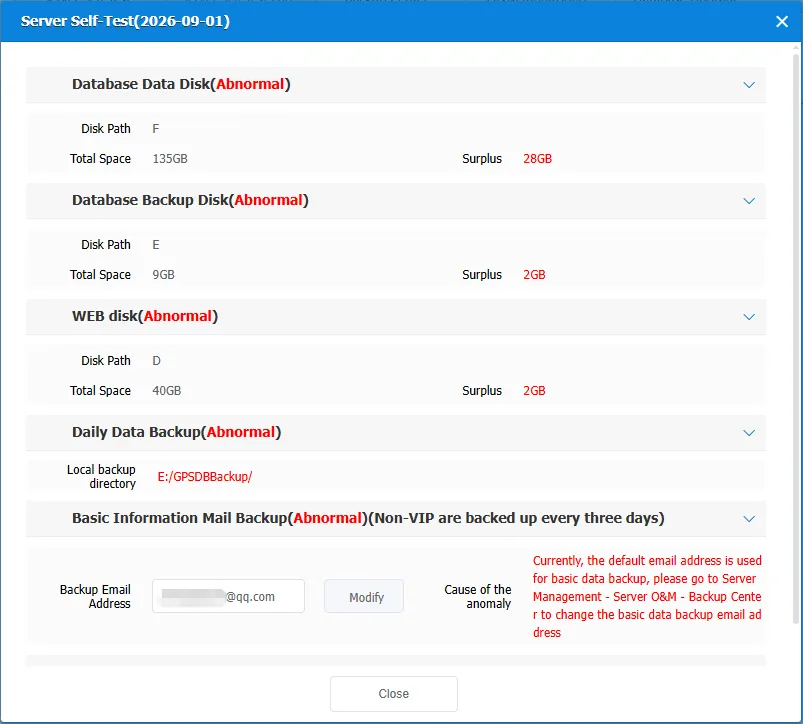
- The platform will conduct regular self- check on the daily running status of the server every day. When abnormal conditions such as insufficient disk space, failure of local database backup or mail backup, missing partition table, expired HTTPS certificate, etc. are detected, the administrator will receive a pop- up window reminder every time he logs on to the platform.
- Administrators can refer to the following document guidelines to handle abnormal items in a timely manner to avoid affecting the daily operation of the platform.
2. operating instructions
2.1 database data disk self-test exception
When the platform detects that the remaining space of the disk where the real-time database is located is lower than the disk alarm threshold, the self-test prompts an exception, and it is recommended to expand the disk or clear the disk space in time.

Processing Guidelines
- Disk space expansion: Please contact the server operator or the computer room operation and maintenance technology to expand the abnormal disk.
- Disk space cleaning: refer to Server real-time database data cleansing (monthly table), or contact technical support for assistance.
2.2 database backup disk self-test exception
When the platform detects that the remaining space of the disk where the database backup is located is lower than the disk alarm threshold, the self-test prompts an exception, and it is recommended to expand the disk or clear the disk space in time.

Processing Guidelines
- Disk space expansion: Please contact the server operator or the computer room operation and maintenance technology to expand the abnormal disk.
- Disk space cleaning: refer to Server automatic backup data cleaning, or contact technical support for assistance.
2.3 WEB disk self-test exception
When the platform detects that the remaining space of the disk where the WEB software program is located is lower than the disk alarm threshold, the self-test indicates an exception, and it is recommended to expand the disk or clear the disk space in time.

Processing Guidelines
- Disk space expansion: Please contact the server operator or the computer room operation and maintenance technology to expand the abnormal disk.
- Disk Space Cleanup: Clean software program logs or contact technical support for assistance.
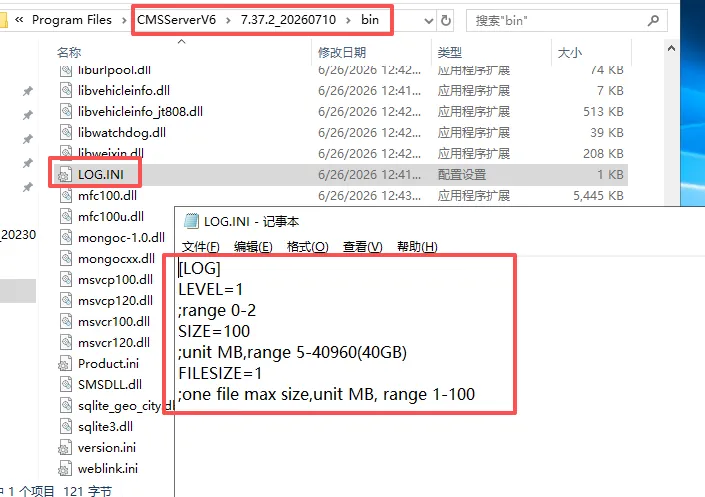
1、Reduce log writing: Edit the LOG.ini configuration file, modify the log level LEVEL to 1 or 2, and reduce the write of program logs to the disk.
Profile directory: \CMSServerV6\version number\bin
2、Clean up Tomcat logs
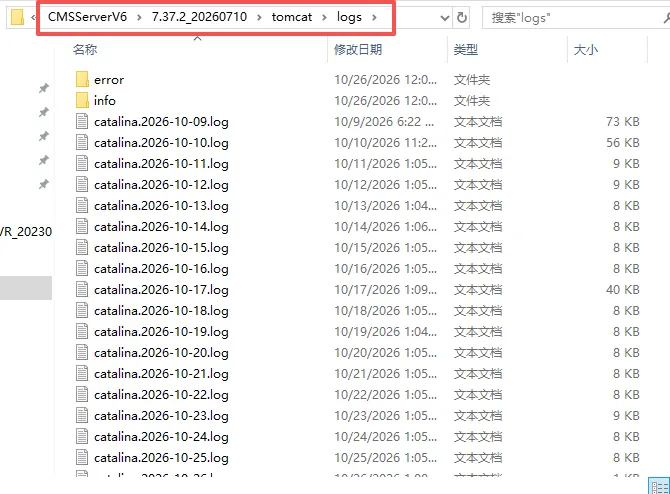
Log directory: \CMSServerV6\version number\tomcat\logs. Deleting log files in this directory does not affect the software operation.
3、Clean up the bin directory log
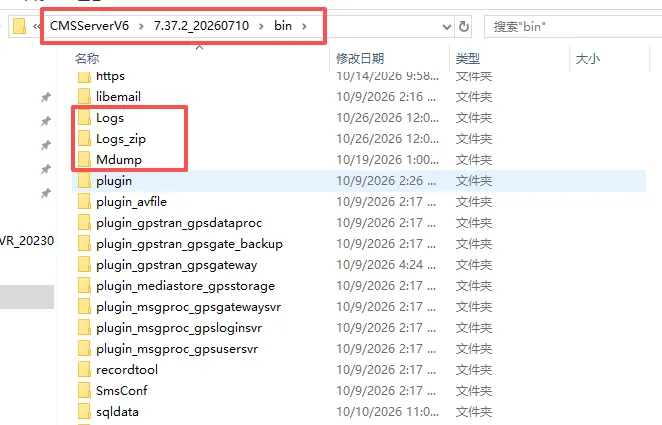
Log storage directory: \CMSServerV6\version number\bin\Logs,\CMSServerV6\version number\bin\Logs_zip,\CMSServerV6\version number\bin\Mdump
Deleting these three log files does not affect software operation.
4、Cleaning the Location Resolution Server Log
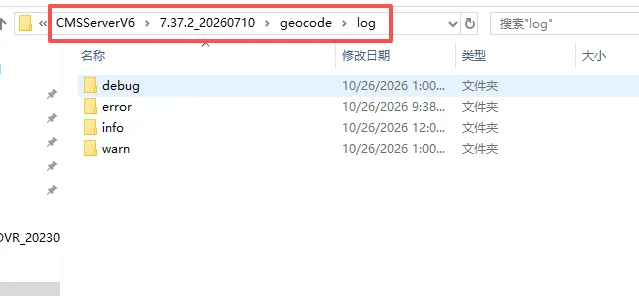
Log storage directory: \CMSServerV6\version number\geocode\log. Deleting log files in this directory does not affect software operation.
2.4 Daily data backup self-test exception
When the platform detects that the local backup failed or a data table backup failed on the same day, the self-test prompts an exception. It is recommended to check the integrity of the database backup file.

Processing Guidelines
- Check if the backup path exists
- View the backup execution log
gpsdaemon----libdbtool, analyze the cause of the failure, and provide the log to technical support for troubleshooting.
2.5 basic information mail backup self-check exception
When the platform detects that the default backup receiving mailbox has not been modified or the backup mail fails to be sent, the self- test prompts an exception. It is recommended to modify a common mailbox to receive basic data backup.
Note: VIP sends email backup every day, non-VIP sends email backup every three days

Processing Guidelines
- Modify the receiving mailbox of the mail backup on the pop- up page or modify the receiving mailbox in Backup Center. Please make sure that the mailbox address is filled in correctly.
- View the email backup execution log
gpsdaemon----libemail, analyze the cause of the failure, and provide the log to technical support to assist in troubleshooting.
2.6 database partition table self-check exception
When the platform detects that the database partition table fails to be created or is missing, the self-test prompts an exception. It is recommended to perform SQL reconstruction based on the missing table name or contact technical support for assistance.

Processing Guidelines
- According to the missing table name of the exception prompt, Restore monthly database tables, or contact technical support for assistance.
2.7 HTTPS certificate self-test exception
When the platform detects that the HTTPS certificate has expired for 7 days, the self-test prompt is abnormal, and it is recommended to update the SSL certificate in time.

Processing Guidelines
- SSL certificate update: Re purchase a third-party SSL certificate and replace it with
\CMSServerV6\data\nginx\confdirectory
3. Precautions
- Enter 【Server】>【Server O&M】>【Server Self-Test】to adjust Adjusting Server Self Test Parameter Thresholds
- After handling exceptions on the same day, you may still receive a pop-up window reminder. You can view server self-test log after re-testing normal the next day.
