Function description
- After the platform is deployed, the default platform name is "Active Security Monitoring Cloud Platform"
- Customers can modify their own platform name
- Client, WEB are different locale settings in the same interface
Problem phenomenon
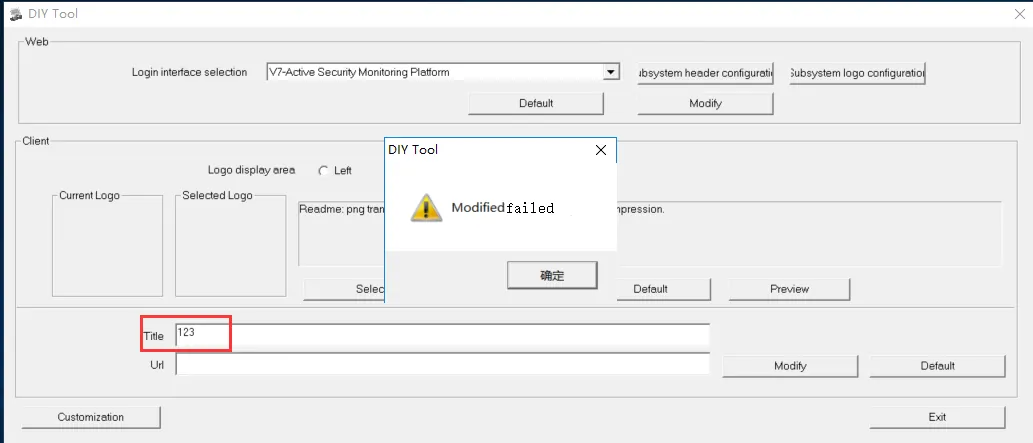
- When DIY configures the platform name, the WEB configuration is normal, and the client configuration prompt fails to be modified.
Treatment
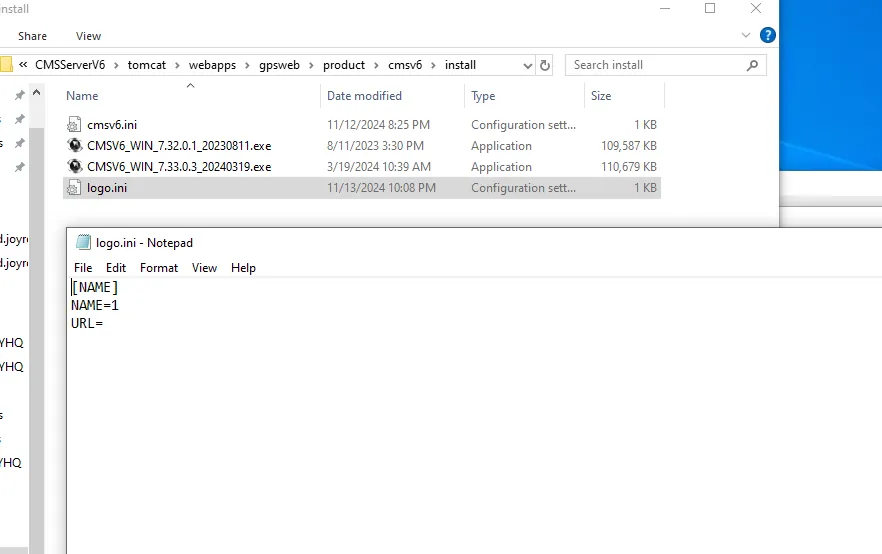
It is caused by the lack of logo.ini configuration file on the server. The file path CMSServerV6\tomcat\webapps\gpsweb\product\cmsv6\install. Put the logo.ini file in the above path. The configuration file can be found in the client installation directory or created by yourself:
Precautions
- The problem is mainly in the old version server. 7.32 and above versions have been fixed and files will be created automatically.
