1. Function description
- Customize CMSV6 client entries for the local computer
2, operating instructions
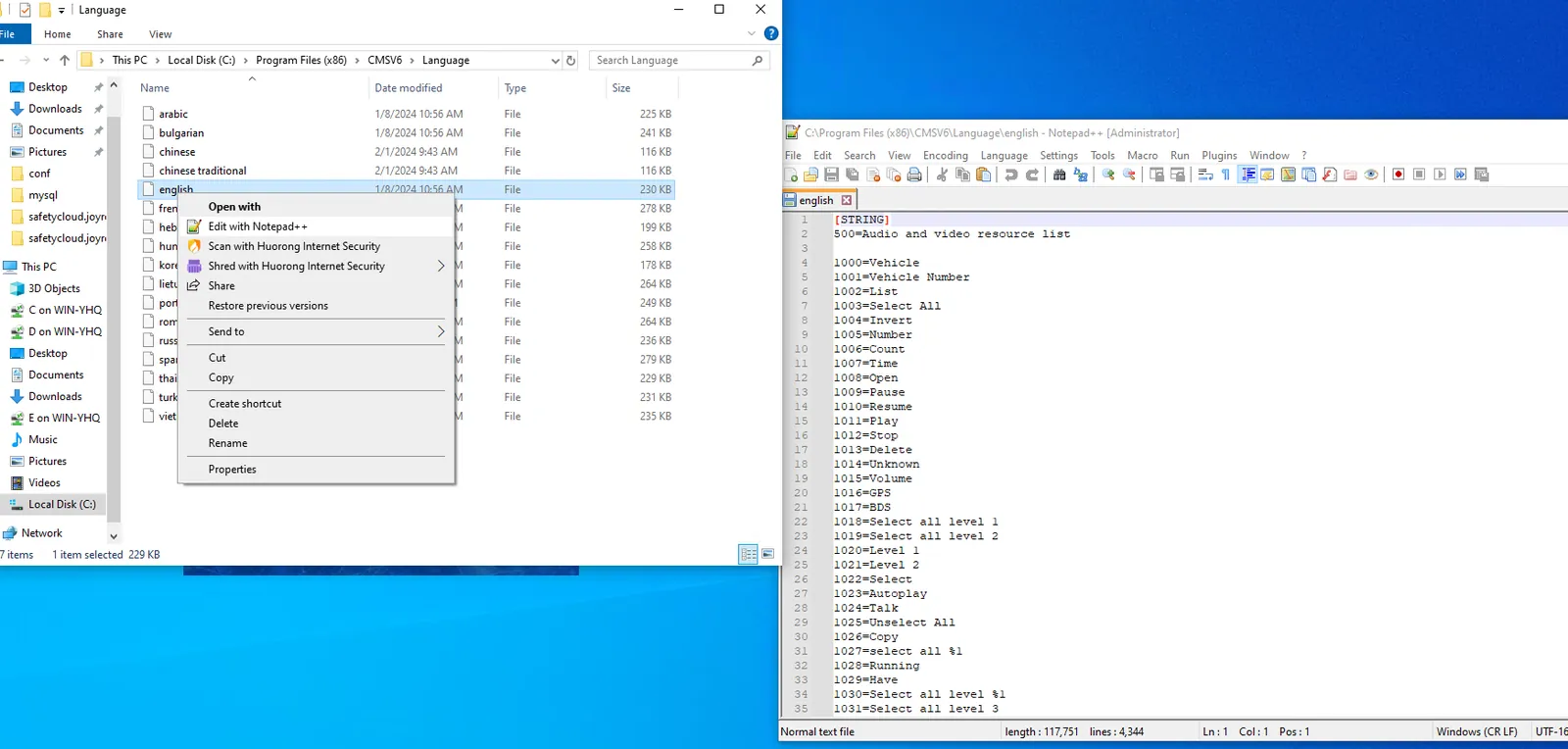
2.1 Open the client installation path "CMSV6\Language" to find the corresponding language file and open the file
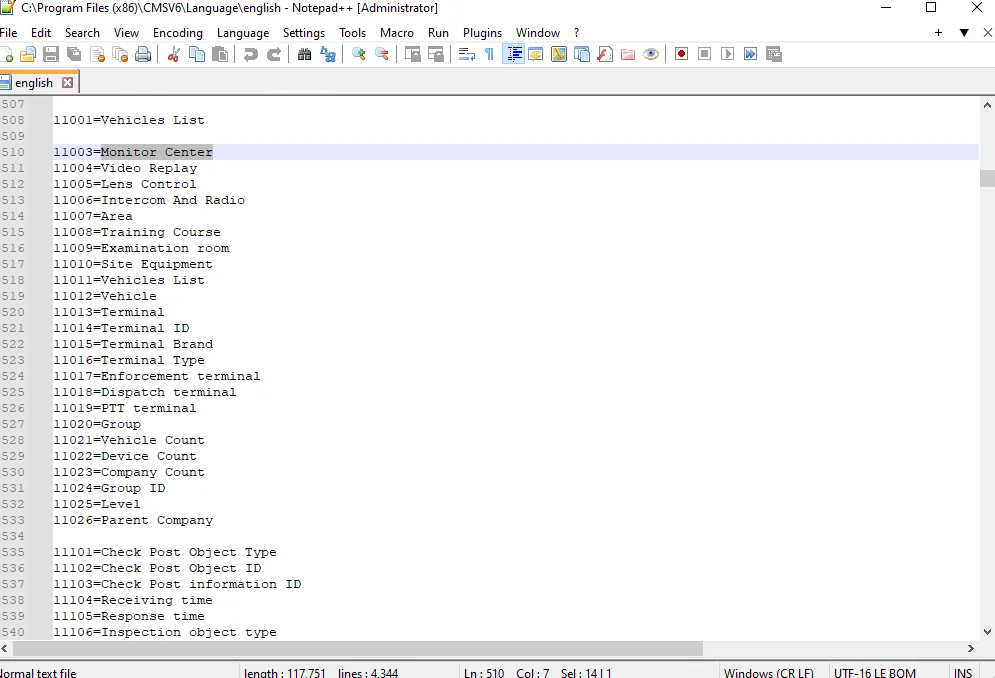
2.2 search for "monitoring center" and replace
2.3 save the file, restart the client, and check whether the modification is successful
3. Precautions
- Client modifications only take effect on a single computer
- If you need to take effect on other computers, you can copy the modified language entry file to other computers for use.
