**Problem phenomenon **
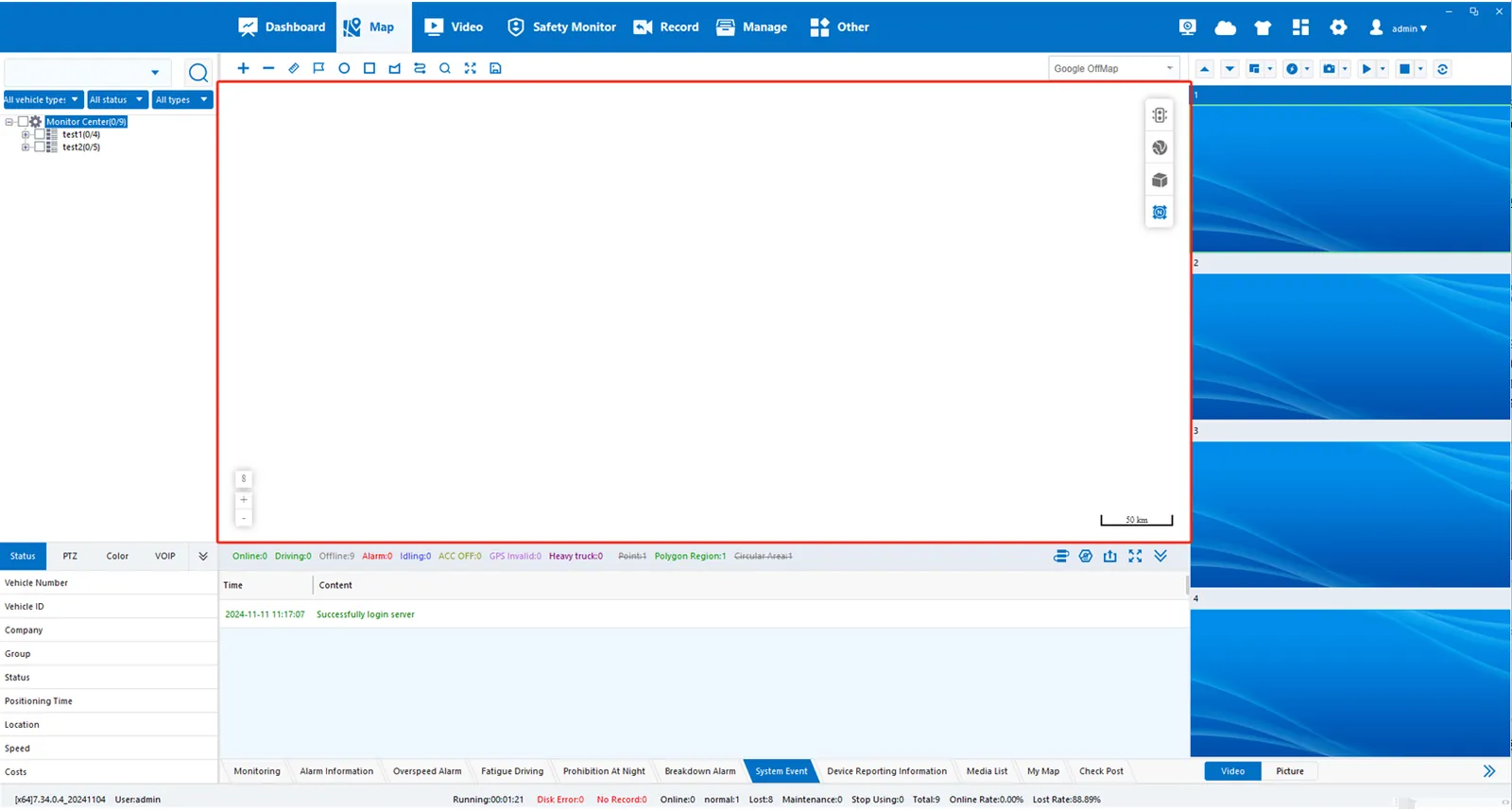
**Analysis steps **
- 1、 WEB port is not available
- 2、 The WEB ports mapped by the internal and external networks are inconsistent
- 3、 computer system version is low, need to use IE browser type
**Solution **
1. Check whether the server WEB port is connected
- The WEB port is usually 80, 88, 8080 and 8088. Some customers have customized it. The current web port method can be viewed through the' WEB & FTP configuration' of the server software, as shown in the following figure:
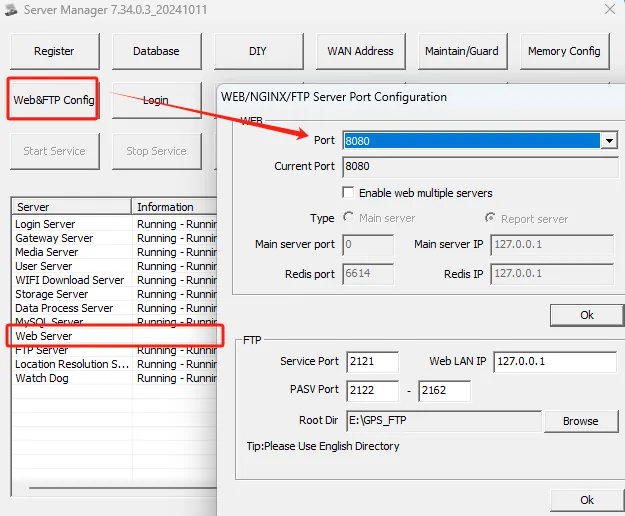
- Also need to check whether the WEB server shows normal operation
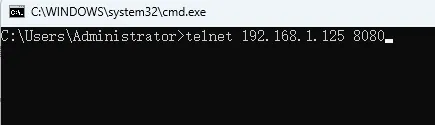
- Test port method, please refer to server port mapping detection method for details
2. The WEB ports mapped by internal and external networks are inconsistent
- Inconsistent WEB ports mapped by internal and external networks, such as internal network 80 and external network 8080, will also cause the client to be unable to display maps, the information management menu cannot be opened normally, some devices reported by APK cannot be reported to the platform, and the WEB terminal works normally. Therefore, the port mapping needs to be consistent, if necessary, you can customize the WEB port, please refer to the method of "custom WEB port".
3. check the type of web browser used by the client
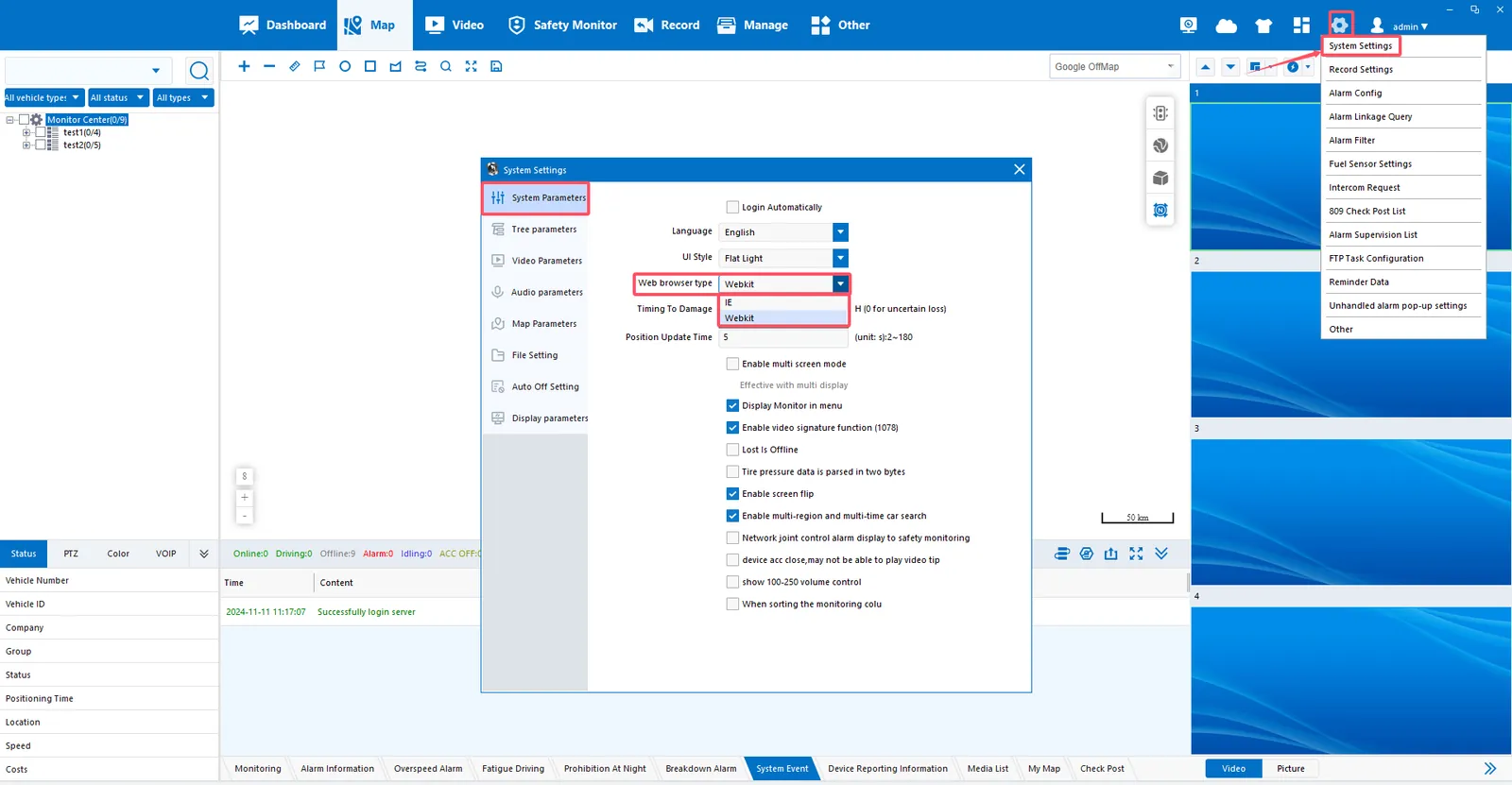
- In the upper right corner of the client, system settings- system parameters, the default web browser type is Webkit, but the computer system is too old may cause the client page to be blank, you need to manually change the web browser type to IE.