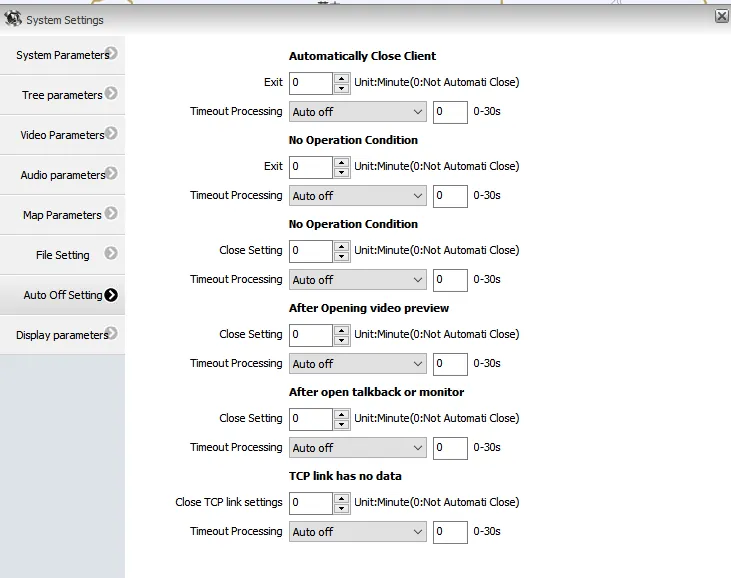
1、 Functional Description
Check that the user account automatically exits at the client. No matter whether there is any operation or not, it will automatically exit after a period of time. Other accounts are normal.
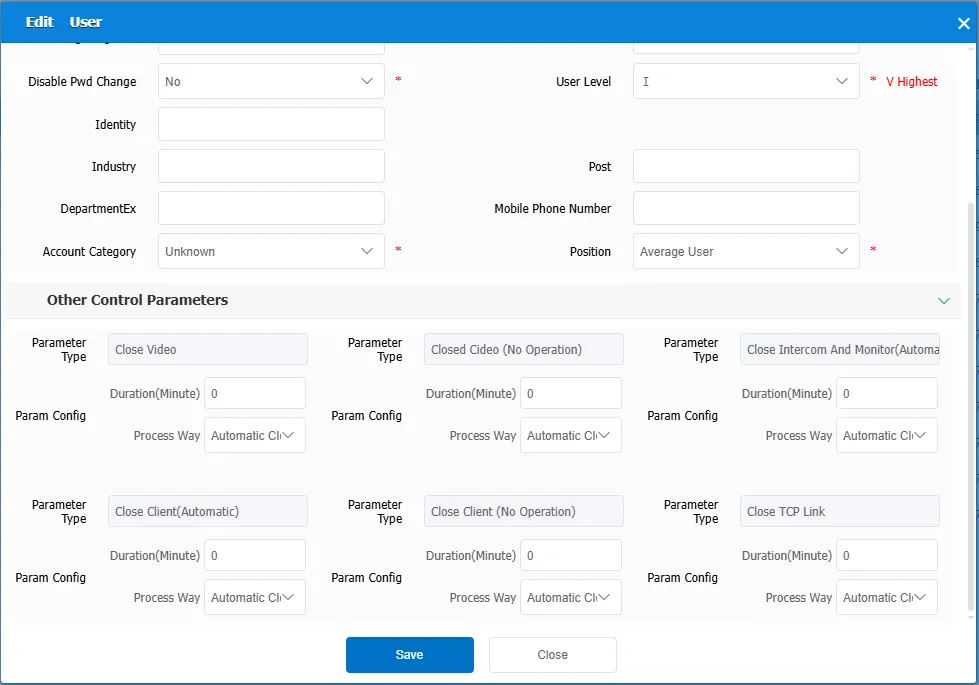
When you use the admin account to view the account information, no related operations are set for other control parameters, as shown in the following figure:
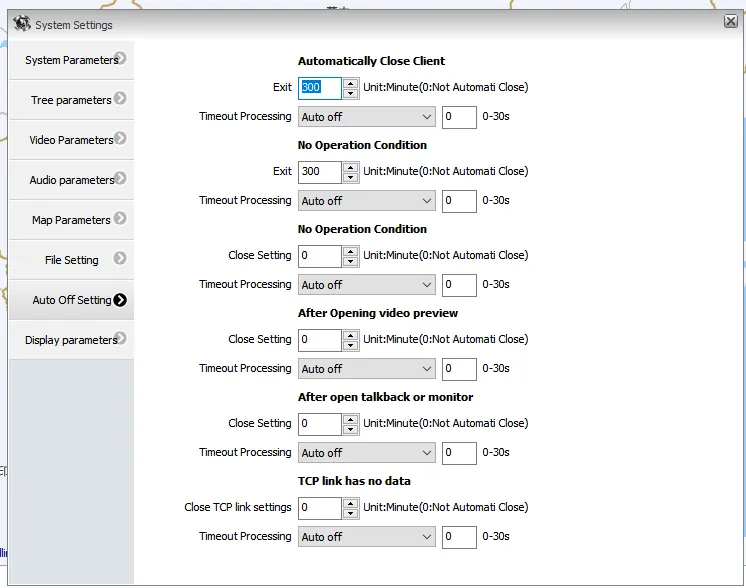
Use this account to log in to the client, and then set- > system settings- > automatic shutdown settings. it is found that "exit system" has a custom time, as shown in the following figure:
2、 Operating Instructions
-
Log in to the desktop of the customer's remote server and use the navicat for MySQL tool to query the relevant information of the account in the "jt808_user_param" table. The results are shown in the following figure:
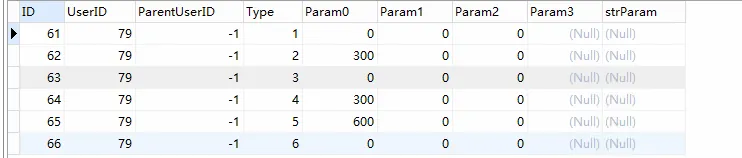
Among them: Param0,Param1,Param2, corresponding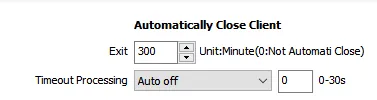
these three parameters. -
Set the "Param0" field in the table to 0, and the result is shown in the following figure:
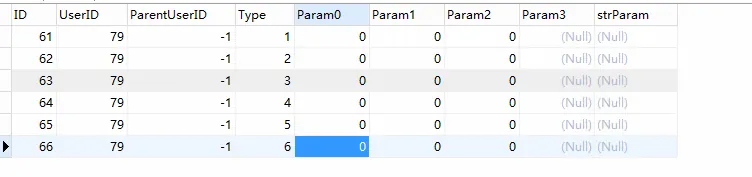
-
Log in with this account, and check whether "Exit System" displays "No Automatic Shutdown" in Settings- > System Settings- > Automatic Shutdown Settings, as shown in the following figure: