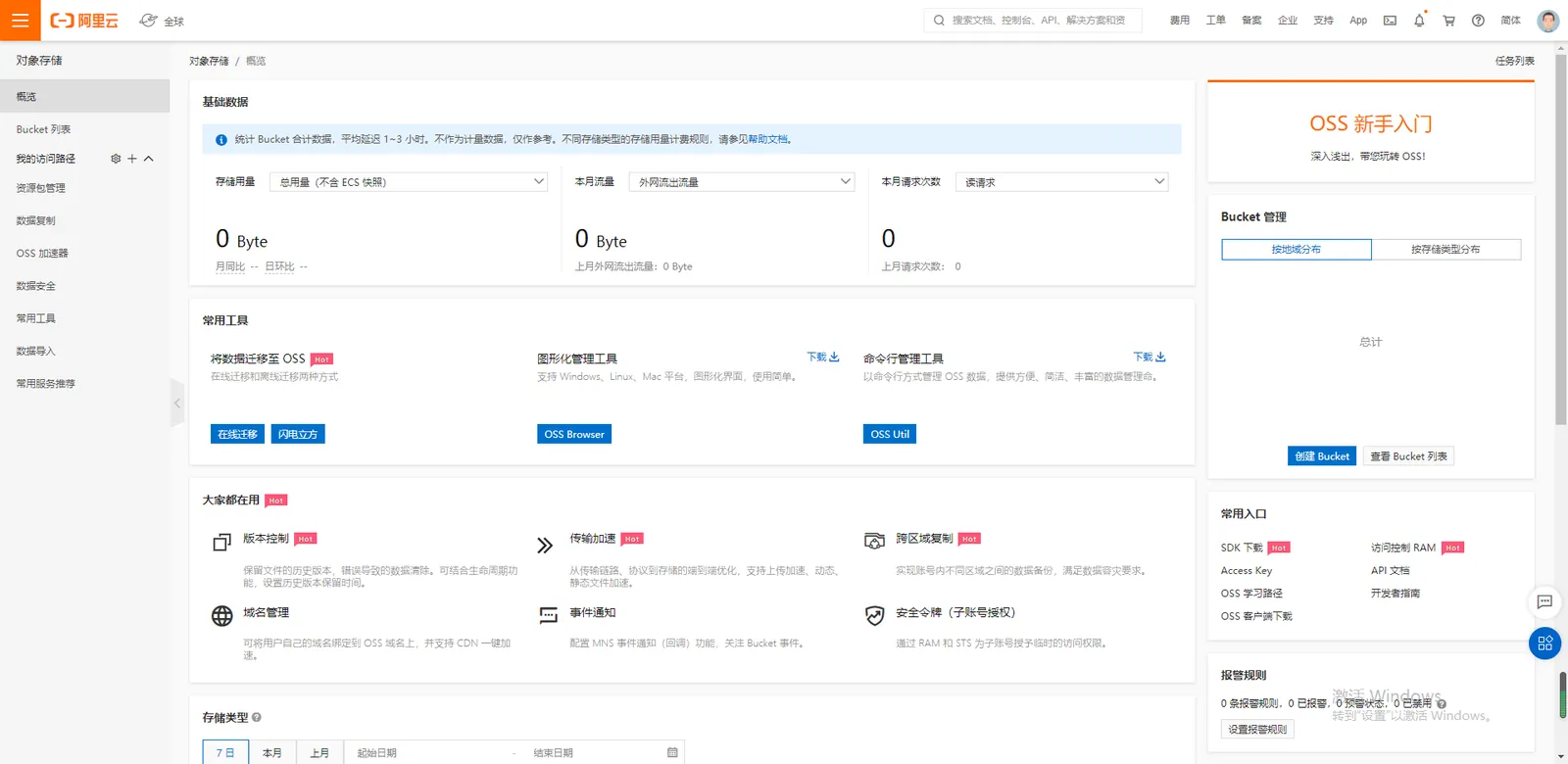
1. Log on to your Alibaba Cloud account and enter the OSS console
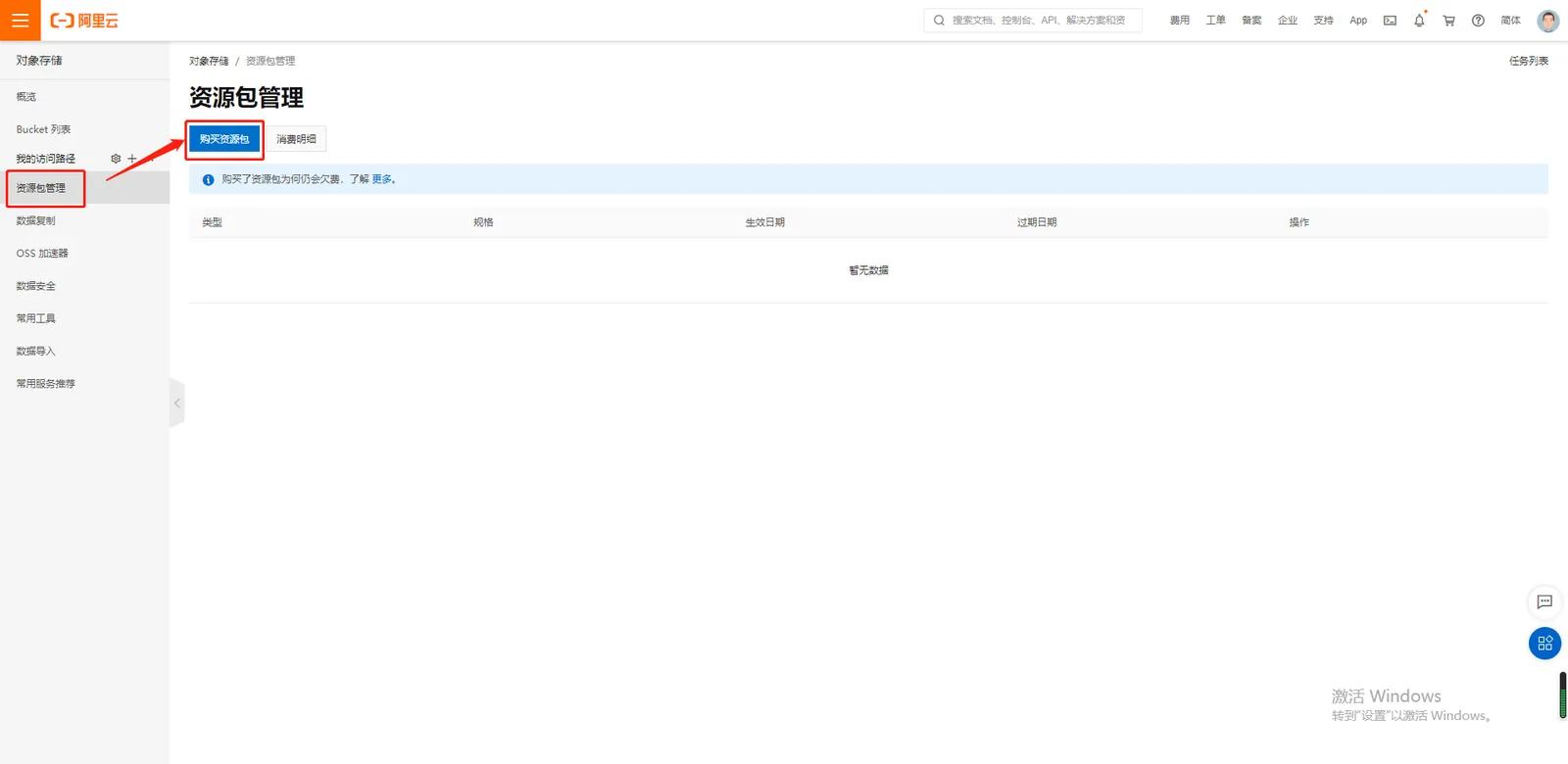
2. Purchase resource packs
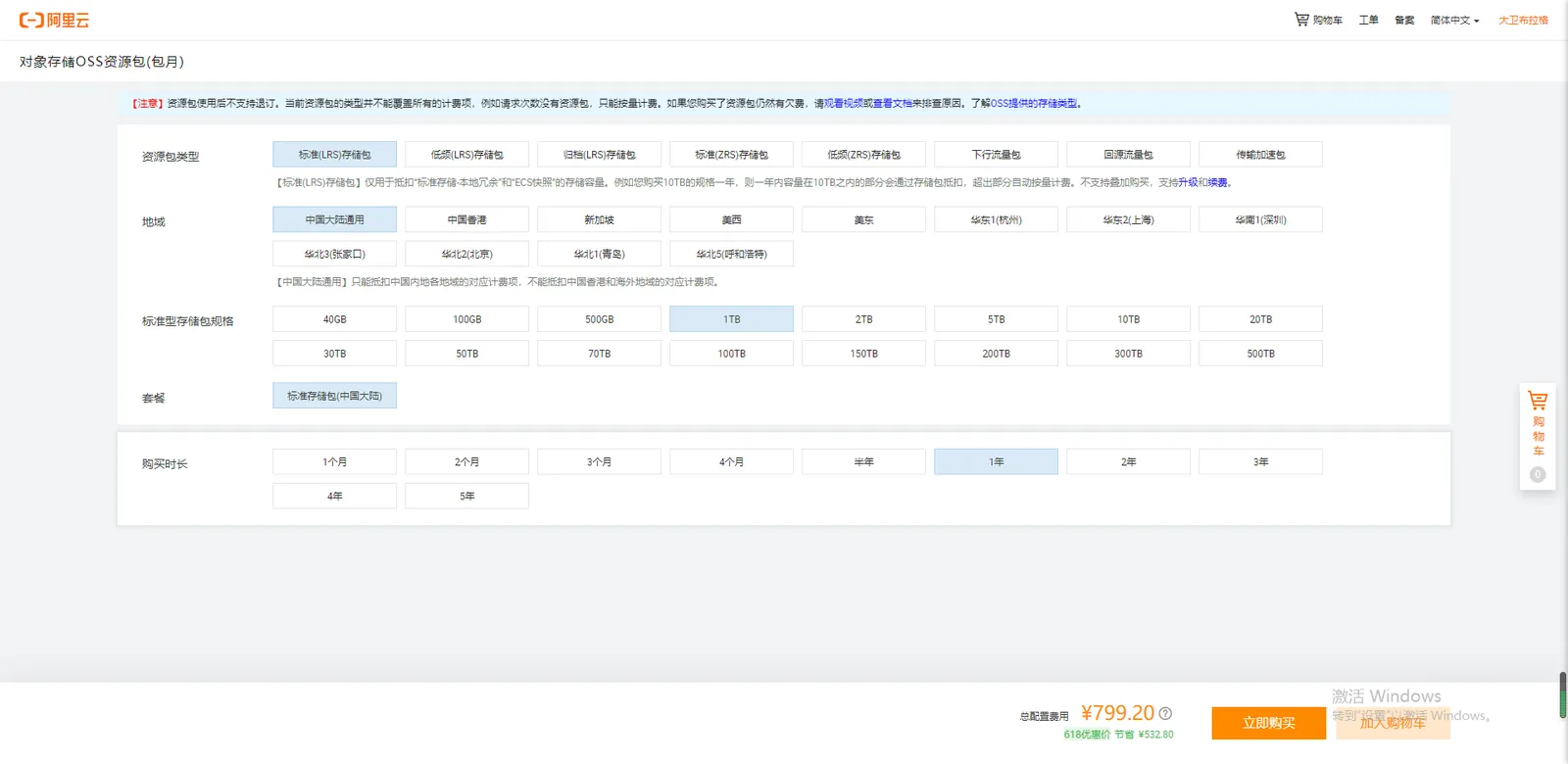
Resource package type selection standard (LRS) storage package. The region is commonly used in mainland China. The storage space and duration can be upgraded at any time.
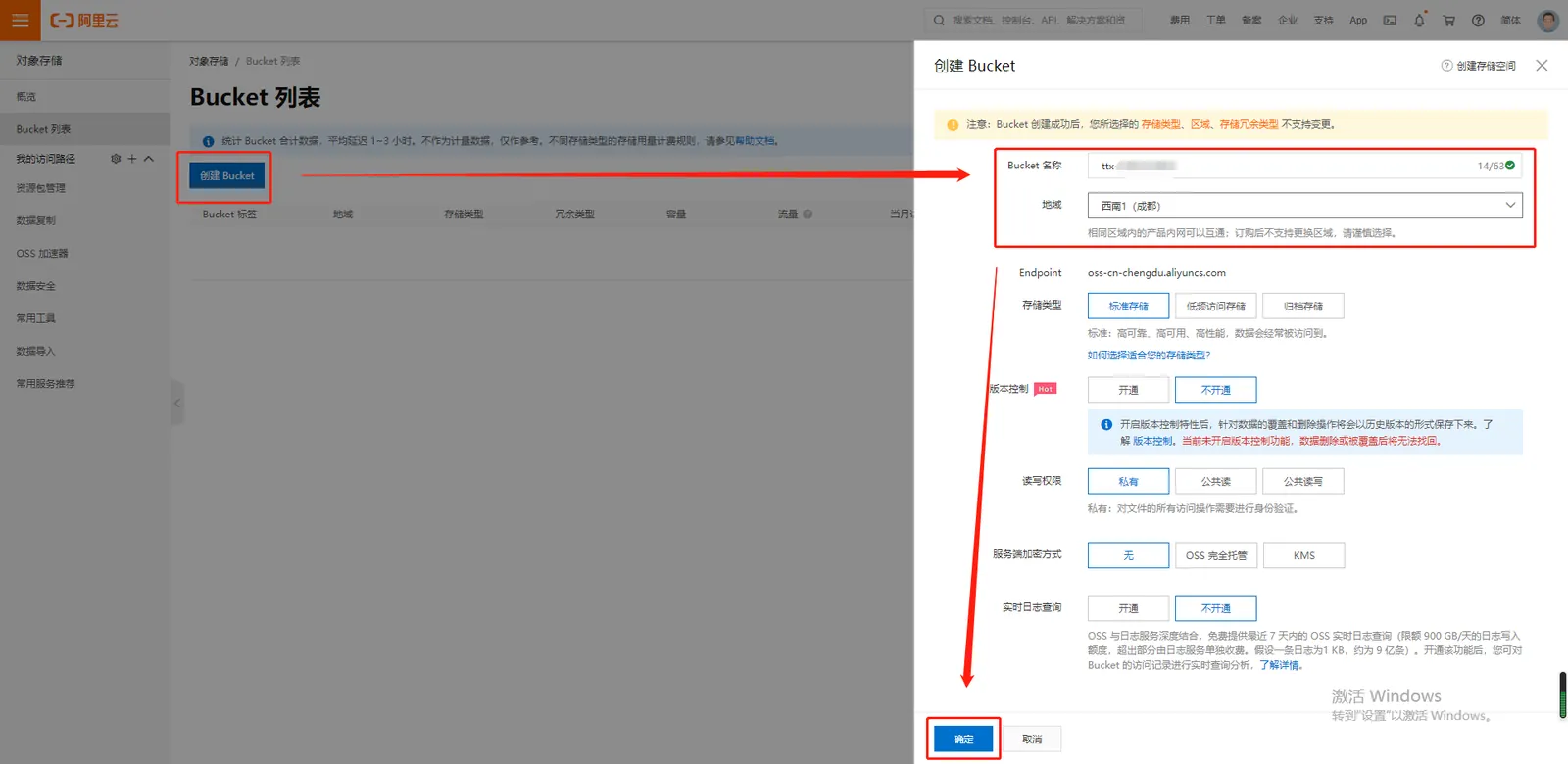
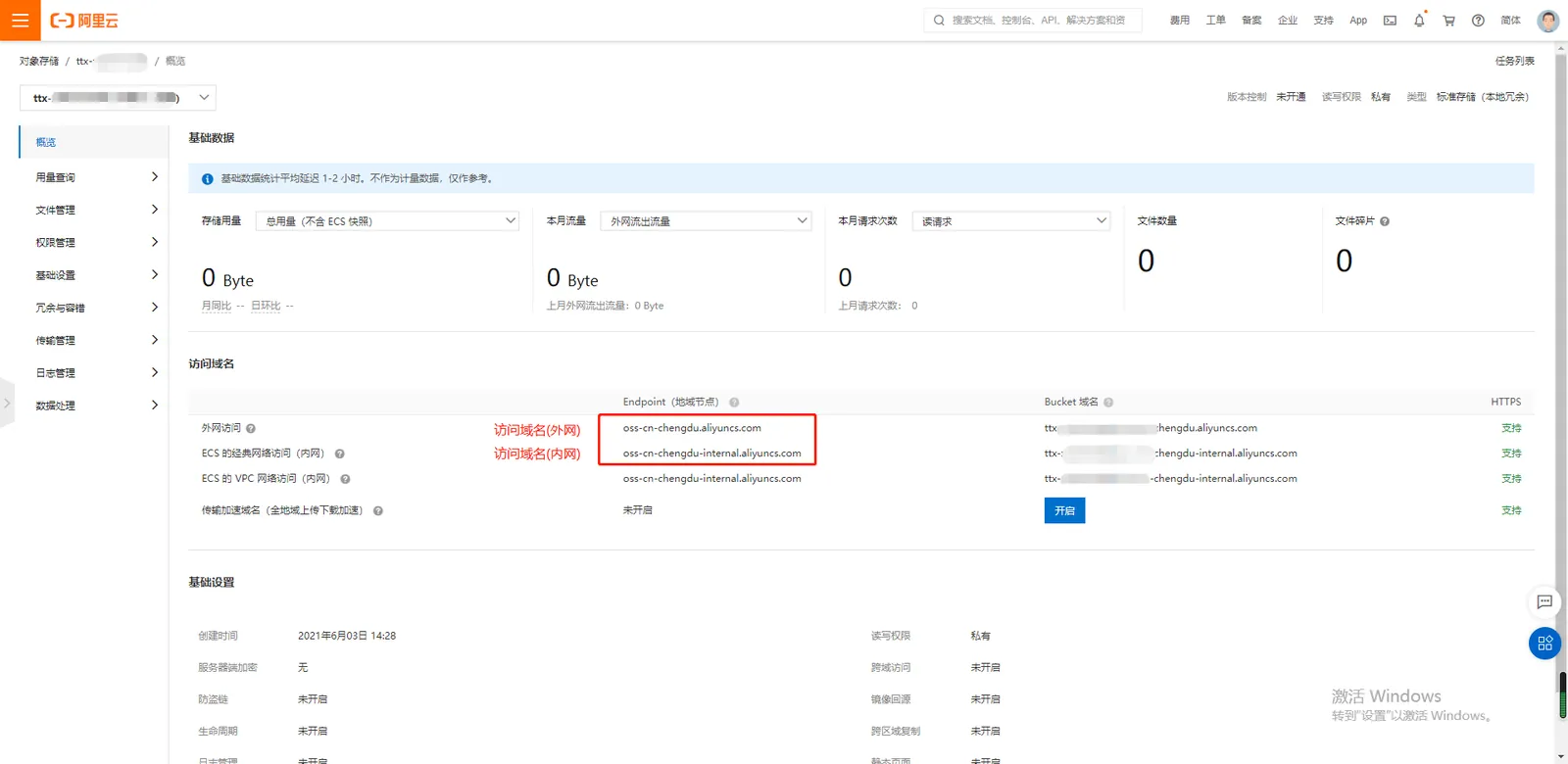
3. Create a bucket
Enter a bucket name. Note that the bucket name is unique and cannot be a duplicate.
It is recommended to select the same region as the cloud server host, and access through the intranet does not incur additional traffic charges.
4. Create AccessKey
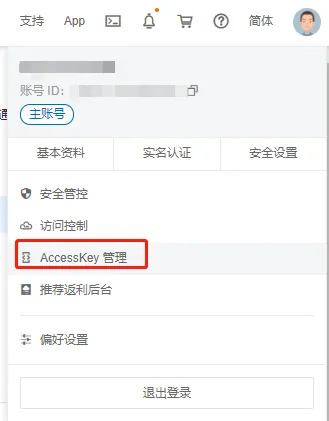
The mouse points to the upper right corner of the user avatar, open the AccessKey management.
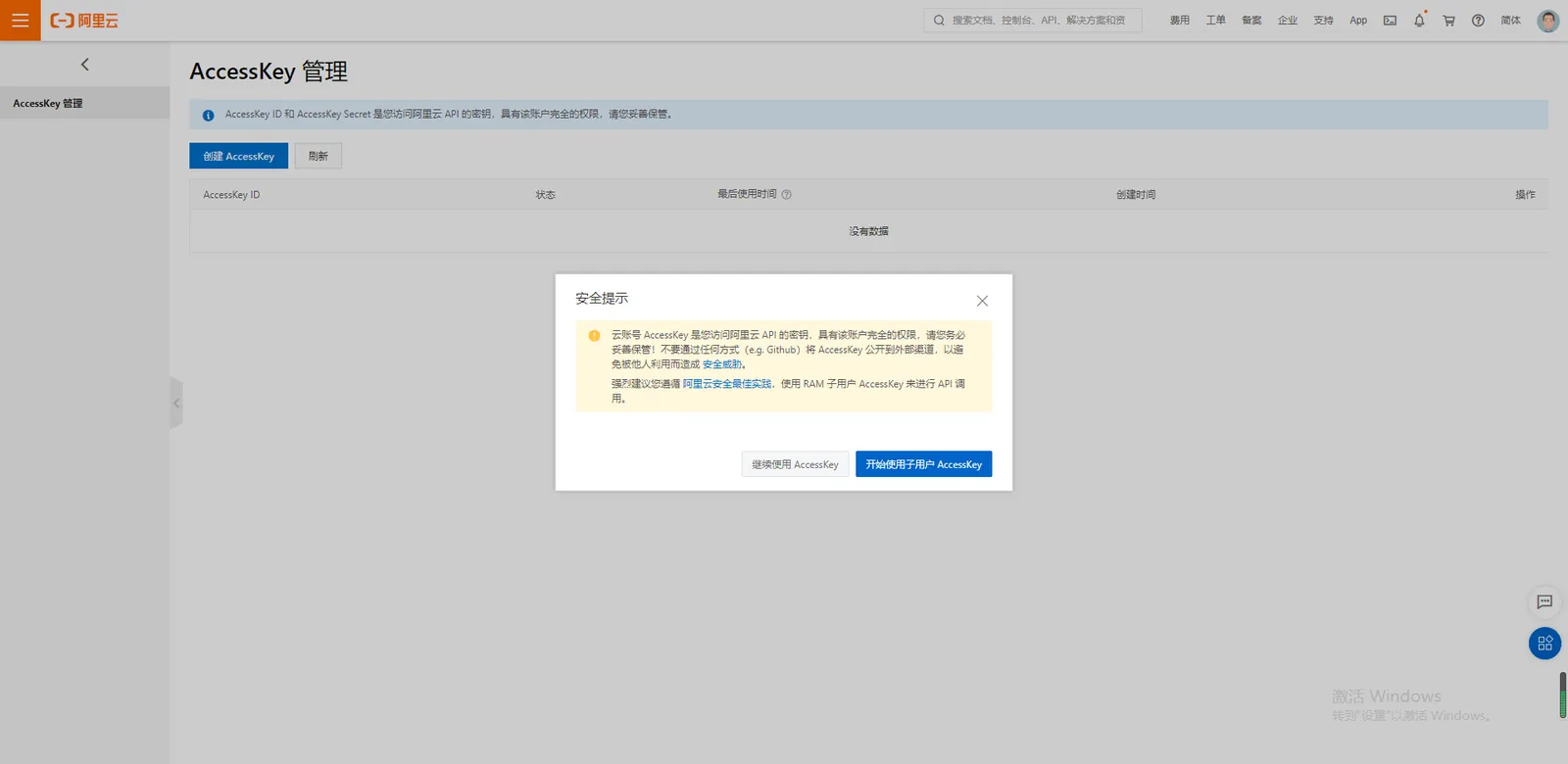
The Alibaba Cloud account AccessKey is the key for accessing Alibaba Cloud APIs and has full permissions for the account;
Sub- user AccessKey can grant OSS management permissions by assigning policies.
4.1 Cloud Account AccessKey
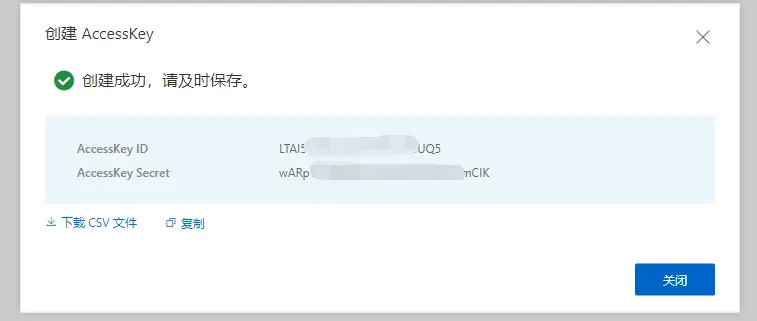
Use Alibaba Cloud account AccessKey to select "Continue to use AccessKey" and click "Create AccessKey".
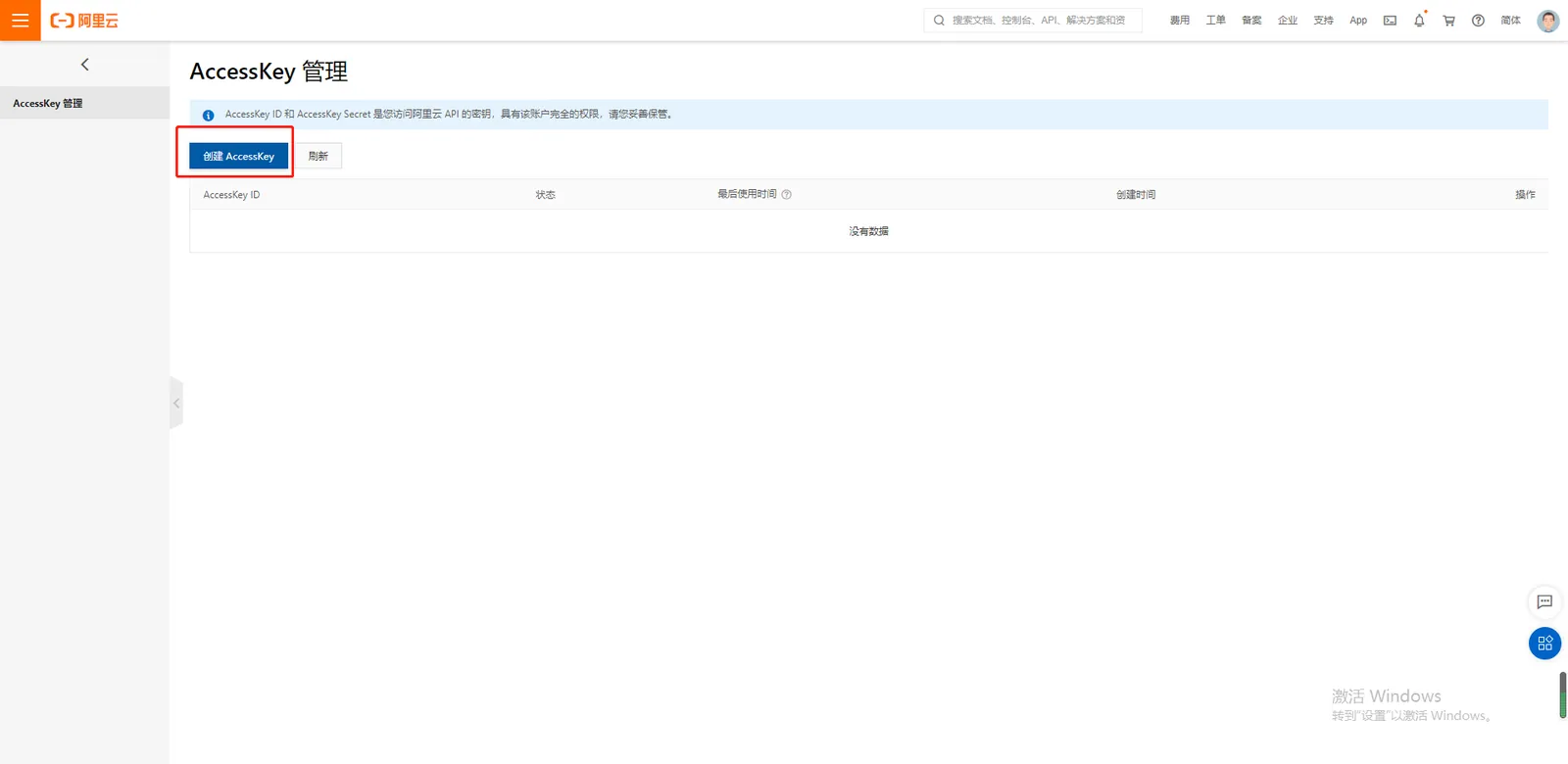
** AccessKey the key generation is successful, pay attention to timely save. **
4.2 Sub- user AccessKey
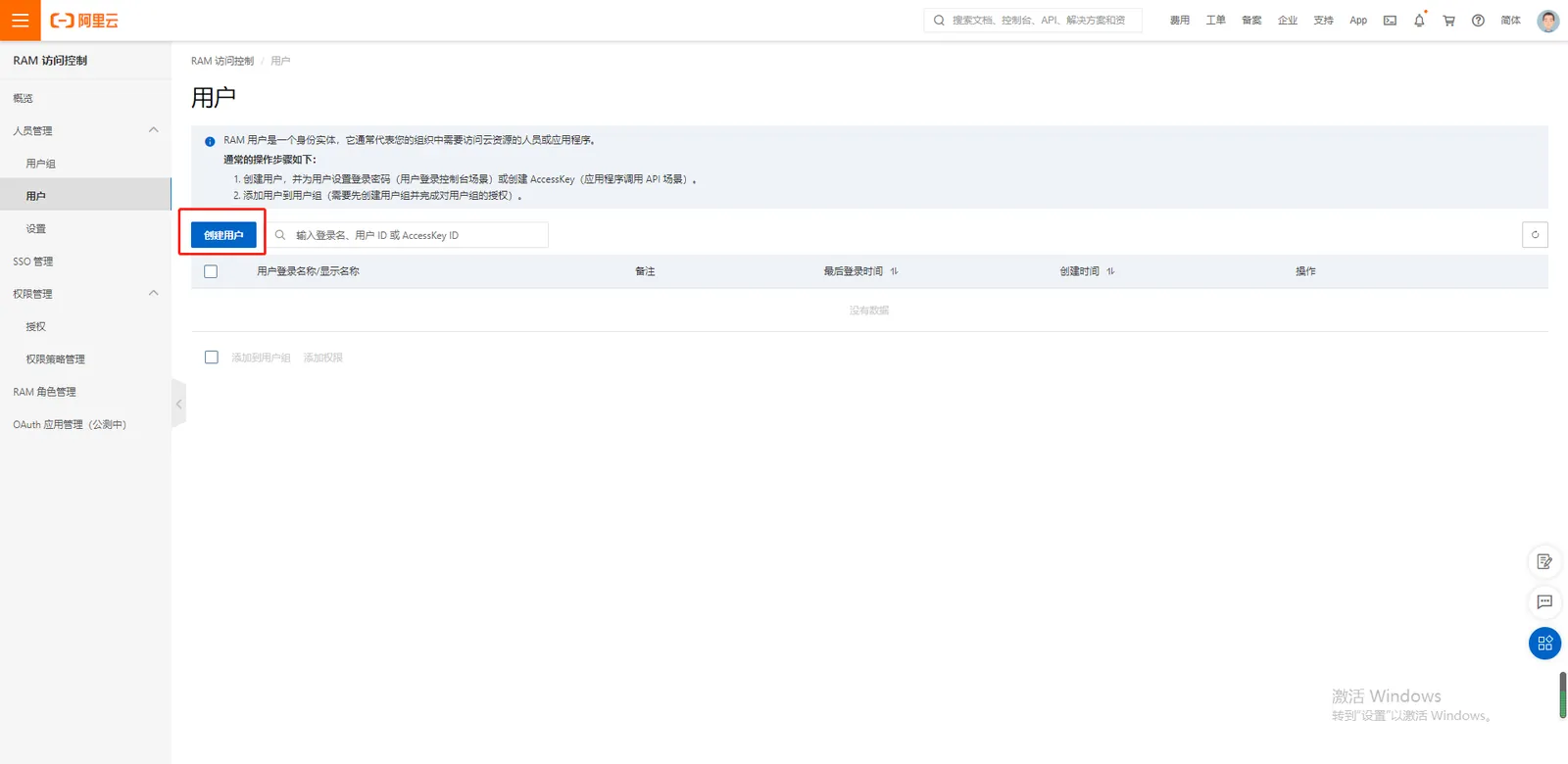
Use the sub- user AccessKey to select "Start using sub- user AccessKey" to create a user;
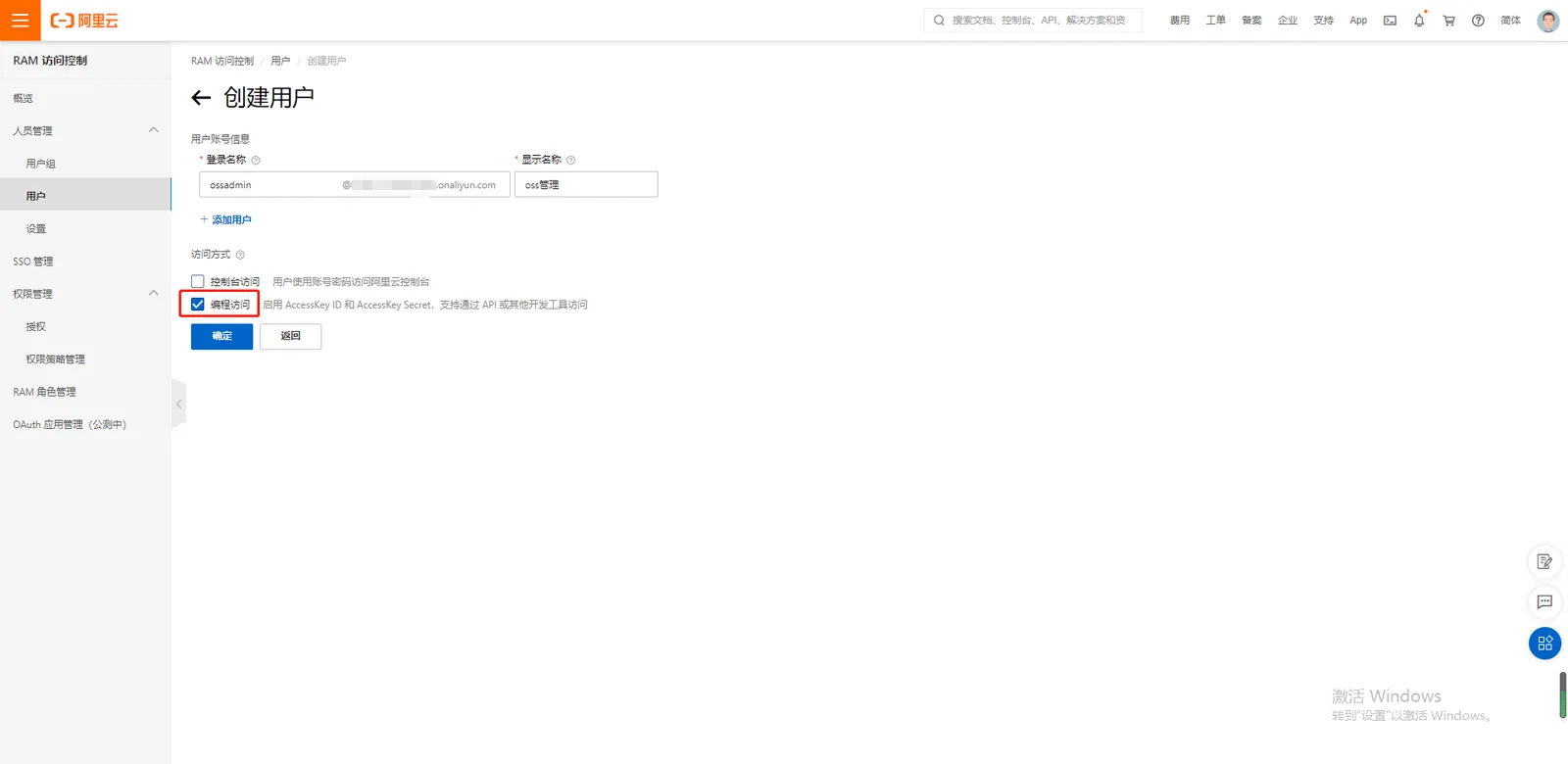
Check "Programmatic Access";
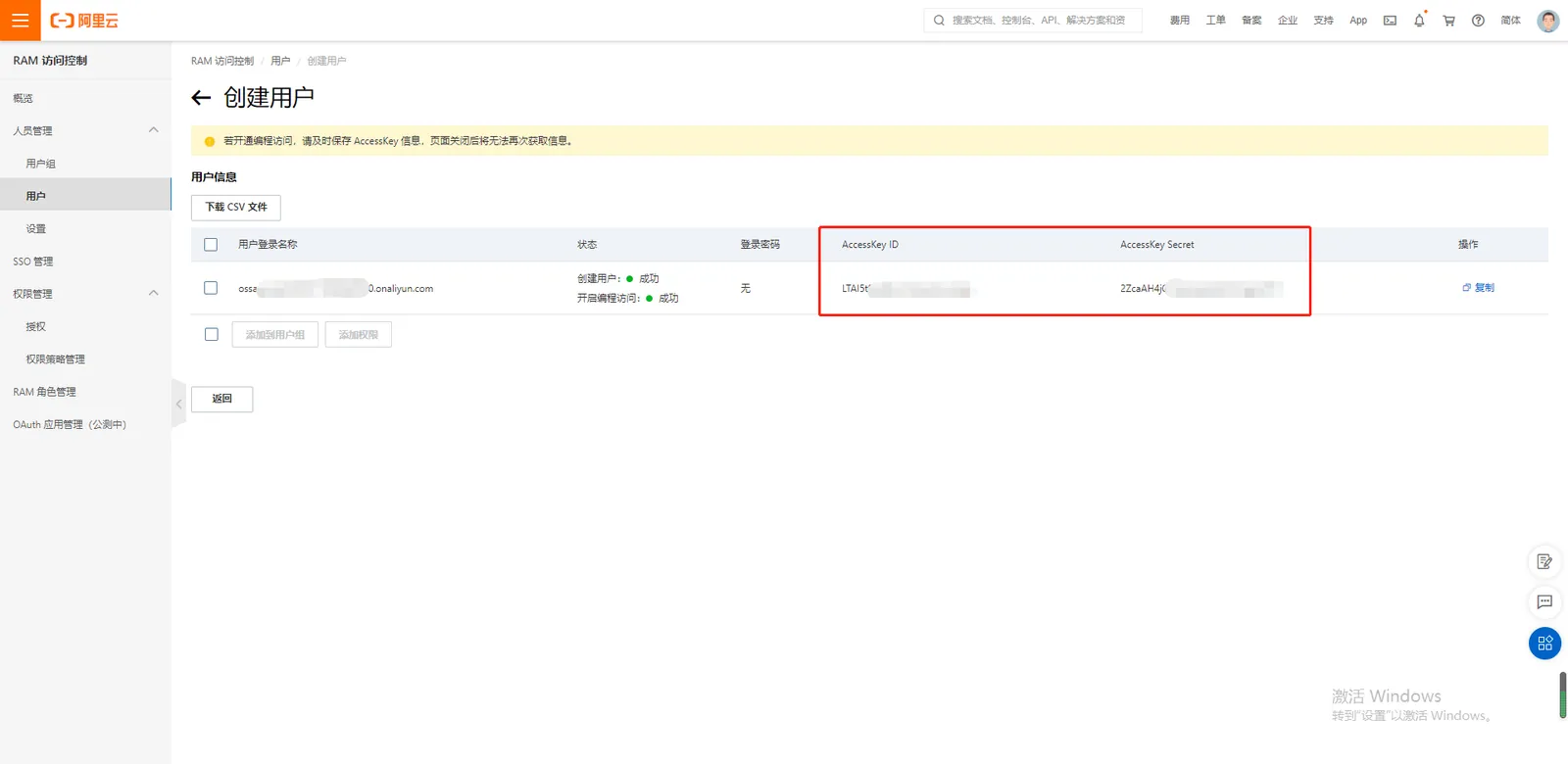
** AccessKey the key generation is successful, pay attention to timely save. **
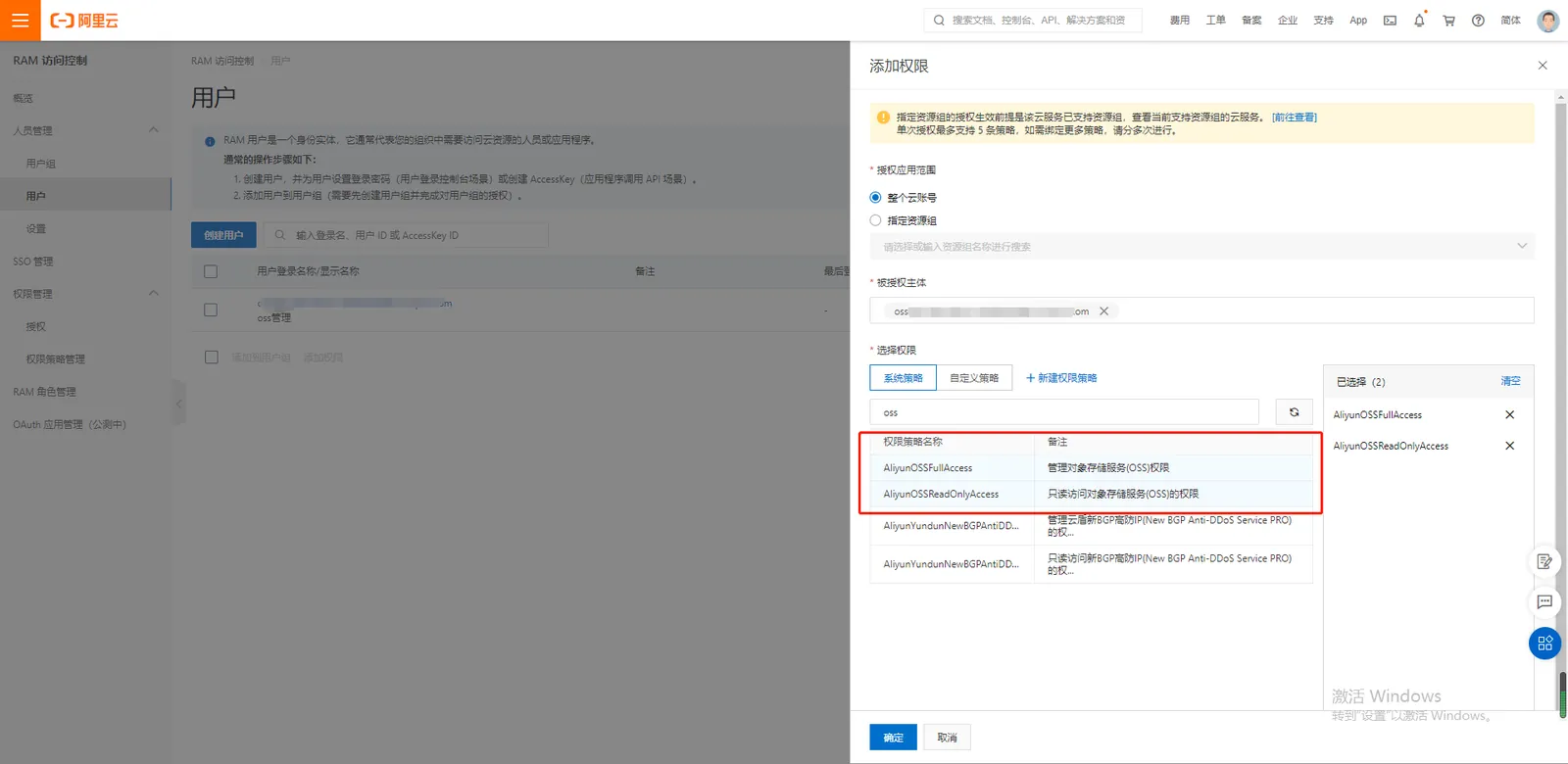
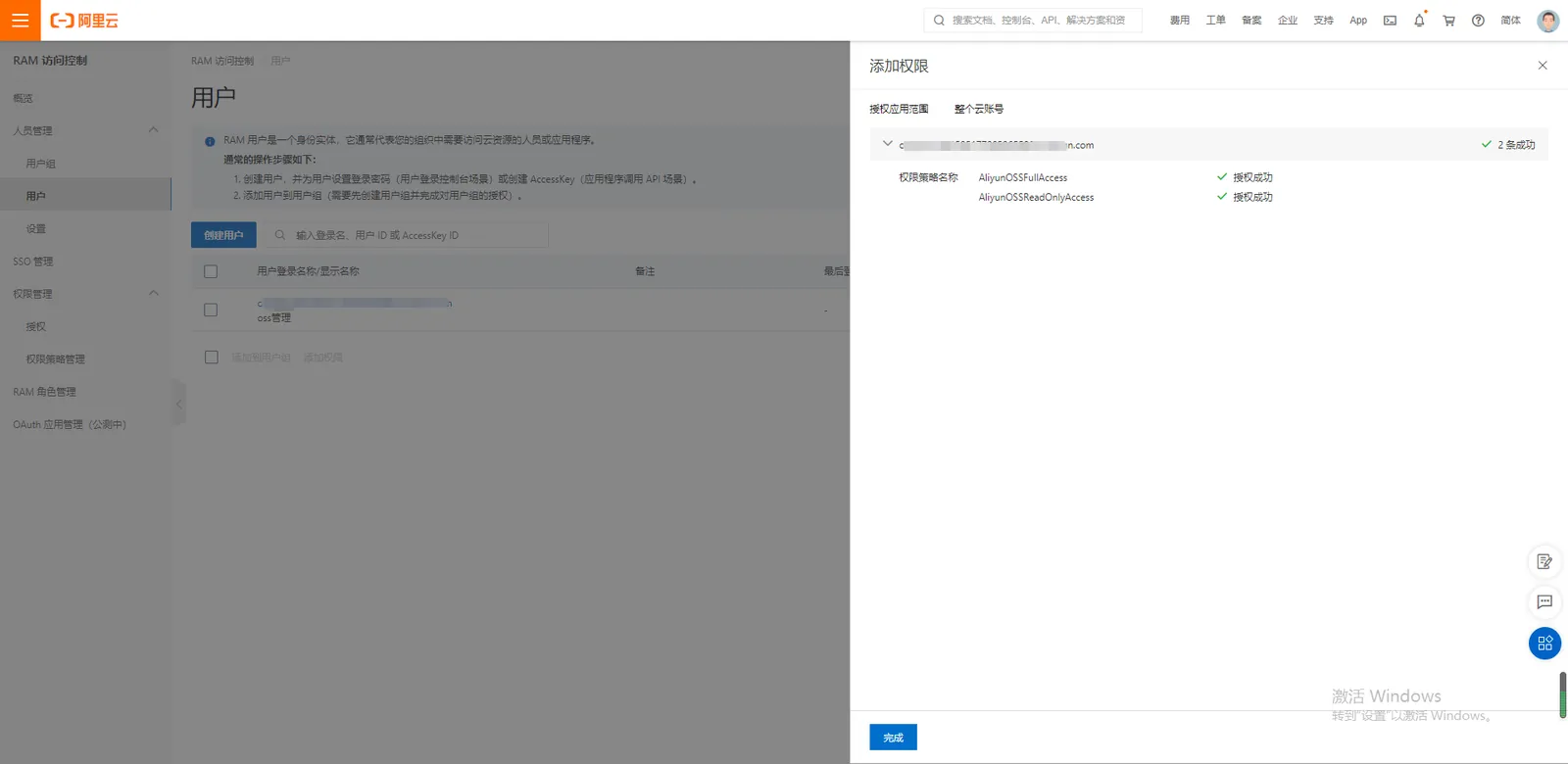
Authorize OSS storage- related permissions for sub- users
5. Configure relevant information to the platform
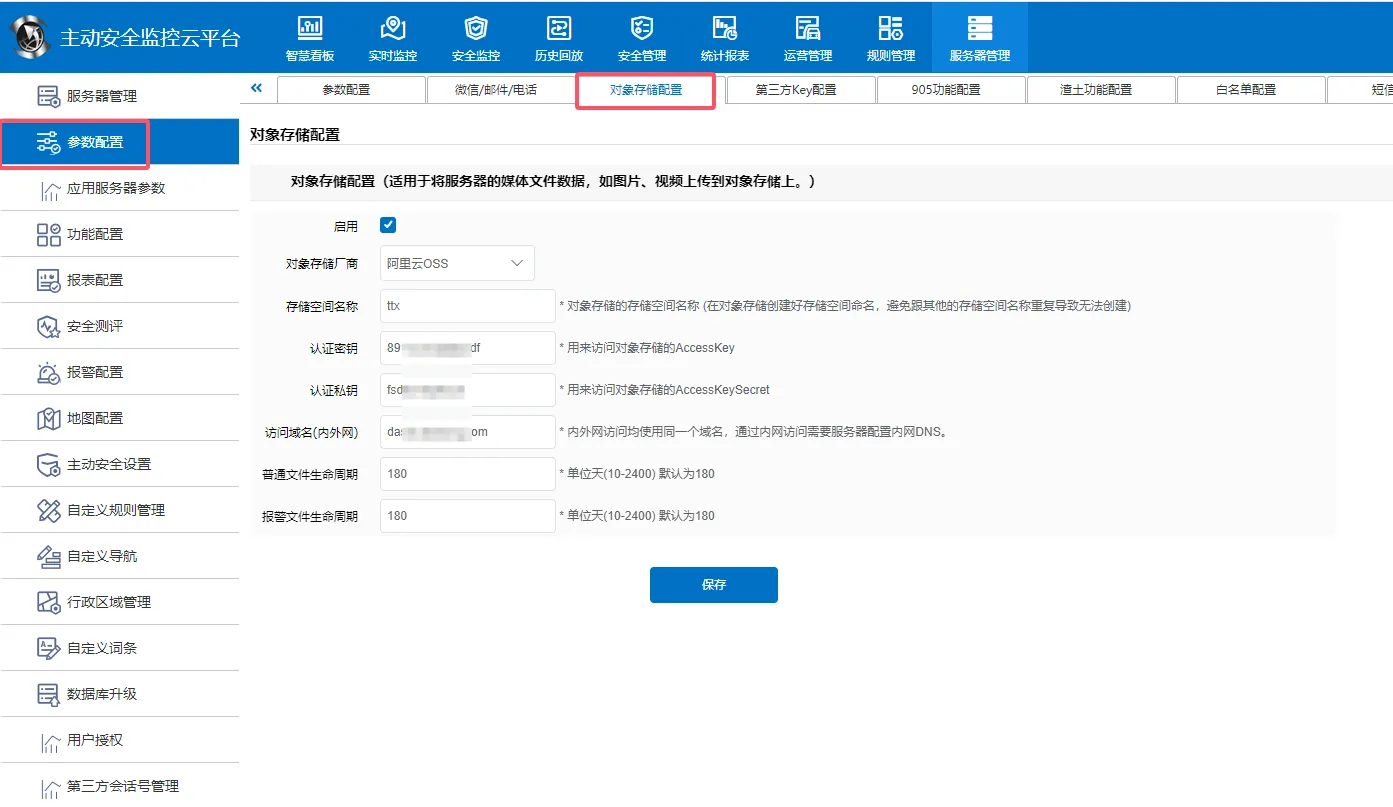
Enter the information into Server Management- > Server Configuration- > Server Parameter Configuration- > Alibaba Cloud OSS Configuration, and click Save
Storage space: Alibaba Cloud OSS bucket name
Authentication key: Alibaba Cloud OSS AccessKey ID
Authentication private key: Alibaba Cloud OSS AccessKeySecret
Access domain name (intranet): intranet Endpoint (regional node)
Access domain name (Internet): Internet Endpoint (regional node)
Normal file life cycle: 180 days by default
Alarm file lifecycle: 180 days by default
Alibaba Cloud determines the lifecycle rule of the configuration based on the file prefix name, and then deletes the file based on the deletion days of the corresponding lifecycle rule.
6. Verify whether the media file is uploaded to OSS successfully
File name prefix: normal file (normal/) Alarm file (alarm/)
The local file is in single- file mode, and the file path uploaded to OSS is equal to the file name prefix local path file.
Local files are in multi- file mode. The file path to be uploaded to OSS is the file name prefix. Local file path_file start location_file end location_oss. File suffix
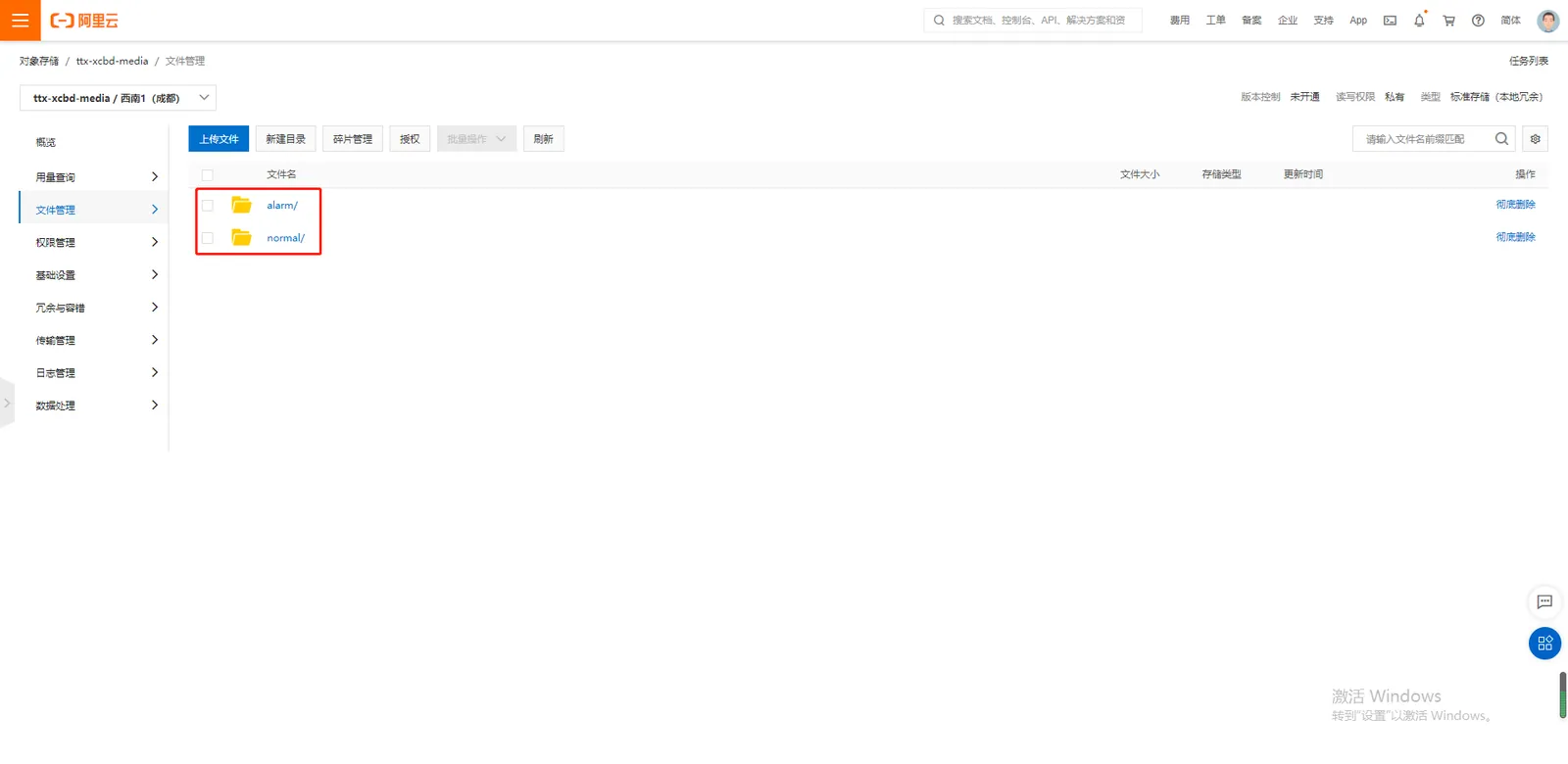
Server background GPSStorageSvr - - - - libOssFile the log to check whether the upload was successful
- success log (log keyword upload success)
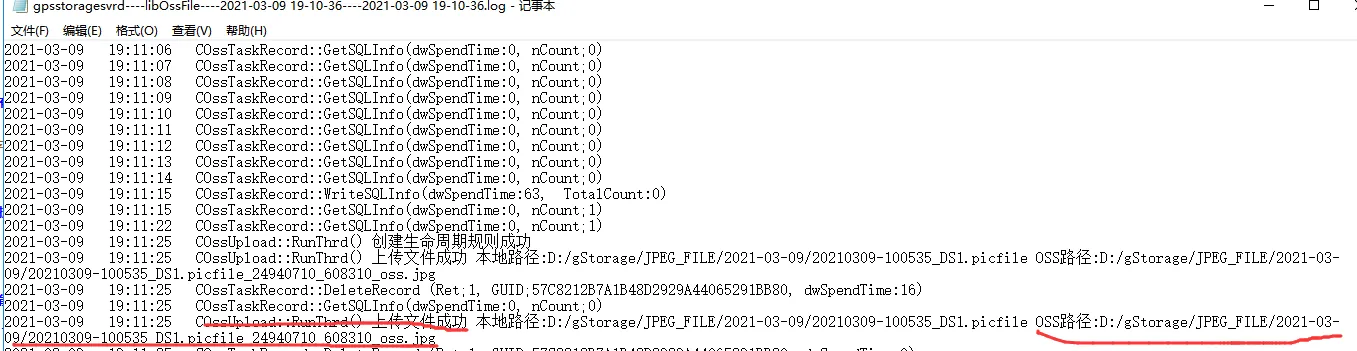
- failure log (log keyword upload failed)