1、 function description
According to the "road speeding" rule of the platform, when the speed limit is set to 255 under various road conditions, the speed limit value returned by the map is used as the speed threshold to determine whether the vehicle is speeding, as shown in the figure below;
Otherwise, the set value is used as the speed threshold to determine whether the vehicle is overspeeding.
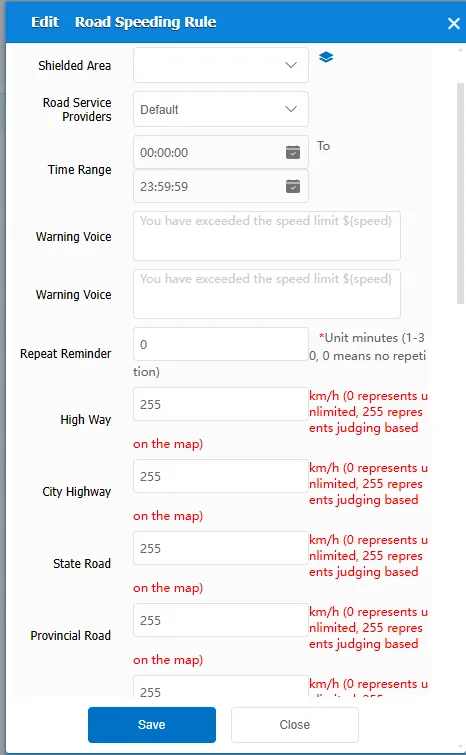
- Note: "Duration", the vehicle speeding time, exceeds the set value, will trigger the alarm
2、 operating instructions
2.1 Statistics Report- Alarm Report- Alarm Inquiry Select the alarm type as "Road Level Overspeed Alarm (Platform)", and select vehicles for inquiry
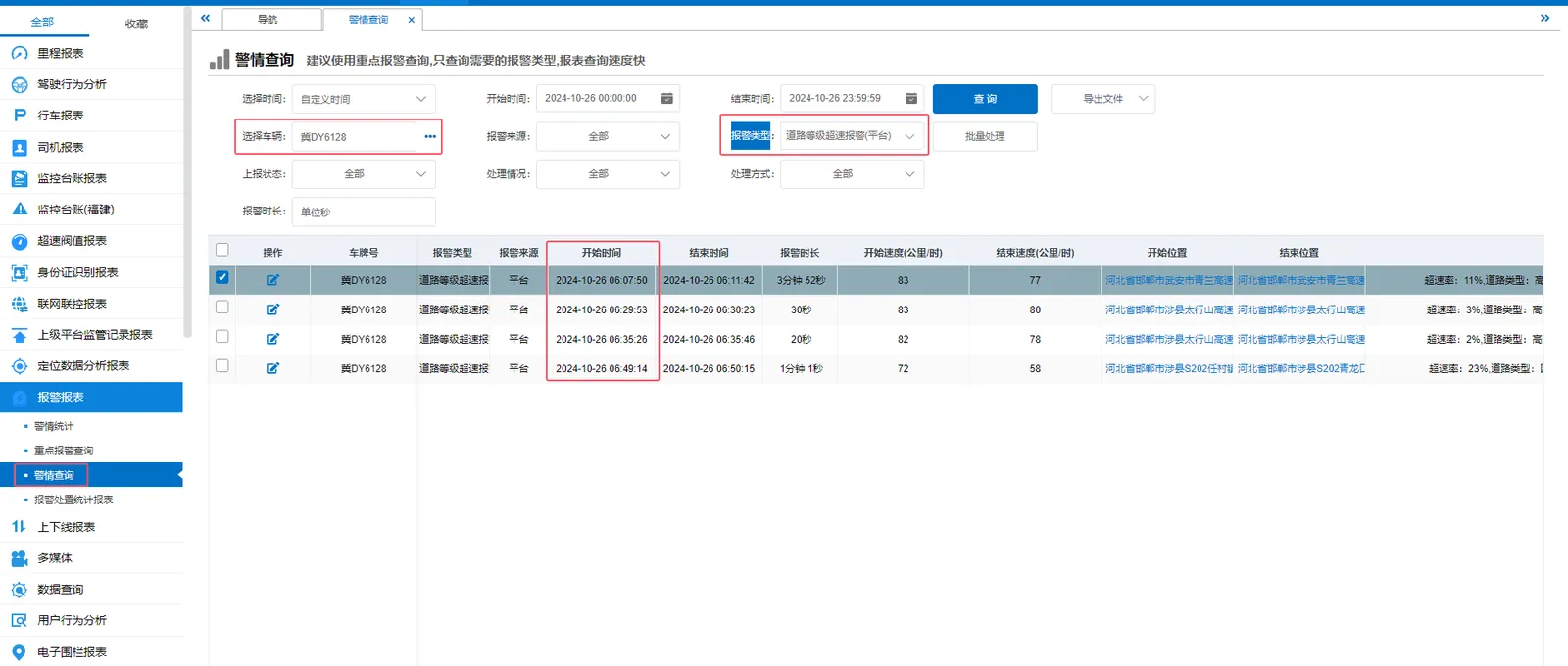
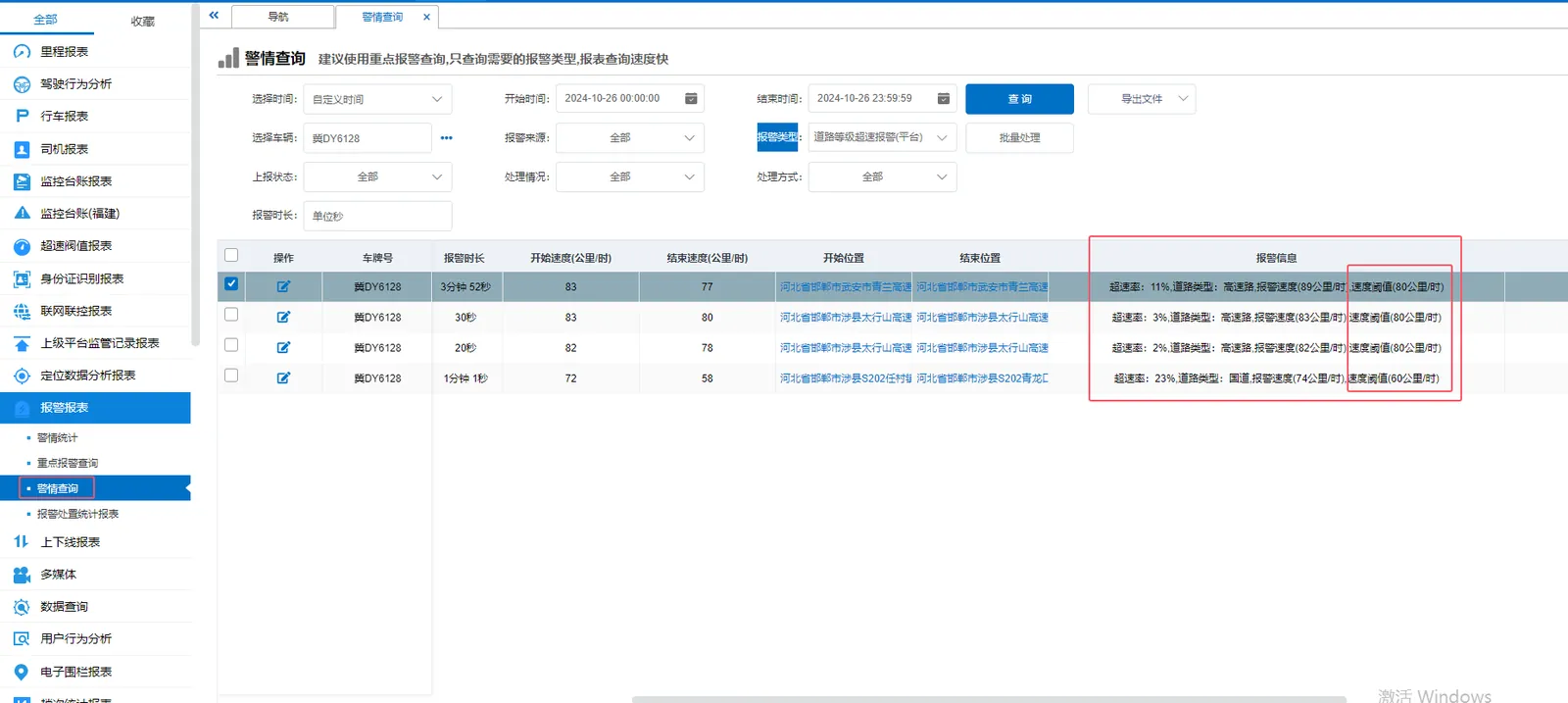
2.2 track playback to check the track of the car before and after the alarm period, and determine the longitude and latitude values of the alarm position
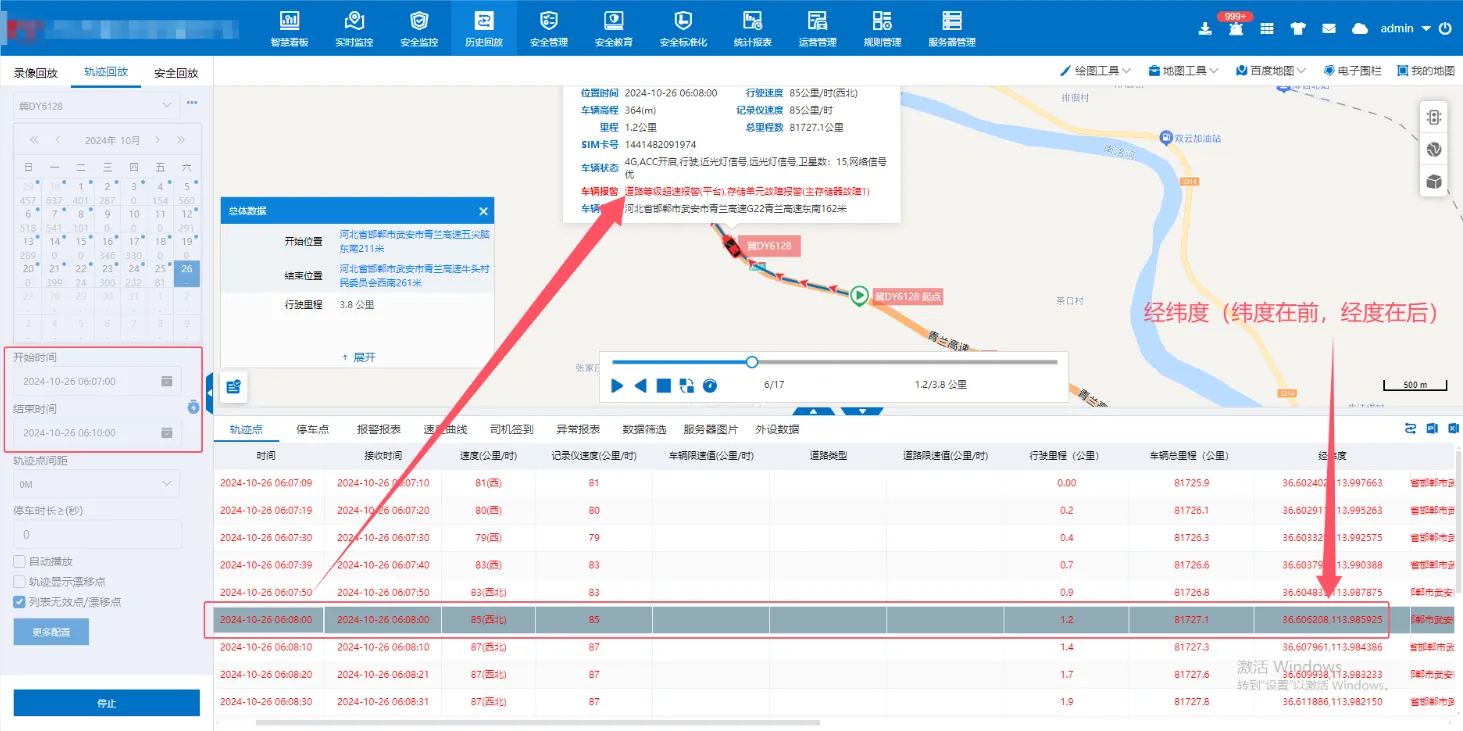
- Note: The longitude and latitude obtained on the track playback are the longitude and latitude of the WGS84 coordinate system; Latitude is in front and longitude is in back
2.3 to obtain the speed limit value of road grade
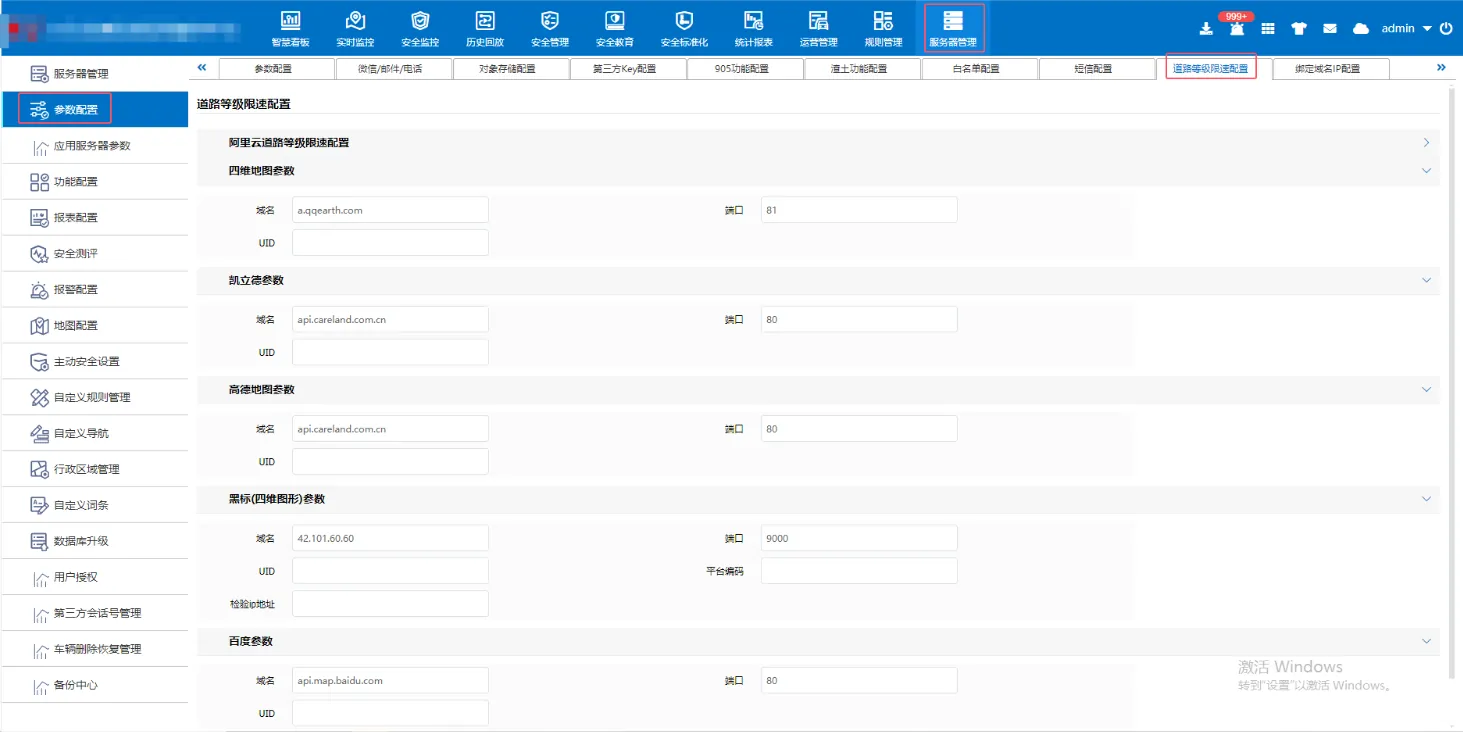
2.3.1 Acquisition of Speed Limit Value of Yiweihang Road Grade
Use the http://a.qqearth.com:81/and the obtained longitude and latitude values, fill in the corresponding position, and click "Request" to obtain the speed limit value at this point.
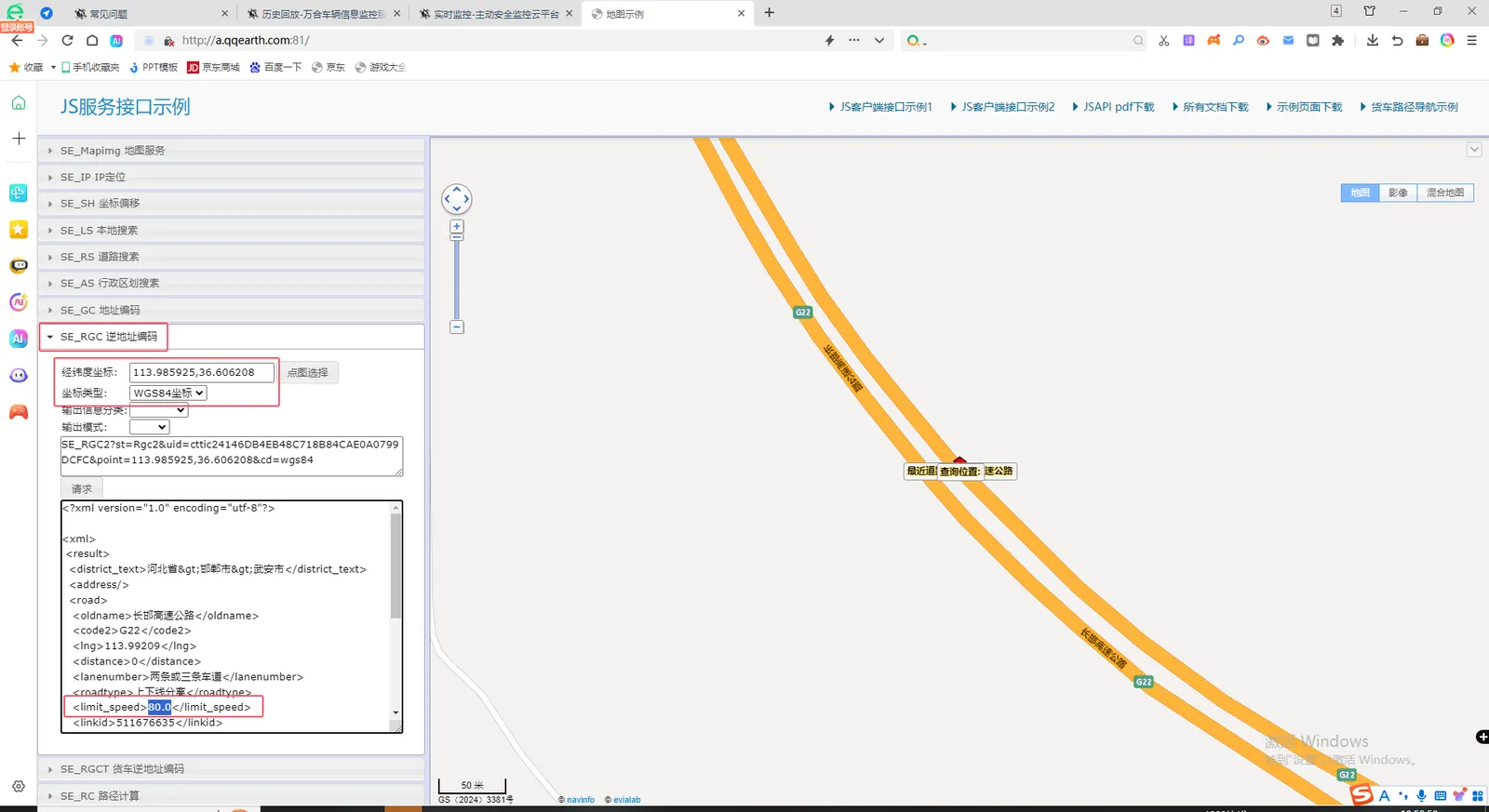
- Note: longitude and latitude coordinates longitude before, latitude after; Coordinate type: WGS84 coordinates;
2.3.2 Acquisition of Khalid Road Grade Speed Limit Value
Example 1:http://api.careland.com.cn/api/v2/pub/speedlimit?params={"ct":0,"p":[{"duid":"96586485","x":"411094297","y":"81364630","spd":"25200","gpstime":"21604","direction":"91" },{ "x":"410085296","y":"82203998","spd":"0","gpstime":"0","direction":"308"}]}& callback = cb & ak = your UID
Example 2:http://api.careland.com.cn/api/v2/pub/speedlimit?params={"ct":0,"p":[{"duid":"96586485","x":"411094297","y":"81364630","spd":"25200","gpstime":"21604","direction":"91" },{ "x":"410085296","y":"82203998","spd":"0","gpstime":"0","direction":"308"}]}& callback = cb & ak = your UID
Example 3:http://api.careland.com.cn/api/v2/pub/speedlimit?params={"ct":1,"p":[{"duid":"96586485","x":"114.0164359972","y":"22.5384920218","spd":"30","gpstime":"1546309197","direction":"348"}]}& callback = cb & ak = your UID
2.4 Take the speed limit value returned by the map and compare it with the speed limit value of the platform.