1. problem description
The active security alarm video attachment of Ruiming equipment is usually .h264 format file, and the BabelStar server can only playback .mp4 format files.
When the server receives an alarm attachment in this format, it will integrate the ToMp4.exe program provided by the sharp manufacturer .264 converted to .mp4, in order to achieve the platform front-end playback.
When the format conversion fails, the active security alarm video cannot be played.
2. problem phenomenon:
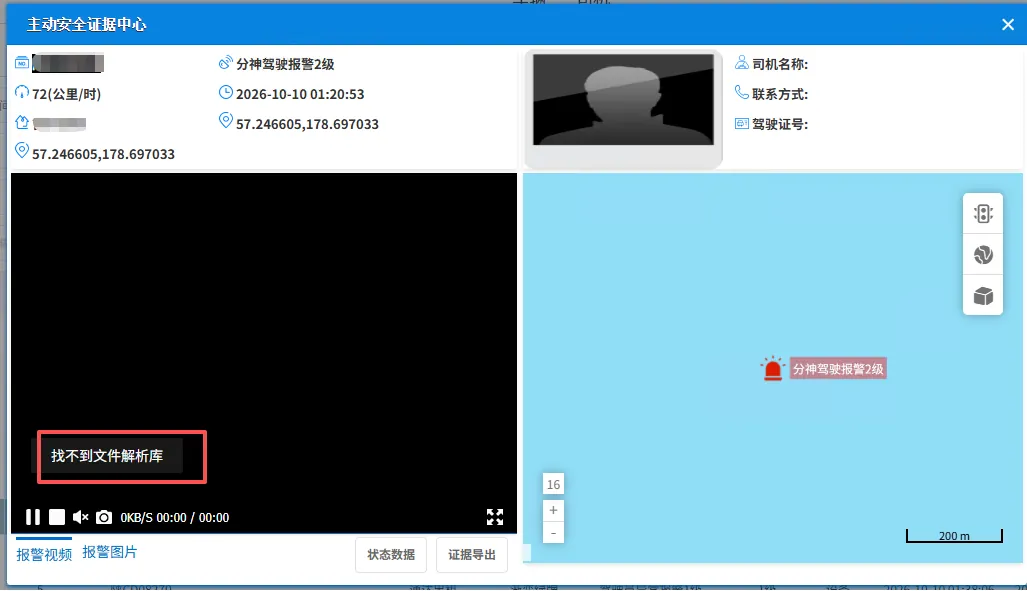
Error reported when viewing video attachment: file resolution library not found
3. The Solution
Reason 1: File format conversion failed
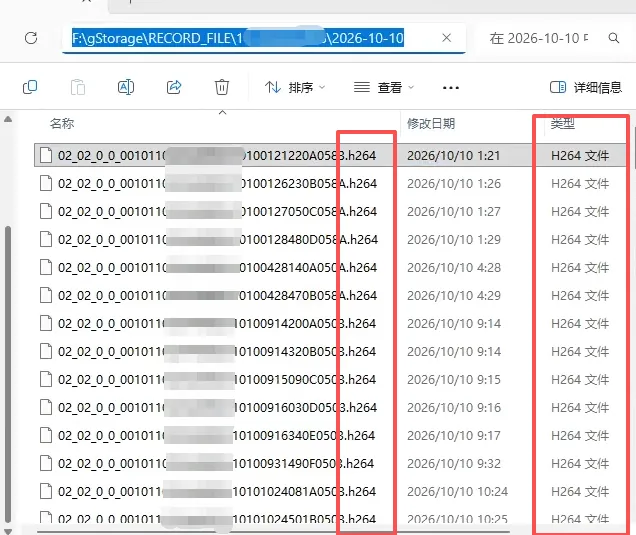
Look for video files with abnormal device numbers in the gStorage\RECORD_FILE directory of the storage server, all of which are h264 files, indicating that the conversion of mp4 format failed.
Verify that the file is converted manually
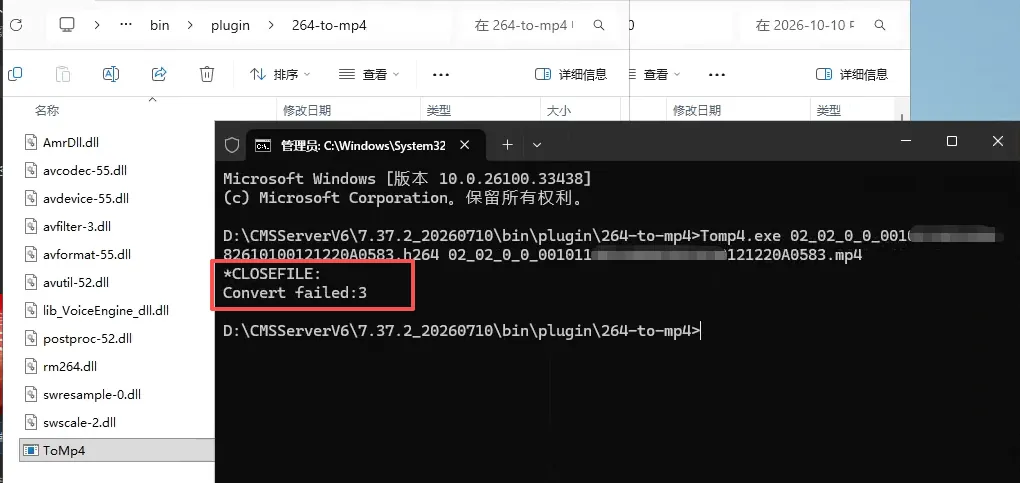
Use the cmd command line to enter the directory: \CMSServerV6 \version number\bin\plugin\264-to-mp4
Execute command example: ToMp4.exe video file name.h264 video file name.mp4
Enter the command and press Enter to verify whether the conversion is normal. If an error occurs, it shall be fed back to the equipment manufacturer for investigation and processing.
Reason 2:ToMp4.exe is not running properly
File directory: \CMSServerV6 \version number\bin\plugin\264-to-mp4 Double-click to run the ToMp4.exe application under this path and an error will be reported, which cannot run normally. The error is reported as shown in the following figure:
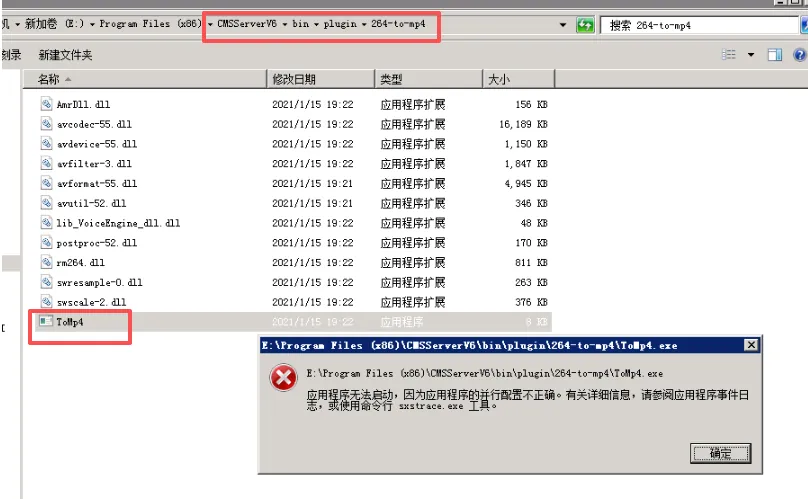
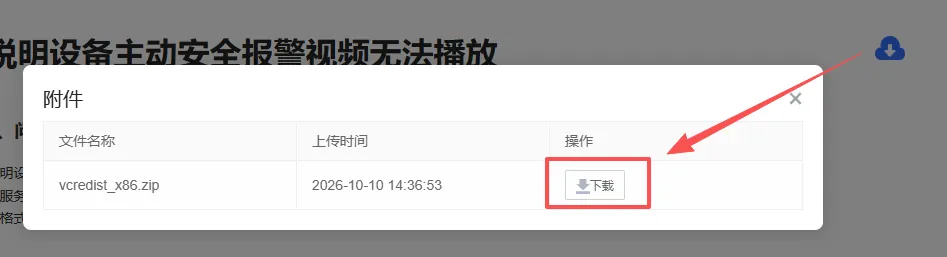
Download the attachment vcredist_x86.zip in the upper right corner of the document, decompress and run the installation vc2008 program, and double-click to run ToMp4.exe again after the installation is completed to observe whether it can run normally.
After the device can operate normally, wait for the device to trigger the active security alarm again, report the video attachment in .h264 format, and check whether the corresponding .mp4 format file is generated.