1、 function description
Photo resolution in custom rule management
2、 operating instructions
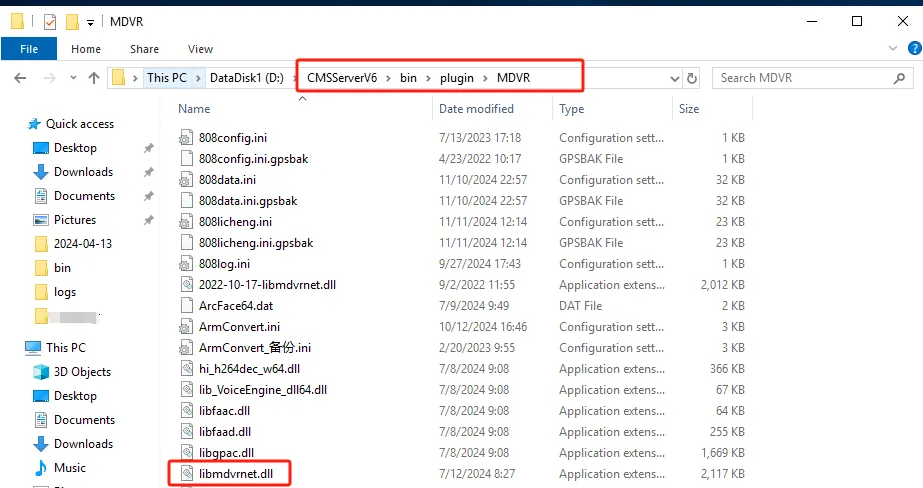
2.1 Replace libmdvrnet.dll file in D:\CMSServerV6\bin\plugin\MDVR,see attachment; (Note: This step is only required for server software version 7.23)
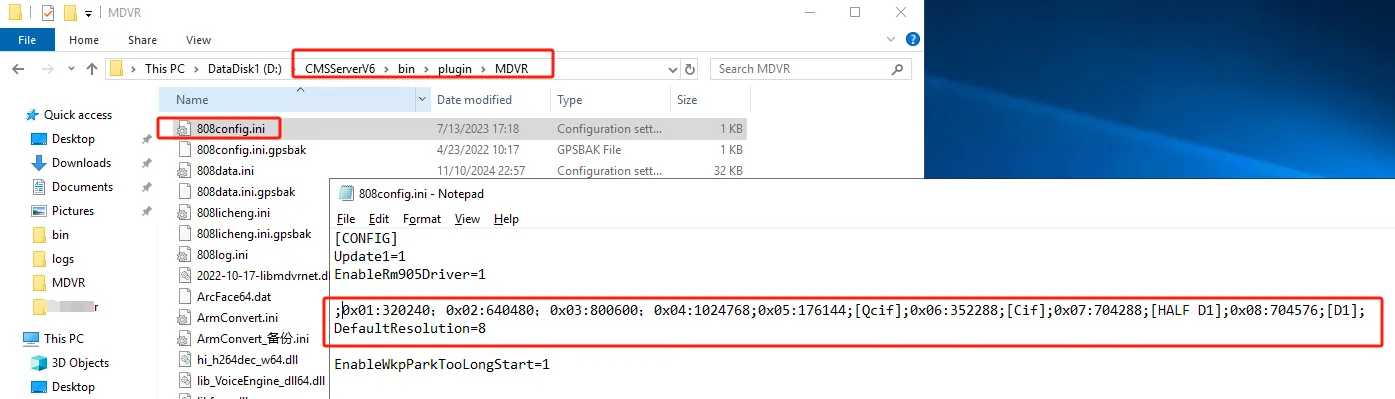
2.2 Add the parameter of snapshot default resolution to the 808config.ini file of D:\CMSServerV6\bin\plugin\MDVR;
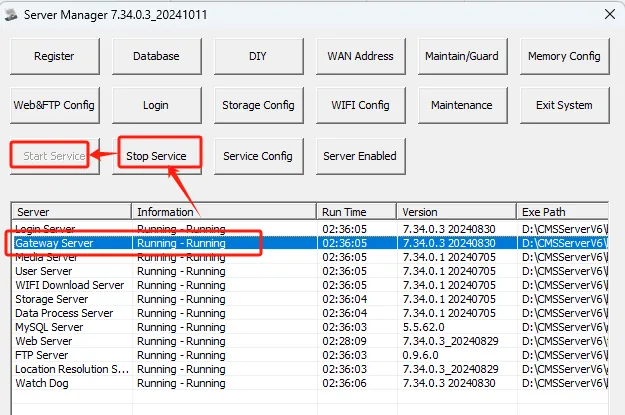
2.3 Restart the gateway server 2.3.
2.4 The configuration parameters are as follows:
;The default value is D1,
0x 01:320240;
0x 02:640480;
0x 03:800600;
0x 04:1024768;
0x 05:176144;[Qcif];
0x 06:352288;[Cif];
0x 07:704288;[HALF D1];
0x 08:704576;[D1];
[CONFIG]
DefaultResolution=8
3、 Precautions
The default value of resolution in libmdvrnet.dll is D1, and configuration items can be changed manually.
