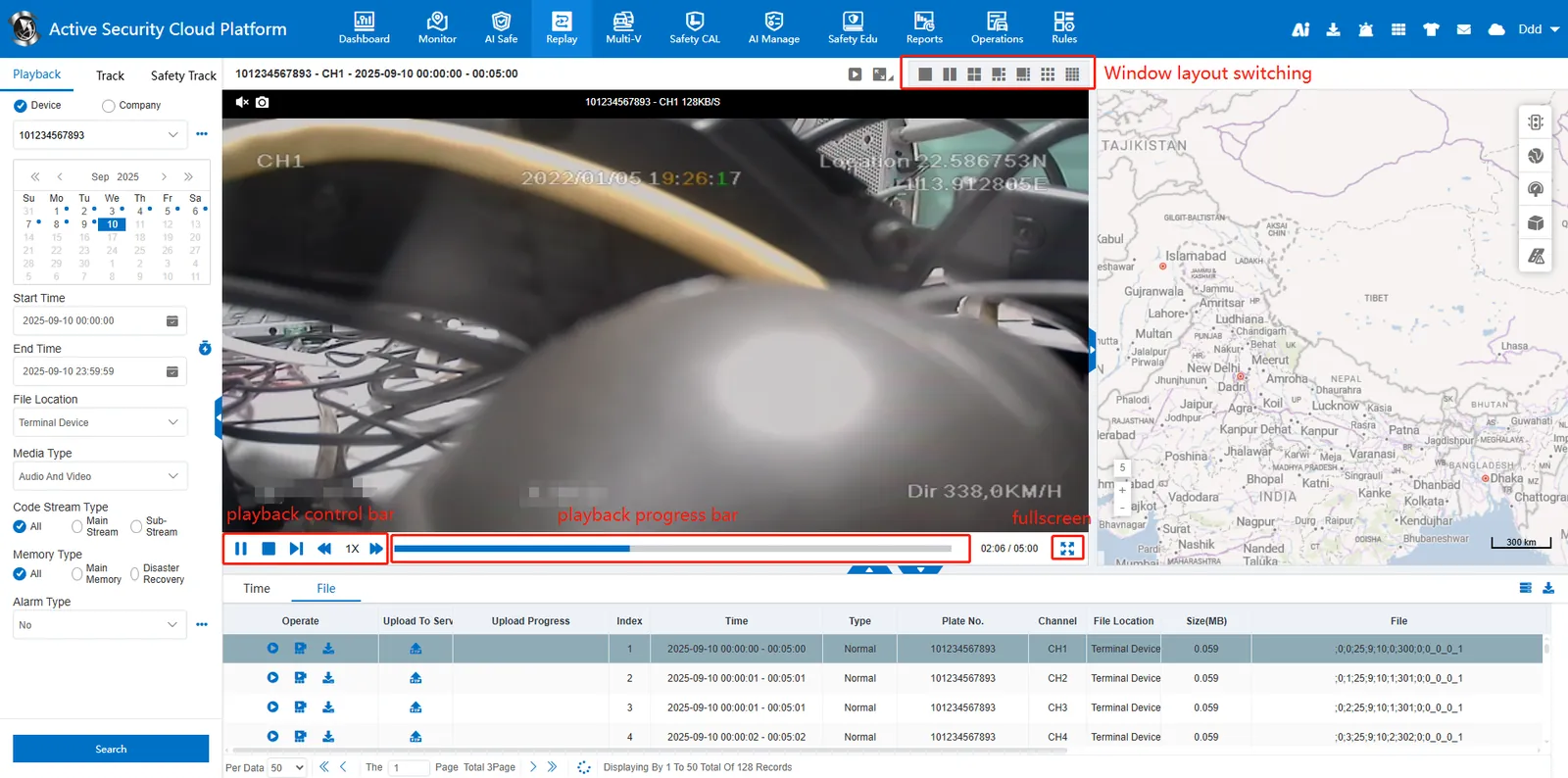
1. Function description
Remote playback device video recording, platform storage server and download server video recording, audio, pictures.
2. operating instructions
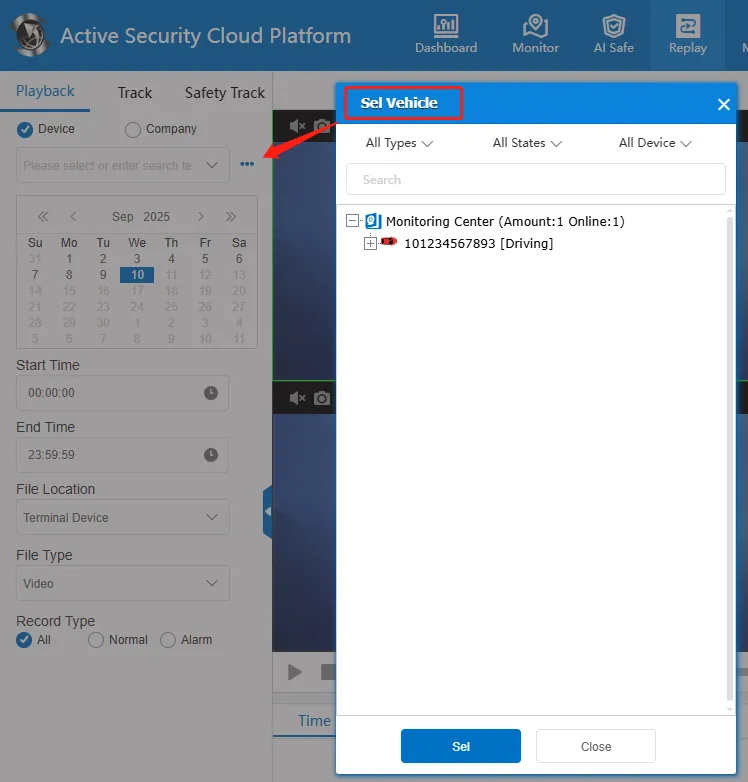
2.1 select vehicle
Enter the license plate number in the input box or click button to select a vehicle to be queried, and only the video terminal will be displayed in the vehicle list.
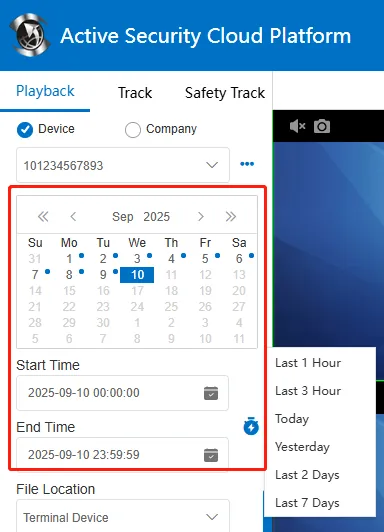
2.2 select date
Select a date on the calendar, or manually select the start time and end time, support cross- day query, click! The  button can quickly select the most recent time.
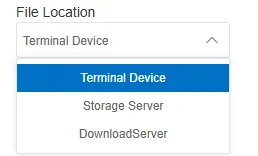
2.3 file location
Terminal equipment: The platform issues instructions to the terminal equipment to query the audio and video resources on the terminal equipment. Vehicles need to be online to query.
Storage server: Search for multimedia resources in the platform storage server, including videos, audios, and pictures, such as videos, alarm videos, and alarm pictures generated by regular recording rules.
Download server: Find multimedia resources in the platform download server, including videos, audio, and pictures, such as videos generated by the WiFi download server.
2.4 search playback
Click the "Search" button to complete the search and display the list of resource files below. Double- click the file or click playback button to play, or double- click on the timeline to play.
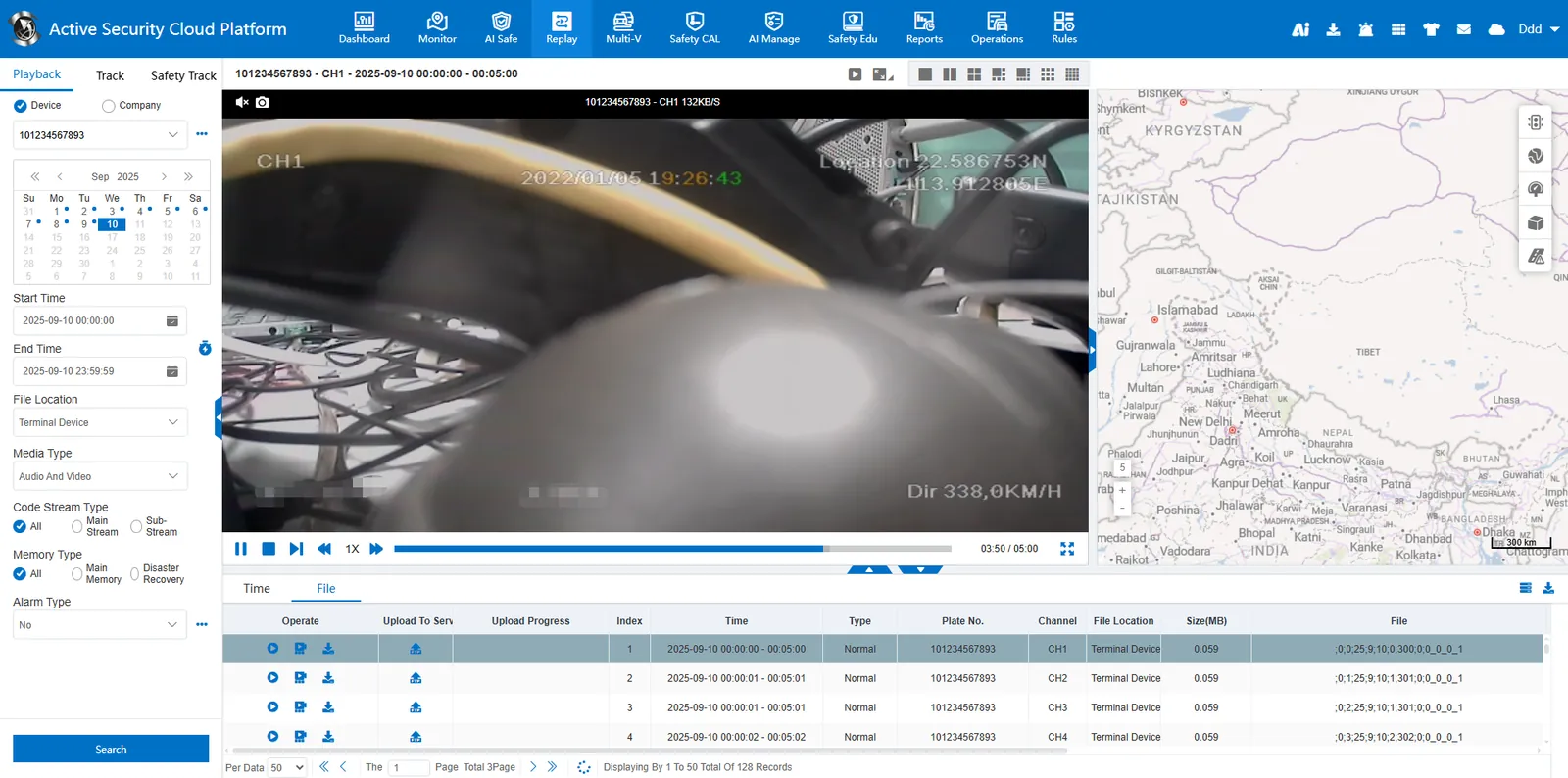
Timeline: blue display for ordinary video, red display for alarm video.

2.5 playback control
Under the video window, the video playback can be controlled through function buttons, and operations such as frame- by- frame playback, slow or fast playback at a maximum speed of 16 times, and full- screen window can be supported.
 : play
 : Pause
 : stop
 : frame advance
 : play slowly
 : double speed
 : release it quickly
 : full screen