1. Function description
For TTX private protocol equipment, the video file is first saved to the server, and then the user downloads from the server to the local computer.
2. operating instructions
2.1 add video download task
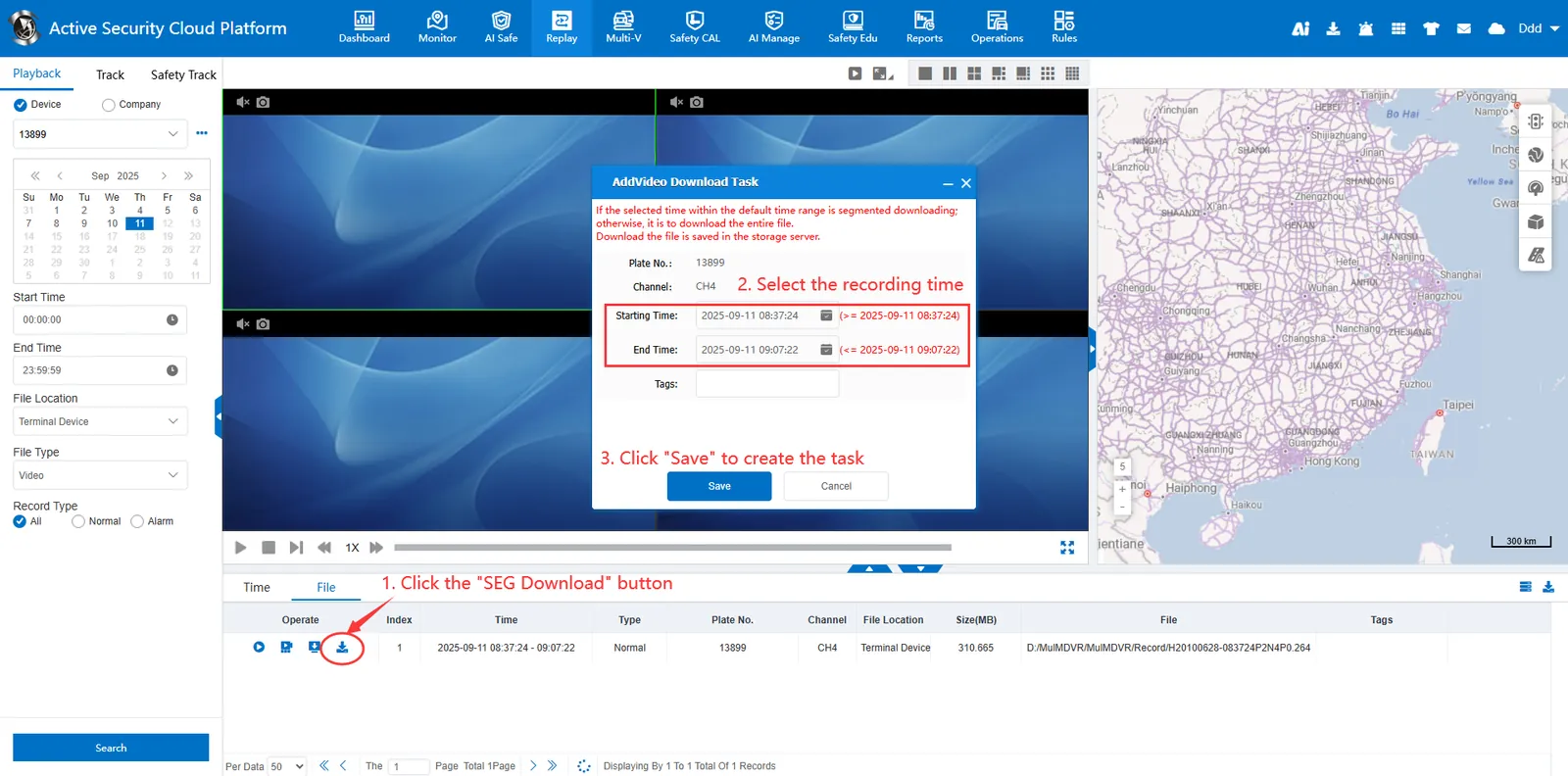
Select "terminal equipment" in the file location, search out the video file, and click Segmented download button, select the download time and click the "Save" button to create a download task.
2.2 query video download task
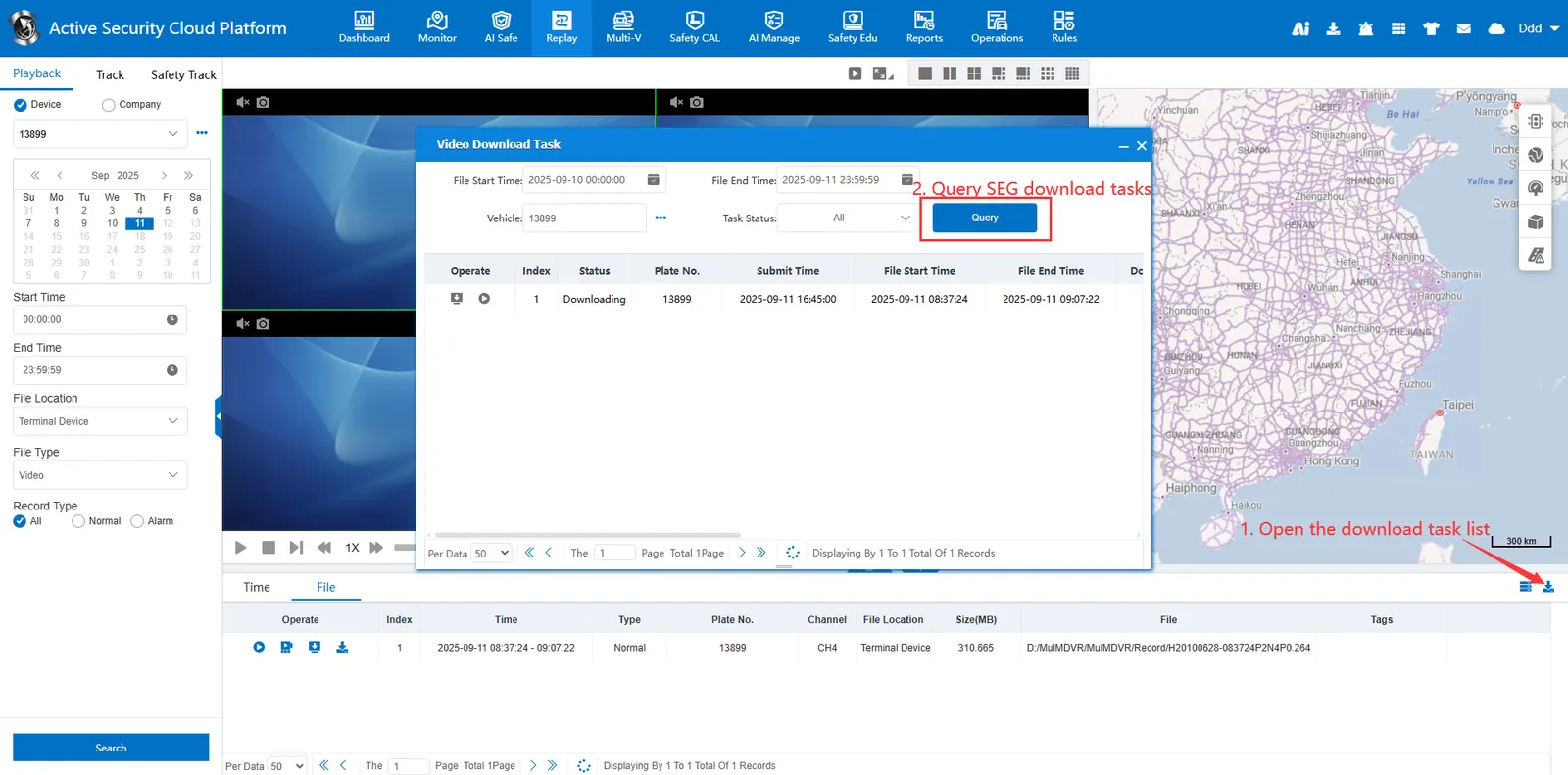
After the video download task is successfully added, open the "Download Task" list in the lower right corner of the page to query the task download status.
2.3 download video files
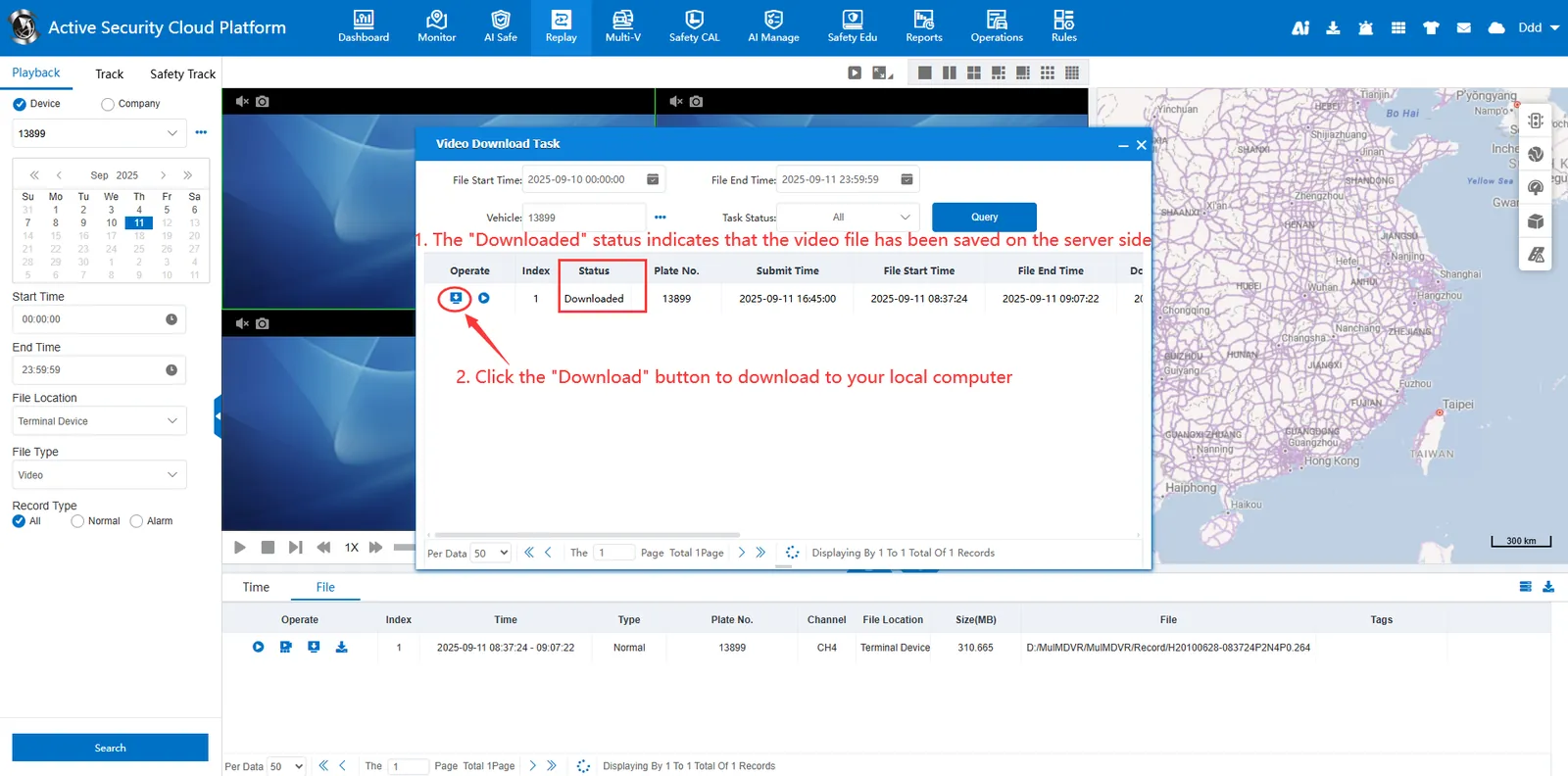
Wait for the download status to change from "Downloading" to "Downloaded", which means that the video file has been saved to the server download button is lit, click
 download button, the browser creates a download task and downloads the video file of the server to the user's local computer.
Notes
Some TTX protocol equipment has a direct download button, and only when the manufacturer's equipment supports the file recording mode (that is, recording into separate files) can there be a function button.
If the device is streaming video recording mode, there is no such direct download function button.

