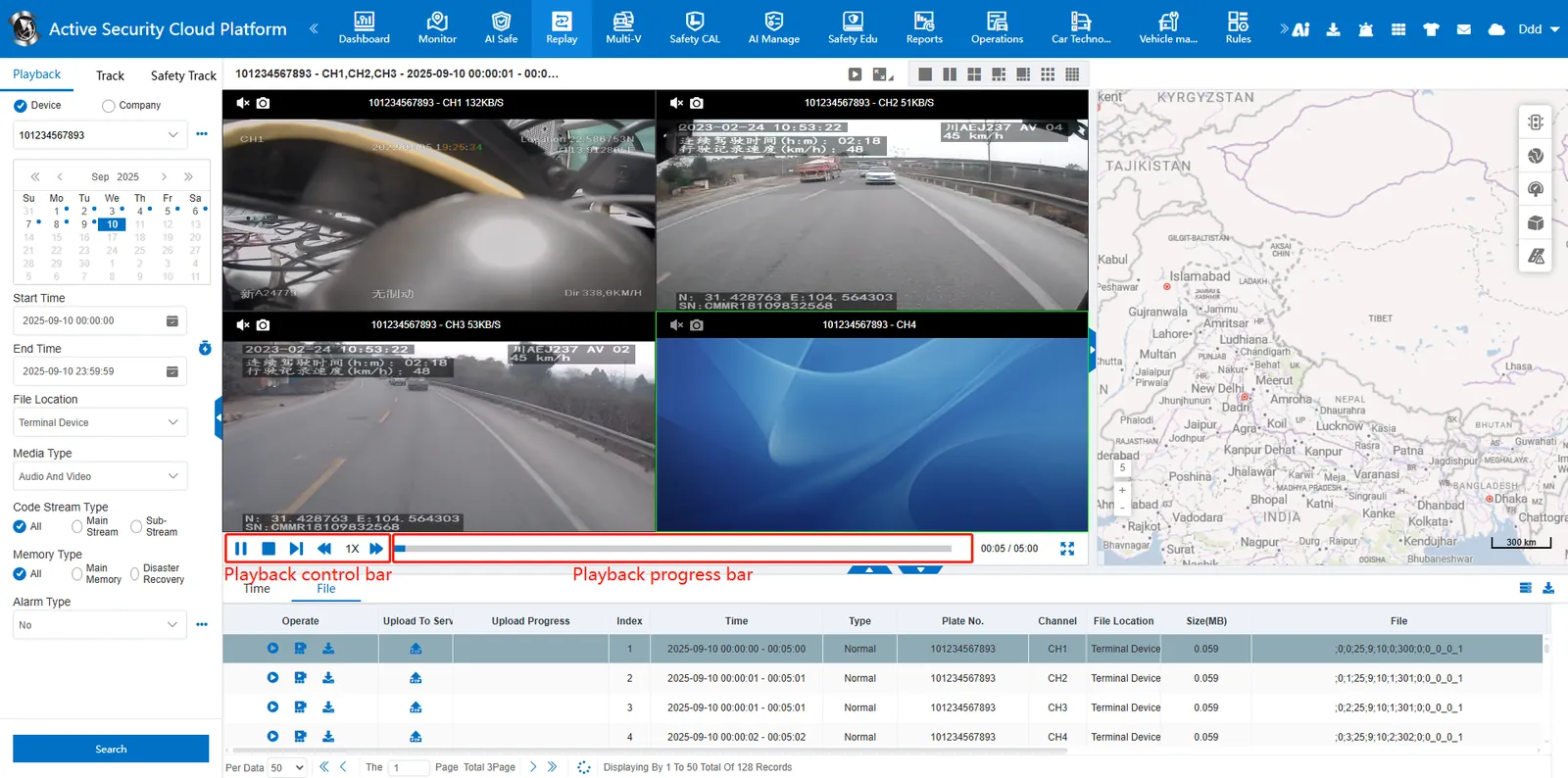
1. Function description
- Multi- channel screen playback at the same time (time out of sync)
- Currently only Hunan standard protocol devices support multi- channel synchronous playback
2. operating instructions
2.1 multi- channel playback
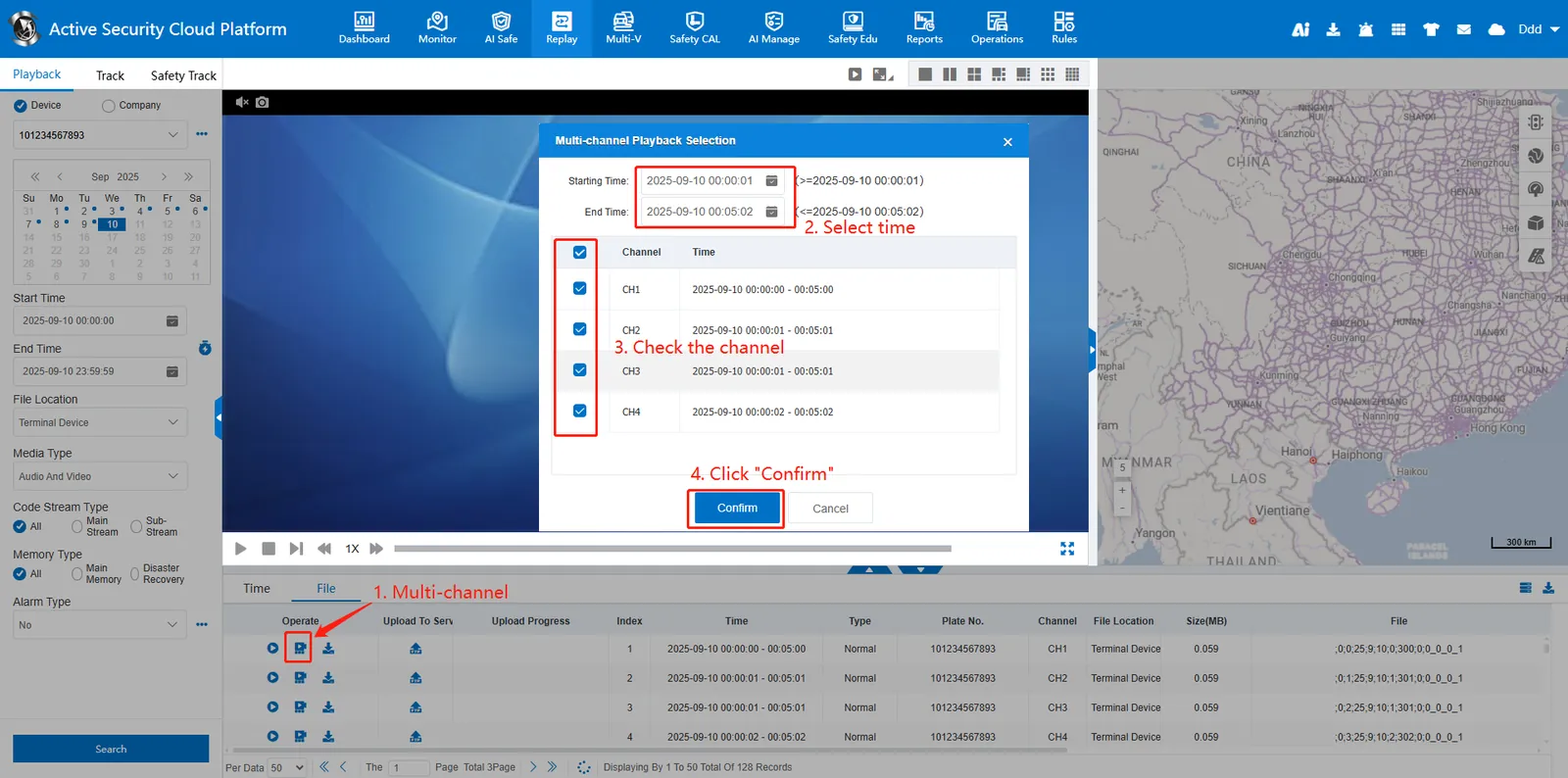
- Click after searching out the video files
 multi- channel playback button, pop- up window, select the playing time range, check the channel number, click "OK" to start playback.
 - Due to the video buffer speed and signal, the time of each channel may not be consistent.
2.2 playback control
- Under the video window, the video playback can be controlled through function buttons, and operations such as frame- by- frame playback, slow or fast playback at a maximum speed of 16 times, and full- screen window can be supported.
- The control bar controls multiple screens at the same time, and a screen cannot be controlled individually.
 : play
  : Pause
  : stop
  : frame advance
 : play slowly
  : double speed
  : release it quickly
  : full screen