1、 function description
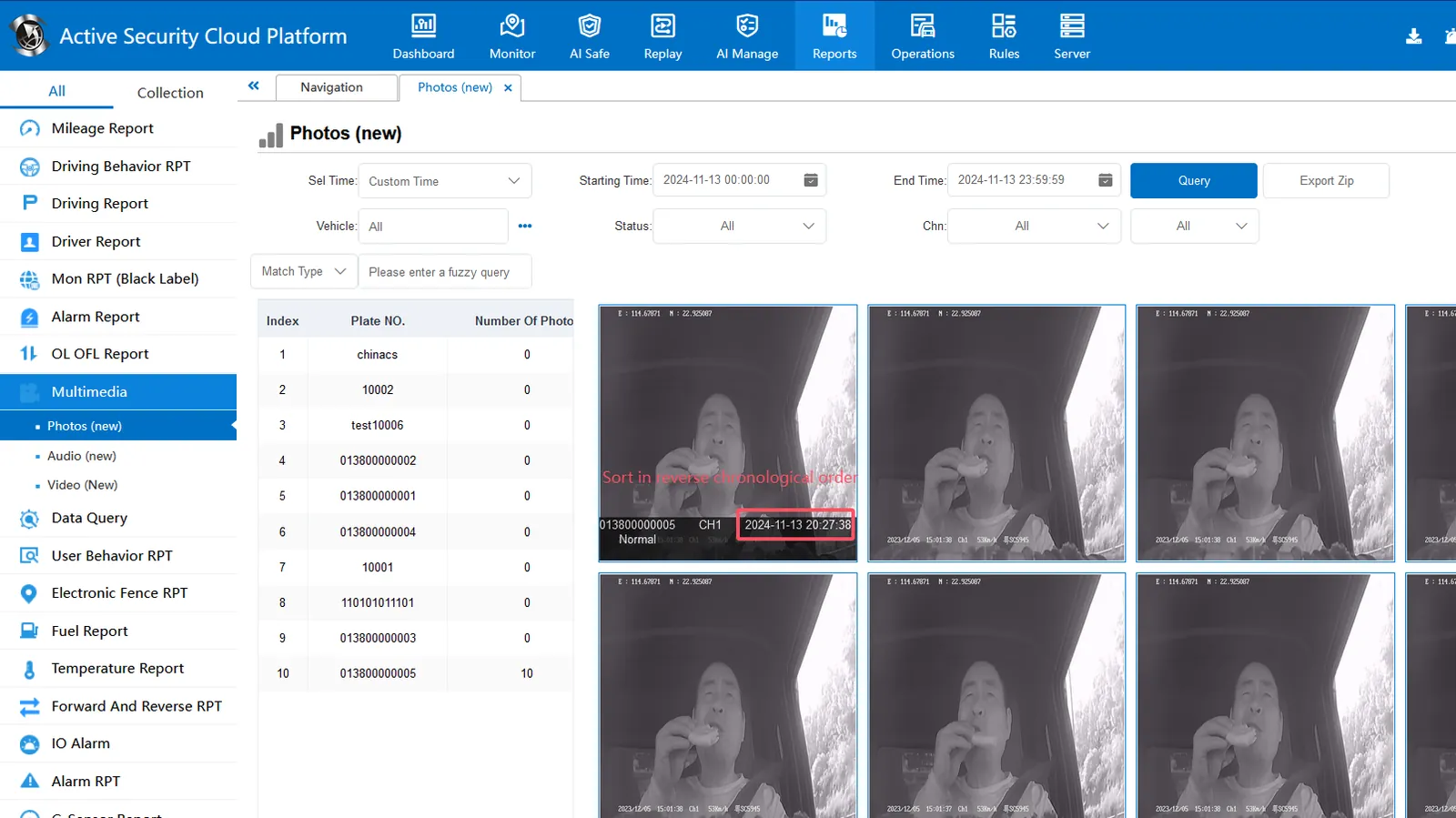
By default, multimedia images are displayed in ascending order. This document describes how to change the display to descending order (sorted by the latest upload time of the image, and the latest time is displayed in front).
2、 operating instructions
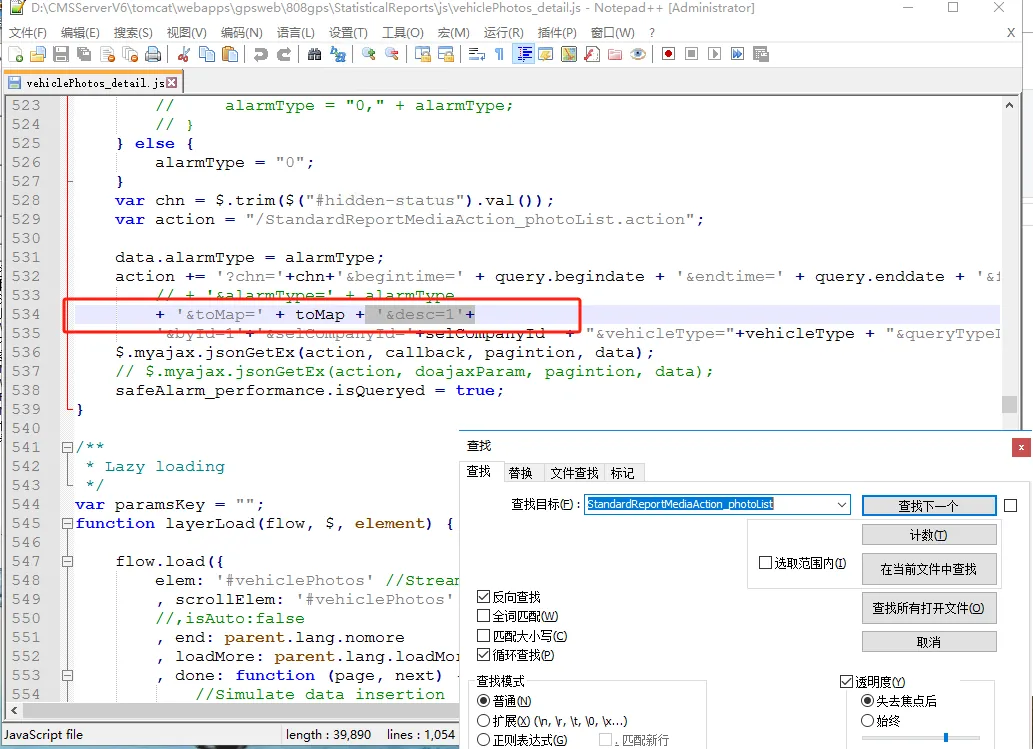
2.1 editing 'vehiclePhotos_detail.js 'file
File path: CMSServerV6\tomcat\webapps\gpsweb\808gps\StatisticalReports\js
2.2 Fin' StandardReportMediaAction_photoList ', find the corresponding row and add'' & desc = 1 'as shown in the following figure: