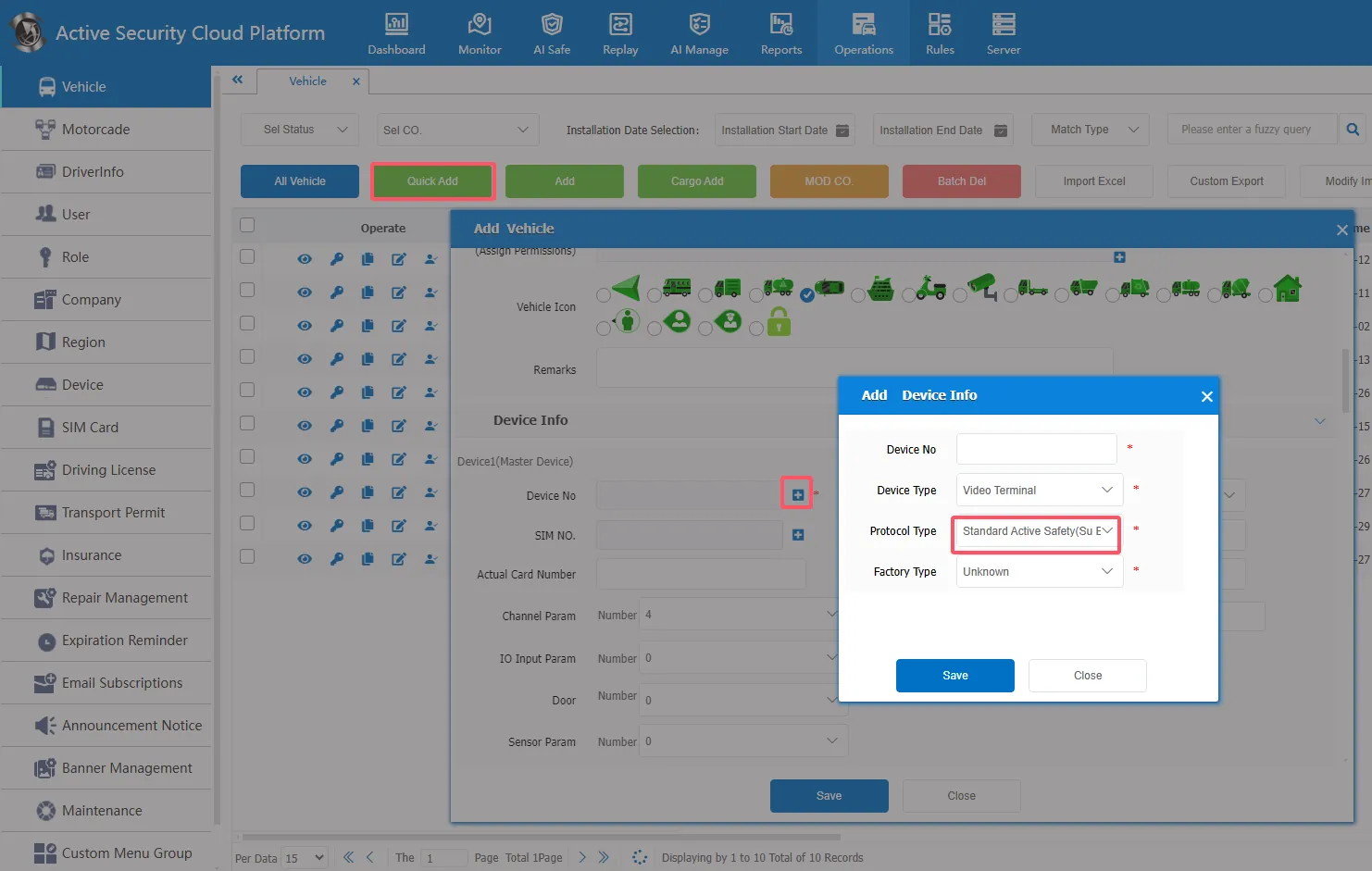
1、 function description
For vehicles added through the [Quick Add] and [Add] menus, the default device protocol is Su Biao.
2、 operating instructions
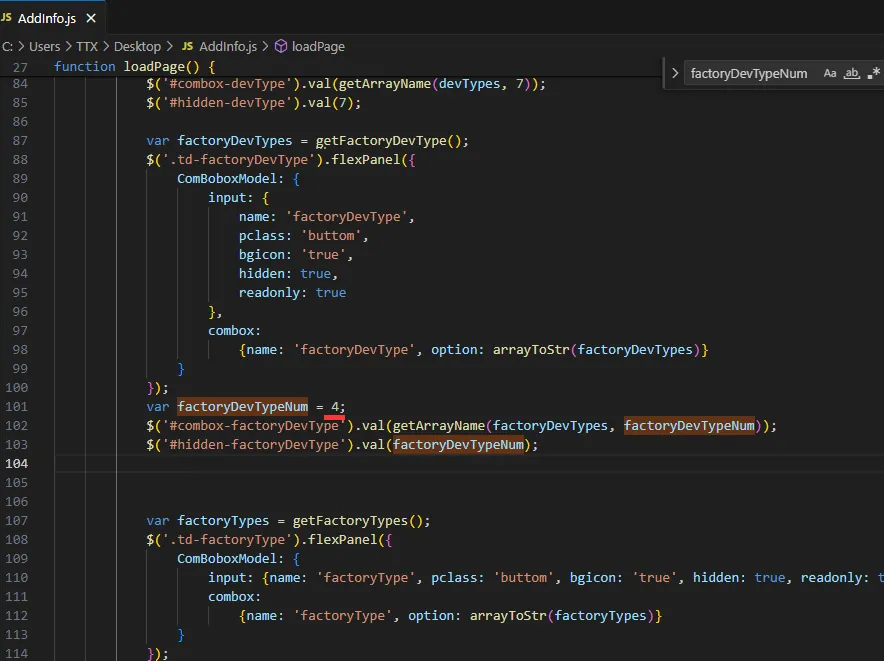
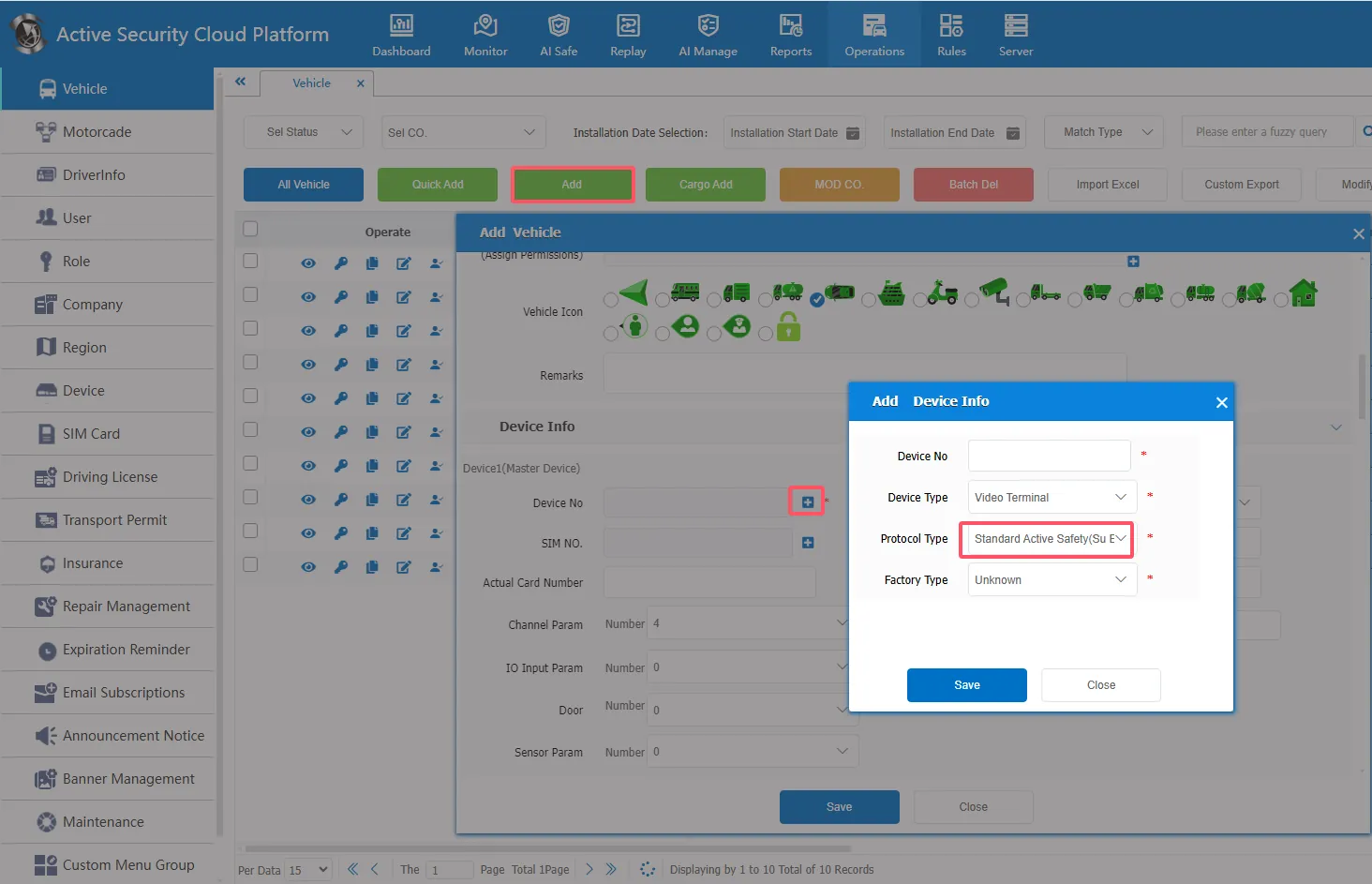
2.1 Setting [Add] The device protocol type in the page defaults to "Su Standard"
Method: Change 'factoryDevTypeNum = 0 'to 'factoryDevTypeNum = 4'
Path: CMSServerV6\tomcat\webapps\gpsweb\808gps\OperationManagement\js\AddInfo.js
Effect:
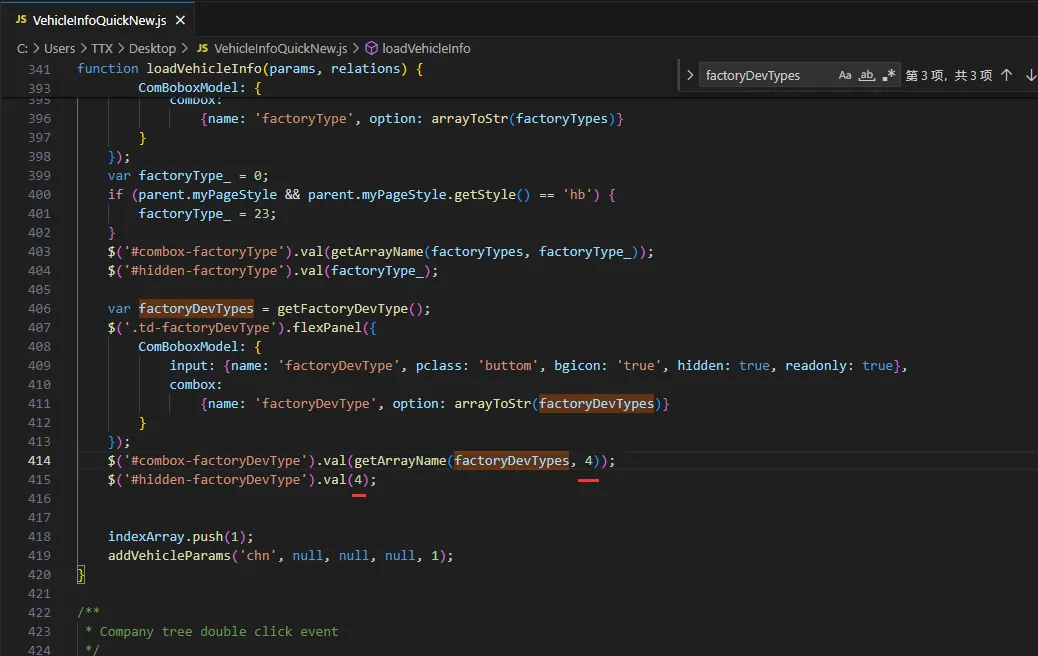
2.2 Setting [Quick Add] The device protocol type in the page defaults to "Su Standard"
Method: Will
$('#combox- factoryDevType').val(getArrayName(factoryDevTypes, 0));
$('#hidden- factoryDevType').val(0);
Change
$('#combox- factoryDevType').val(getArrayName(factoryDevTypes, 4));
$('#hidden- factoryDevType').val(4);
Path: CMSServerV6\tomcat\webapps\gpsweb\808gps\OperationManagement\js\VehicleInfoQuickNew.js
Effect: