1. Problem Description
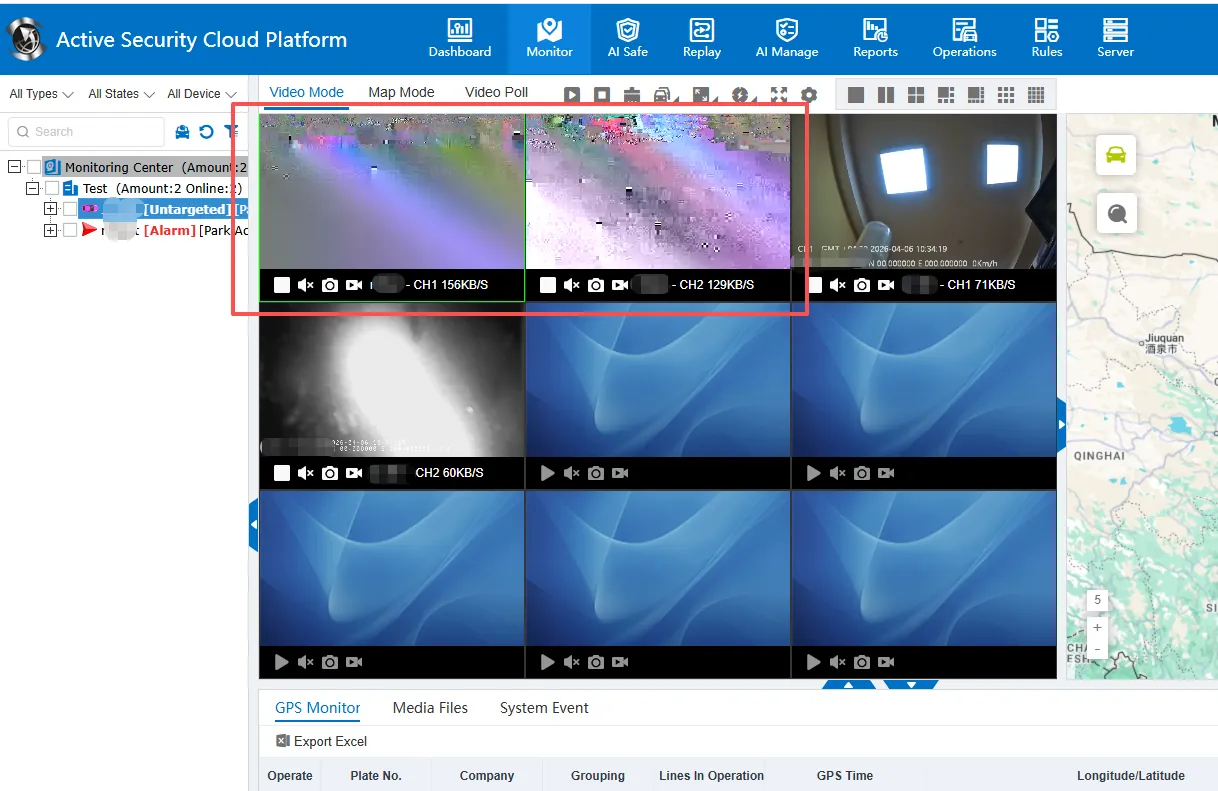
Problem phenomenon: When the same device is reported to the overseas server to play the video, the screen phenomenon appears, and the video is reported to the domestic server to play normally. analysis of rtp package data is normal.
2. The Solution
Scheme 1. Change Browser
Chrome browser is affected by graphics card driver, browser version and hard decoding compatibility, and is prone to screen display. It is recommended to replace Firefox browser (Firefox browser) first.
scheme 2. enable wasm playback
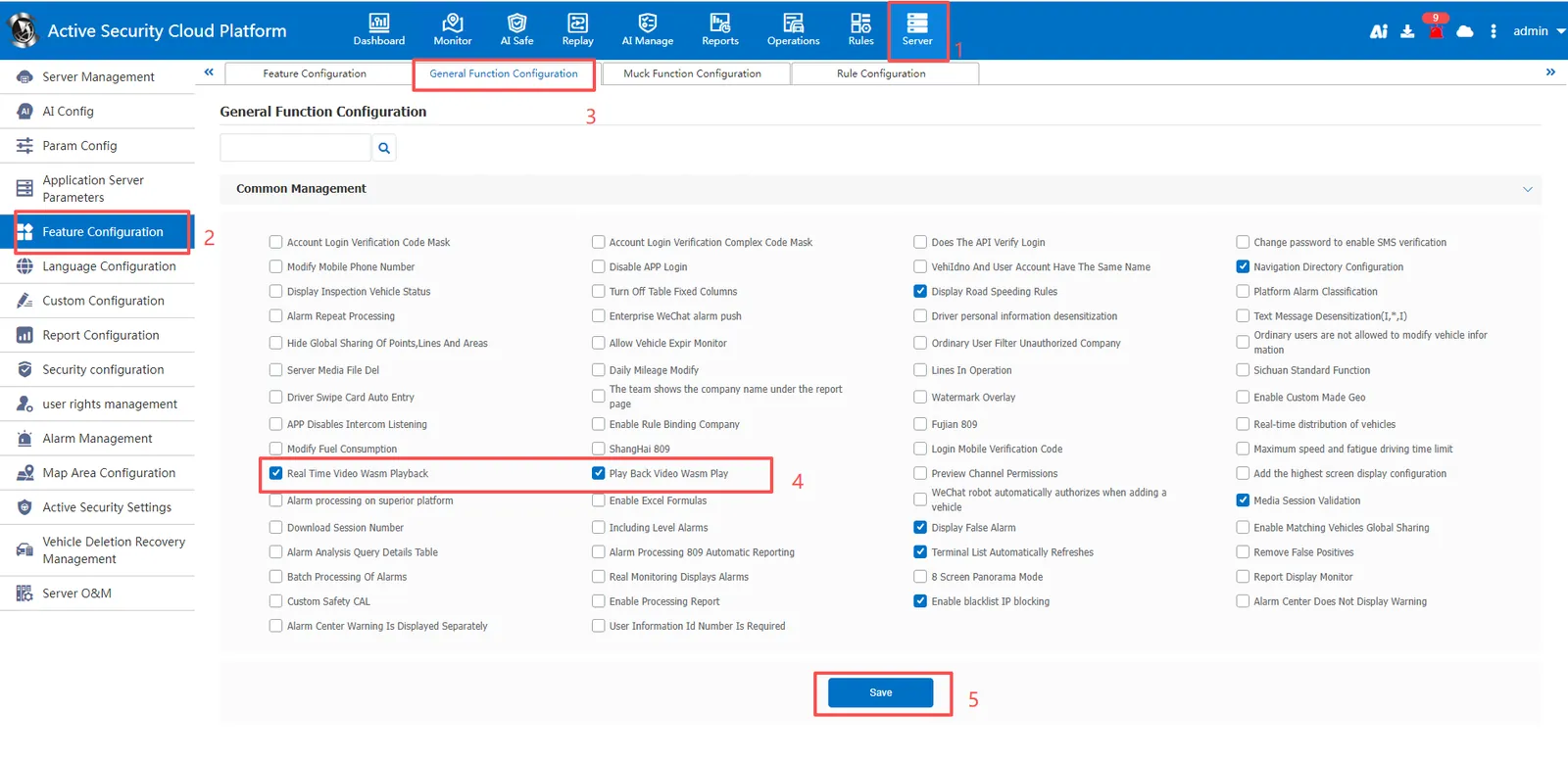
Open [Server Management]> [Function Configuration]> [General Function Configuration] and enable "Real- time video wasm playback" or "Video playback wasm playback".
Modify the Chreome configuration 3. the scheme
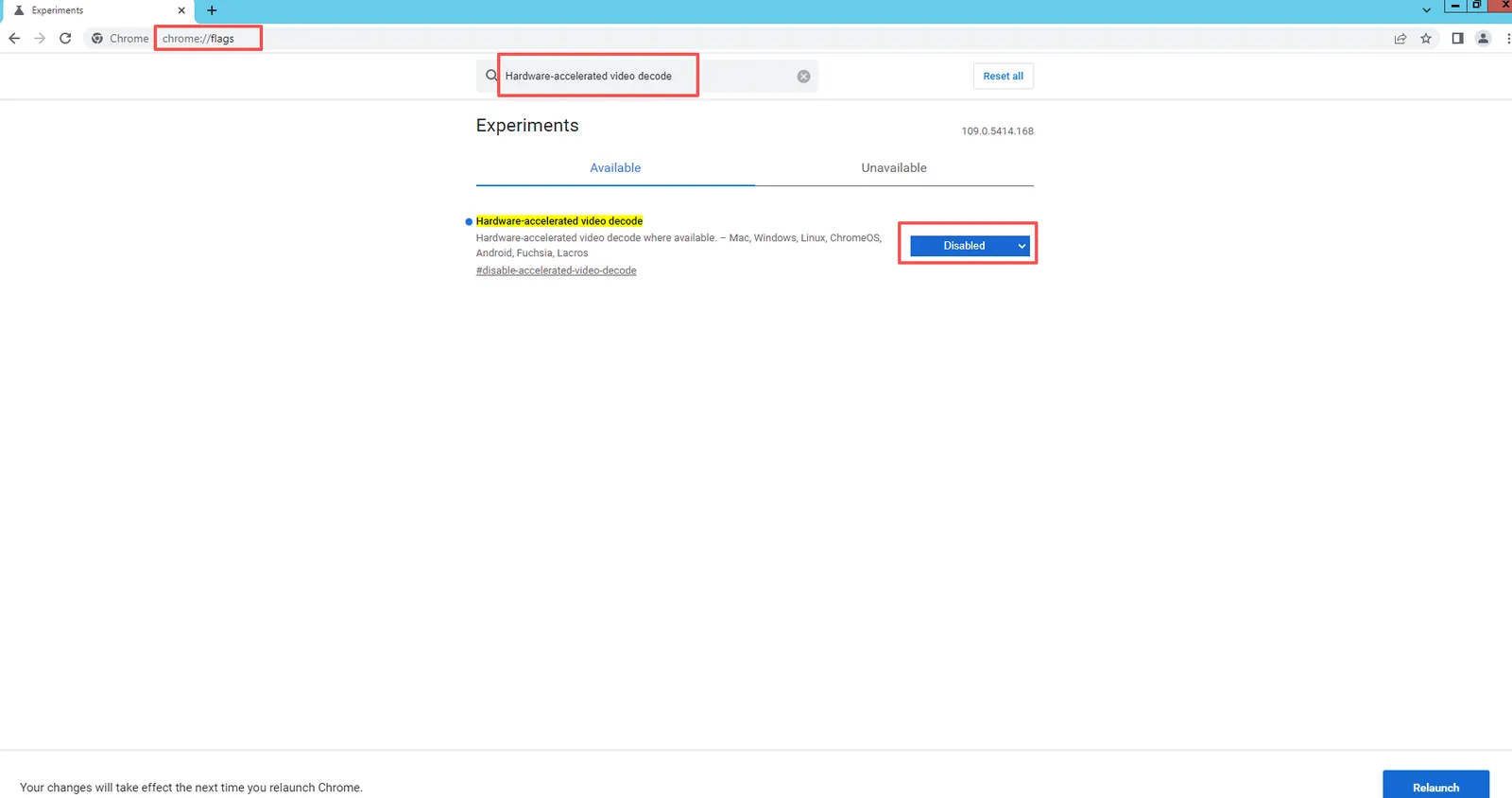
Enter 'chrome:// flags/'in the address bar of Chrome browser, enter to open the following configuration interface, search for Hardware- accelerated video decode', set' Disabled' to disable the configuration, and restart Chrome browser to take effect after modification.