1. Function description
- Customers deploy their own applets, which are basically the same as APP.
- Prerequisites: Have a domain name address, complete ICP filing, and enable https on the server.
2, operating instructions
2.1 register applet account
- applet account registration process: https://developers.weixin.qq.com/miniprogram/introduction/
- WeChat Public Platform: https://mp.weixin.qq.com/
2.2 improve the basic information of small programs
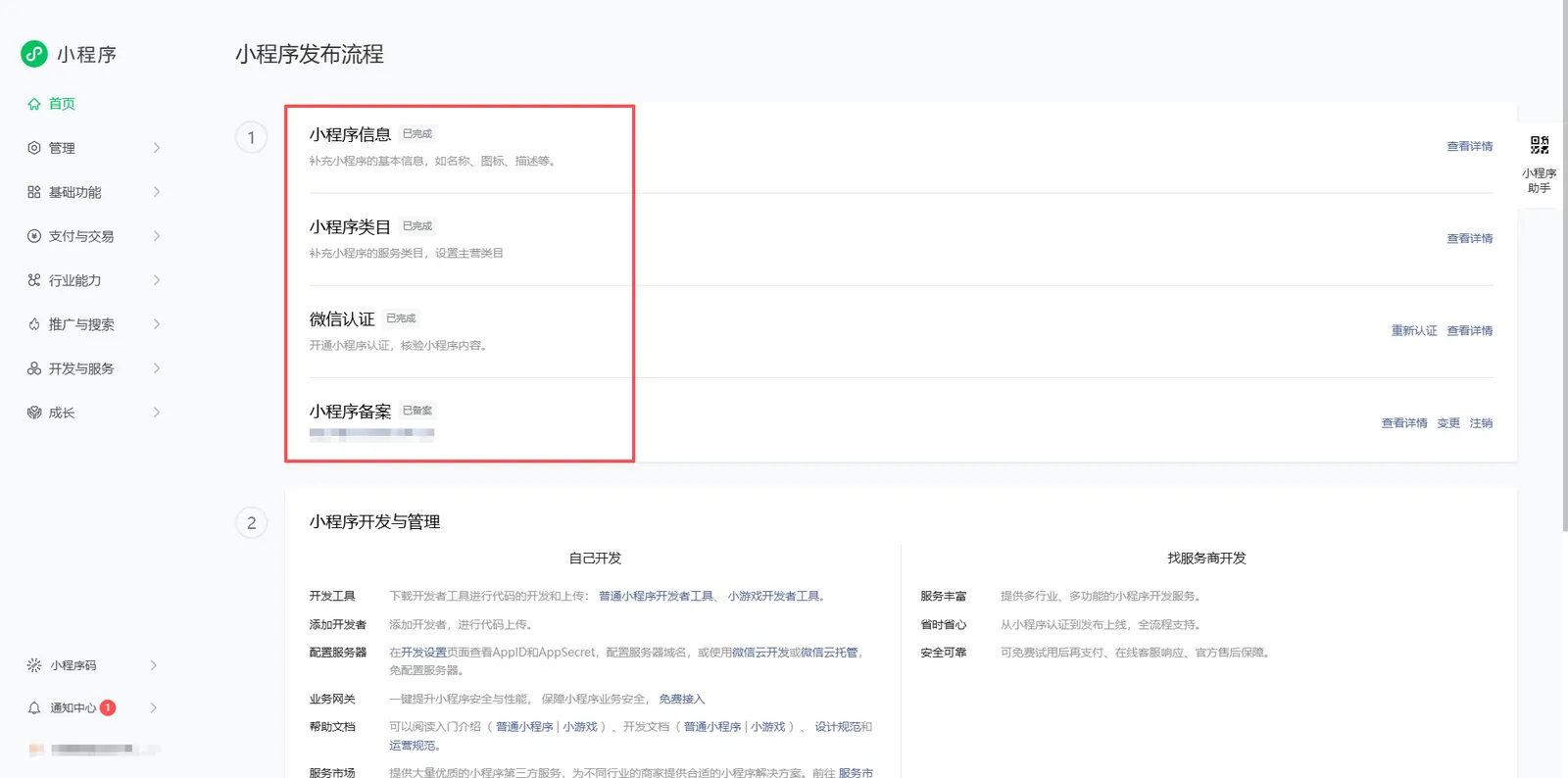
According to the small program release process, improve the following basic information:
A. supplement the basic information of the applet, such as name, icon, description, etc.
B. supplement the service categories of small programs and set the main categories.
C. open small program authentication, verify the content of small program, and complete WeChat authentication.
D. supplement the filing information of small programs and complete the filing of small programs.
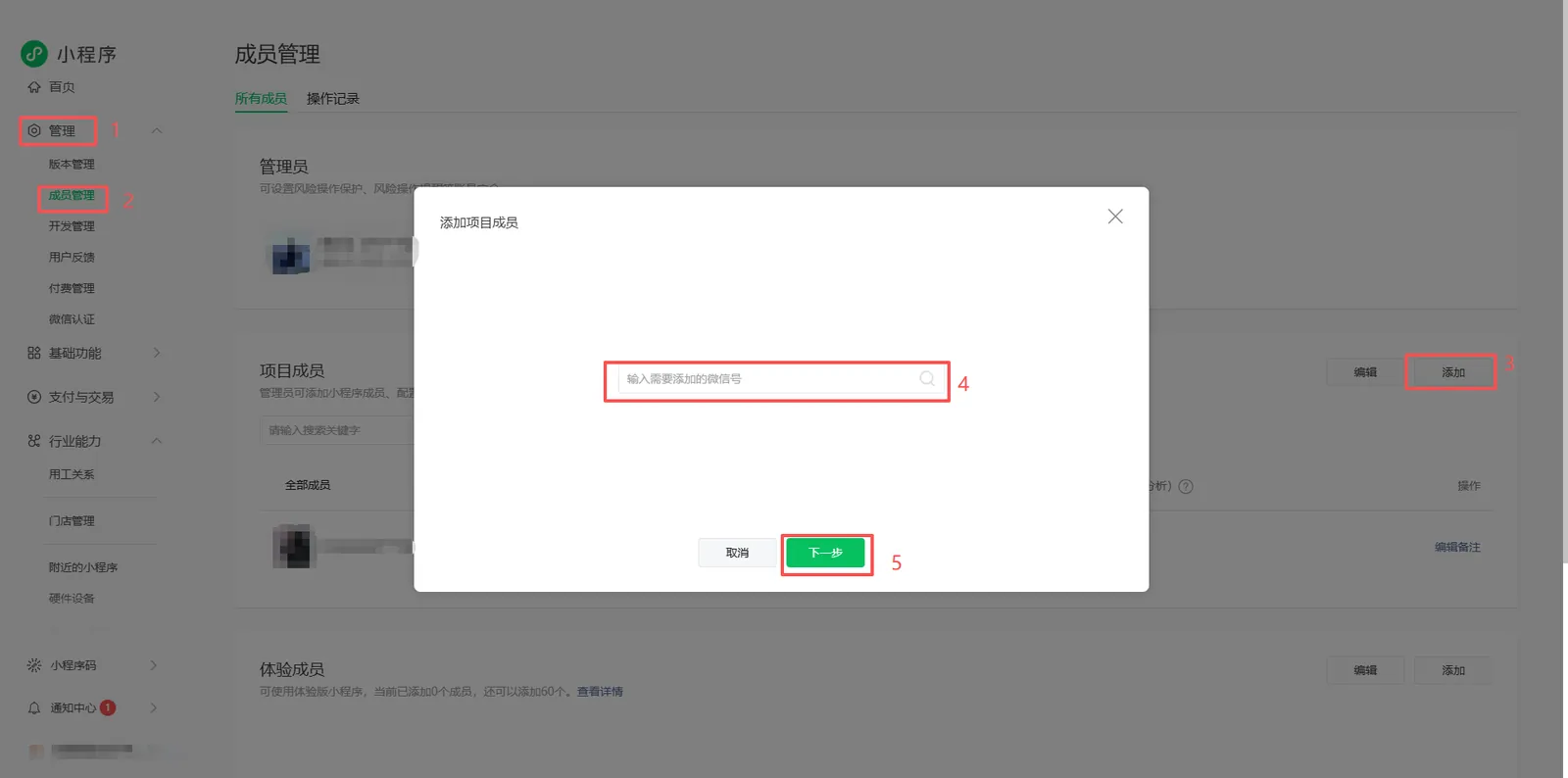
2.3 add developer
In member management, add project members, add technical support for developers.
2.4 configure the server domain name and business domain name
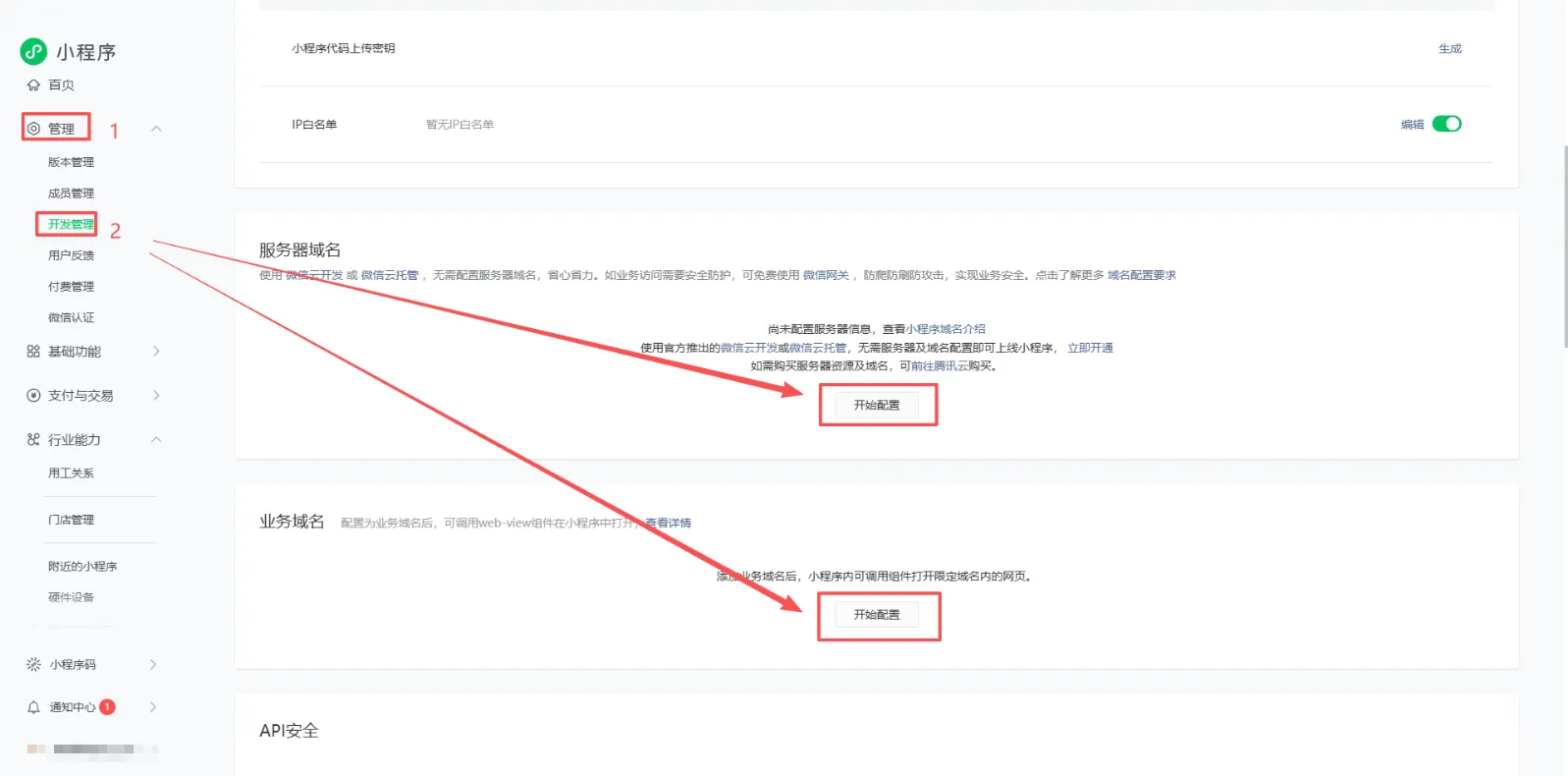
2.4.1 Server Domain Name
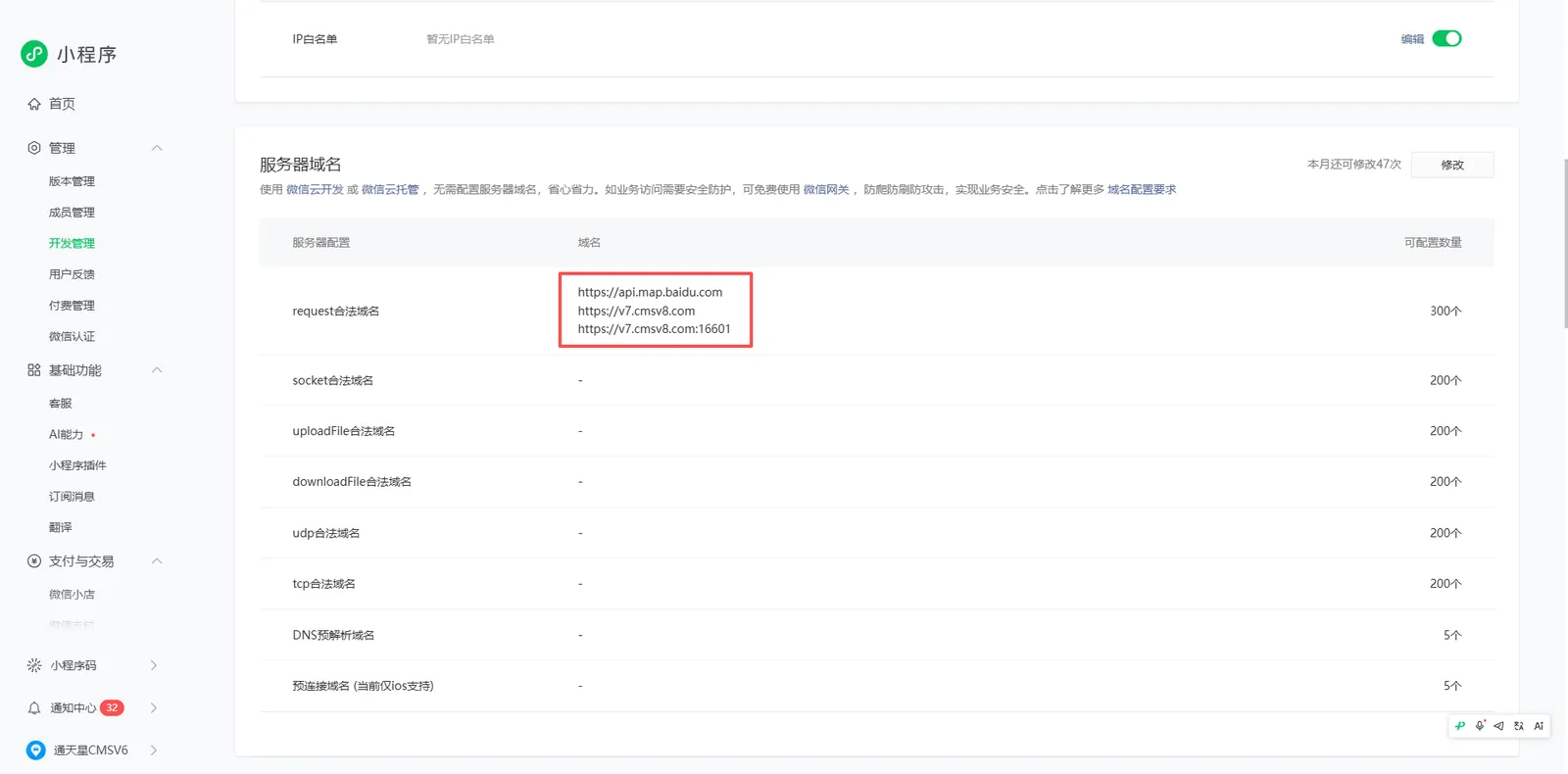
Open the server domain name configuration, and enter the following three domain names in the request legal domain name input field. https://api.map.baidu.com are fixed configurations, and the rest are customer domain addresses.
https://api.map.baidu.com
https://xxxx.com
https://xxxx.com:16601
2.4.2 Business Domain Name
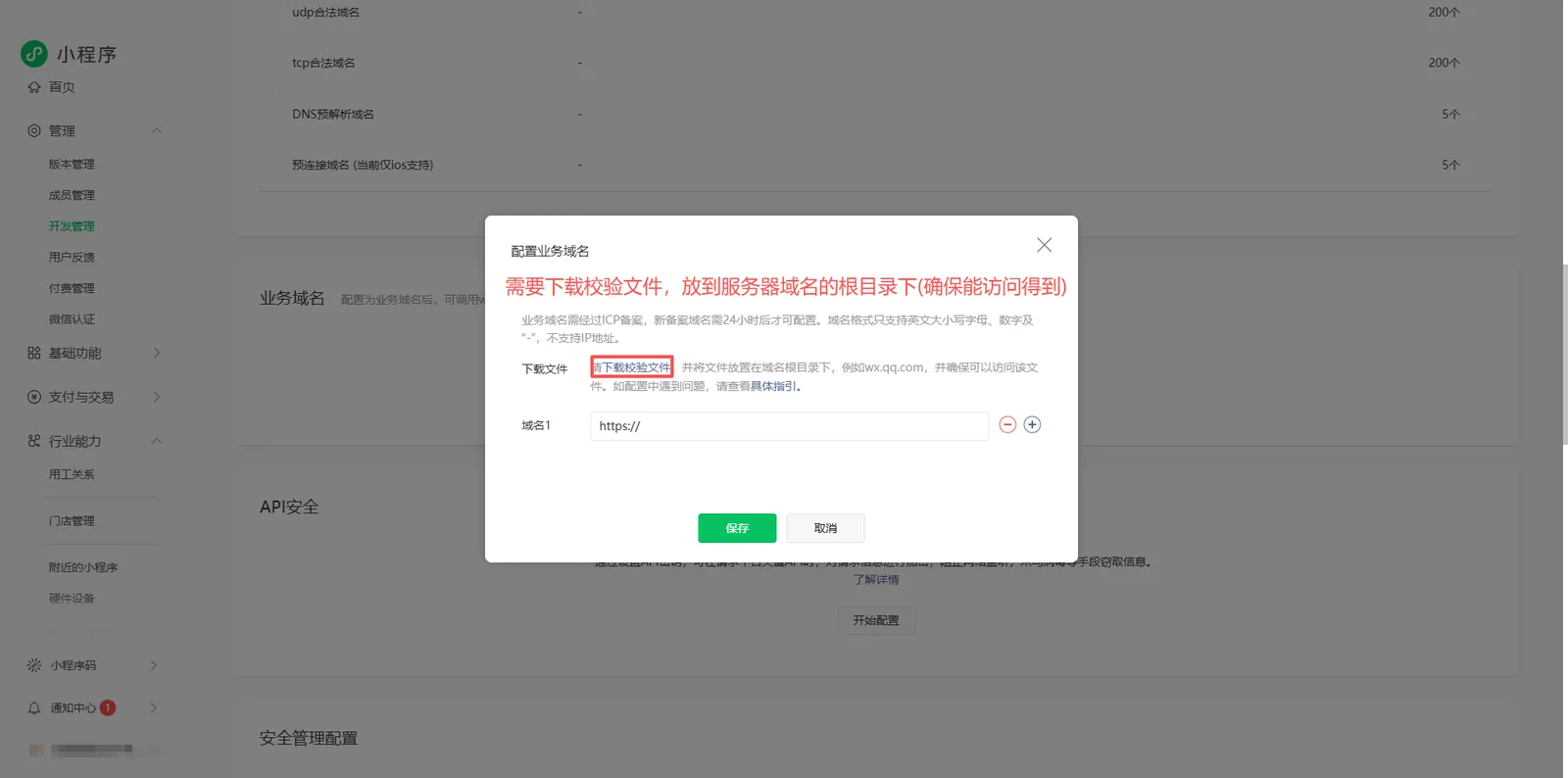
- Enable the business domain name configuration and download the verification file.
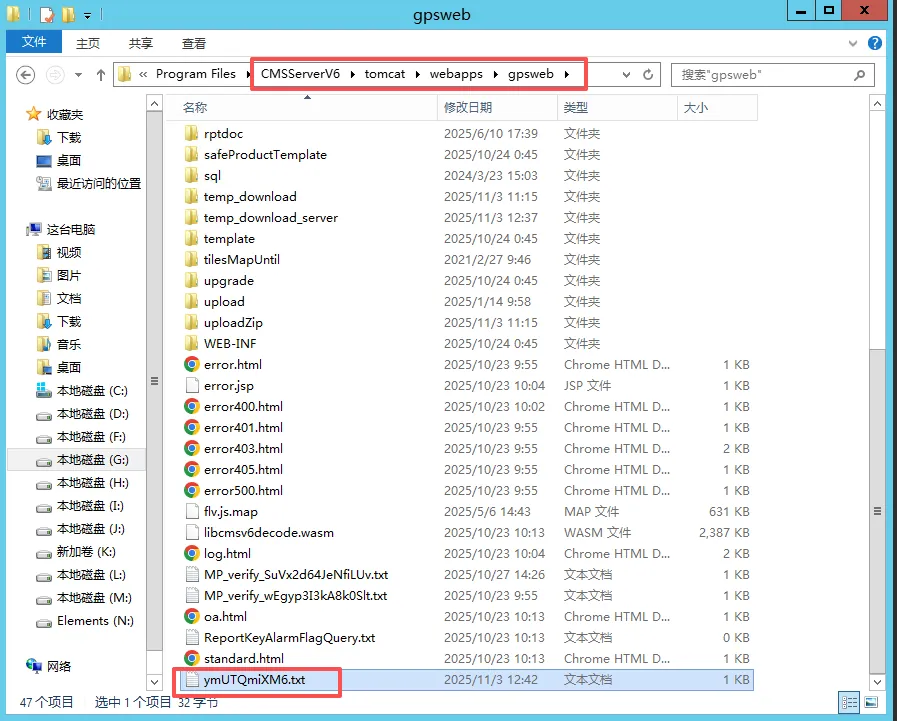
- Place the downloaded verification file in the server '\CMSServerV6\tomcat\webapps\gpsweb' directory.
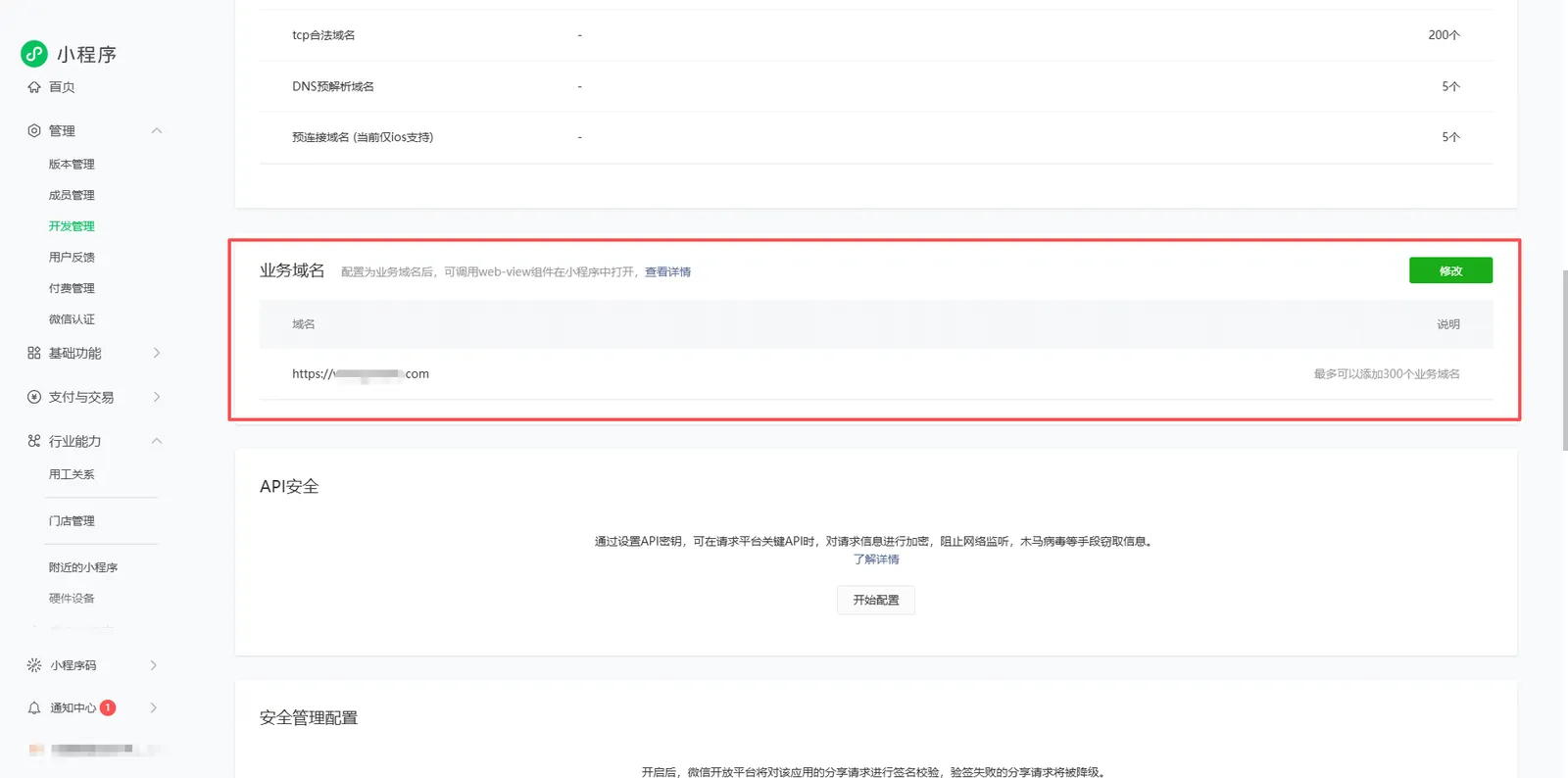
- Fill in the client server domain name address and click Save.
2.5 configuration applet code
Download WeChat Developer Tools: https://developers.weixin.qq.com/miniprogram/dev/devtools/download.html
- Use the developer WeChat scan code to log in.
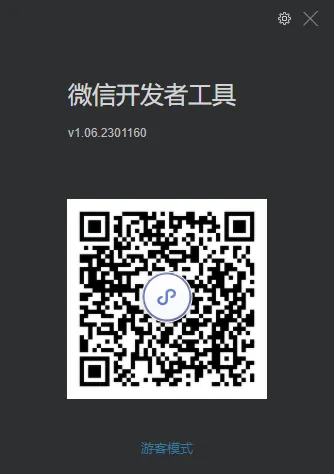
- Select the import project (find TTX to provide small program code) and do not use cloud services.
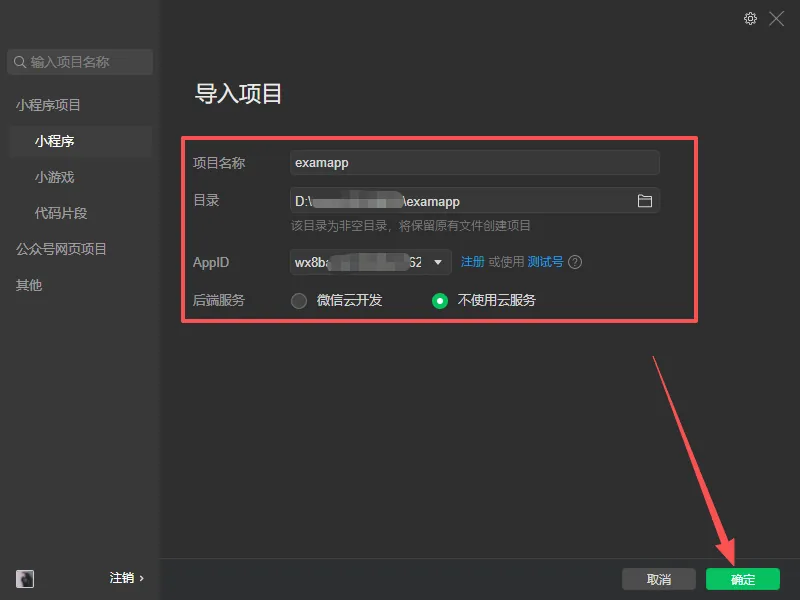
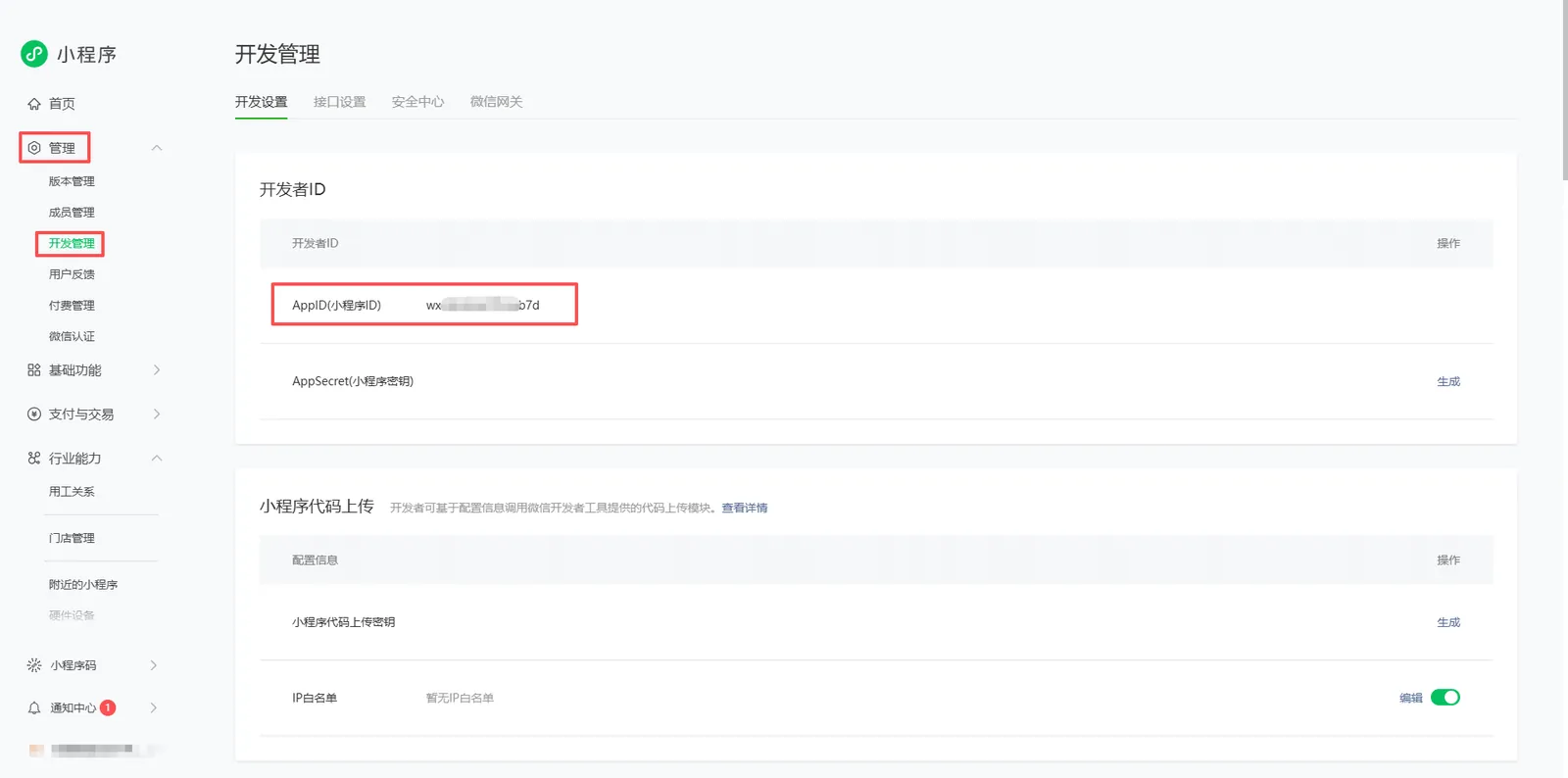
- The project name is arbitrary, and the AppID (applet ID) is obtained from the applet background.
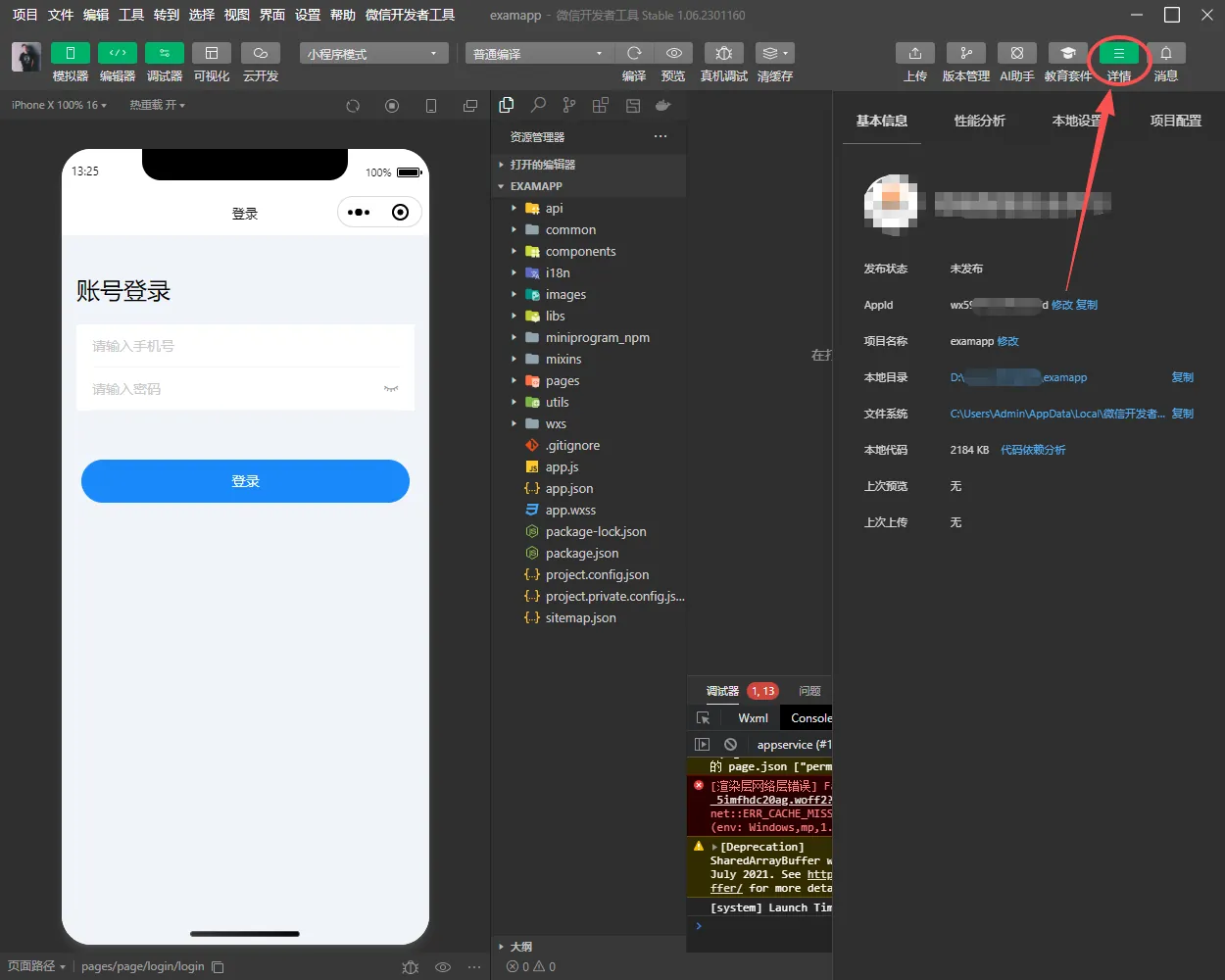
- Check the details after import to ensure that the login AppID is correct
2.6 modify the code domain name configuration
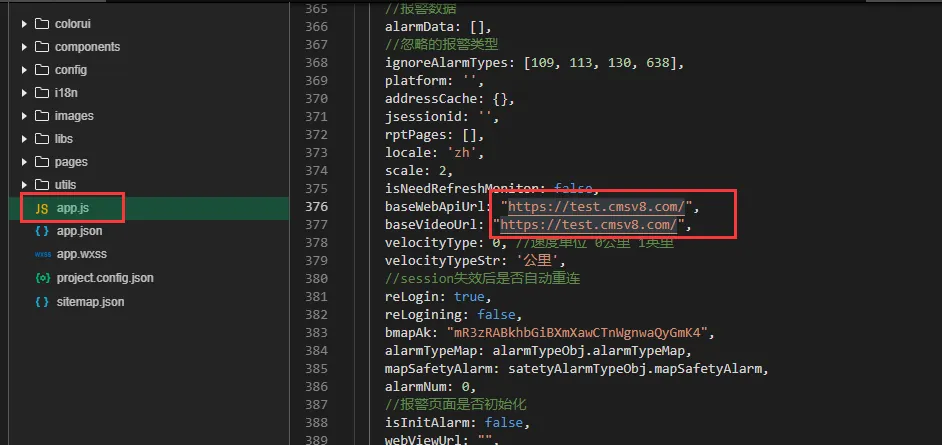
Find the app.js file in the root directory and modify the url to the domain name address of the client server.
After the 2.7 function is debugged normally, upload the version
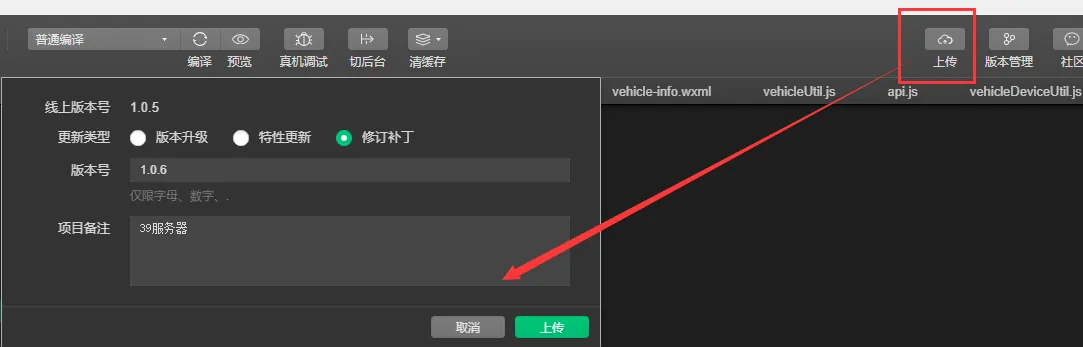
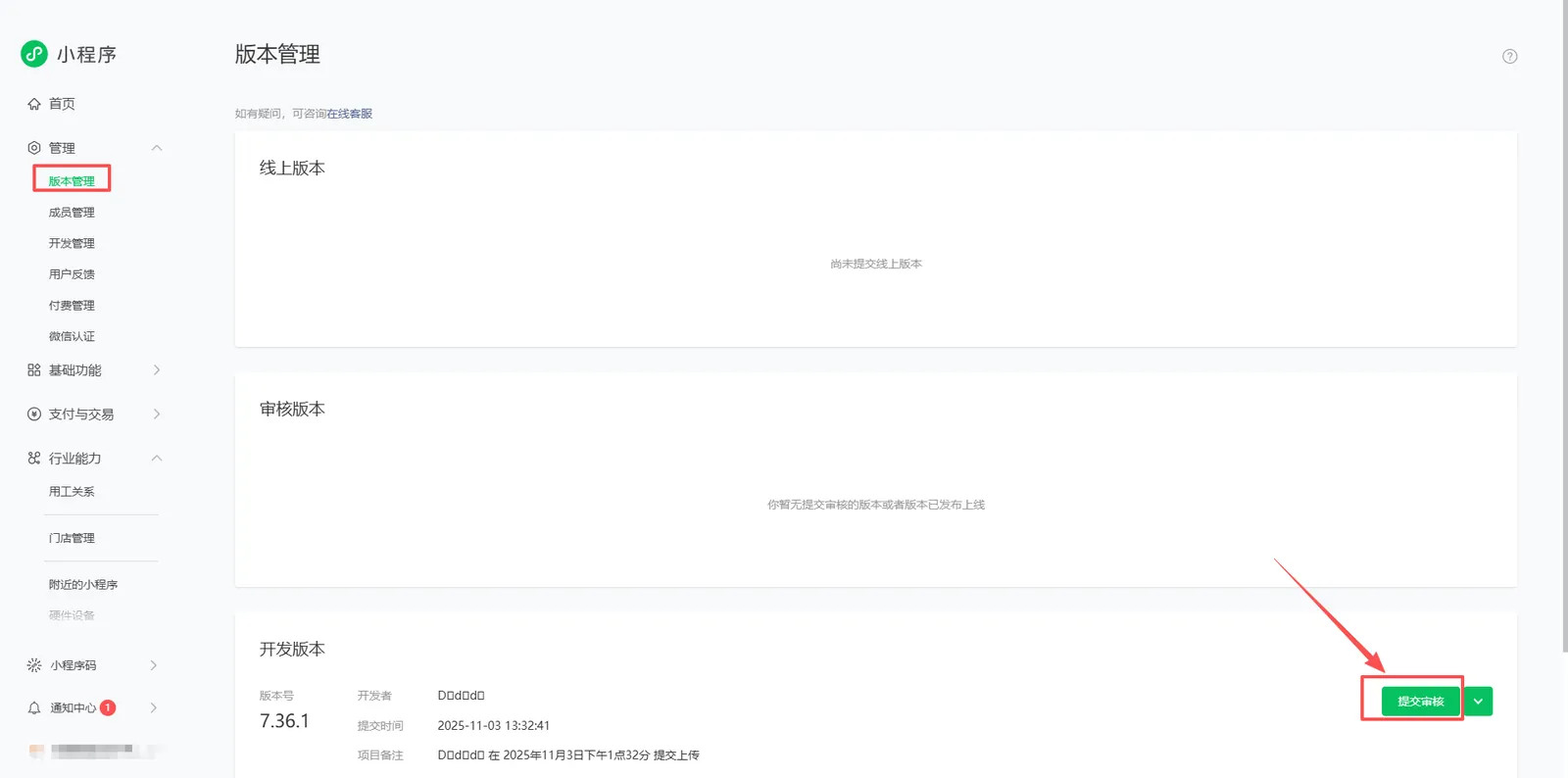
2.8 Submit Official Version for Review and Release
- After the code upload is completed, return to the applet management background. In the version management, fill in the test account number and password and submit it for review.
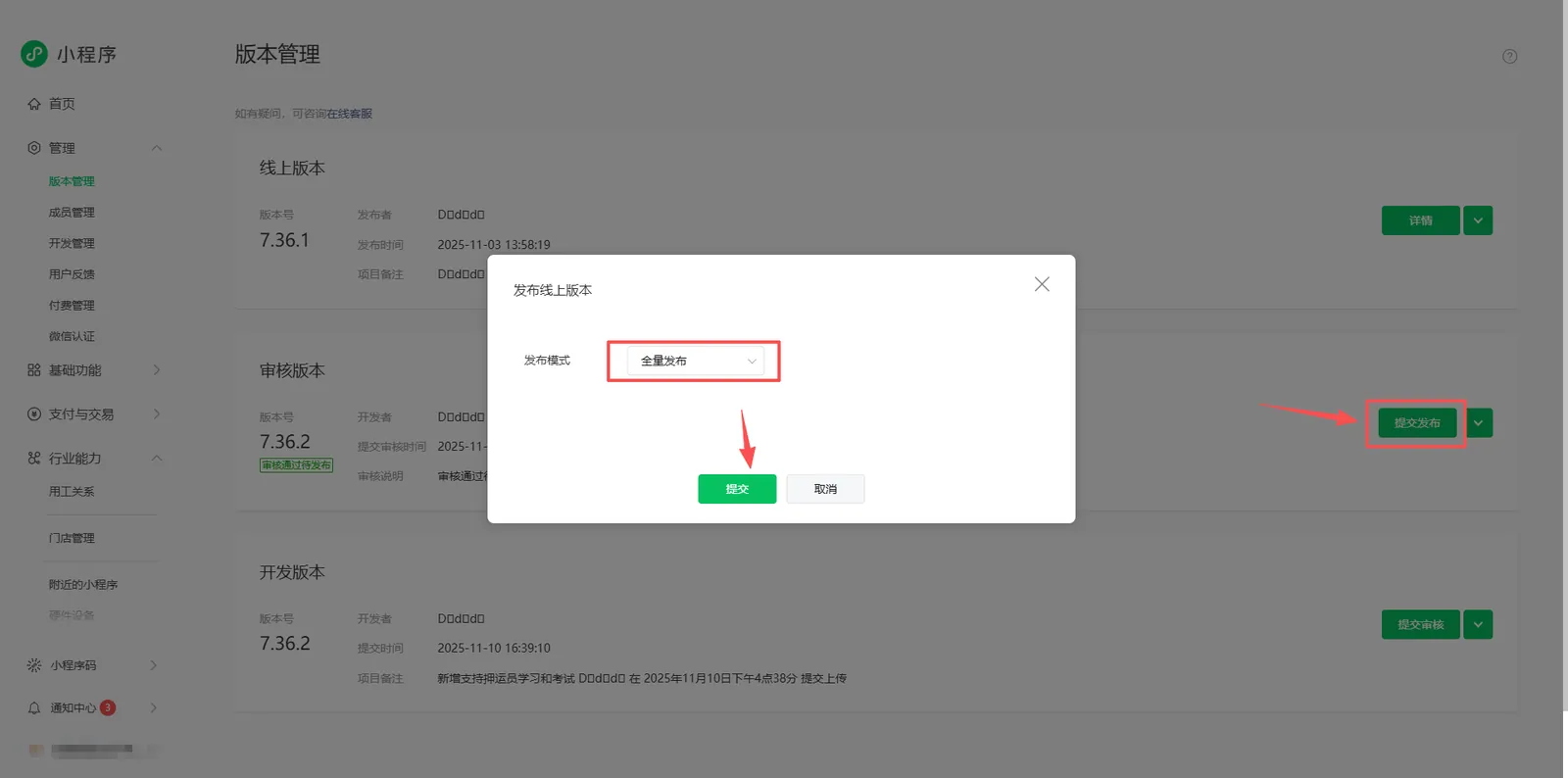
- After the review is passed, WeChat account will receive a notification and need to log in again to manage the background submission version and release it in full.
3. Precautions
- Deployment of small programs requires the server to open VIP service and contact the exclusive business manager to open it;
- After applying for the account password of the applet, improve the basic information of the applet, and do a good job in WeChat authentication and applet filing;
- To deploy small programs, 443 port must be used. Please ensure that the port may not be occupied and can be opened normally;