1. Function description
Enable SMS notification
Send a short message to the specified contact through the alarm linkage managed by the platform rules.
Prerequisites
1). Have an Alibaba Cloud account
2). SMS service enabled
3). SMS signature and SMS template have been applied
4). AccessKey has been applied
2, operating instructions
2.1 Alibaba Cloud Operation Part Description
- Log in to Aliyun and https://www.aliyun.com
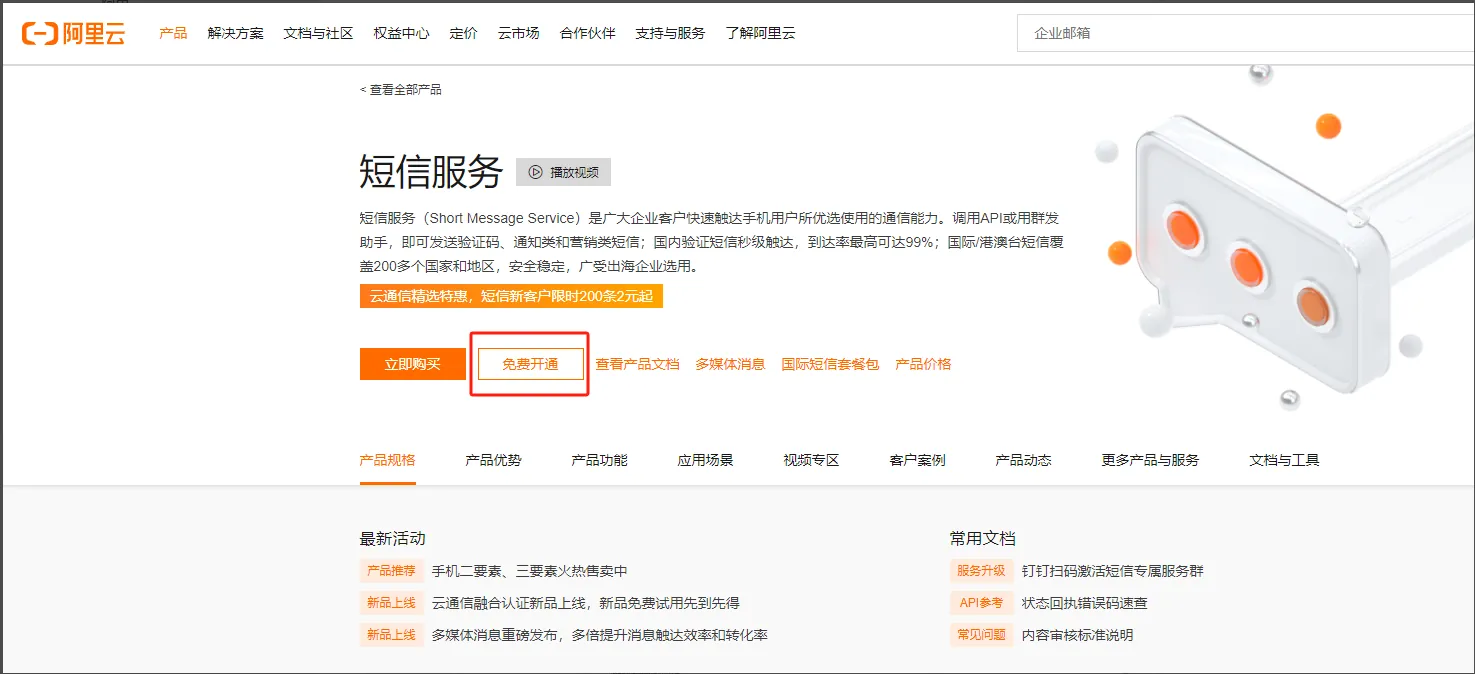
- Search for "SMS Service" and open SMS service free of charge according to the prompt.
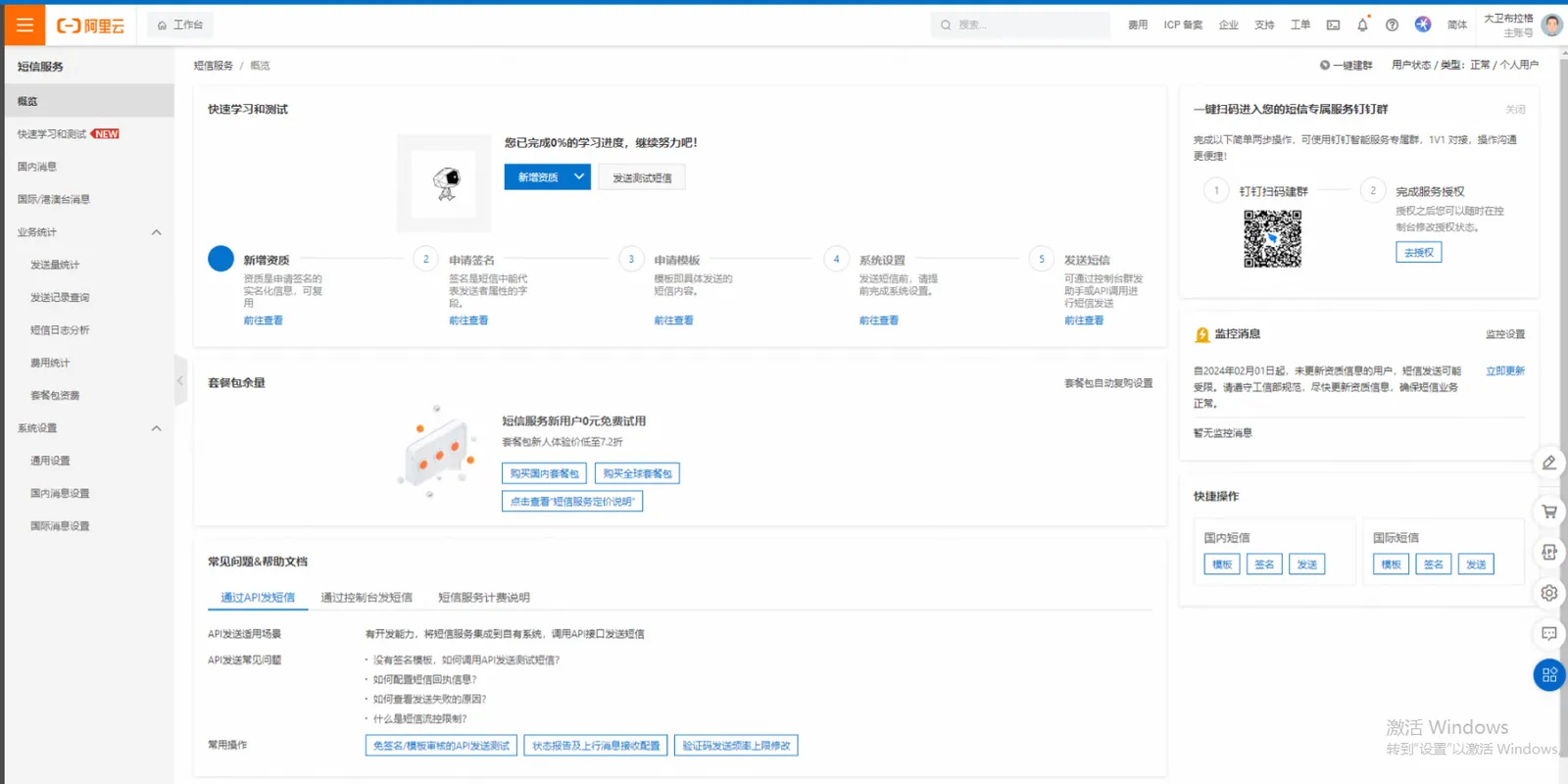
- After successfully opening the SMS service, enter the SMS console
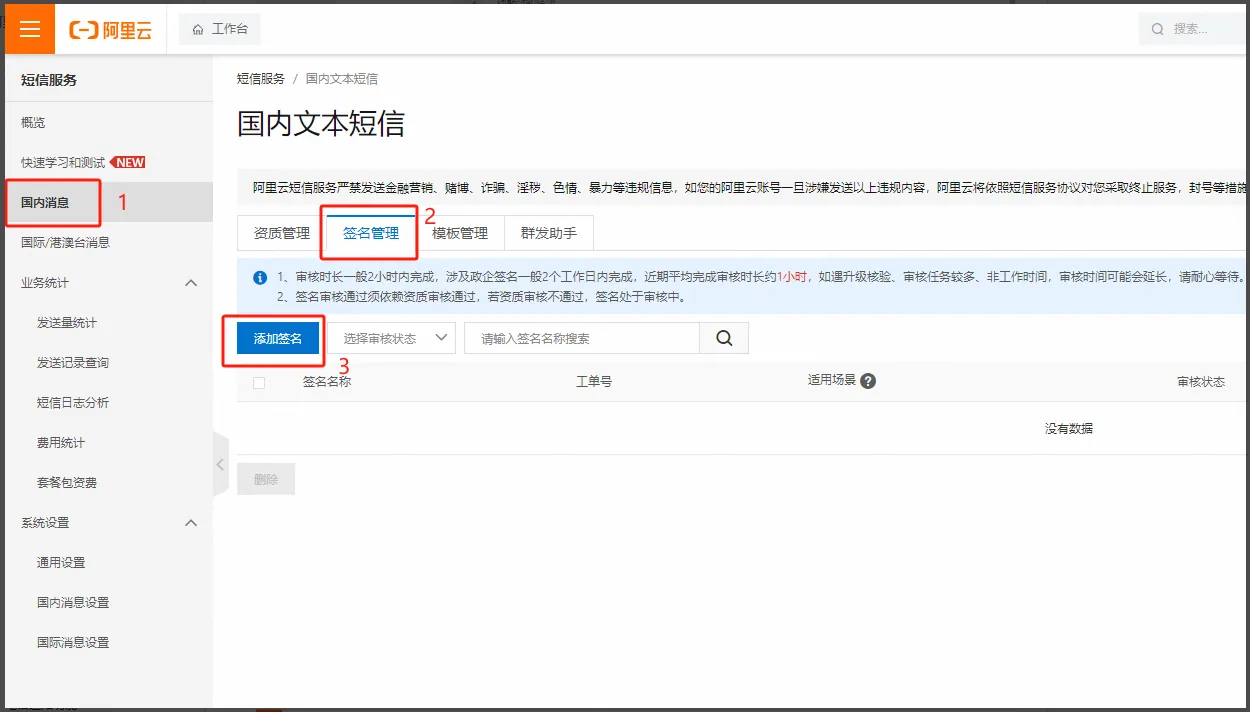
- Click "Domestic Message"- > "Signature Management"- > "Add Signature"
Application for SMS Signature Description- Aliyun
- Click "Domestic News"- > "Template Management"- > "Add Template"
Application SMS template description- Aliyun
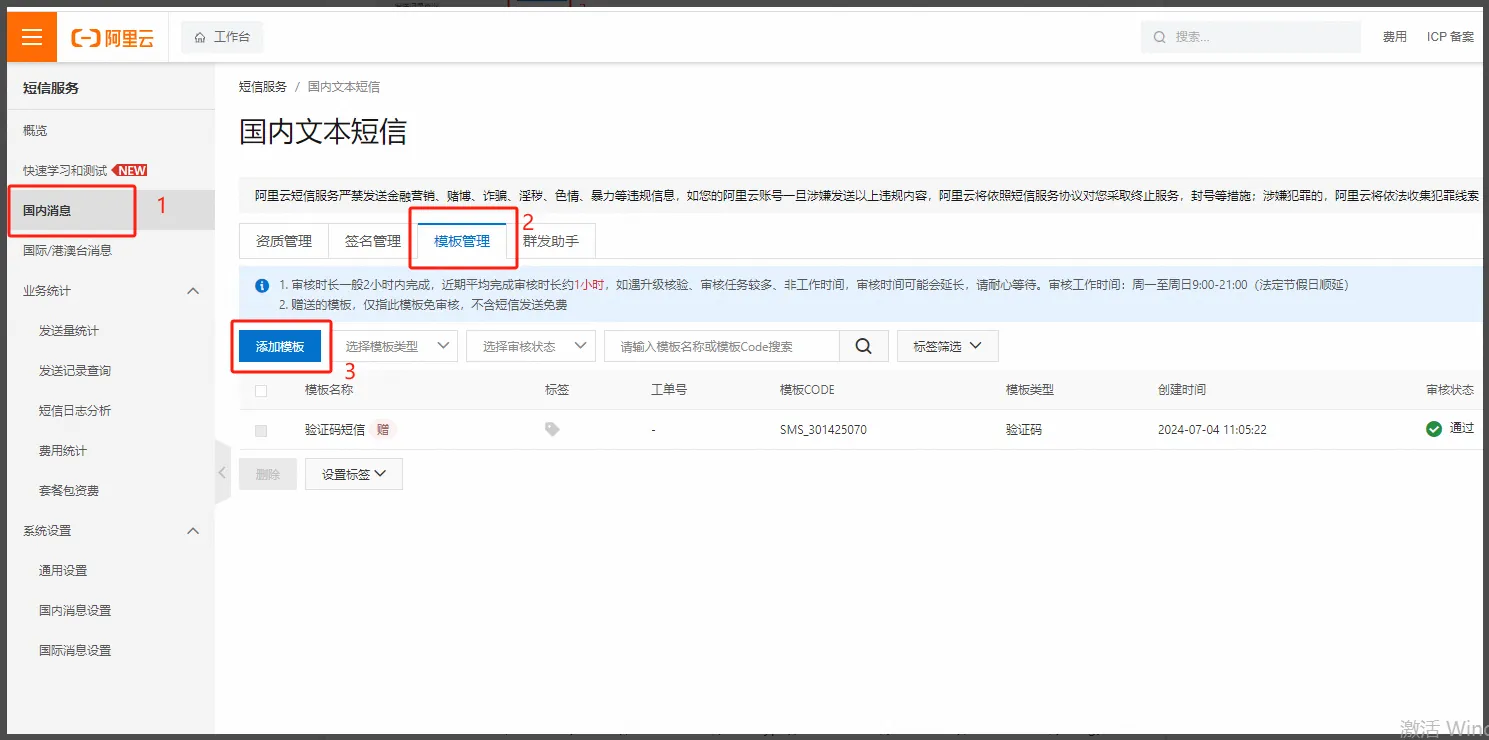
Example Parameters
Template Type: Notification SMS
Template Name: Vehicle Alarm Notification
Template content: new alarm received, vehicle:${vehicle}, alarm type:${alarmtype}, alarm time:${alarmtime}, alarm location:${latlng}, alarm description:${alarmdesc}.
Variable attributes: vehicle- other; alarmtype- other; alarmtime- time; latlng- other; alarmdesc- other;
Application description: SMS for testing vehicle alarm notifications

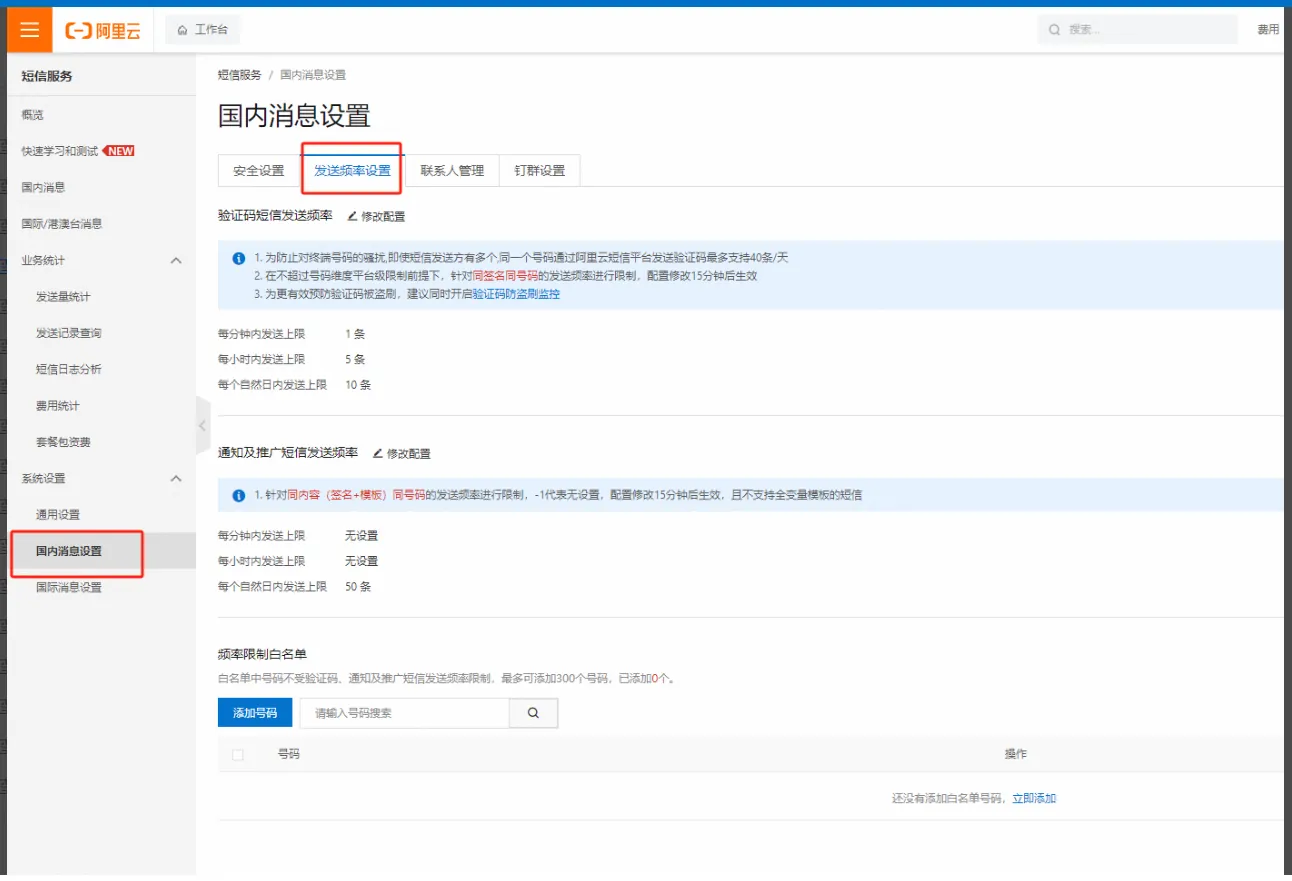
- Send frequency settings, it is recommended to add to the number white list
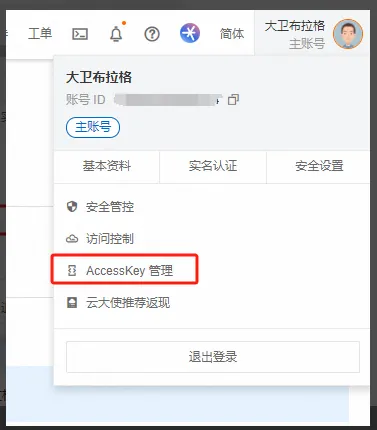
- Apply for AccessKey, head portrait in the upper right corner, enter AccessKey management
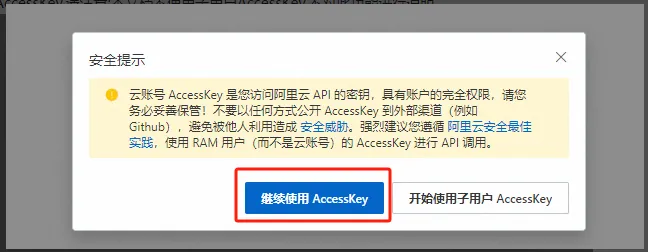
- For AccessKey application, please note: this document does not use sub- user AccessKey and does not explain this function

2.2 Platform Operation Part Description
- Server - Parameter Configuration - SMS Configuration
[Server] - [Parameter Configuration]- [SMS Configuration] Compare and fill in relevant parameters
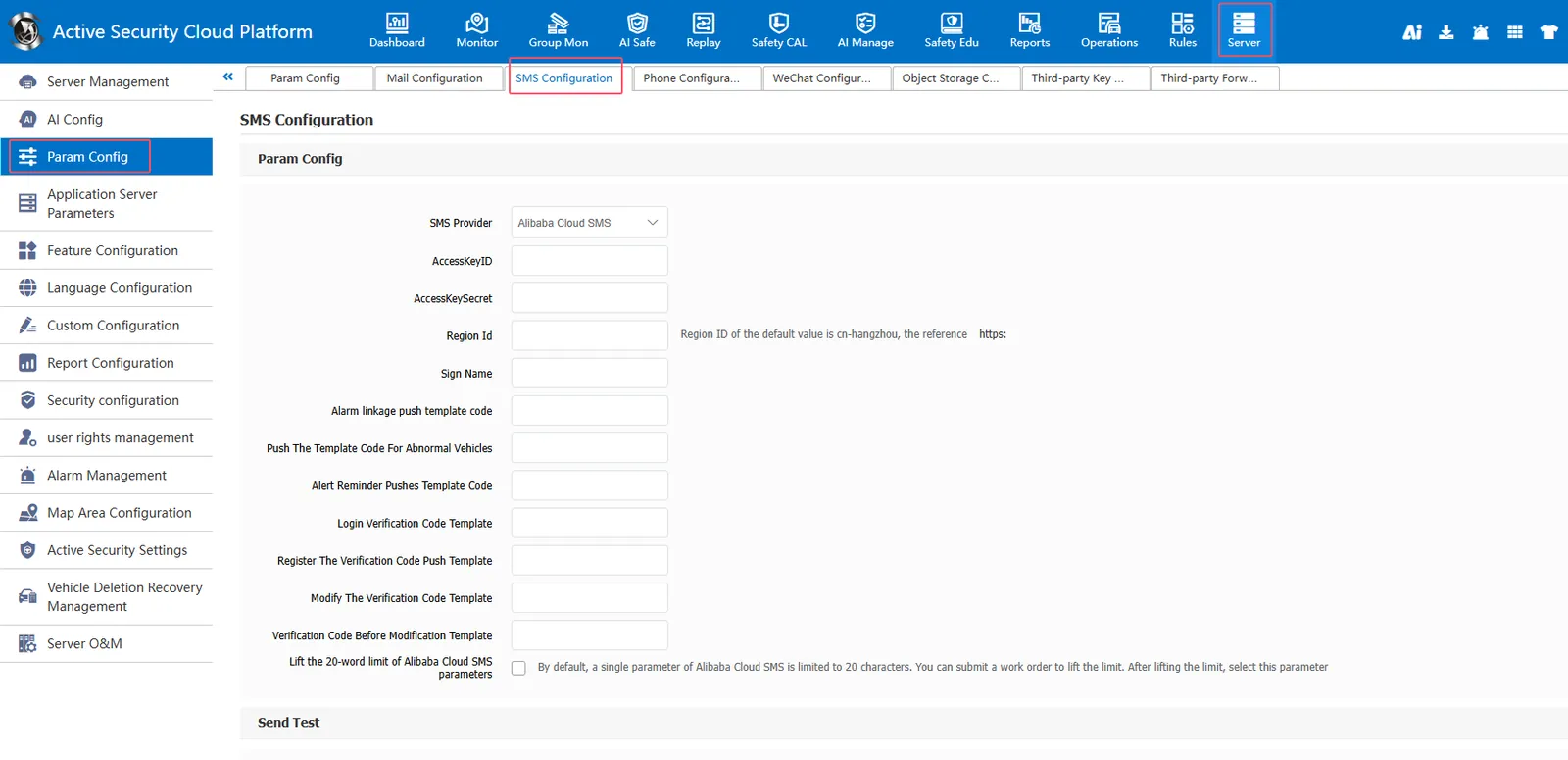
- Send a test text message, ** Note: Save the data before testing! **
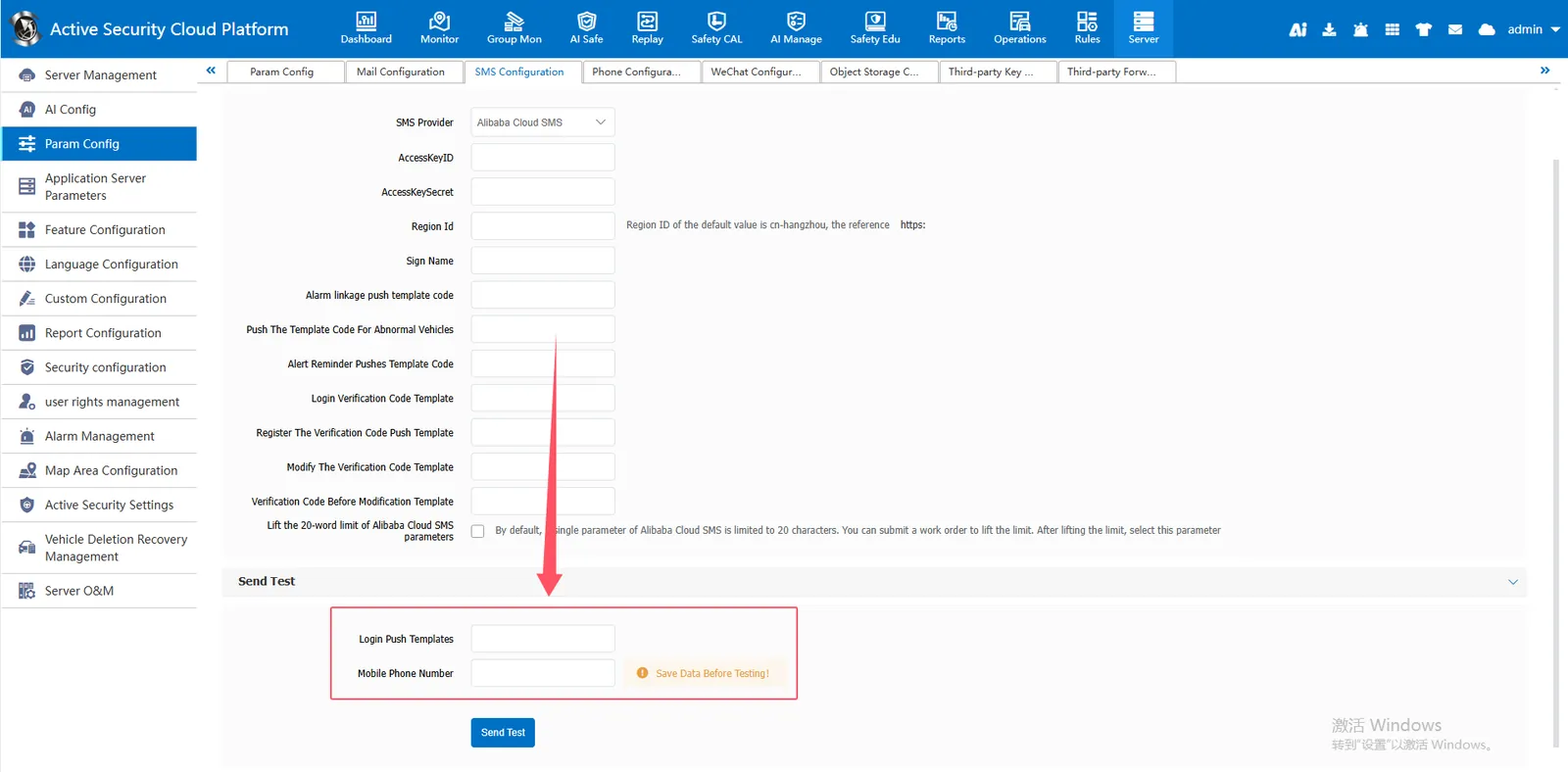
- Test that the sending is normal and the receiving can be normal before rule configuration.
- Rule management- alarm linkage rules, alarm information sent to the designated mobile phone number or vehicle contact
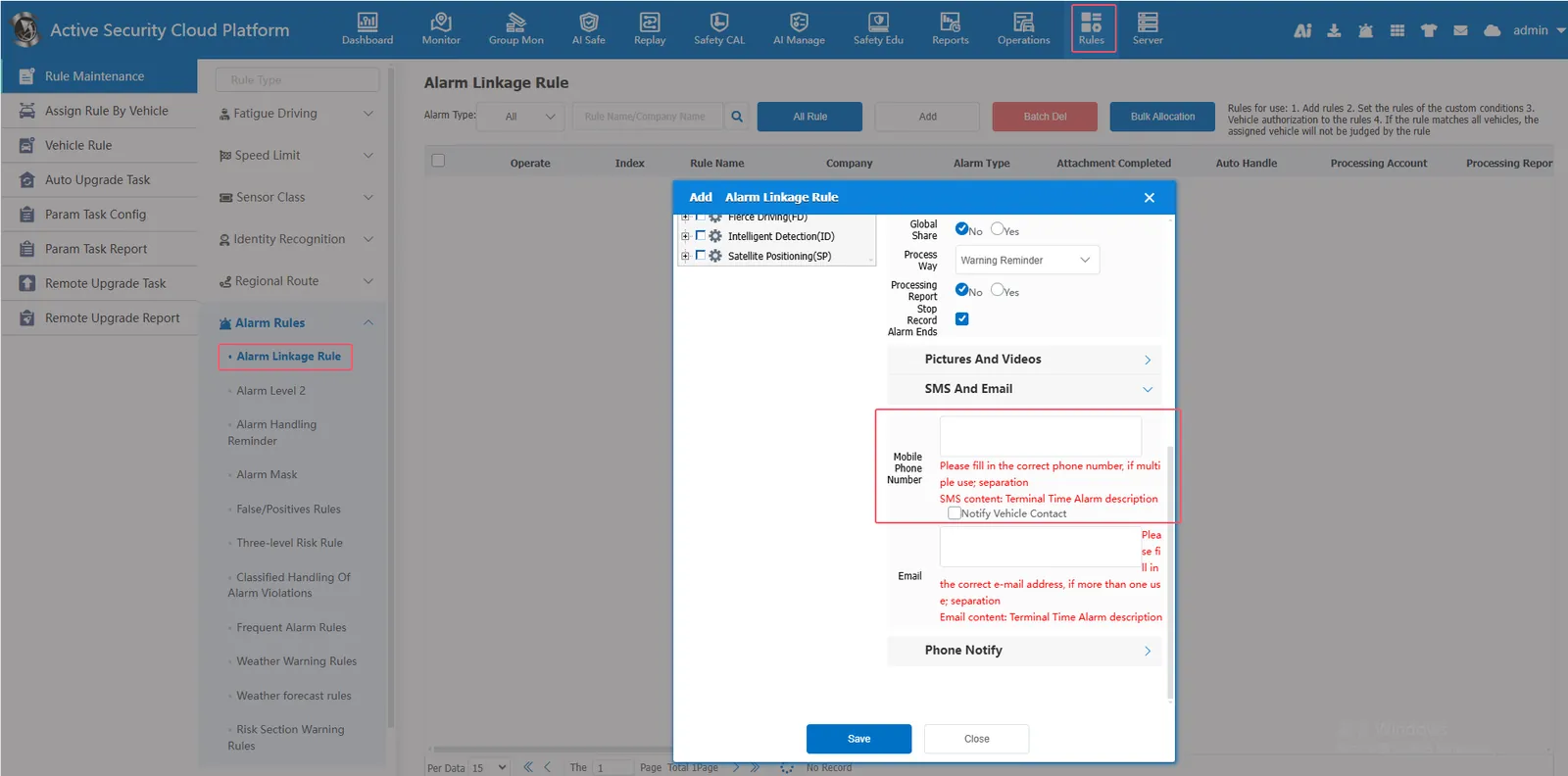
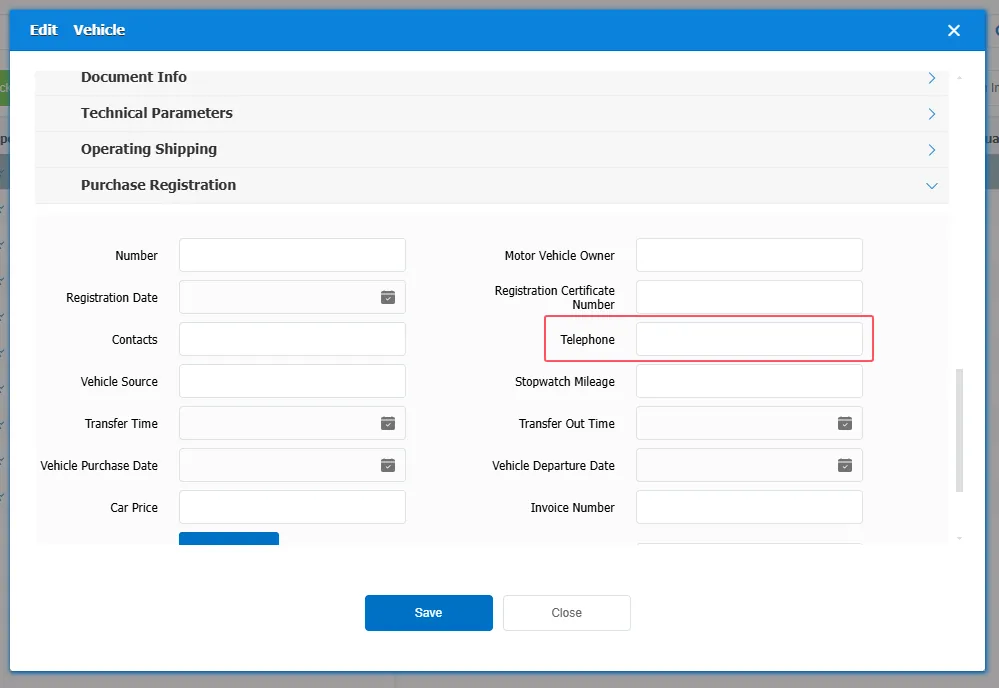
- If you check "notify vehicle contact person", please improve "vehicle information"- > "purchase registration information"- > "contact number"