1. Function description
Whitelist IP Address Configuration
The whitelist function can be enabled if you specify that you can only log in to access the platform in certain network environments.
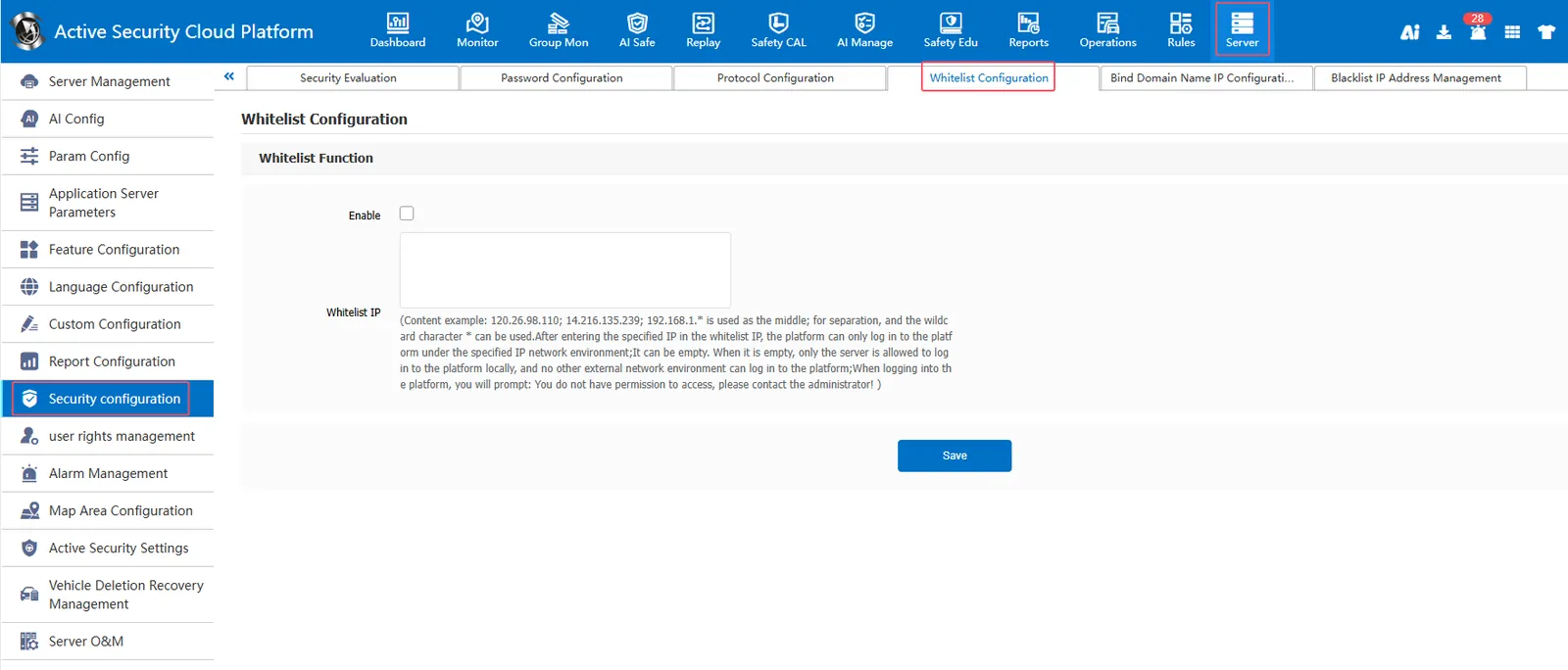
Check Enable whitelist function. After entering the specified IP in the whitelist IP, the platform can only log on to the platform in the specified IP network environment.
2, operating instructions
2.1, enable whitelist function
[Server] - [Security Configuration] - [White List Configuration] Check Enable. After entering the specified IP in the white list IP, the platform can only log in to the platform in the specified IP network environment;
It can be empty. When it is empty, only the server is allowed to log on to the platform locally, and other external network environments cannot log on to the platform;
2.2, effect display
Login to the platform with a network environment other than the white list IP will prompt: you do not have permission to access, please contact the administrator!