1. Function description
Enable phone notifications
Through telephone notification, when the alarm is triggered, the designated contact person can be dialed in linkage to notify the alarm situation in time and play the role of timely reminder.
2, operating instructions
2.1 Open the Alibaba Cloud Voice Service page
https://www.aliyun.com/product/vms?spm=5176.19720258.J_8058803260.32.e9392c4aBJ1Ipl
2.2 Click the management console and log in to the account
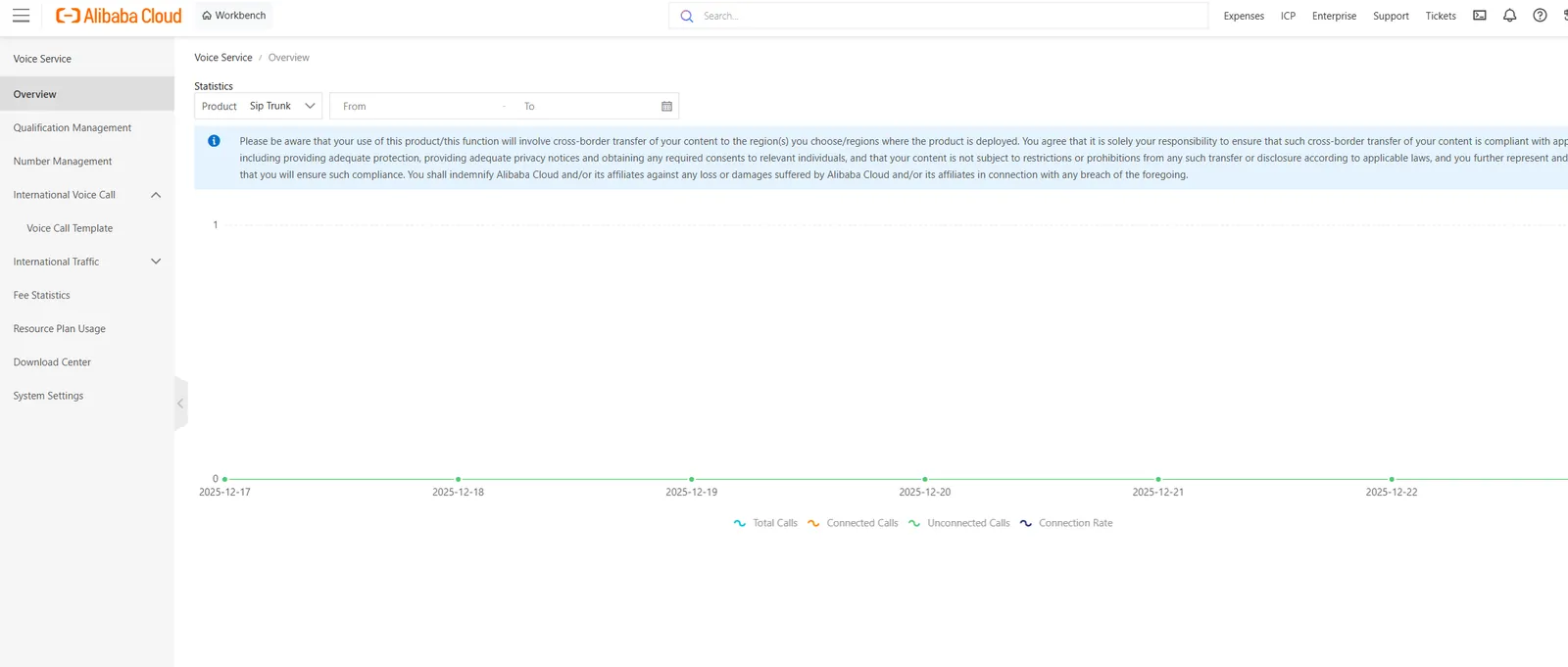
2.3 click on the Qualification Management
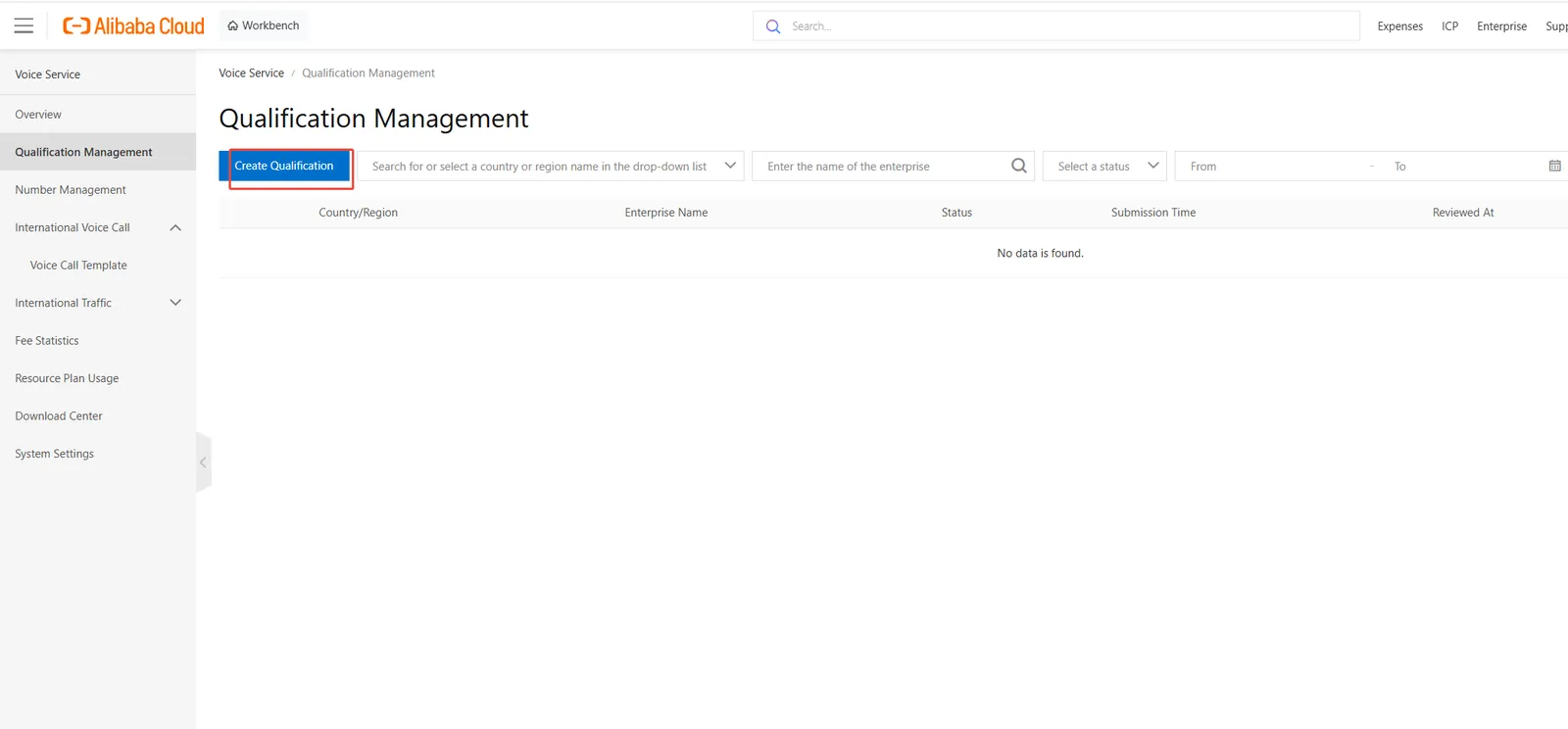
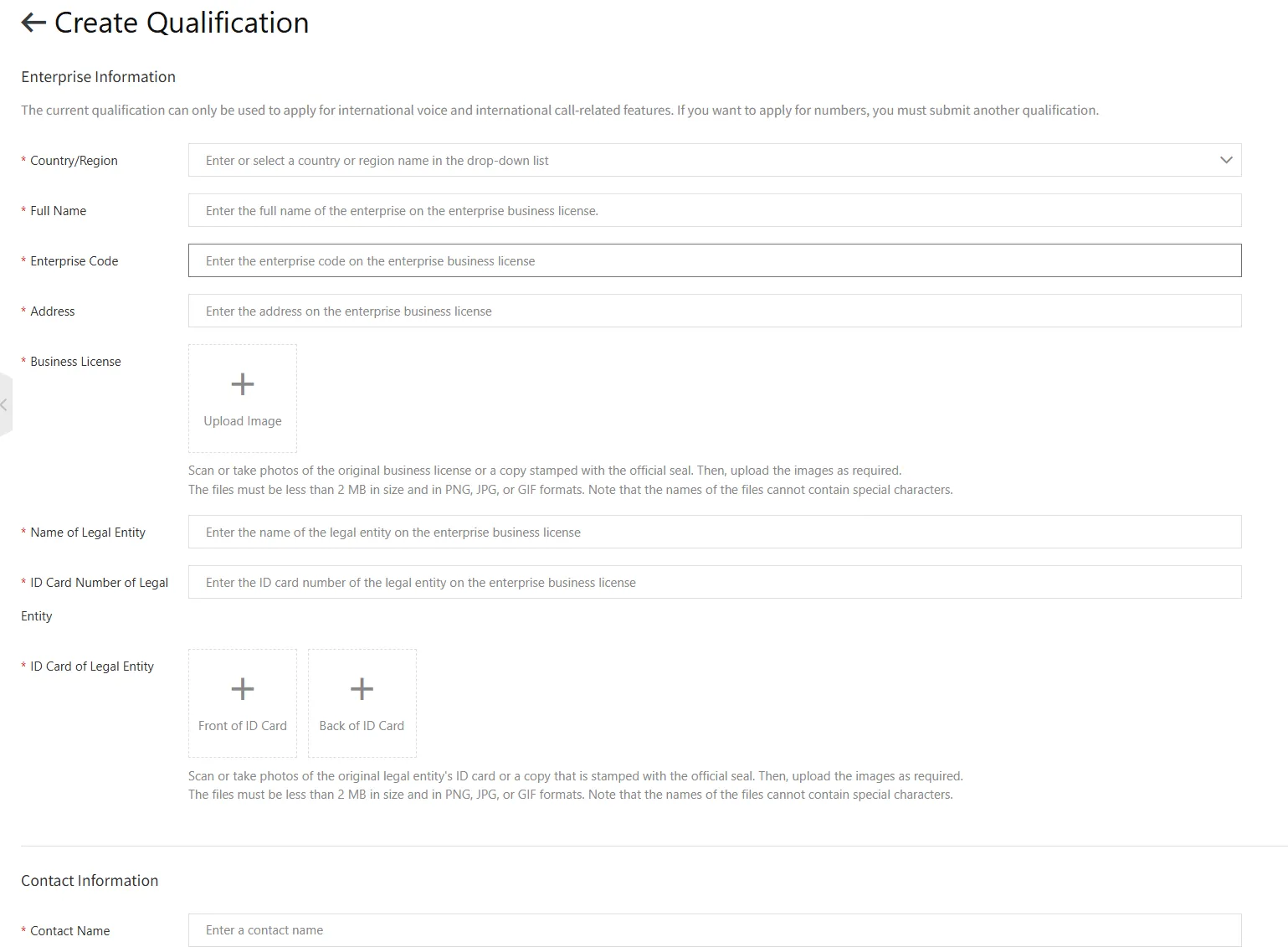
2.4 Number Management
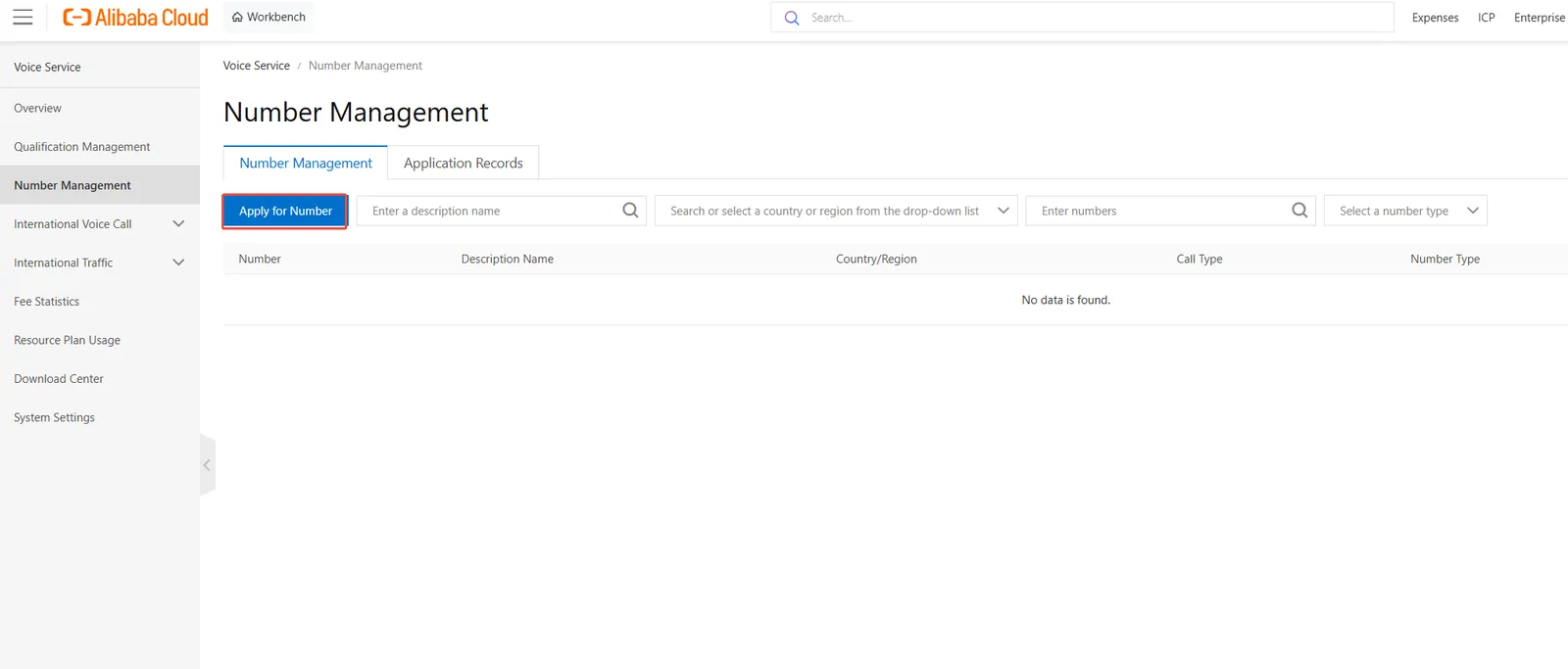
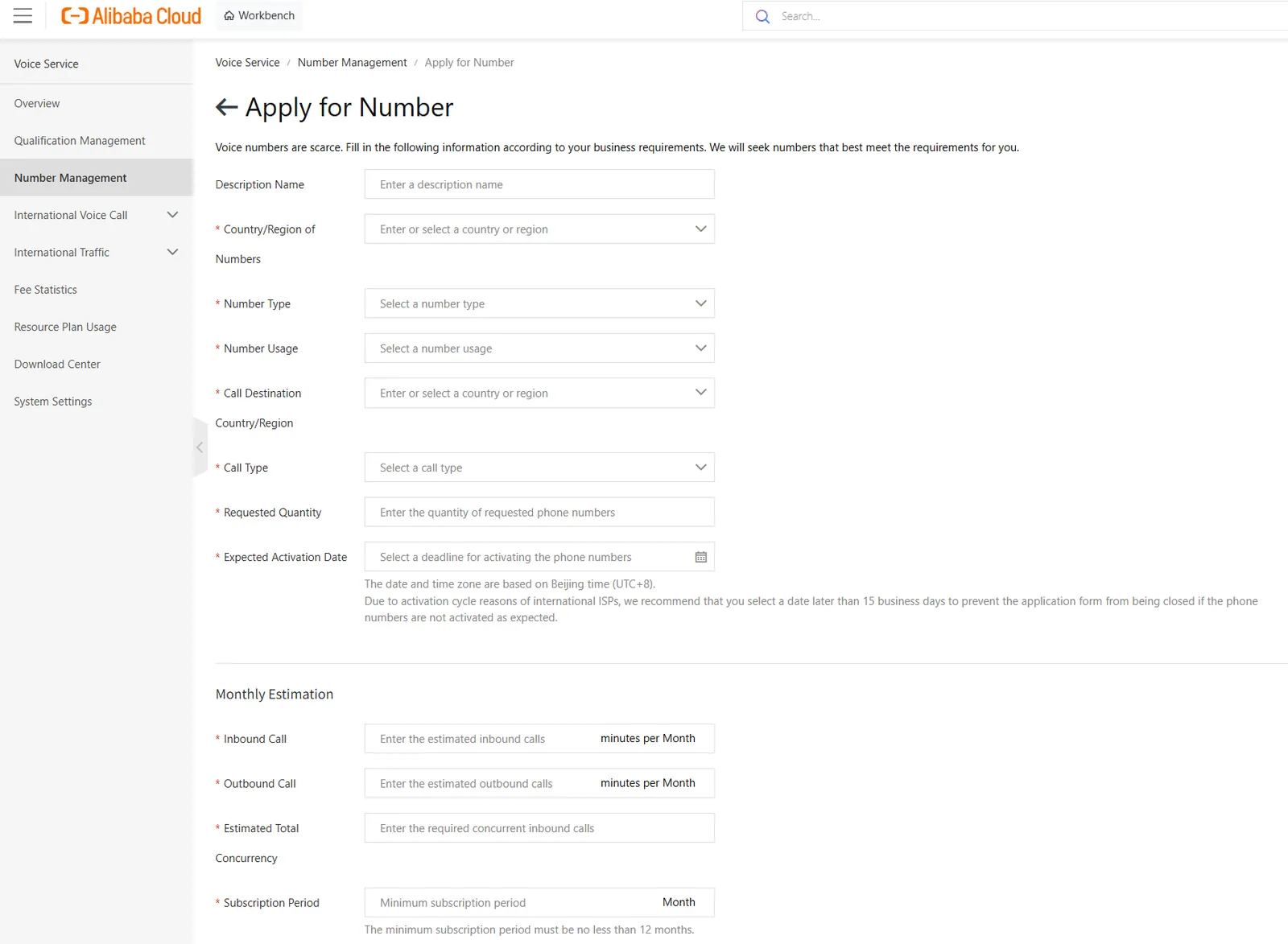
Reference application data:
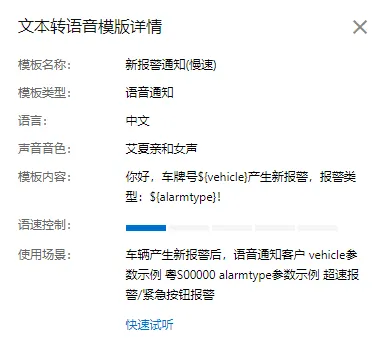
Note: It is recommended to use the slowest speed, users can self- test
vehicle data: license plate number, alarm time
For example: Guangdong S00000,10: 10 on October 10
alarmtype data: Alarm type
For example: overspeed alarm
2.5 International Voice Call
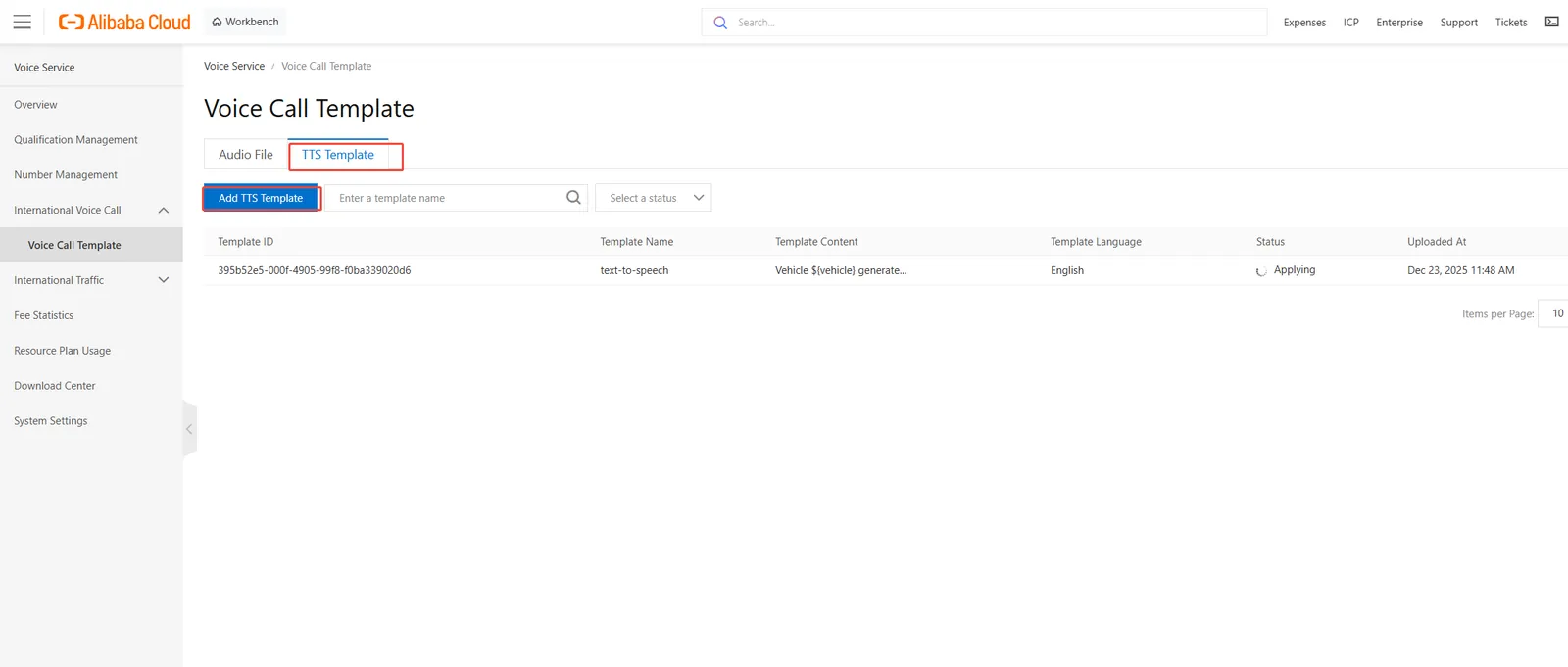
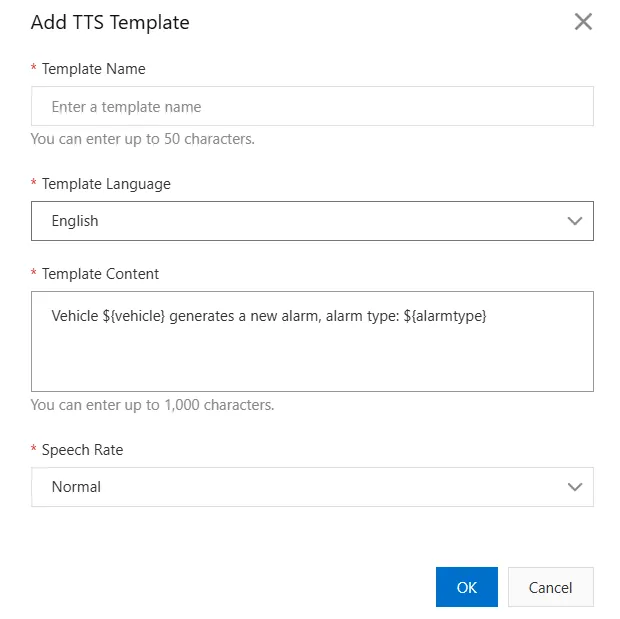
2.6 are completed, return to the home page to obtain the account push parameters
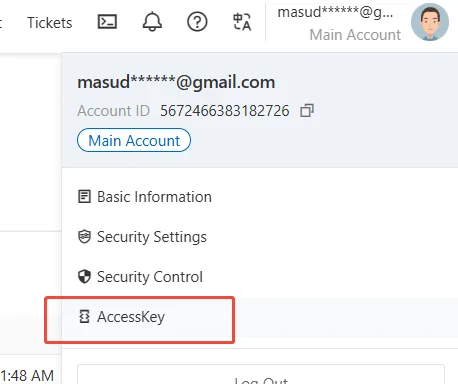
2.7 platform- side configuration phone notification related parameters
[Server] - [Parameter Configuration] - [Phone Configuration] Configure phone notification related parameters
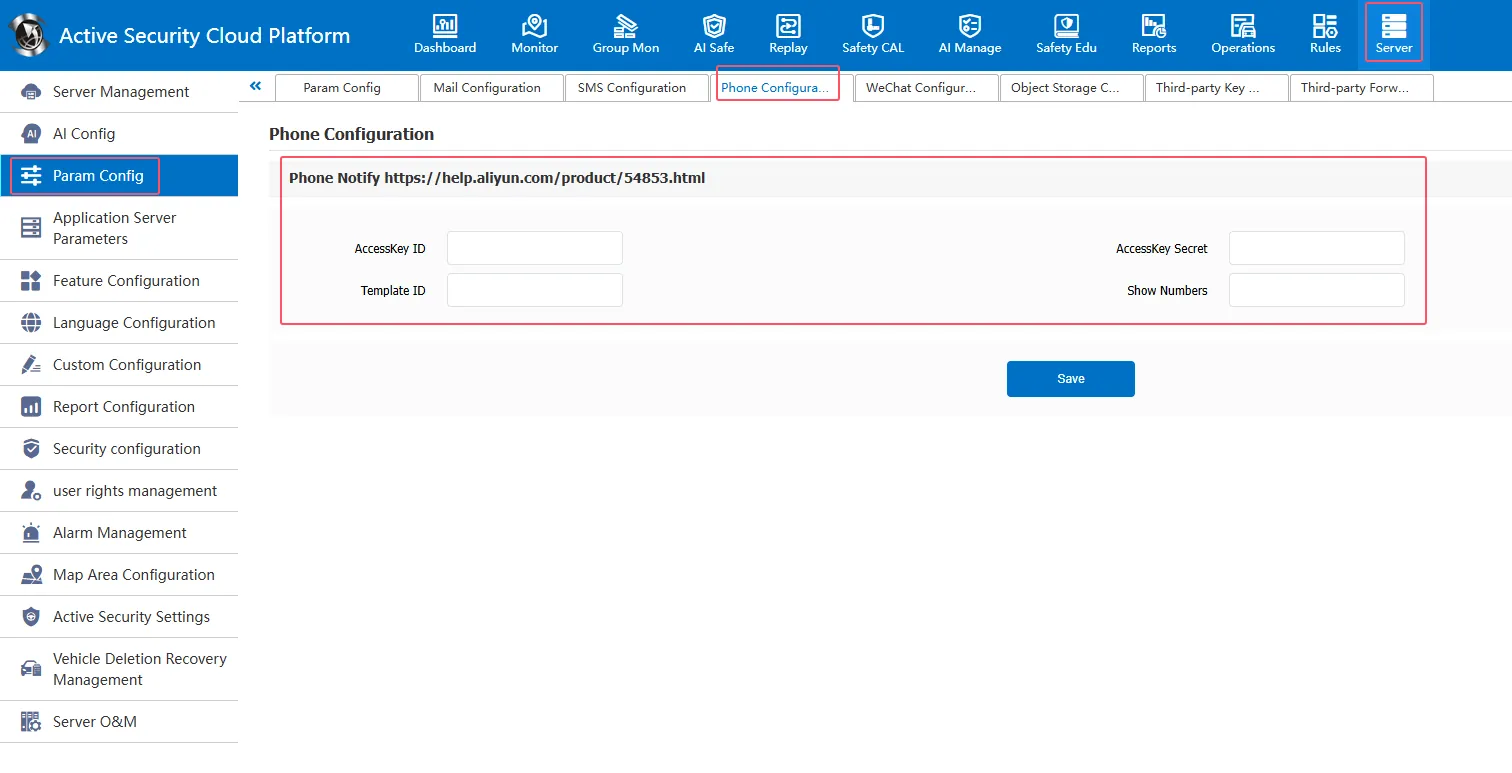
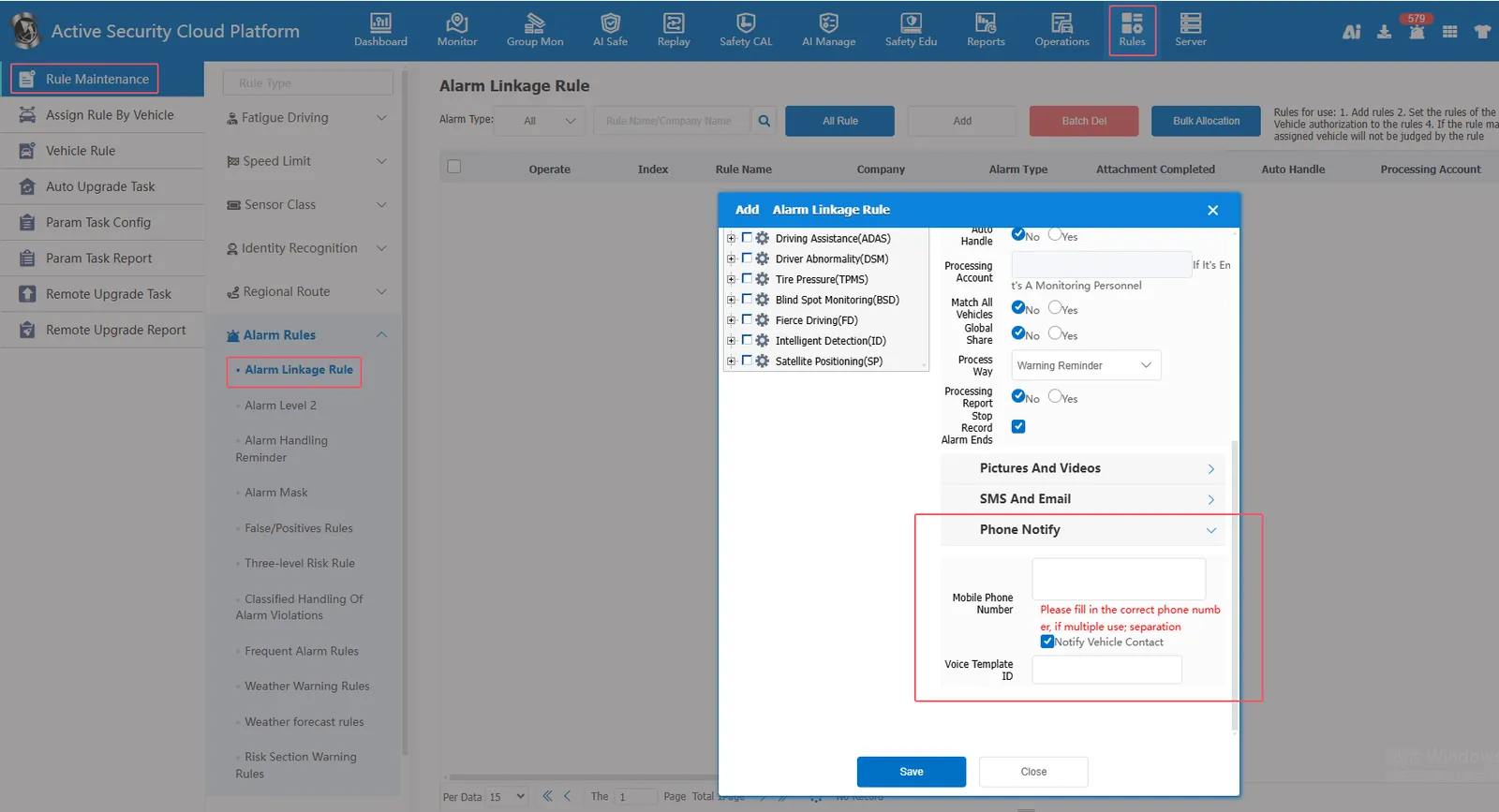
2.8 Set the phone number that needs to be notified by phone in the rule management interface (you can directly fill in the phone number or check the notification vehicle contact person)
[Rules] - [Rule Maintenance] - [Alarm Rule] - [Alarm Linkage Rule]- [Telephone Notification] Set the mobile phone number that needs to be notified by telephone, or check the notification vehicle contact person
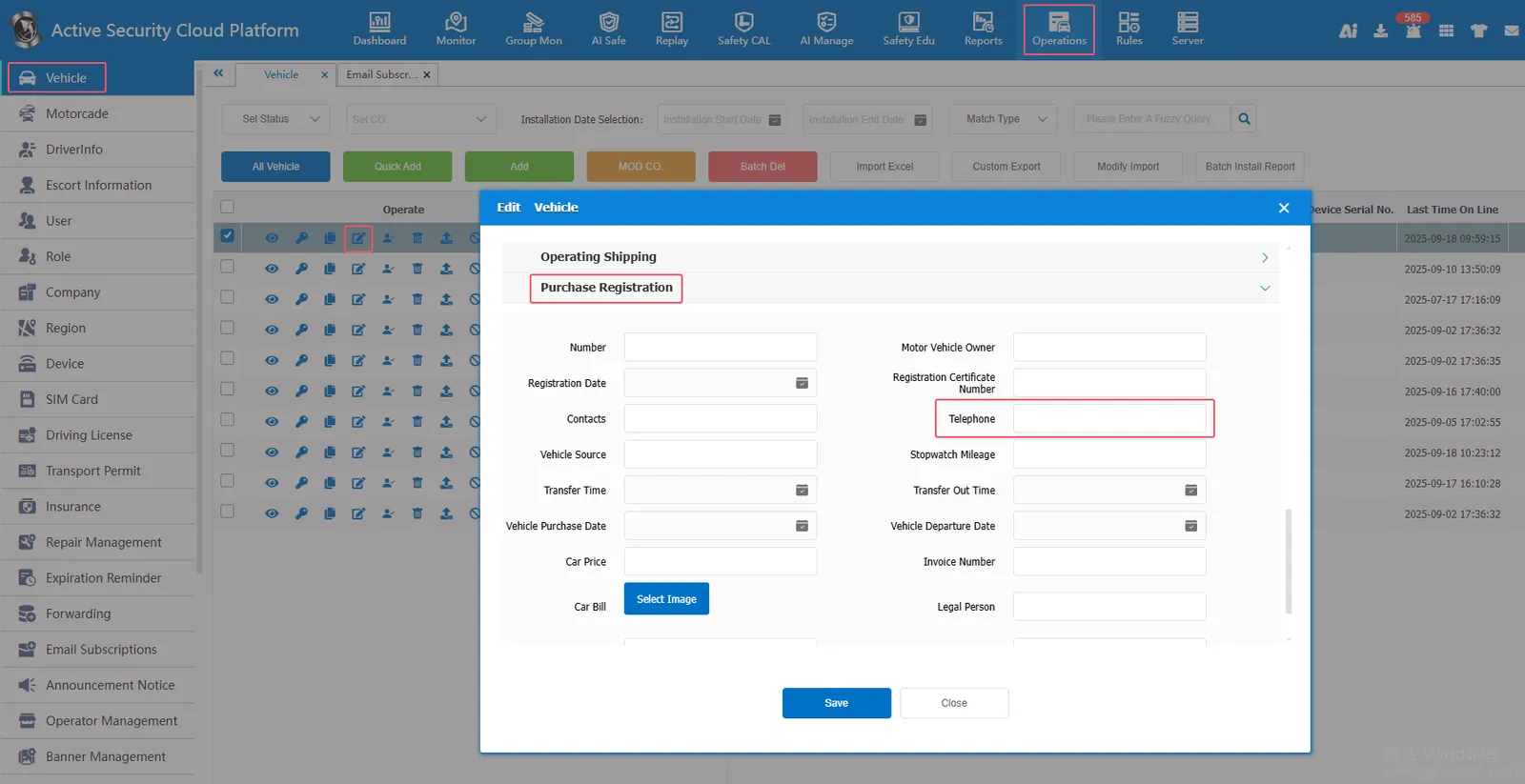
Vehicle Contact Phone Number Entry Location:
[Operation Management]- [Vehicle Information]- [Purchase Registration Information] Enter the contact phone number on the contact phone number
3. Precautions
Server background phone notification push record report corresponding database table: aly_call_send_record
