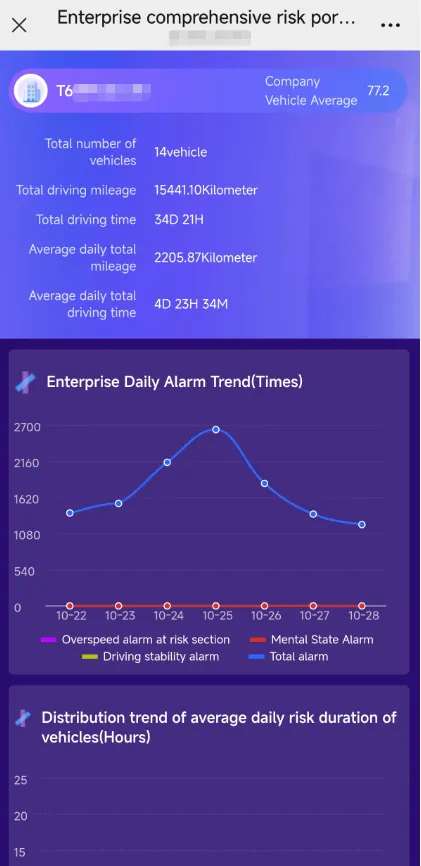
1. Function description
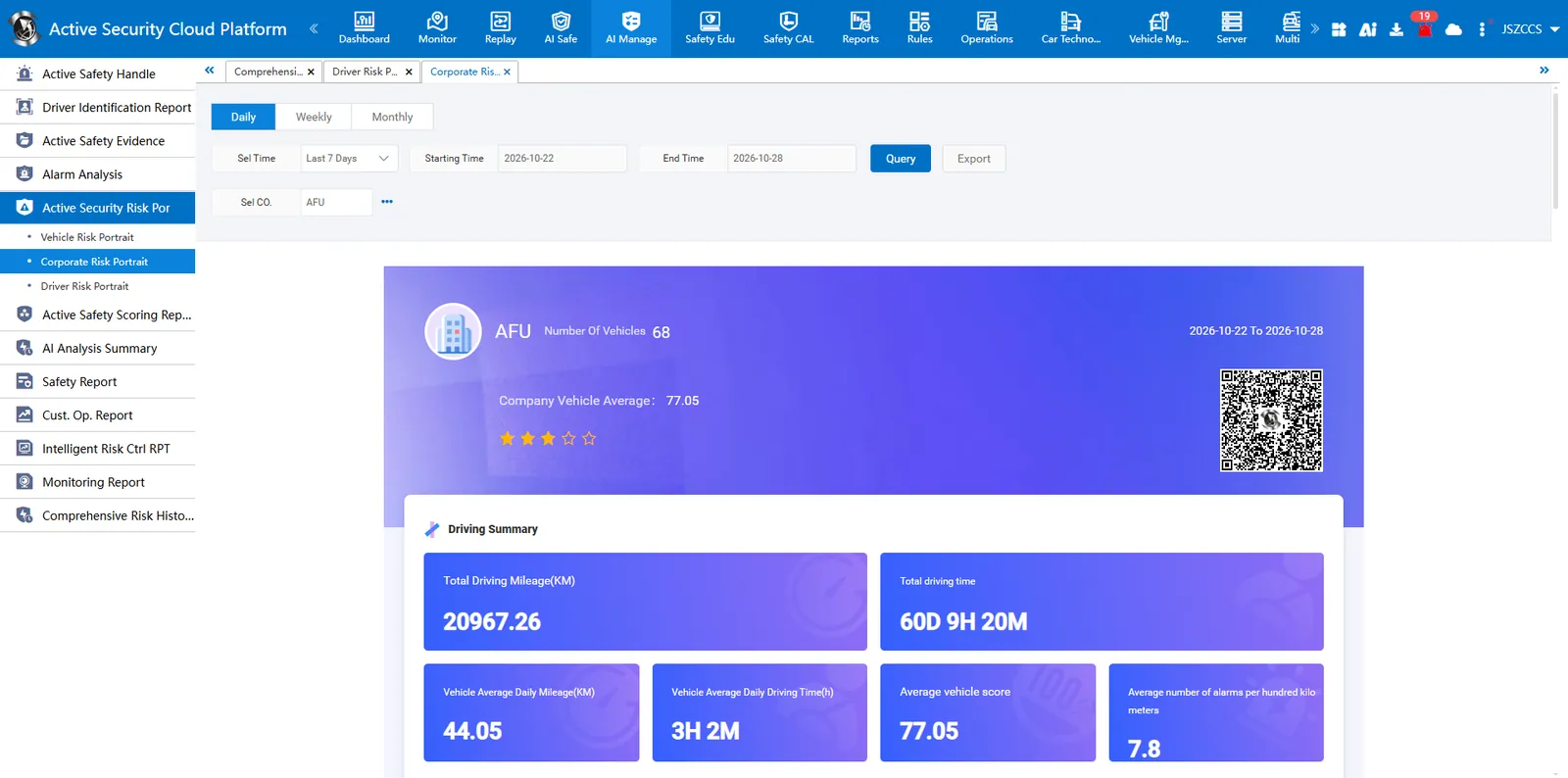
- Supports query by day, week, and month dimensions. By summarizing vehicle mileage, duration and alarm data, the report uses multi-dimensional charts such as trend chart, rising sun chart and TOP10 ranking to present the overall security situation of the enterprise and the distribution of high- risk vehicles in a panoramic view, and supports scanning codes to conveniently consult the report on the mobile side.
- ** Safety star: 1 star (0-59);2 stars (60-69);2 stars (70-79);4 stars (80-89);5 stars (90-100) **
- The score is taken from the average score of the company's overall vehicles. For the score of a single vehicle, please refer to Vehicle Comprehensive Risk Profile.
2. Report Description
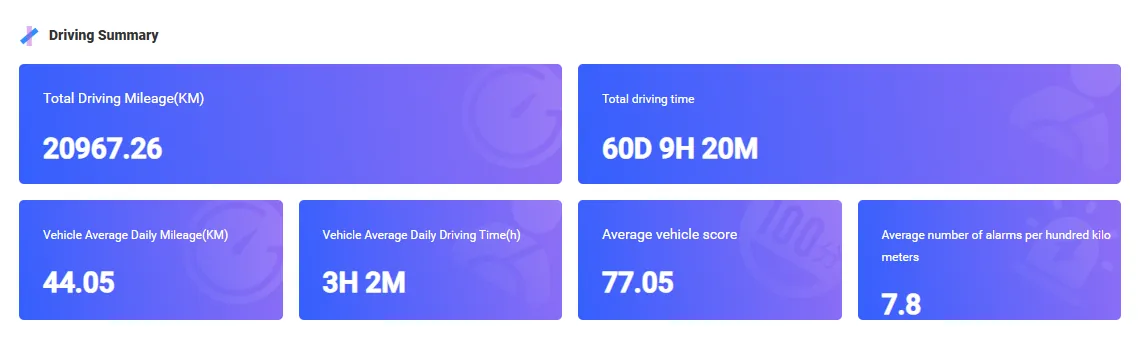
2.1 Driving Summary
Displays the total mileage and total duration of all vehicles of the enterprise during the statistical cycle, as well as the core mean data such as daily average mileage, daily average duration, average score, and number of 100-kilometer alarms.
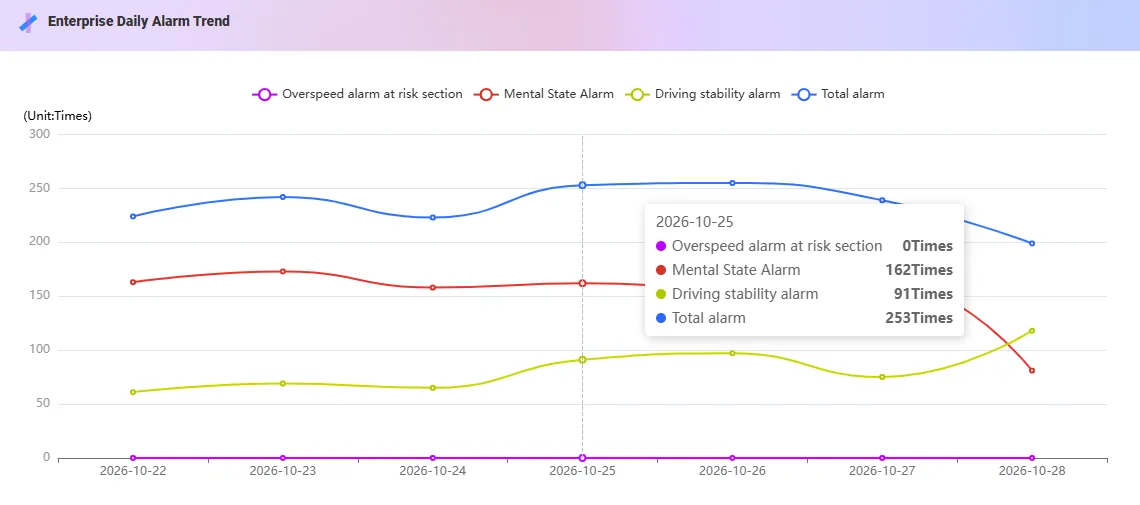
2.2 Enterprise Alarm Trend
Display the total number of alarms for all vehicles of the enterprise during the statistical period and the change trend of the number of specific alarms such as speeding, mental state, driving stability, etc.
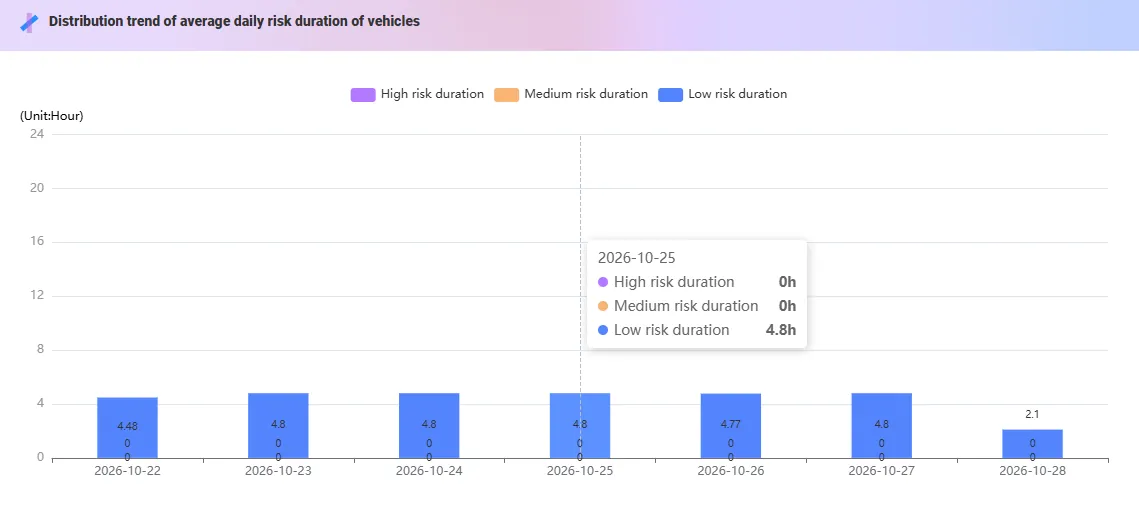
2.3 Distribution trend of risk duration of vehicles
Show the trend of the average driving time of all vehicles in the enterprise in the high, medium and low risk state during the statistical cycle.
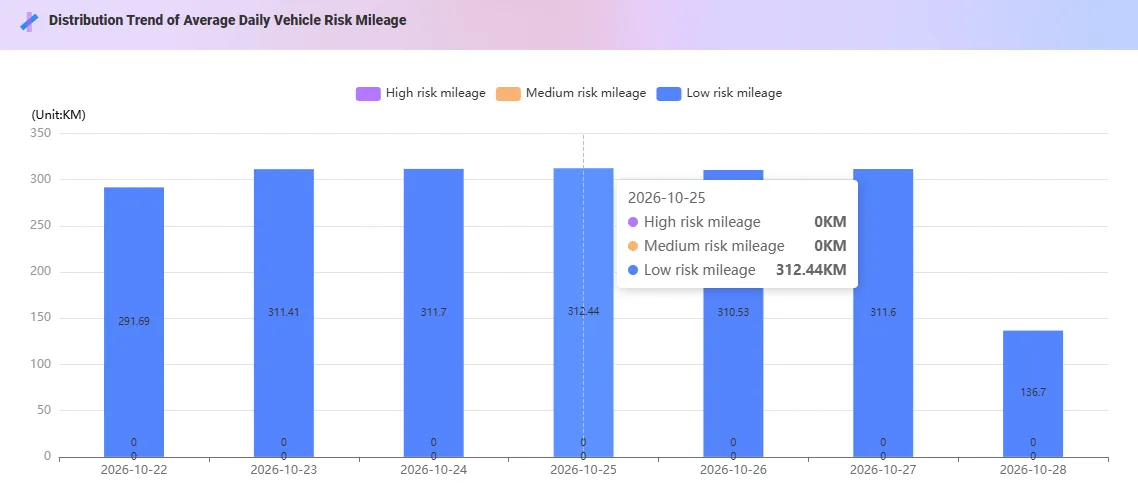
2.4 Distribution Trend of Vehicle Risk Mileage
Show the trend of the average mileage composition of all vehicles of the enterprise in the high, medium and low risk states during the statistical cycle.
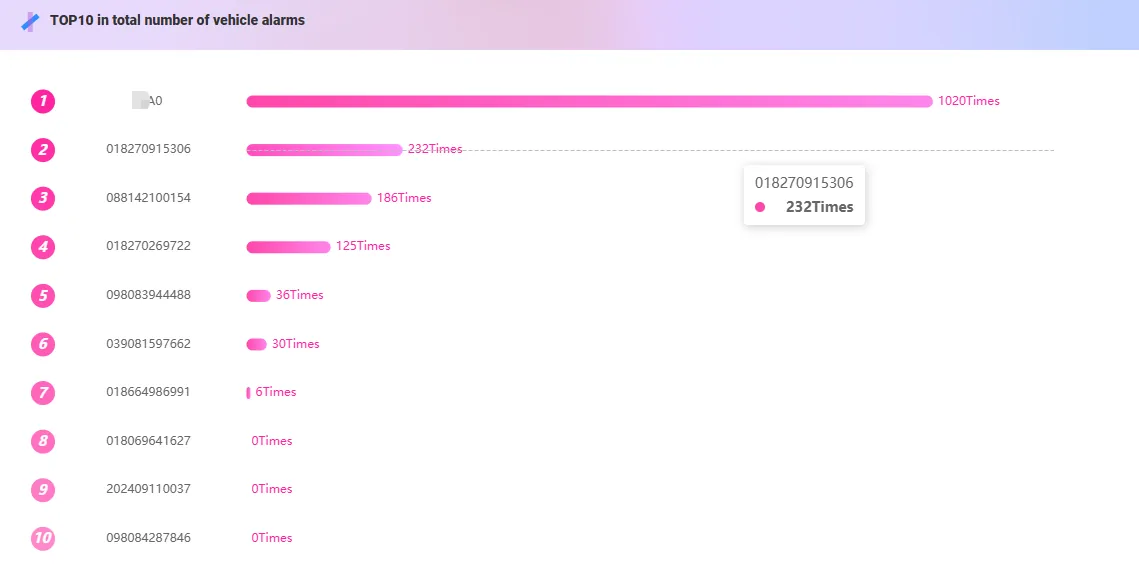
2.5 TOP10 in total number of vehicle alarms
Display the ranking of the top ten vehicles with the highest total number of alarms and the number of alarms.
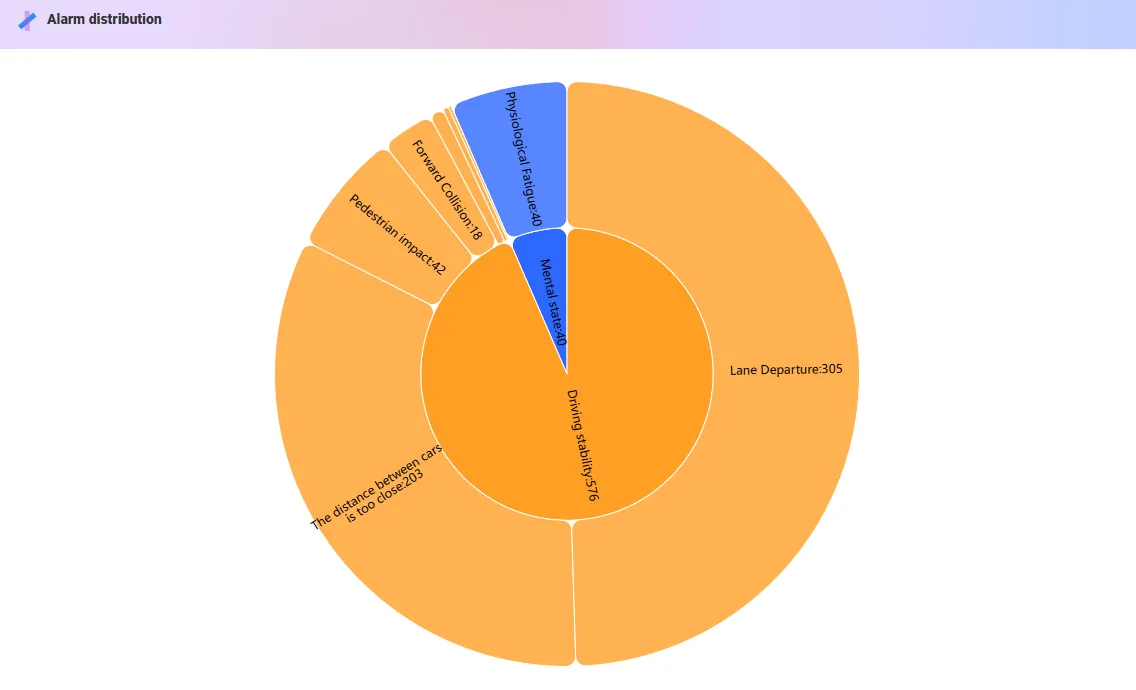
2.6 Alarm distribution
The enterprise alarm data is displayed through the sunrise chart. The inner circle presents risk categories (such as line safety and driving stability), and the outer circle refines the specific alarm types and times, highlighting the proportion structure of alarms.
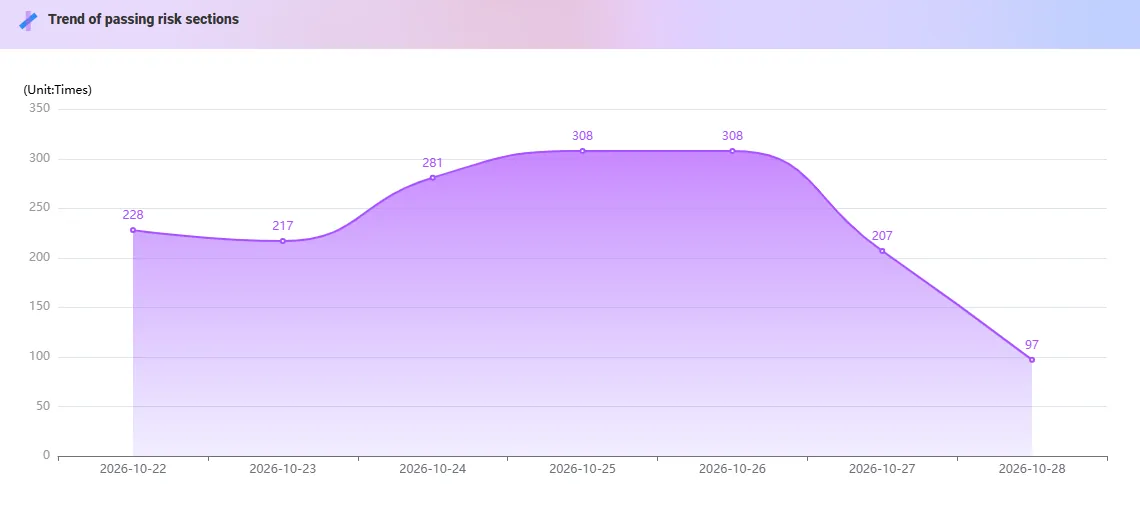
2.7 Trend of passing risk sections
Shows the number of times and trends of corporate vehicles passing through risky sections.
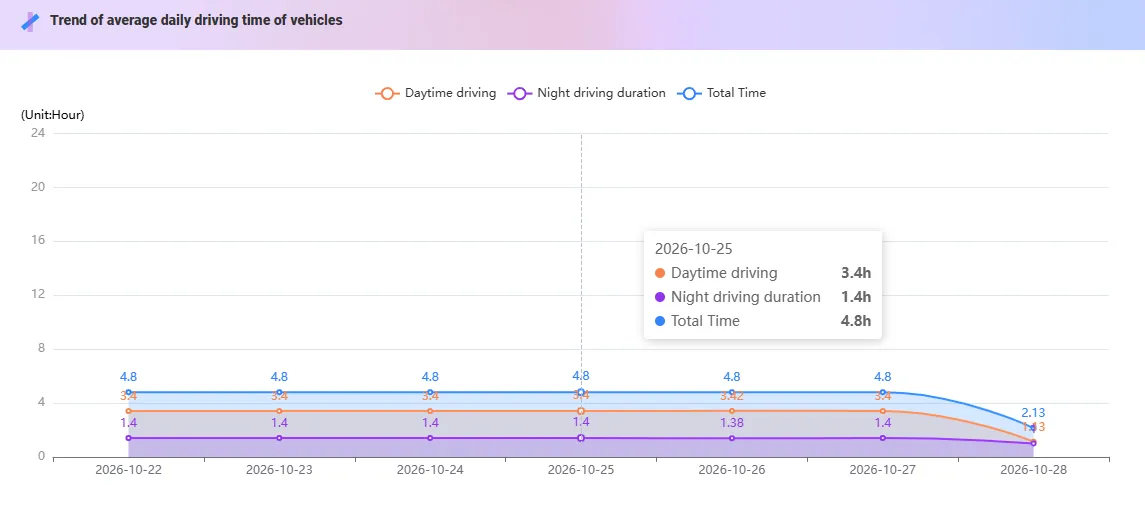
2.8 Trend of driving time of vehicles
Show the curve and composition of the average duration of day, night and total driving of corporate vehicles.
2.9 Security QRcode
Support mobile phones to scan security QR codes and view comprehensive risk profile reports through H5 web pages.