1. function description
- Determine whether the device has reported an alarm, whether the platform has responded, whether the platform has issued an attachment request instruction 9208, and whether the device has responded through the log;
- 0200 (equipment) - 8001 (platform) - 9208 (platform) - 0001 (equipment);
- Confirm whether the alarm attachment uploaded by the device is received under the corresponding path of the storage server;
2. operating instructions
2.1 and log allocation;
https://help.cmsv8.com/helpCenter/doc/index.html?isStudy=1&docType=1&docId=216&type=1&lang=en
2.2 and equipment alarm;
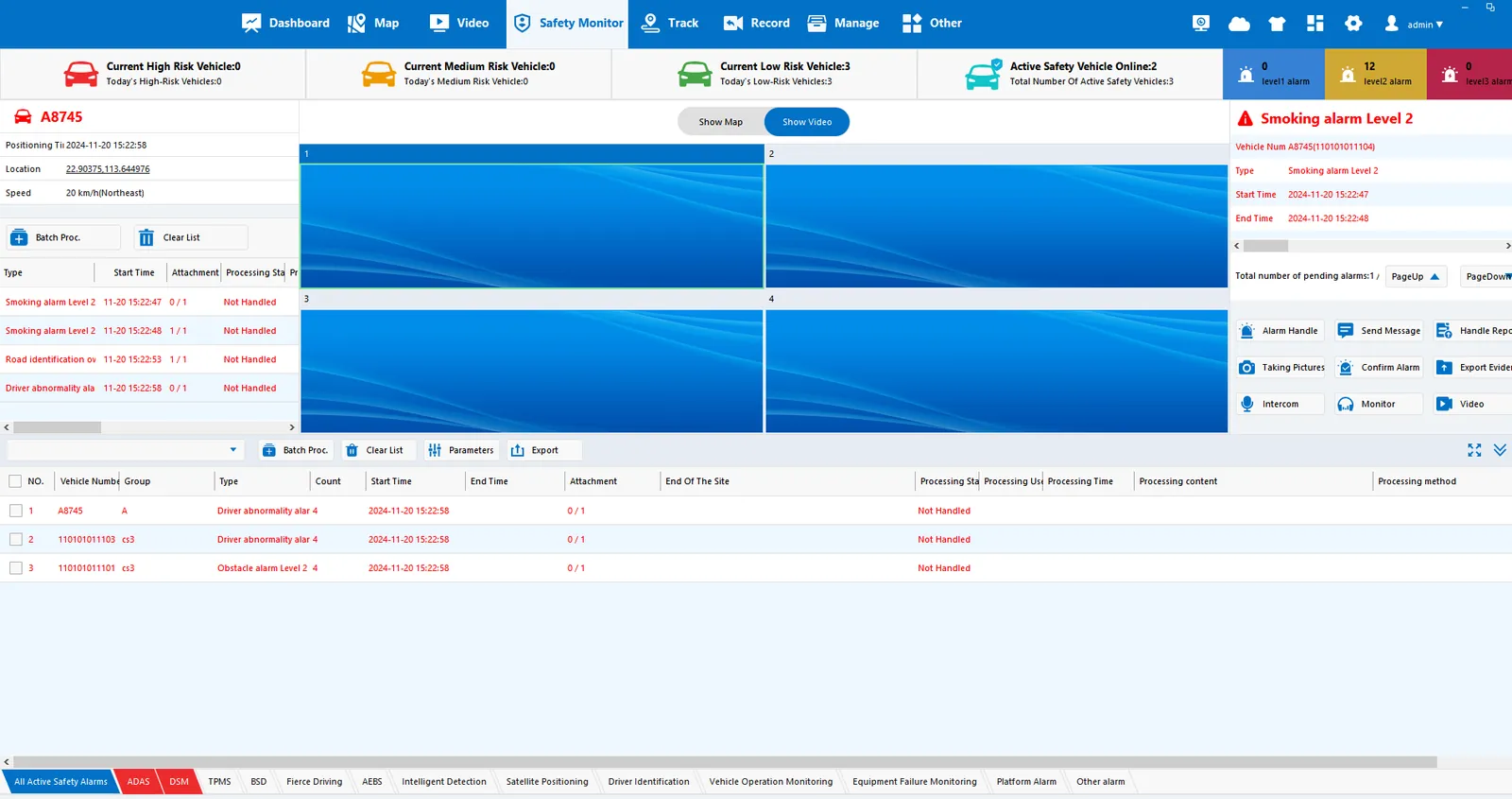
The device triggers an alarm, and pay attention to the server time that triggers the alarm (as shown in the figure below), so that the log records of the corresponding operations can be found in the log files found;
2.3, search log;
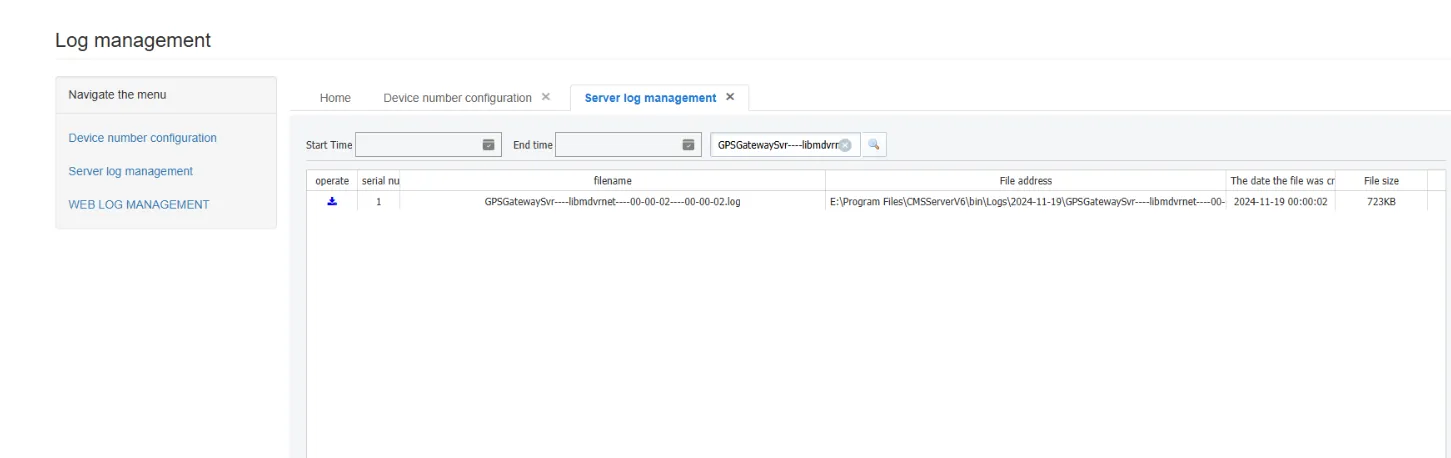
Gateway log: [GPSGatewaySvr----libmdvrnet]];
2.4 and analysis log;
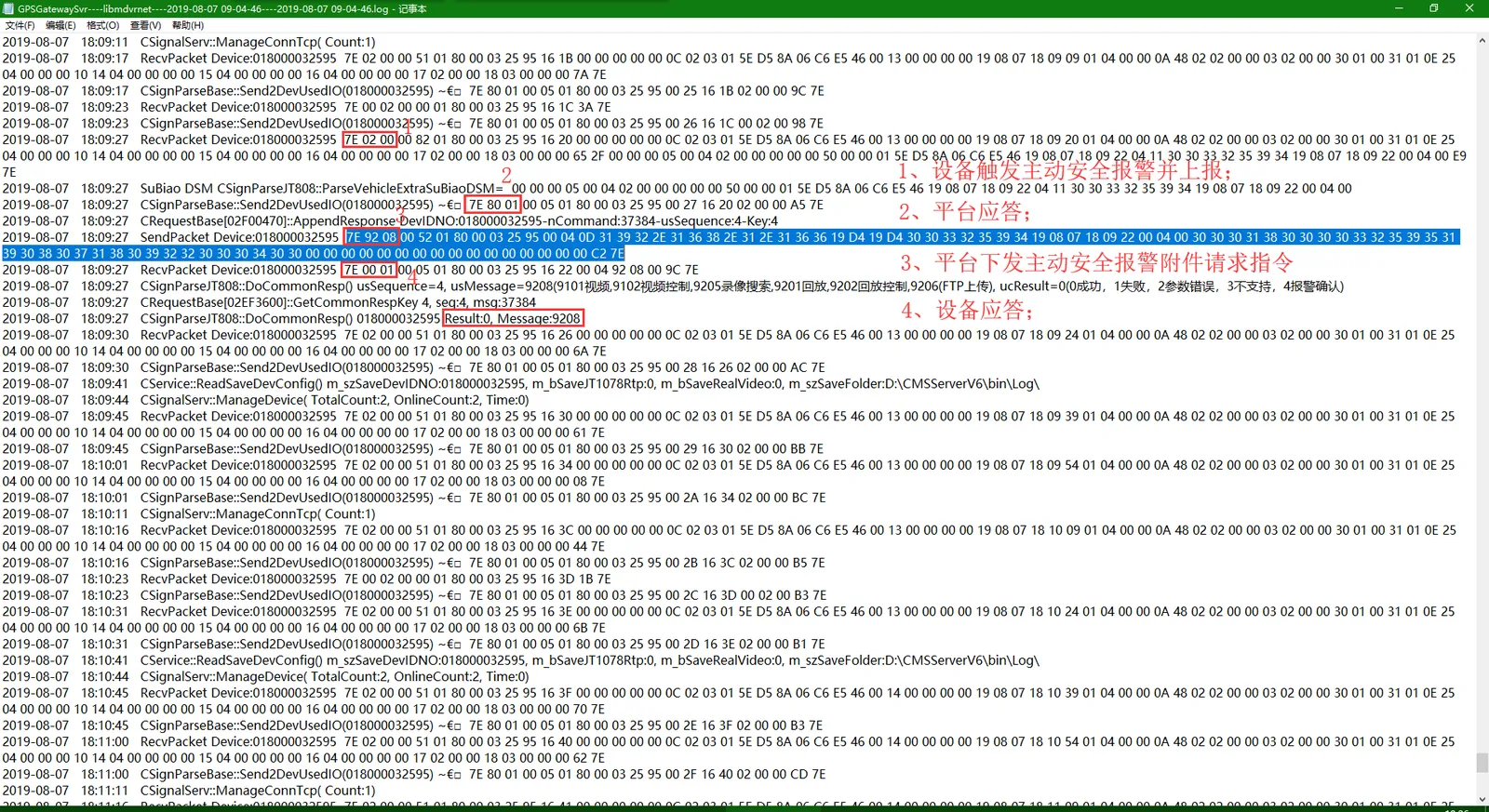
Find the corresponding operation log record in the downloaded gateway log file according to the time of triggering the alarm or the protocol instruction;
The instructions for the platform to issue attachment requests are [7E 92 08]];
Process: 0200 (equipment) - 8001 (platform) - 9208 (platform) - 0001 (equipment);
- Split line-
(1)7E 02 00 00 82 01 80 00 03 25 95 16 20 00 00 00 00 00 00 00 0C 02 03 01 5E D5 8A 06 C6 E5 46 00 13 00 00 00 19 08 07 18 09 20 01 04 00 00 00 00 00 00 00 00 00 00 30 01 00 31 01 0E 25 04 00 00 00 00 10 14 04 00 00 00 15 04 00 00 00 00 00 16 04 00 00 00 17 02 00 00 18 03 00 00 65 2F 00 00 00 05 00 04 02 00 00 00 00 50 00 00 01 5E D5 8A 06 C6 E5 46 19 08 07 18 09 22 04 11 30 33 32 35 39 34 19 08 07 18 09 22 00 04 00 E9 7E
- Split line-
(2)7E 80 01 00 05 01 80 00 03 25 95 00 27 16 20 02 00 00 A5 7E
- Split line-
(3)7E 92 08 00 52 01 80 00 03 25 95 00 04 0D 31 39 32 2E 31 36 38 2E 31 2E 31 36 36 19 D4 19 D4 30 30 33 32 35 39 34 19 08 07 18 09 22 00 04 00 30 30 30 30 31 38 30 30 33 32 35 39 35 39 30 38 37 31 38 30 39 32 32 30 30 30 34 30 30 00 00 00 00 00 00 00 00 00 00 00 00 00 00 00 00 00 C2 7E
- Split line-
(4)7E 00 01 00 05 01 80 00 03 25 95 16 22 00 04 92 08 00 9C 7E
- Split line-
At the same time, log analysis tools (applicable scope: 808/1078 protocol) can be used to analyze logs;
2.5 view files;
A. First, check whether the storage server has received the active security alarm attachment reported by the device on the platform;
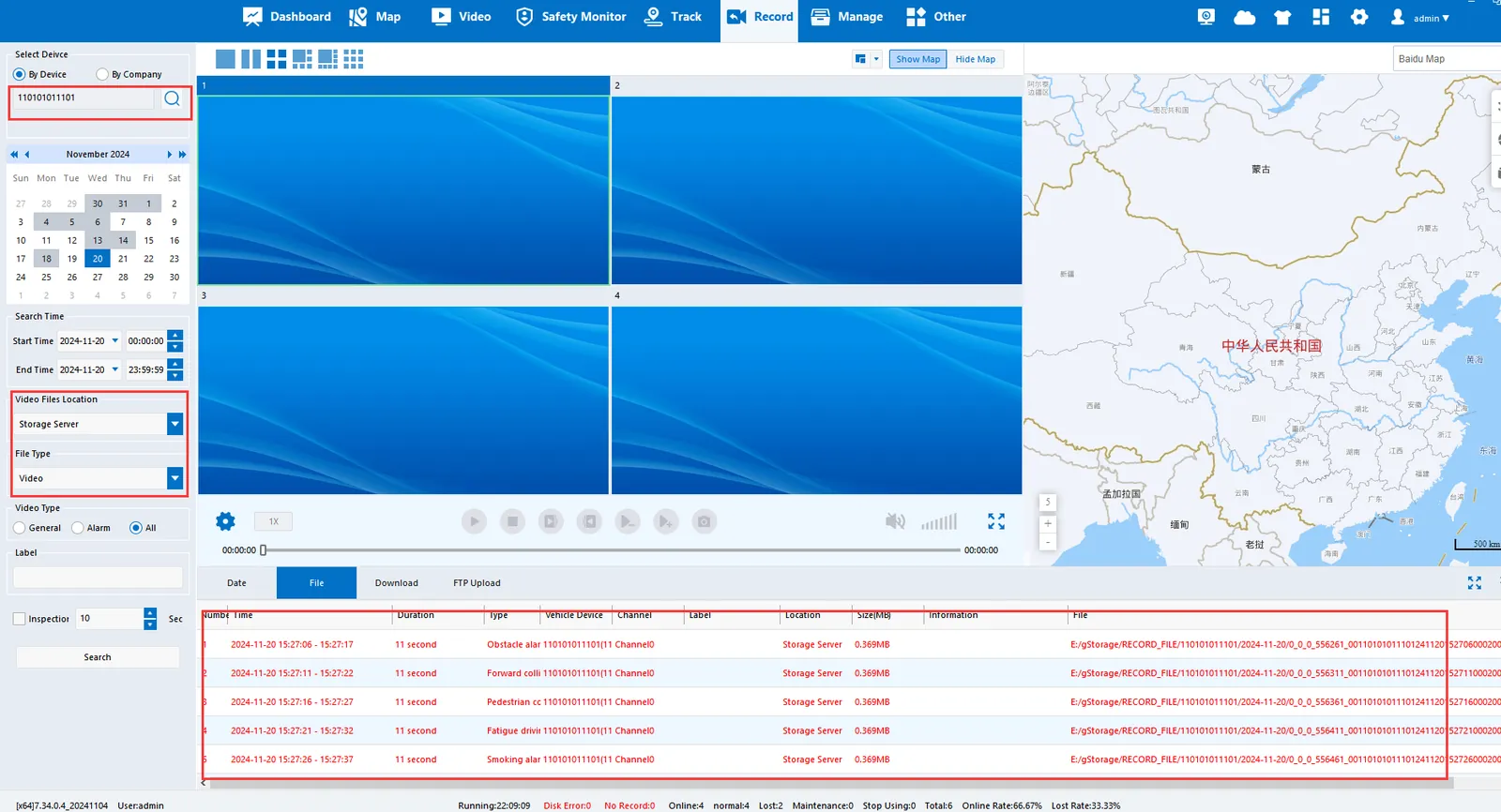
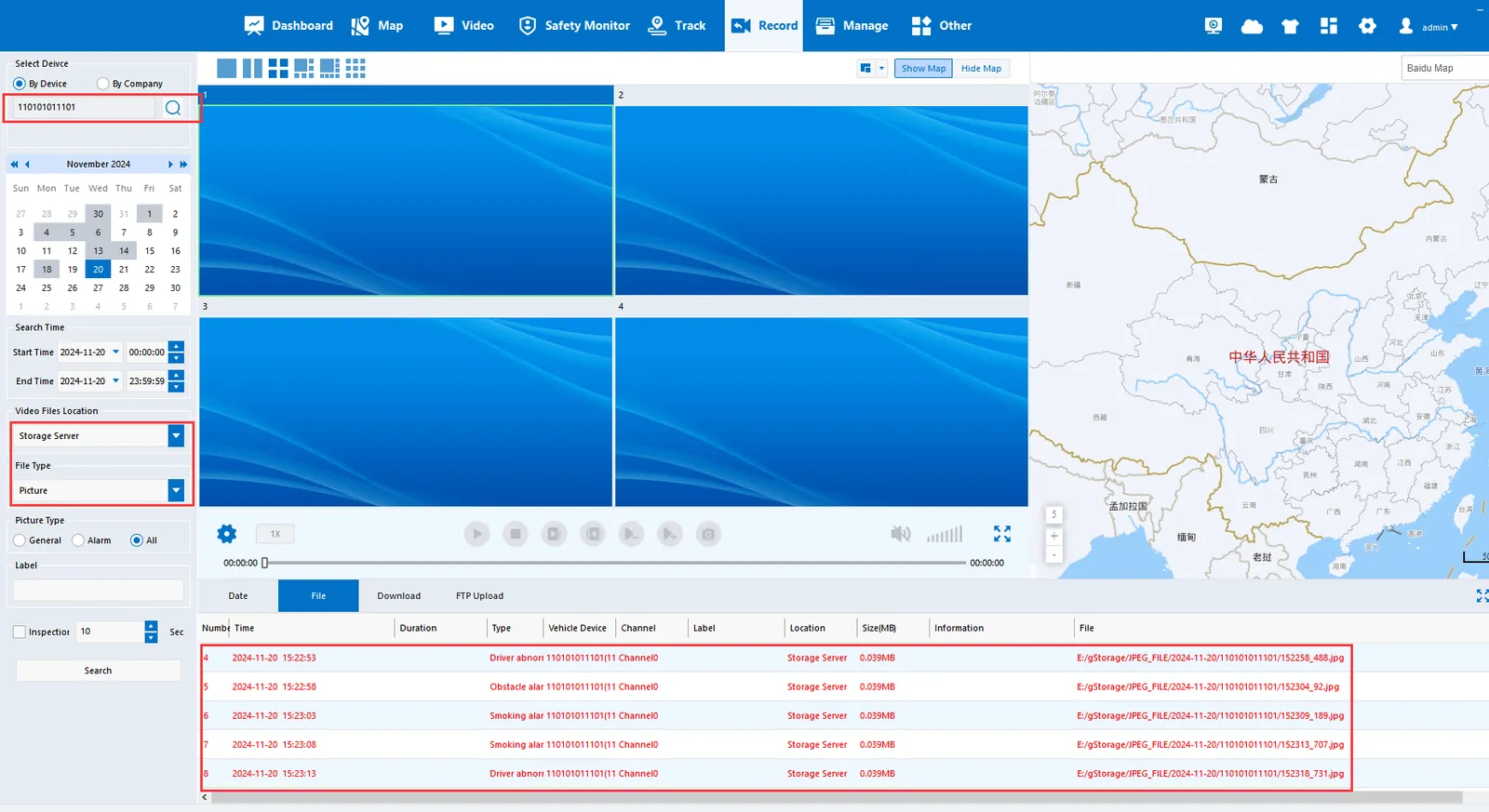
B. If the storage server cannot find the active security alarm attachment reported by the device, confirm whether the active security alarm attachment uploaded by the device is received under the corresponding path of the storage server;
2.6, problem judgment;
A, the platform does not issue 9208 active safety alarm attachment request instructions, find the platform technical support to view;
B. The platform cannot find the active safety alarm attachment uploaded by the equipment;
(1) Check whether the storage server port 6611/6612 is connected; Refer to: Server Software Port Description https://help.cmsv8.com/helpCenter/doc/index.html?isStudy=1&docType=1&docId=24&type=1&lang=en
(2) Check whether there is any problem with the equipment;
3. Other Remarks
- Attachment upload process
1. The gateway issues a 9208, which contains the address of the attachment server and the terminal's general response.
2. Device connection accessory server
3. Send 1210, server universal response
4. Send 1211, and attachment stream, the server does not answer
5. After the sending is completed, the 1212 is sent and the server answers the 9212.
6. Then move on to the next one, jump 3
