1. function description
- Determine whether the platform request is issued, whether the terminal has responded, and whether the platform has responded through the log;
2. operating instructions
2.1 and log allocation;
Browser login server log configuration interface: [server IP:WEB port/log.html]];
Example 1:
The server IP is 192.168.1.166;
WEB port is 80;
The server log configuration address is [192.168.1.166/808gps/logger/info.action?ttx = 1]];
-
Example 2:
The server IP is 192.168.1.118;
WEB port is 8080;
The server log configuration address is: [http:// 192.168.1.118:8080/808gps/logger/info.action?ttx = 1]];
-
Here, the WEB port of the demonstration server is 8080, and the license plate number is ttxcs( 001387777777). The login log configuration interface is shown in the following figure;
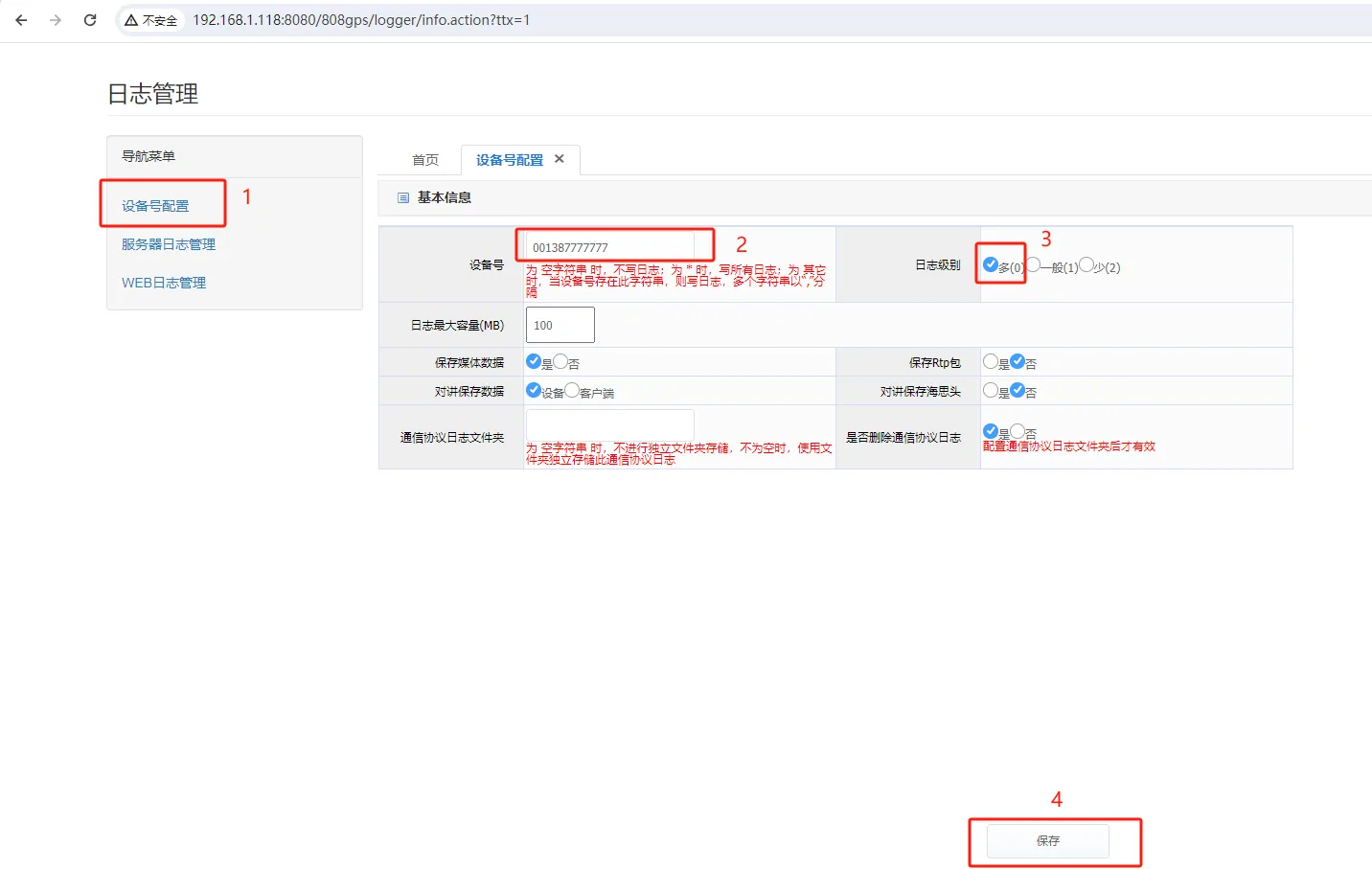
2.2, video search;
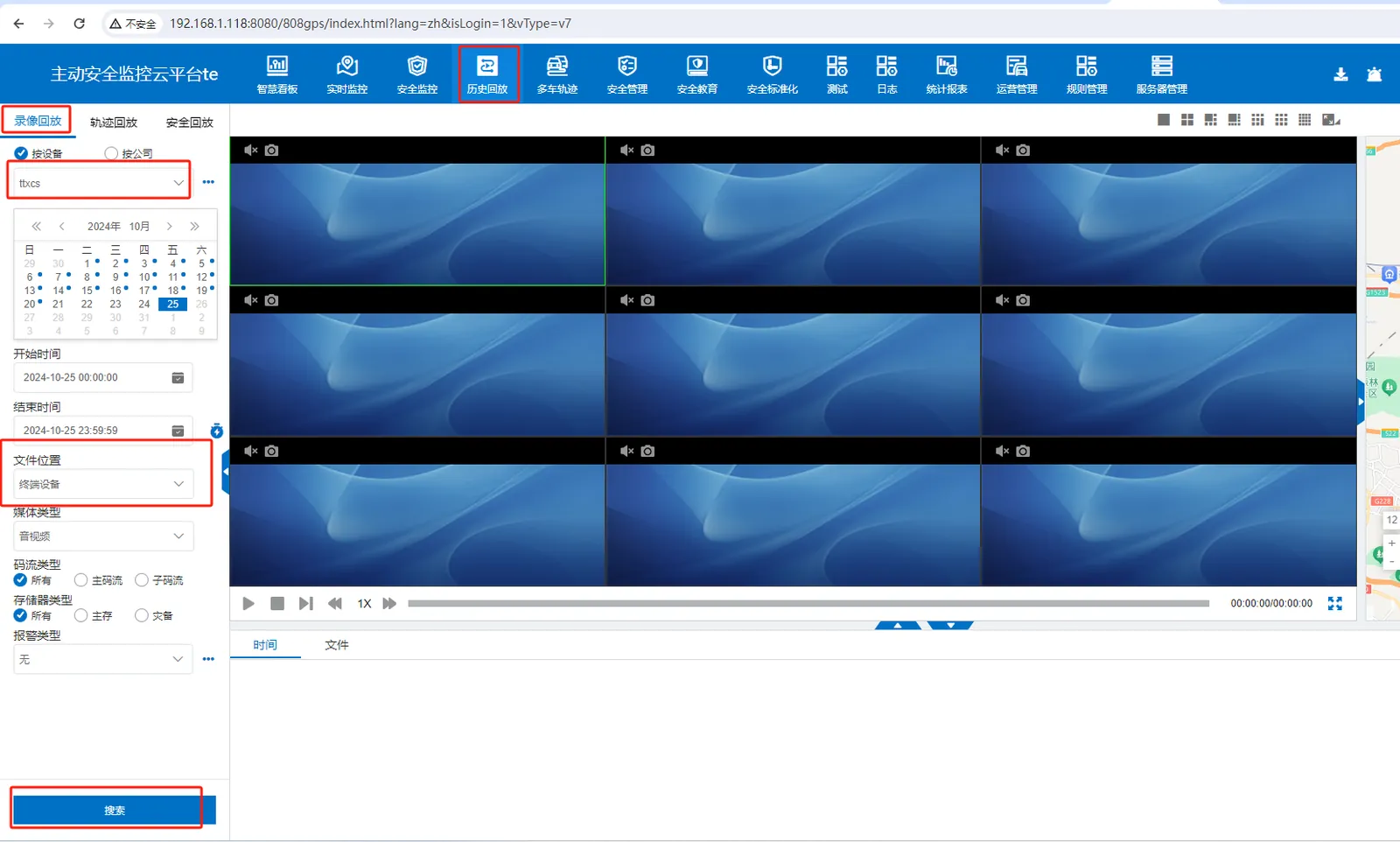
Video search, select "terminal video"; And pay attention to the Beijing time of the current preview video operation, so as to find the log record of the corresponding operation in the found log file;
2.3, search log;
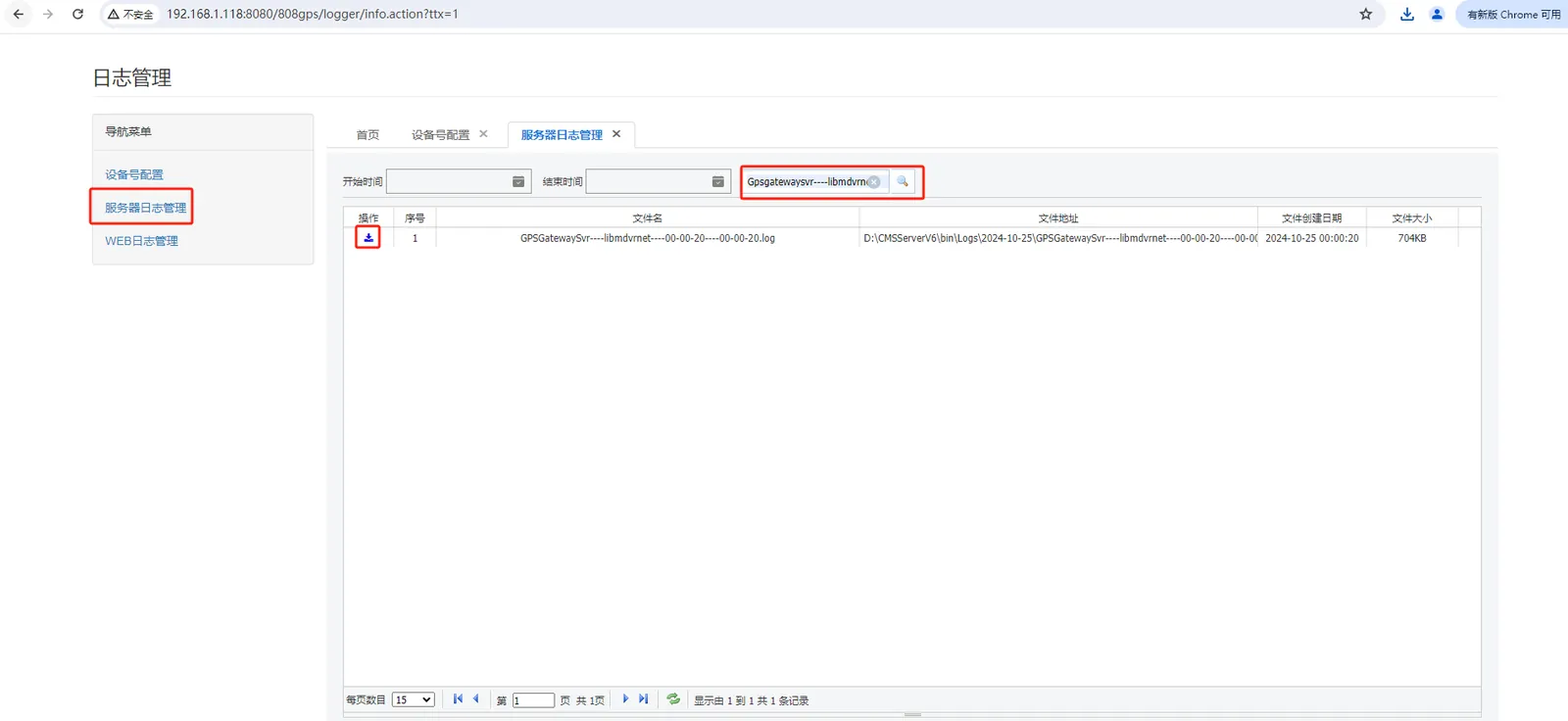
Gateway log: [GPSGatewaySvr - - - - libmdvrnet]];
2.4 and analysis log;
Find the corresponding operation log record in the downloaded gateway log file according to the operation time or protocol instruction;
Refer to JTT 1078- 2016 Road Transport Vehicle Satellite Positioning System On- board Video Communication Protocol;
The instruction for video search is [7E 92 05]];

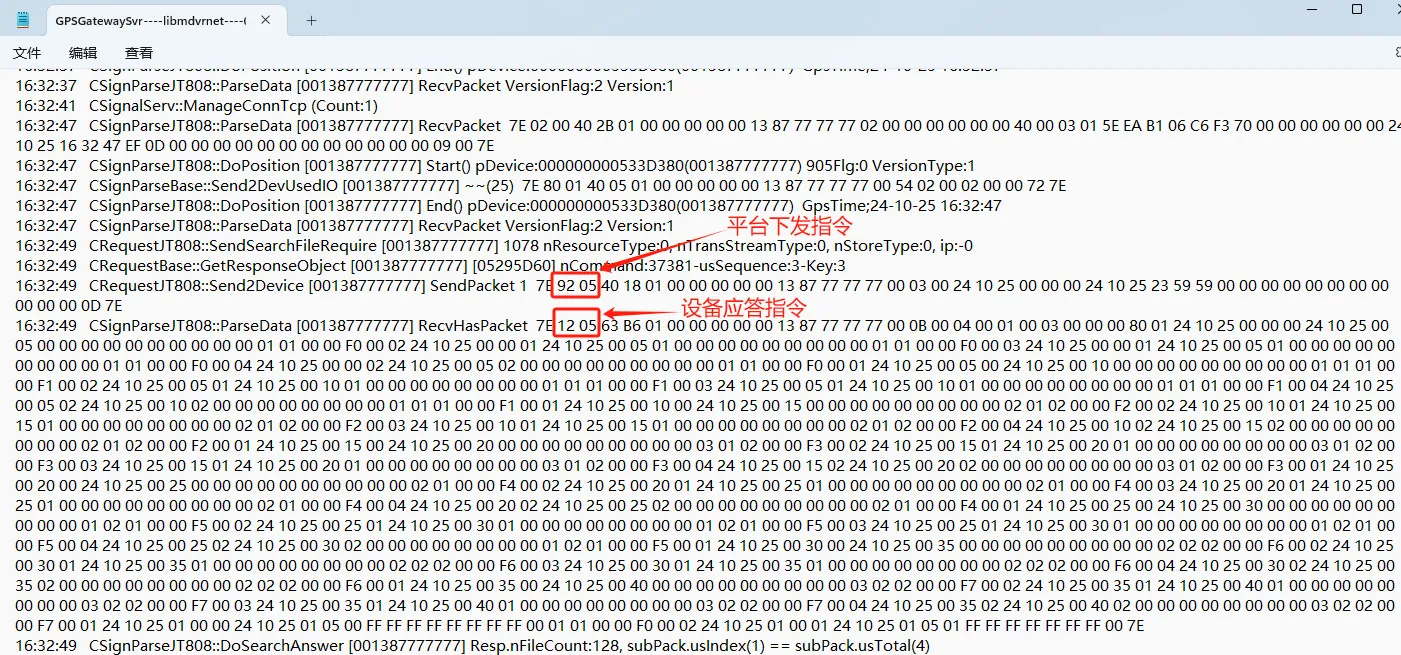
At the same time, you can use the log analysis website (applicable scope: 808/1078 protocol) to analyze the log;
A, copy the complete log; As shown in the above figure:
7E 92 05 40 18 01 00 00 00 00 00 00 13 87 77 77 77 00 03 00 24 10 25 00 00 24 10 25 23 59 00 00 00 00 00 00 00 00 00 00 00 00 00 00 00 00 00 00 00 00 00 0D 7E
B. Paste the log into the input box of the log analysis website;
C, click "analysis" to know the information content contained in this instruction;
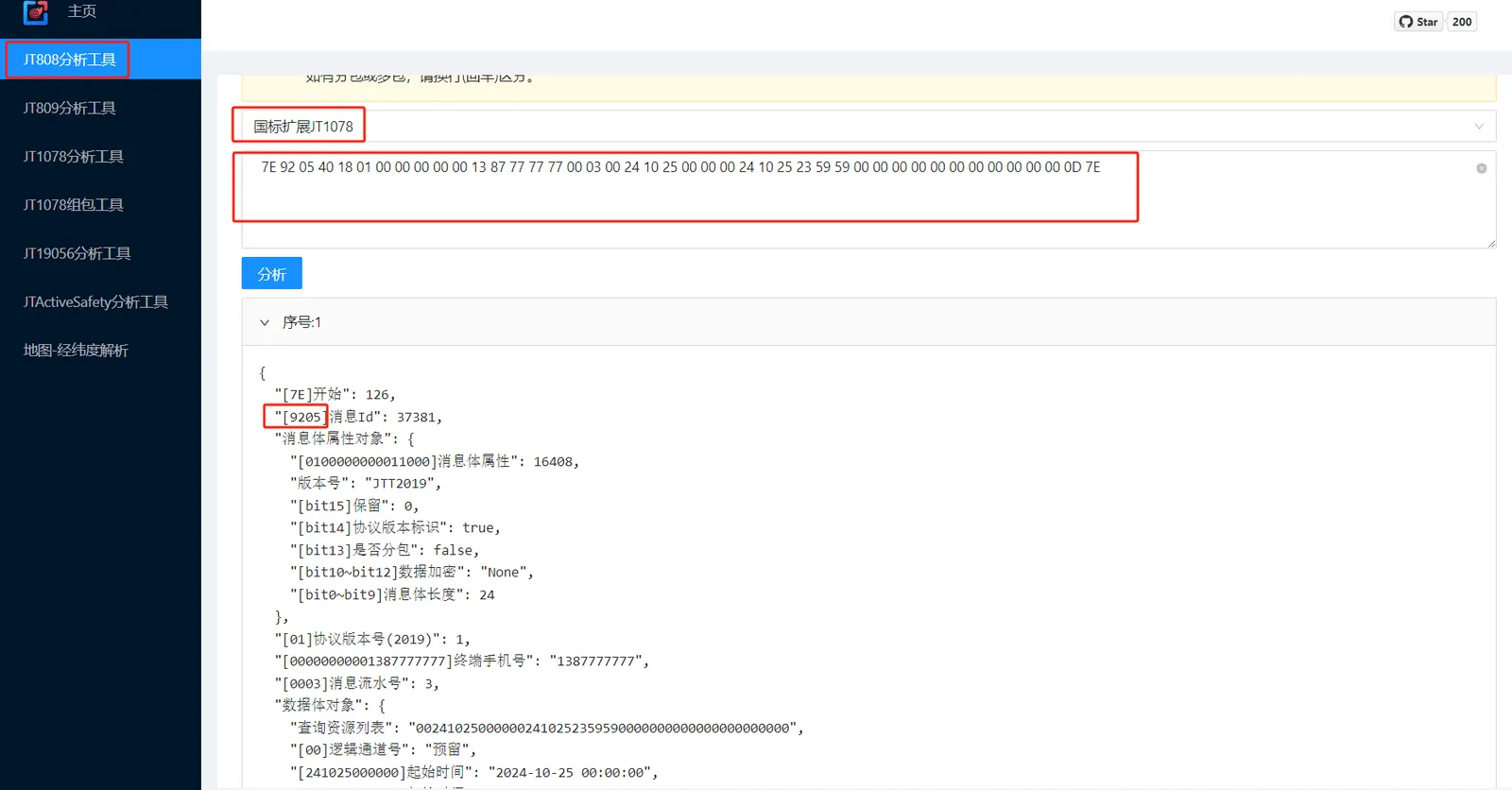
- Note: Parse website address: https://jttools.smallchi.cn/jt808
3. Frequently Asked Questions
Question 1: No 9205 has been issued;
Answer:
(1) The equipment protocol is incorrect, not the 1078 protocol (check the protocol type in the online status in the operation management);
(2) there is a problem with the server (contact ttx technical support for investigation);
Question 1: Is the server ip distributed in the 9205 correct (WEB server management, one- click configuration of server IP, check whether the obtained is consistent with the current database configuration);
Answer:
If the device does not respond, it may be that the protocol does not match and the device is not the 1078 protocol;