1. Functional Description
808 snapshot picture log analysis, through the log to determine whether the platform request issued, whether the terminal has responded, whether the platform has responded;
2. Operating Instructions
2.1 allocation log
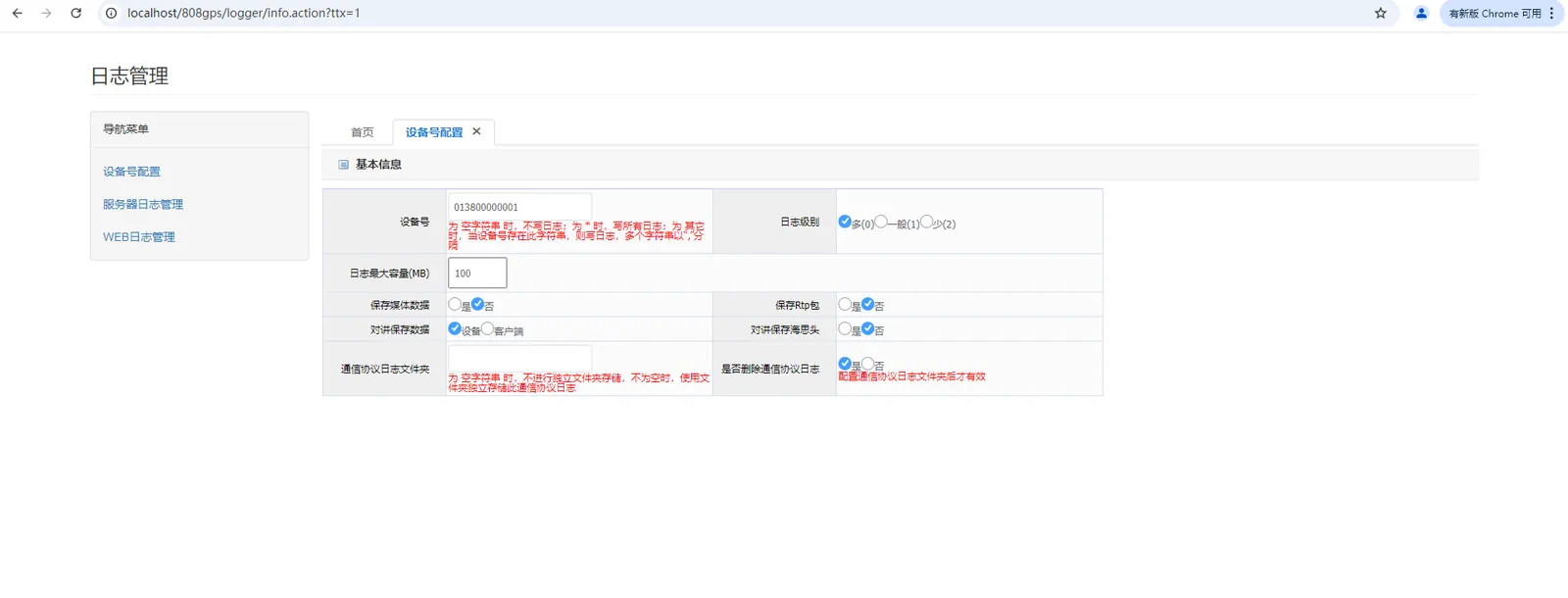
Browser Login Server Log Configuration Interface: [Server IP:WEB Port/log.html?ttx = 1] You need to log in to the platform with admin account on the browser;
Example 1:
The server IP is 192.168.1.166;
WEB port is 80;
The server log configuration address is [192.168.1.166/log.html?ttx = 1]];
Here, the WEB port of the demo server is 80, and the login log configuration interface is shown in the following figure;
2.2 front- end snapshot
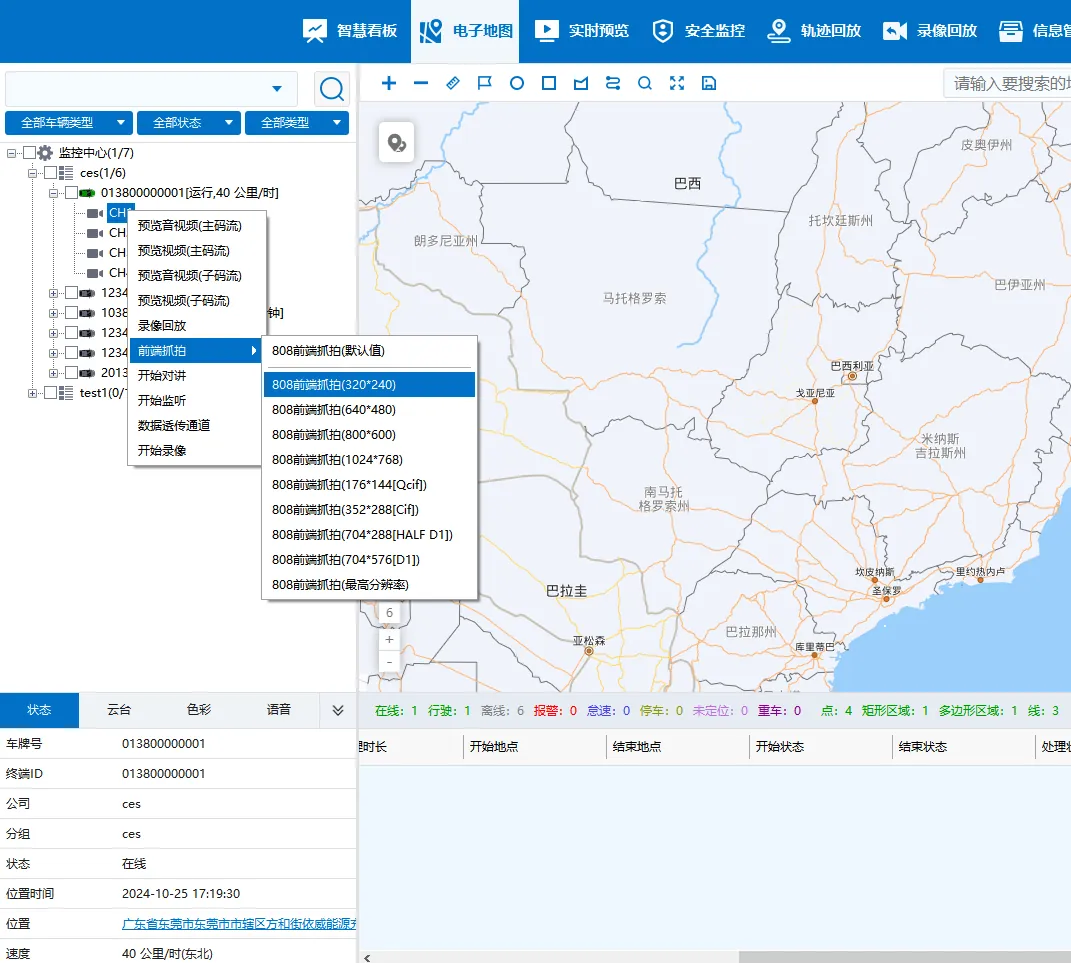
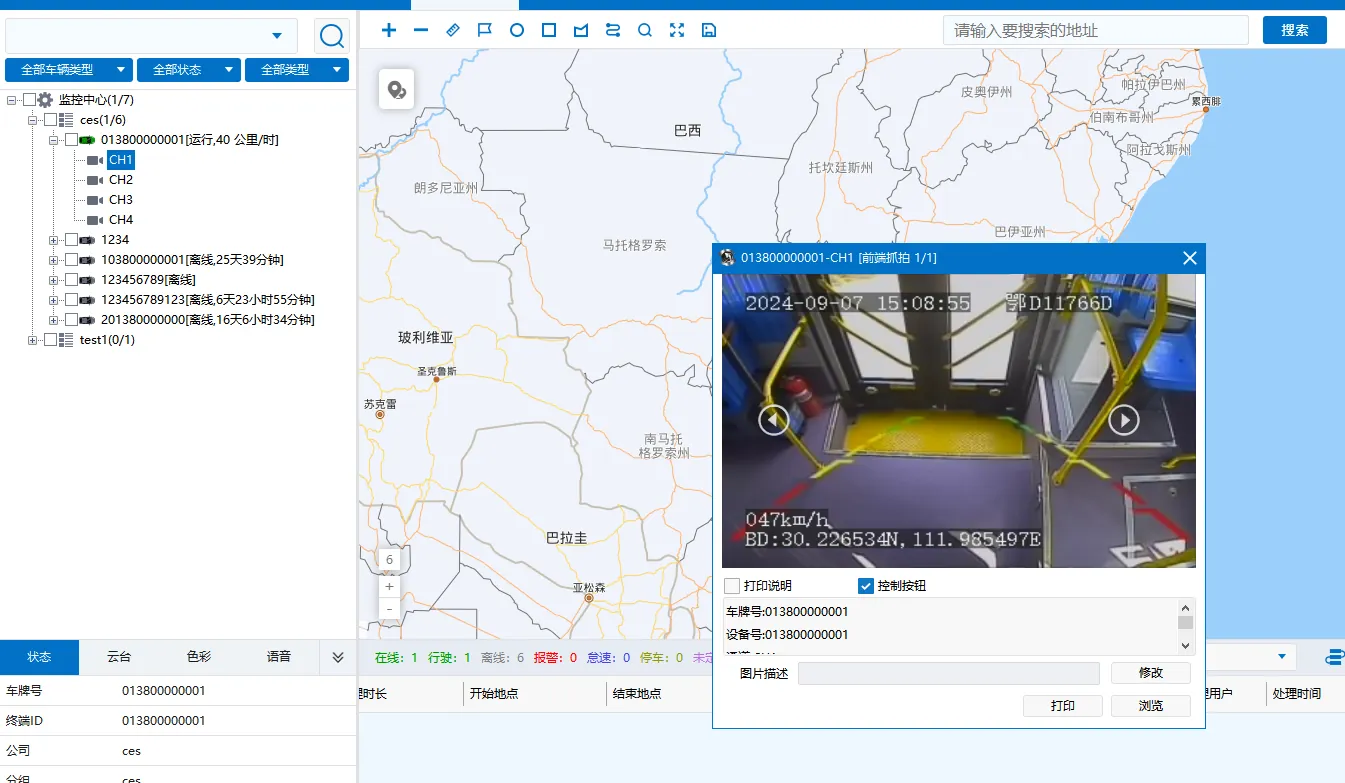
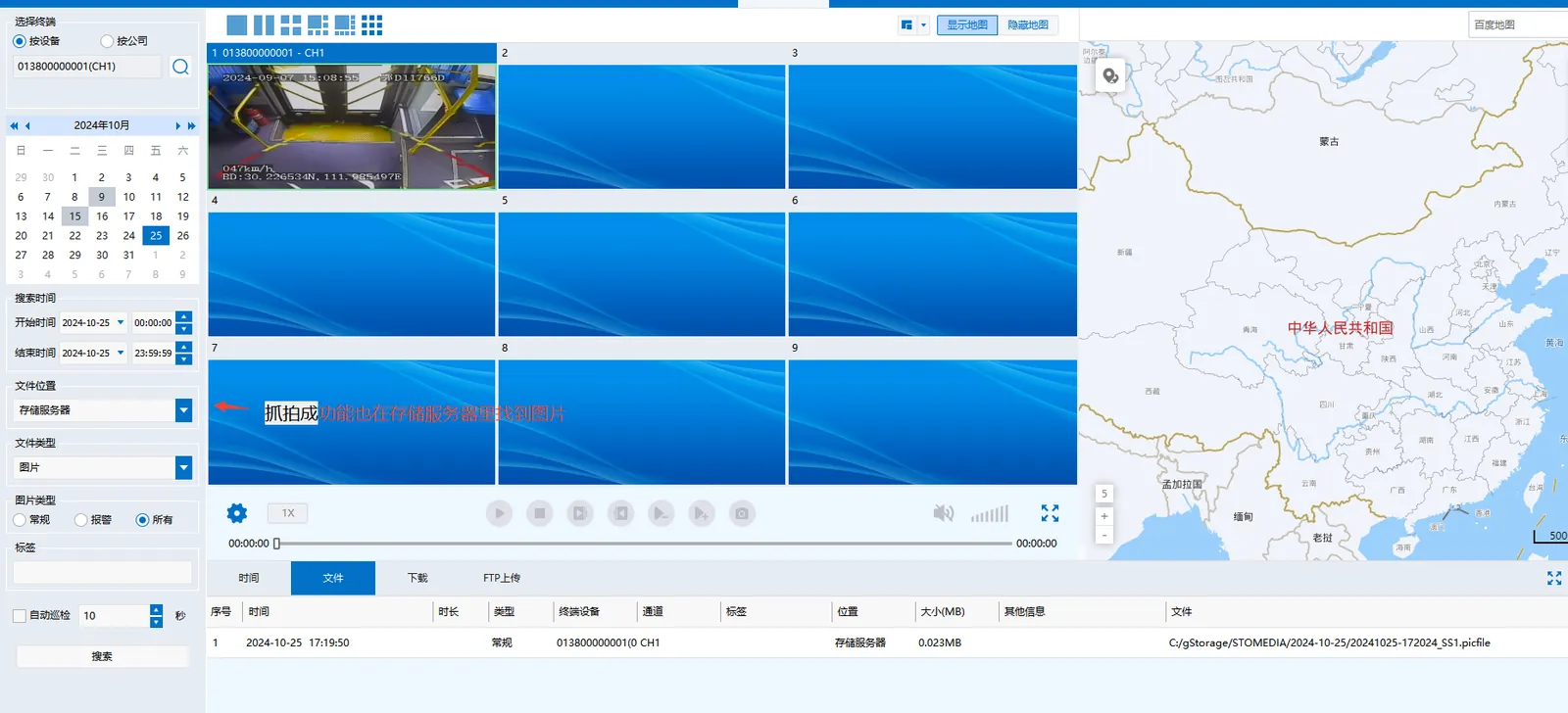
In the client terminal list, right- click the vehicle channel and select "Front- end snapshot";
Pay attention to the Beijing time of the current preview video operation during operation, so as to find the log record of the corresponding operation in the found log file;
2.3 Lookup Log
Gateway log: [GPSGatewaySvr - - - - libmdvrnet]];
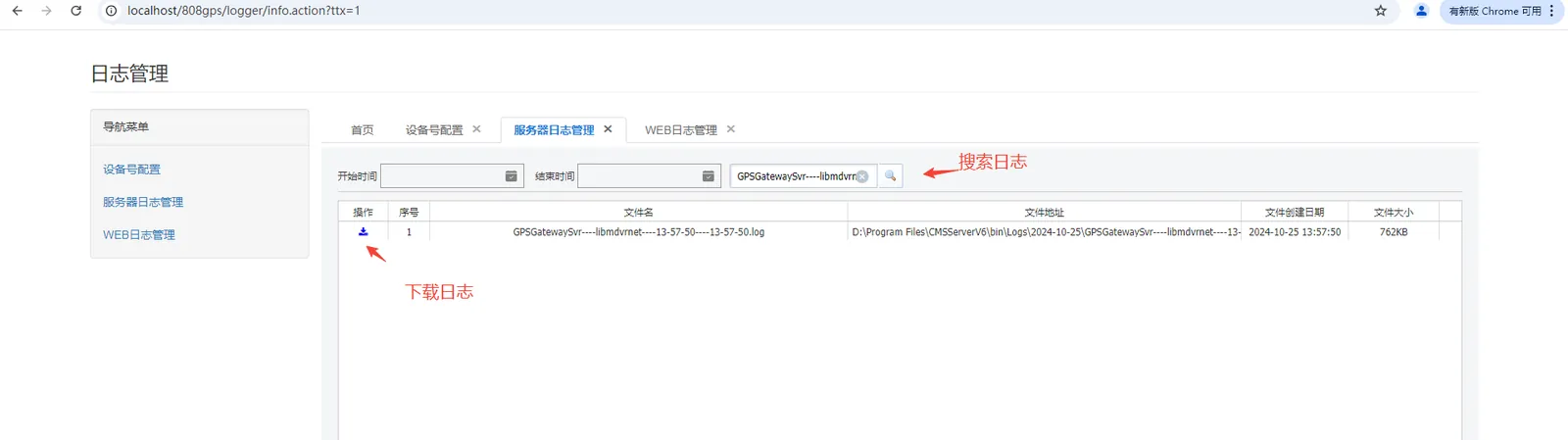
2.4 Analysis Log
Find the corresponding operation log record in the downloaded gateway log file according to the operation time or protocol instruction;
Refer to Technical Specification for Communication Protocol of Beidou Compatible Vehicle Terminal for Satellite Positioning System of Road Transport Vehicles;
The instruction for front- end capture is [7E 88 01]];
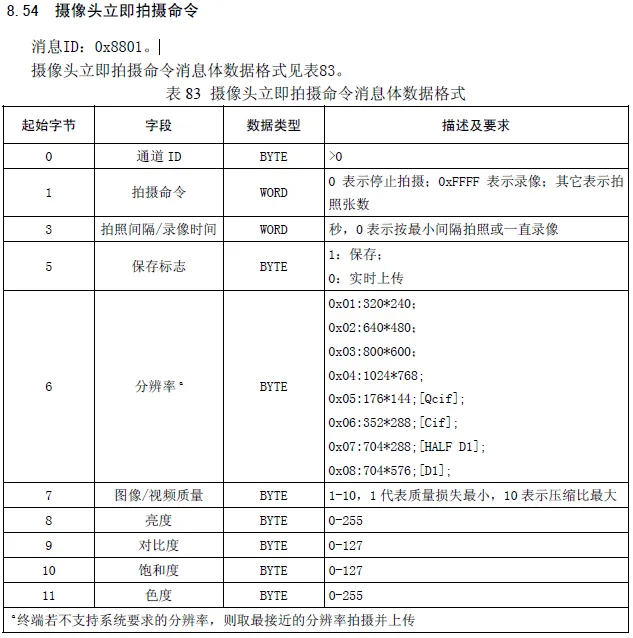
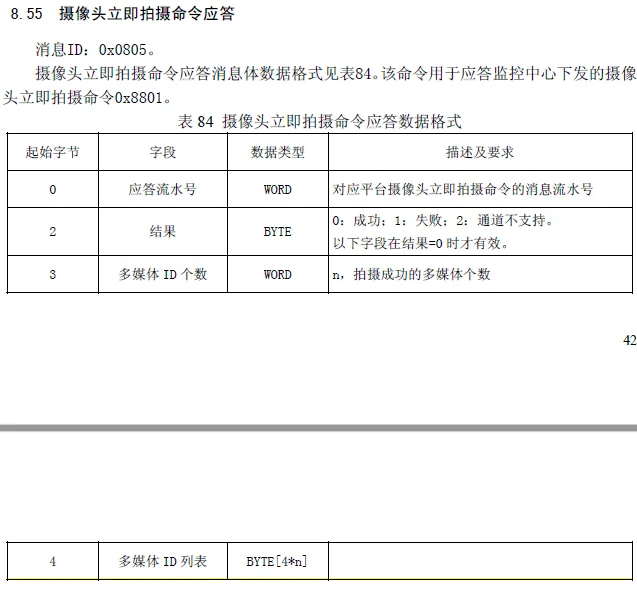
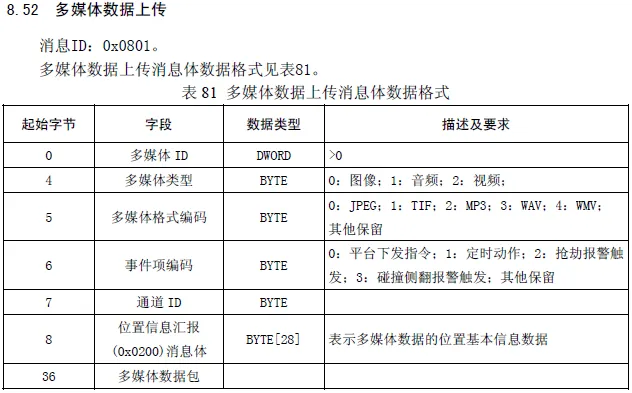
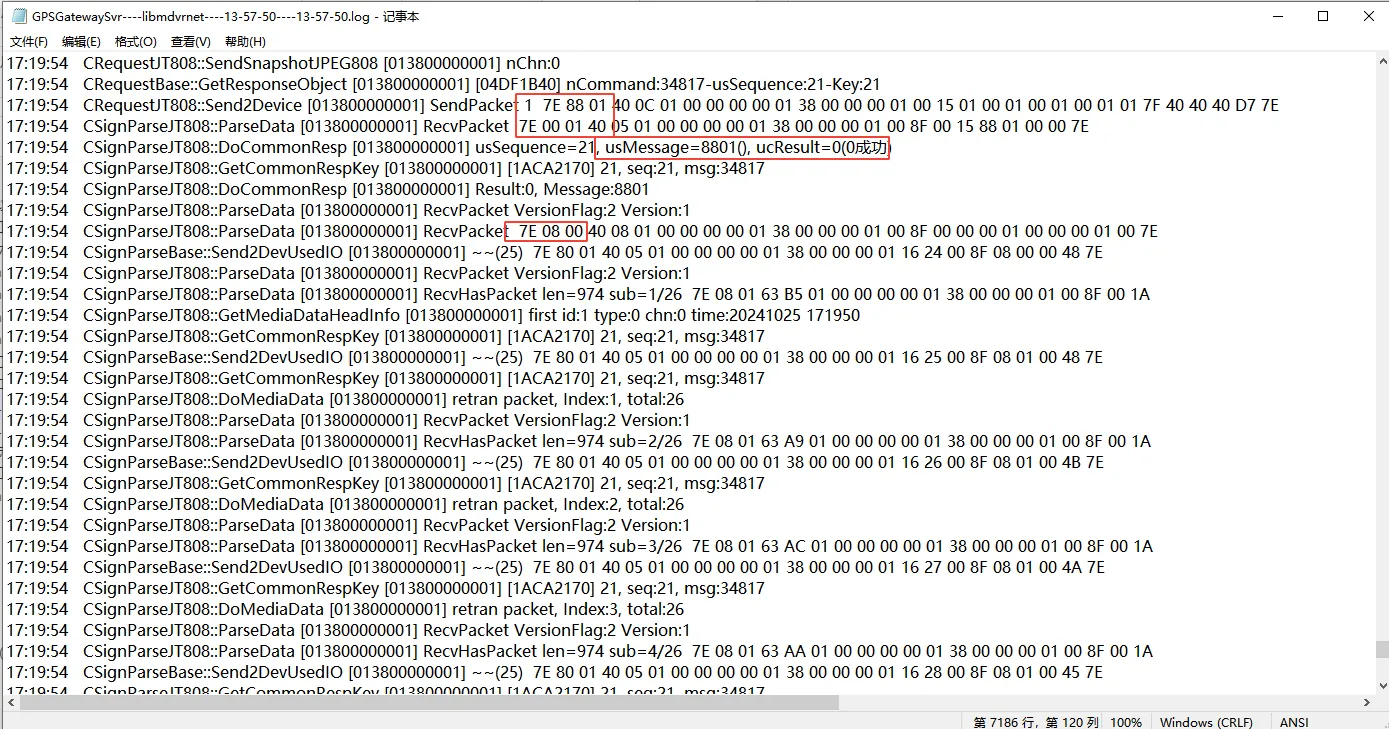
At the same time, log analysis tools (applicable scope: 808/1078 protocol) can be used to analyze logs;
A, copy the complete log; As shown in the above figure:
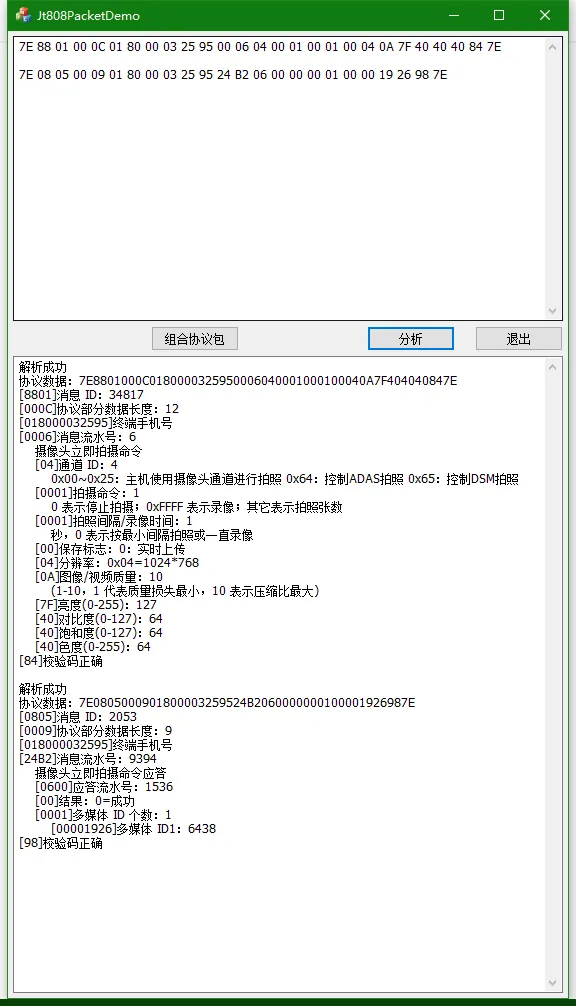
7E 88 01 00 0C 01 80 00 03 25 95 00 06 04 00 01 00 01 00 04 0A 7F 40 40 40 84 7E
7E 08 05 00 09 01 80 00 03 25 95 24 B2 06 00 00 00 01 00 19 26 98 7E
B. Paste the log into the input box of the log parsing tool;
C, click "analysis" to know the information content contained in this instruction;
2.5 problem judgment
A. No 8801 is issued;
(1) The equipment protocol is incorrect, not the 808 protocol (check the protocol type in the online status in the operation management);
(2) There is a problem with the server (look for technology);
B, if the equipment does not respond, it may be that the protocol does not match and the equipment is not the 808 protocol;
