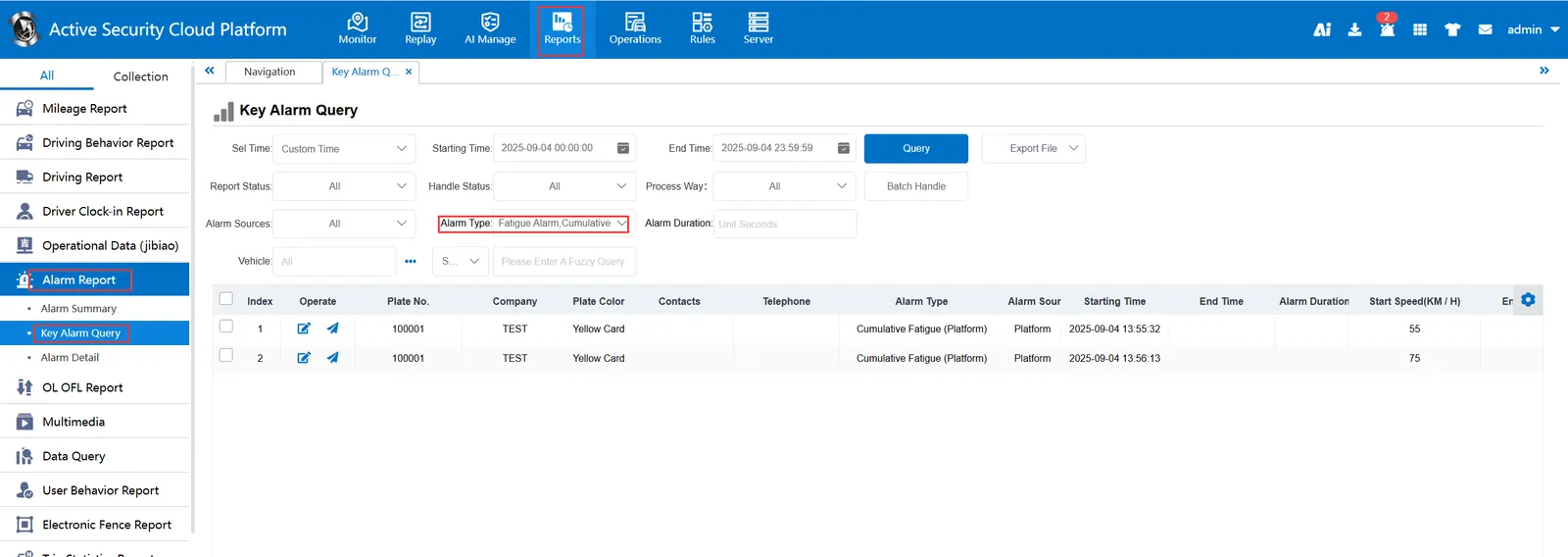
1. Function description
Cumulative fatigue(platform), the driver accumulates 24 hours of driving time through the driver's IC card, and if it reaches 8 hours, it is cumulative fatigue. Here, the driver is required to insert the driver card and sign in successfully.
2. operating instructions
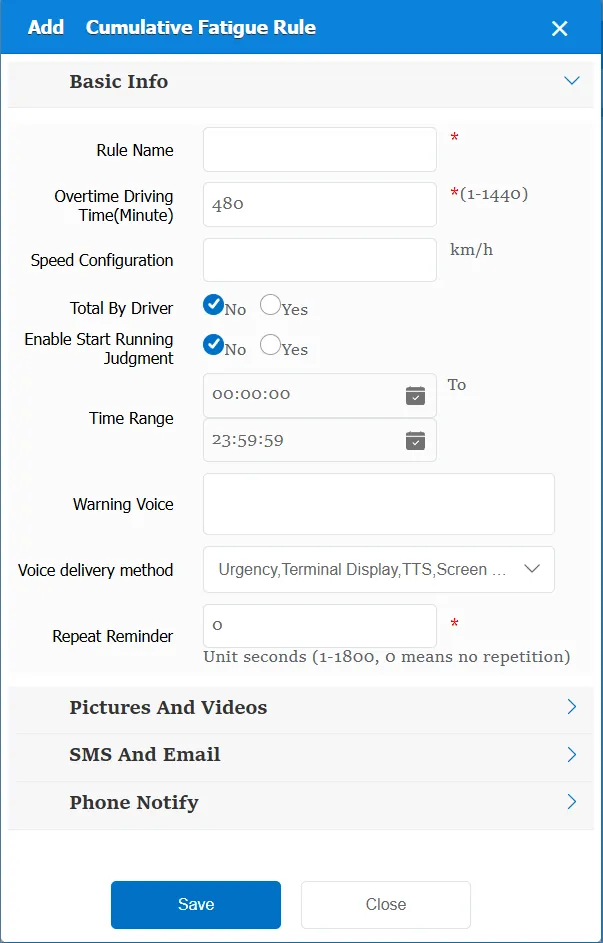
2.1 basic information
Rule Name: Customize, customize the name according to the actual situation
Time out driving time(minutes): Time to trigger the time out driving
Speed configuration: The GPS speed of the vehicle is greater than the specified value, and it is considered to be driving
Cumulative by Driver:
No: subject to vehicle for statistics
Yes: the driver shall prevail for statistics.
Enable Start Run Judgment:
No: Ignore this condition
Yes: displays
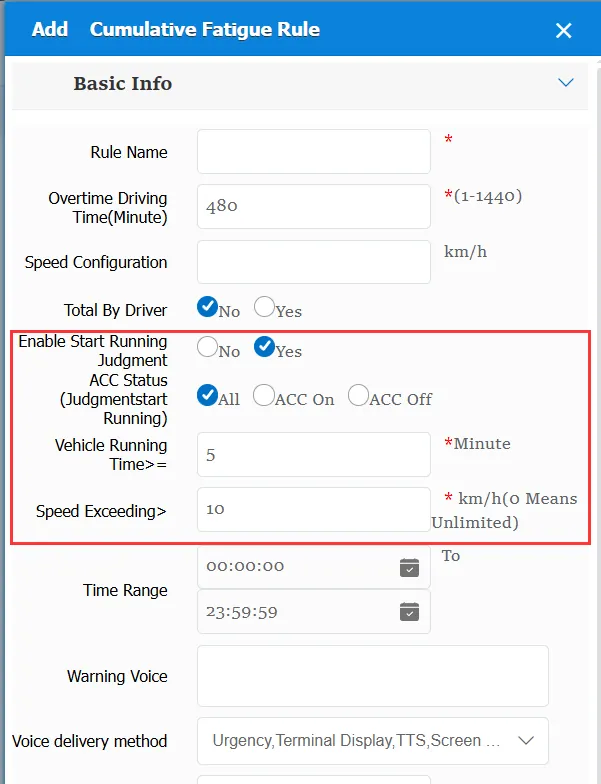
ACC status (judging start running): ACC status when statistics are started based on the selected determination
Vehicle running time> =: According to the filled time, the statistics will start after the specified time when the vehicle starts to drive
Speed Exceeds>: According to the filled speed, statistics will start after the GPS speed of the vehicle is greater than the specified value
The first trajectory that meets these three conditions at the same time is marked as the starting driving state, that is, the fatigue driving time is calculated from this trajectory.
Time Range: the time period when the rule takes effect.
Minor Violation Voice: the text message sent to the device when a minor violation is triggered.
Repeated Reminder: During the alarm continuation phase, an alarm voice is sent to the device every specified time.
Match all vehicles:
No: Only valid for vehicles assigned by this rule
Yes: this rule is effective for all vehicles of the company.
Global Share:
No: Only visible to this company
Yes: visible to all companies on the platform
2.2 cumulative fatigue(platform), alarm information display
When the alarm message is displayed, in the alarm center-fatigue alarm
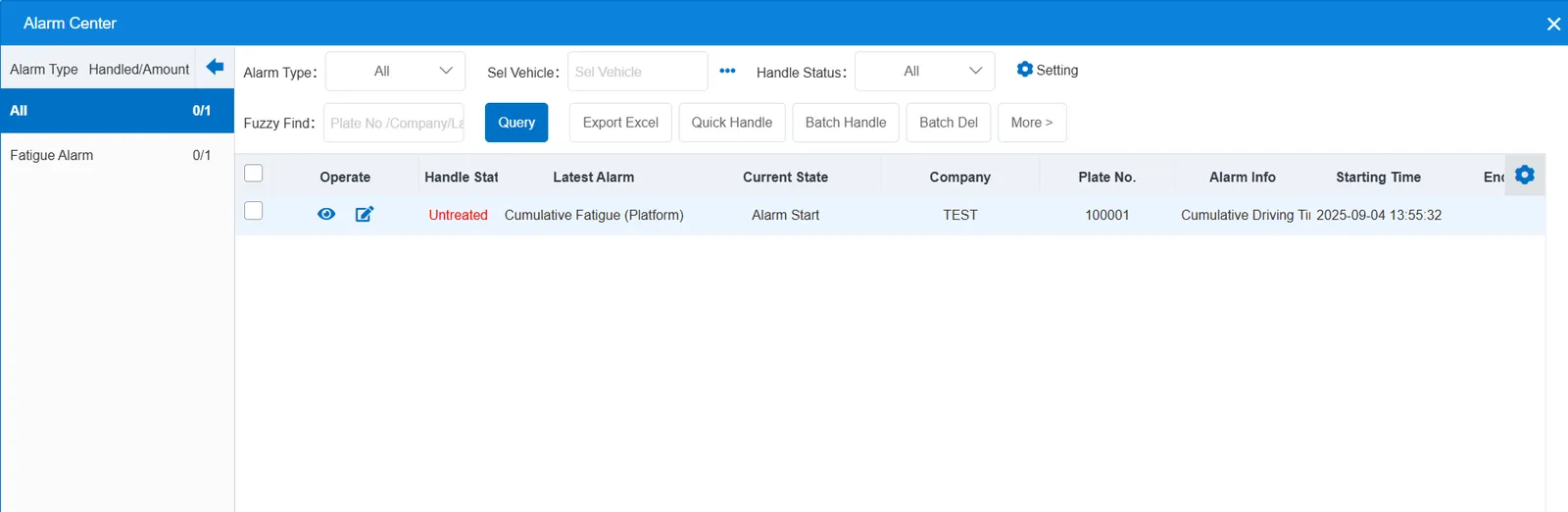
2.3 cumulative fatigue(platform), alarm information query
When querying alarms, you can select "fatigue driving(platform)" for "alarm type" in the "Reports"-"Alarm Report"-"Key Alarm Query" report