1. Function description
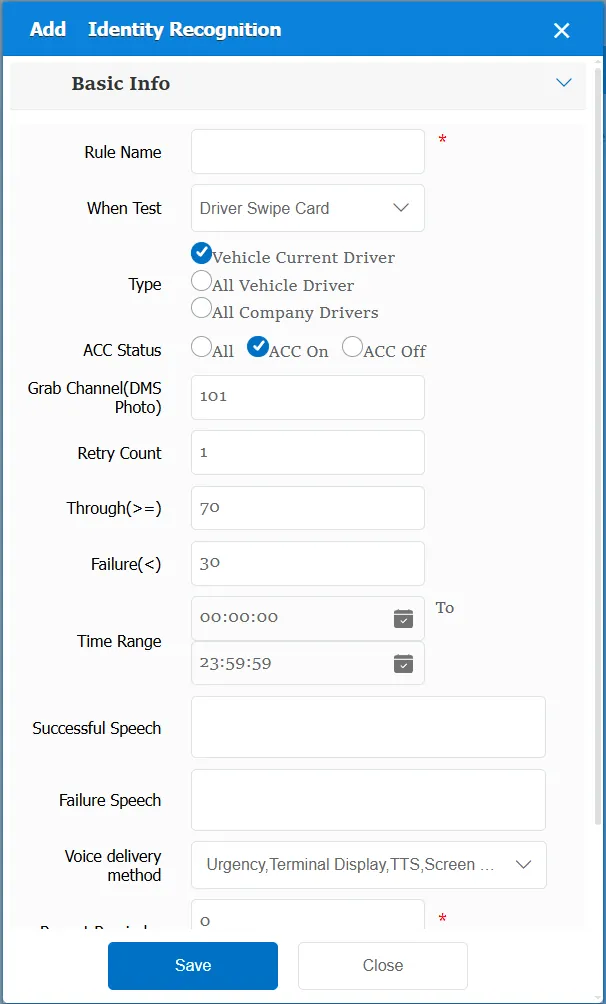
According to different triggering conditions, the current driver's snapshot picture is obtained, and the obtained picture is compared with the ID photo entered in the driver's information. The similarity meets the specified conditions, that is, the recognition is successful, and the recognition fails if the conditions are not met.
2. operating instructions
2.1 basic information
Rule Name: Customize, customize the name according to the actual situation
When to detect:
The driver swipes the card to sign in: when the driver inserts the driver's card, the platform will issue a snapshot instruction to obtain the snapshot picture of the driver at that time.
Report to DSM for automatic capture: Active and safe capture events
Driver identity inspection: it is the inspection that the equipment actively reports, and the black label equipment reports
Type:
Current driver of the vehicle: it only compares the main driver currently bound to the vehicle
All drivers of the vehicle: it compares all drivers bound to the vehicle
All drivers of the company: it compares all drivers under the company to which the vehicle belongs.
ACC Status:
All: ACC status not considered
ACC ON: The rule takes effect only when the ACC status is ON.
ACC OFF: Rules take effect only when CCC status is OFF
Capture Channel (DMS Photo): Face Capture Channel
Retries: the number of snapshots retried.
Pass Acquaintance (>=): Sets the similarity value of successful recognition
Failed Acquaintance Degree (<): Sets the similarity value of failed recognition
Time Range: the time period when the rule takes effect.
Successful voice: the text message sent to the device when the alarm recognition is triggered.
Failed voice: the text message sent to the device when the alarm recognition fails.
Repeated Reminder: During the alarm continuation phase, an alarm voice is sent to the device every specified time.
Match all vehicles:
No: Only valid for vehicles assigned by this rule
Yes: this rule is effective for all vehicles of the company.
Global Share:
No: Only visible to this company
Yes: visible to all companies on the platform
2.2 alarm information display
Vehicle bubble box alarm display:
The alarm is in the vehicle bubble box and is not displayed
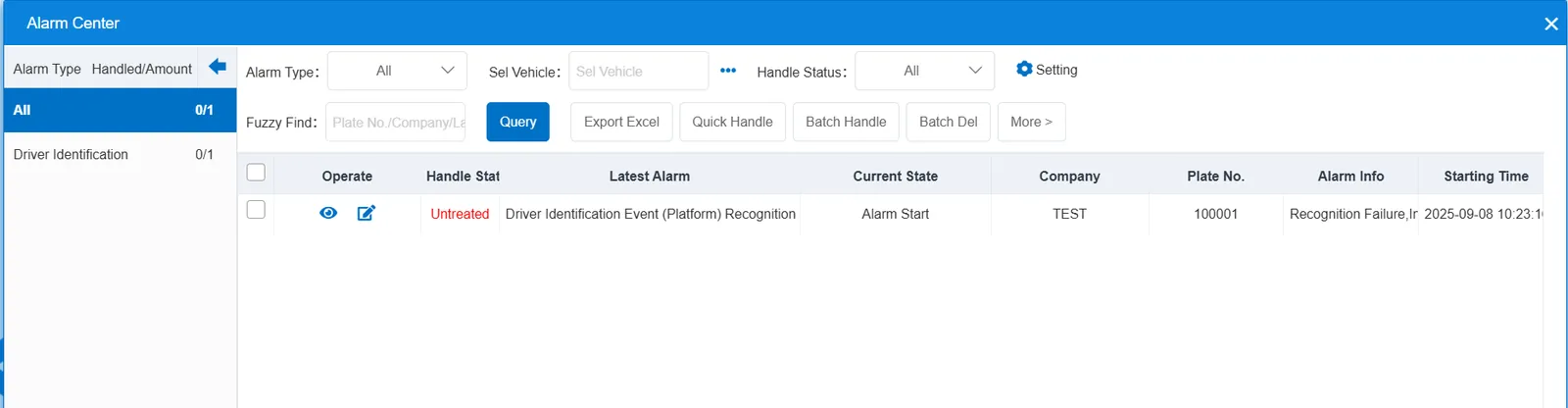
alarm center alarm display:
2.3 alarm information query
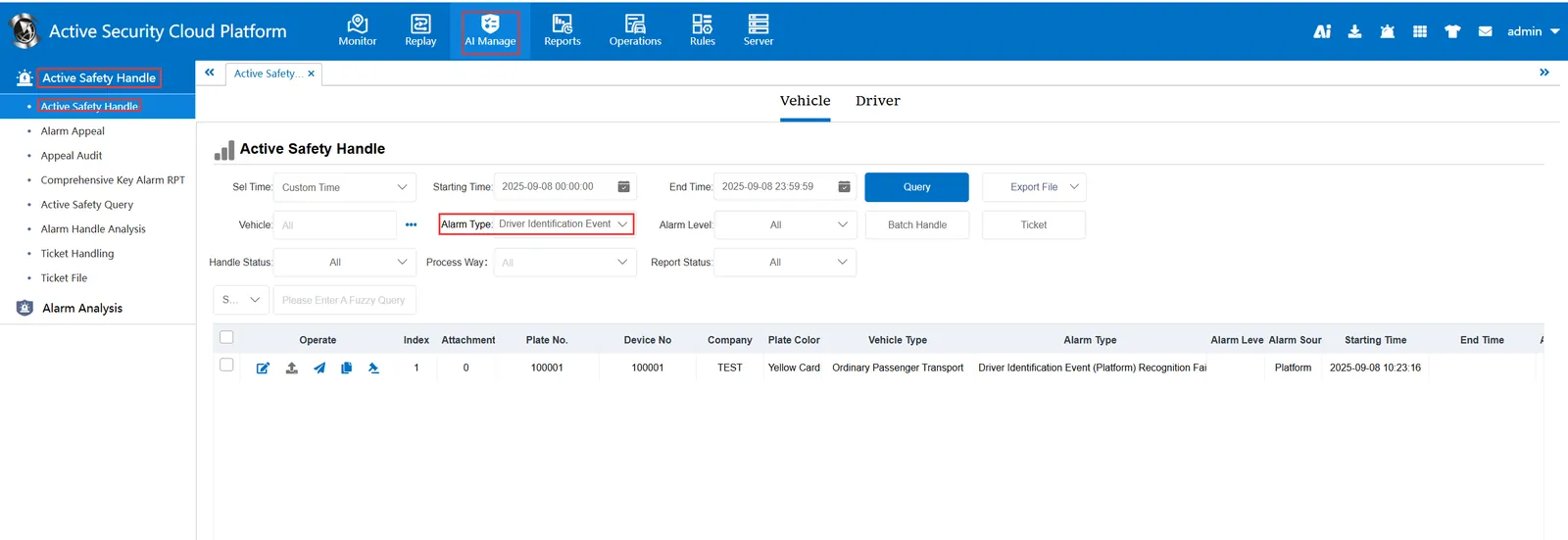
The alarm information is queried in the report of "Safety Management"- "Active Safety Alarm Processing"- "Active Safety Alarm Processing", and the alarm type is selected as "Driver Identification Event (Platform)"