1. Function description
After the vehicle has been offline for a specified period, a corresponding offline alarm message will be triggered to remind the monitoring personnel or the vehicle owner to pay close attention to it.
Case: A car owner in Guangdong did not know about GPS disconnection and committed suicide by drinking pesticide after being fined.
2. operating instructions
2.1 basic information
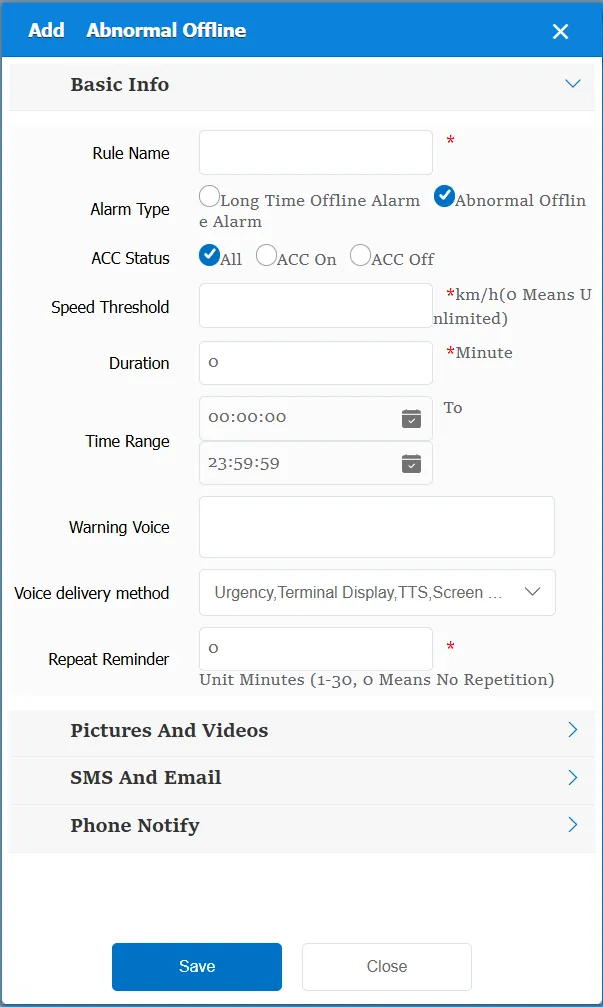
Rule Name: Customize, customize the name according to the actual situation
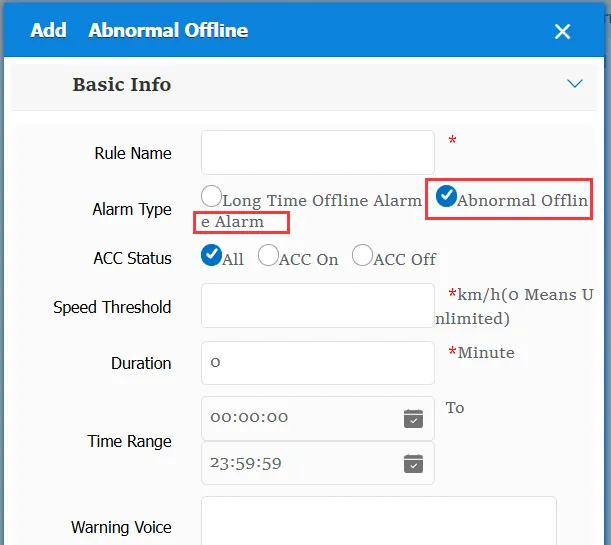
Alarm Type:
Long- term offline alarm: only the corresponding reminder message is generated according to the offline duration.
Abnormal offline alarm: At this time, you need to specify the ACC state that triggers the alarm and the speed threshold. The alarm will be generated only when the ACC state and speed value are met.
Duration: the user- defined duration threshold. If this value is exceeded, an alarm will be triggered if the condition is met.(Excluding the time when the gateway determines that the vehicle is offline. For example, if the vehicle is the last GPS at 11:20:00 and goes offline three minutes later, and the rule is set to be offline for 5 minutes, the rule offline alarm will not be generated until 11:20:00)
Time Range: the time period when the rule takes effect.
Alarm Voice: the text message sent to the device when the alarm is triggered.
Repeated Reminder: During the alarm continuation phase, an alarm voice is sent to the device every specified time.
Match all vehicles:
No: Only valid for vehicles assigned by this rule
Yes: this rule is effective for all vehicles of the company.
Global Share:
No: Only visible to this company
Yes: visible to all companies on the platform
2.2 alarm information display
Vehicle bubble box alarm display:
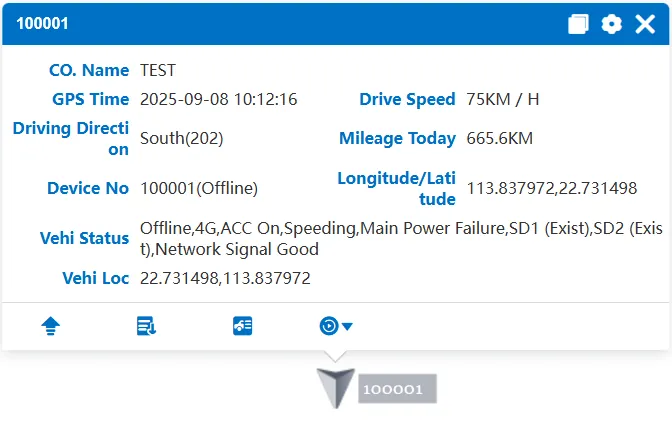
The vehicle is offline and the alarm is not displayed in the bubble box
alarm center alarm display:
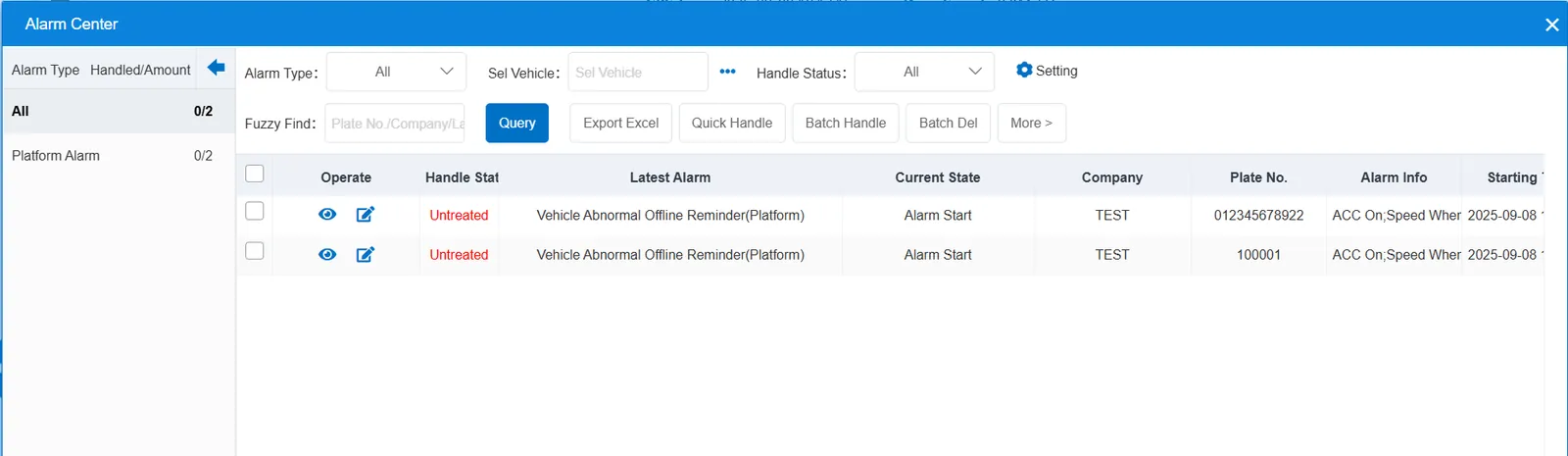
2.3 alarm information query
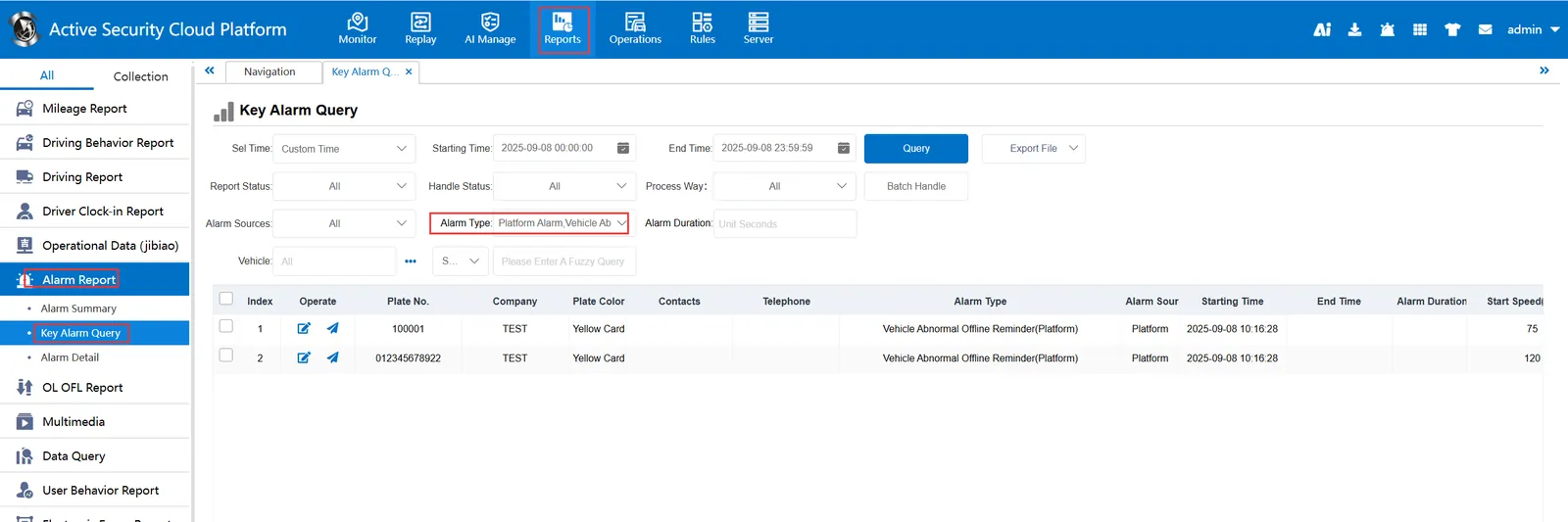
When querying alarms, you can select "Vehicle Abnormal Offline Reminder(Platform)" for "alarm type" in the "Reports"- "Alarm Report"- "Key Alarm Query" report