1. Function description
This module is used to manage vehicle oil card files and consumption records. It supports new entry, viewing details, modification, correction, deletion and removal of oil card information, viewing top-up consumption details of oil cards, and exporting Excel forms with one click, which is convenient for enterprises to track oil card status, count consumption data and keep offline for archiving.
2. operating instructions
2.1 Oil card basic information
2.1.1 Add fuel card information
Click the "Add" button to pop up the add window. Enter the oil card information according to the page content. Items with a red asterisk (*) on the page are required. Please fill in completely. The requirements for filling the specific fields are as follows:
- Company: Click the drop-down menu to select the company to which the oil card belongs (required)
- Oil Card Number: Enter a unique number for the oil card (required)
- Oil station brand: Enter the oil station brand to which the oil card belongs (required)
- Card Date: Click the calendar icon on the right to select the actual card date (required)
- Oil Card Balance (Yuan): Enter the current balance of the oil card (required, numbers only)
- Handler: enter the name of the person currently entering or handling the oil card (optional)
- Remarks: Fill in other information that needs supplementary explanation (optional)
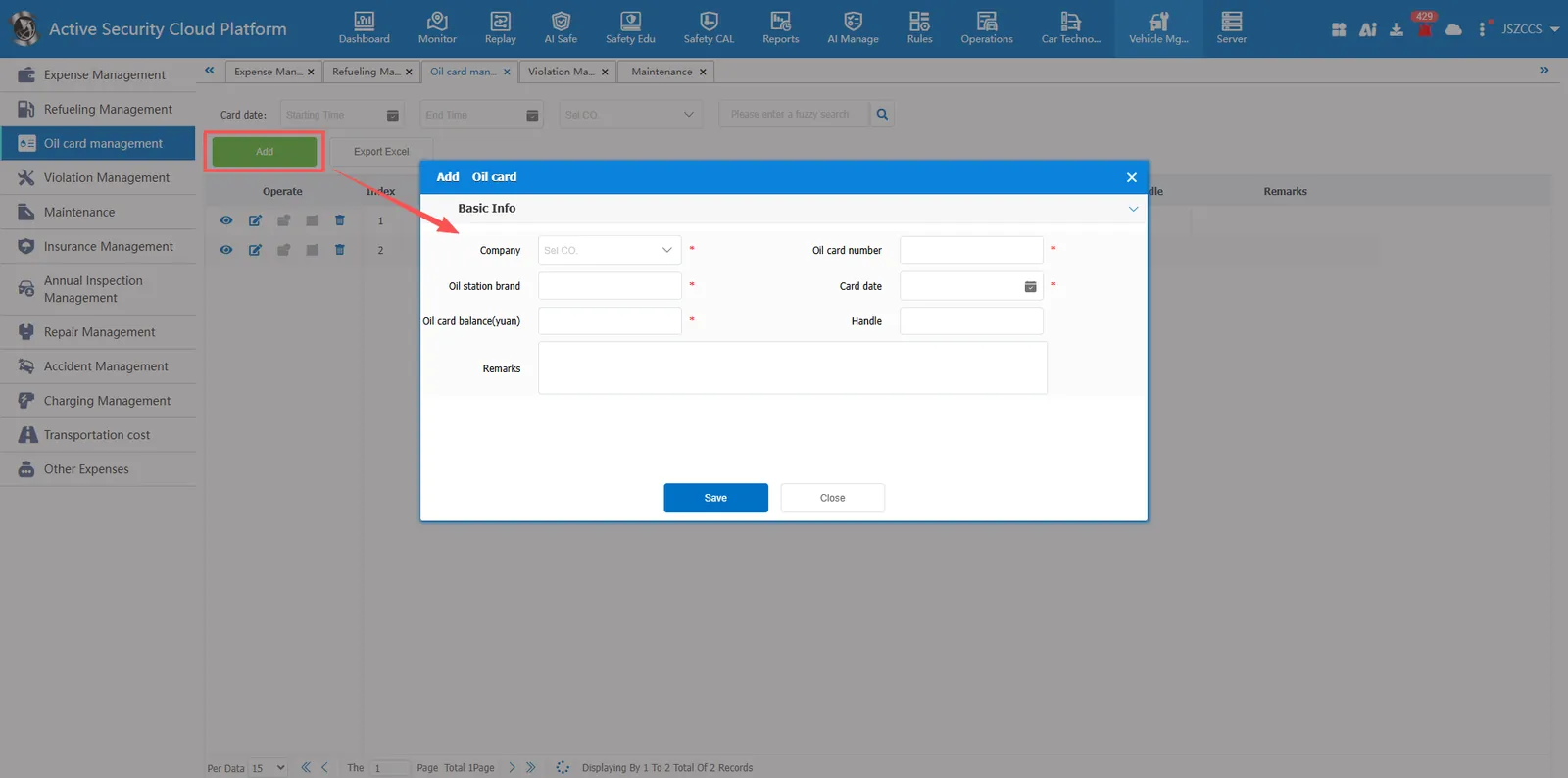
💡 Operation tip: after all the information is confirmed, click the "save" button at the bottom to complete the addition; Click the "close" button to abandon the current operation and exit the window
2.1.2 View Oil Card Information
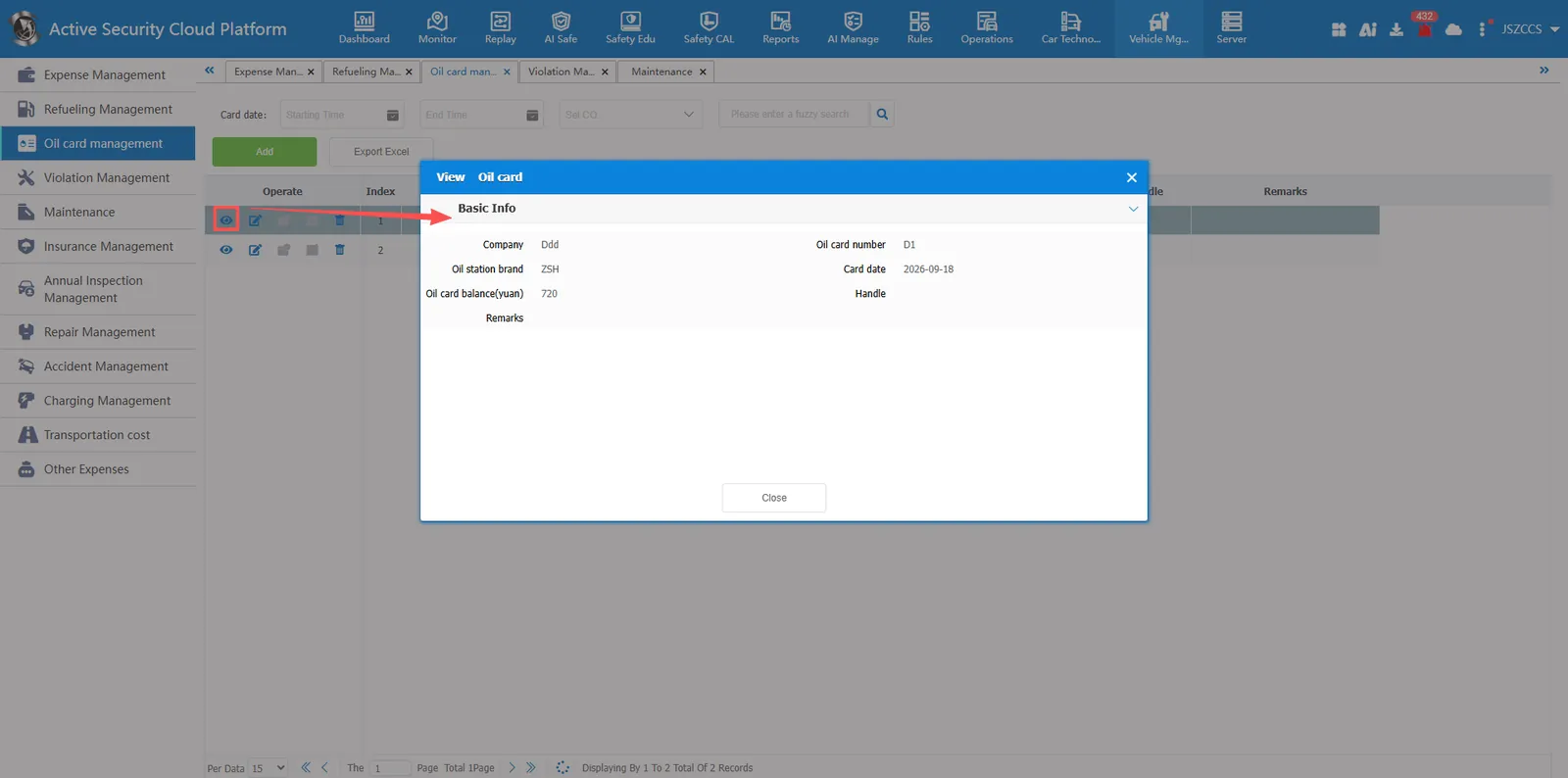
Click operation button, pop-up view window, you can query and browse the history of the basic information of the oil card registration.
2.1.3 Modify oil card information
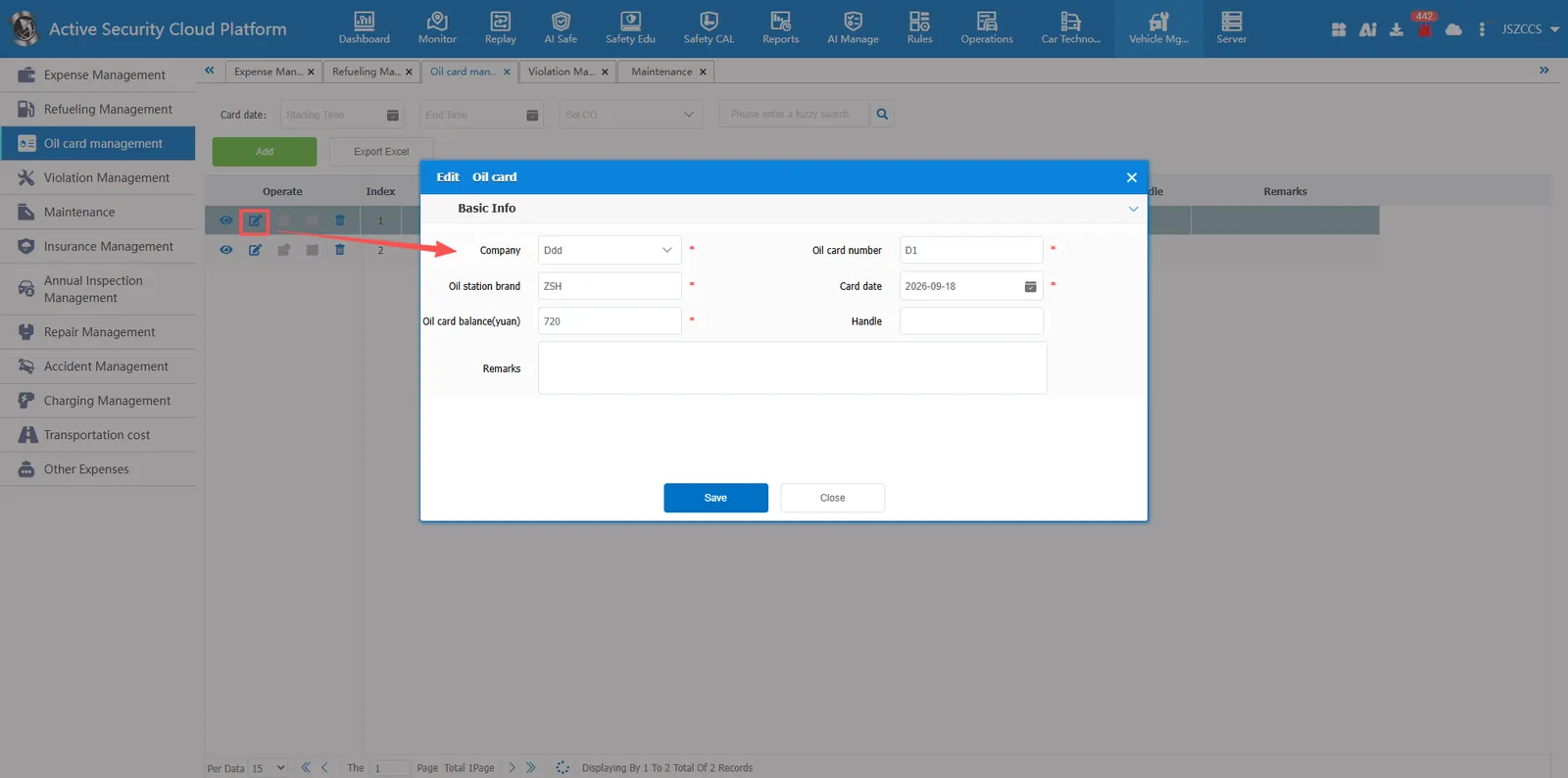
Click operation button, pop-up editing window, the registered record information update or edit correction.
2.1.4 Delete Oil Card Information
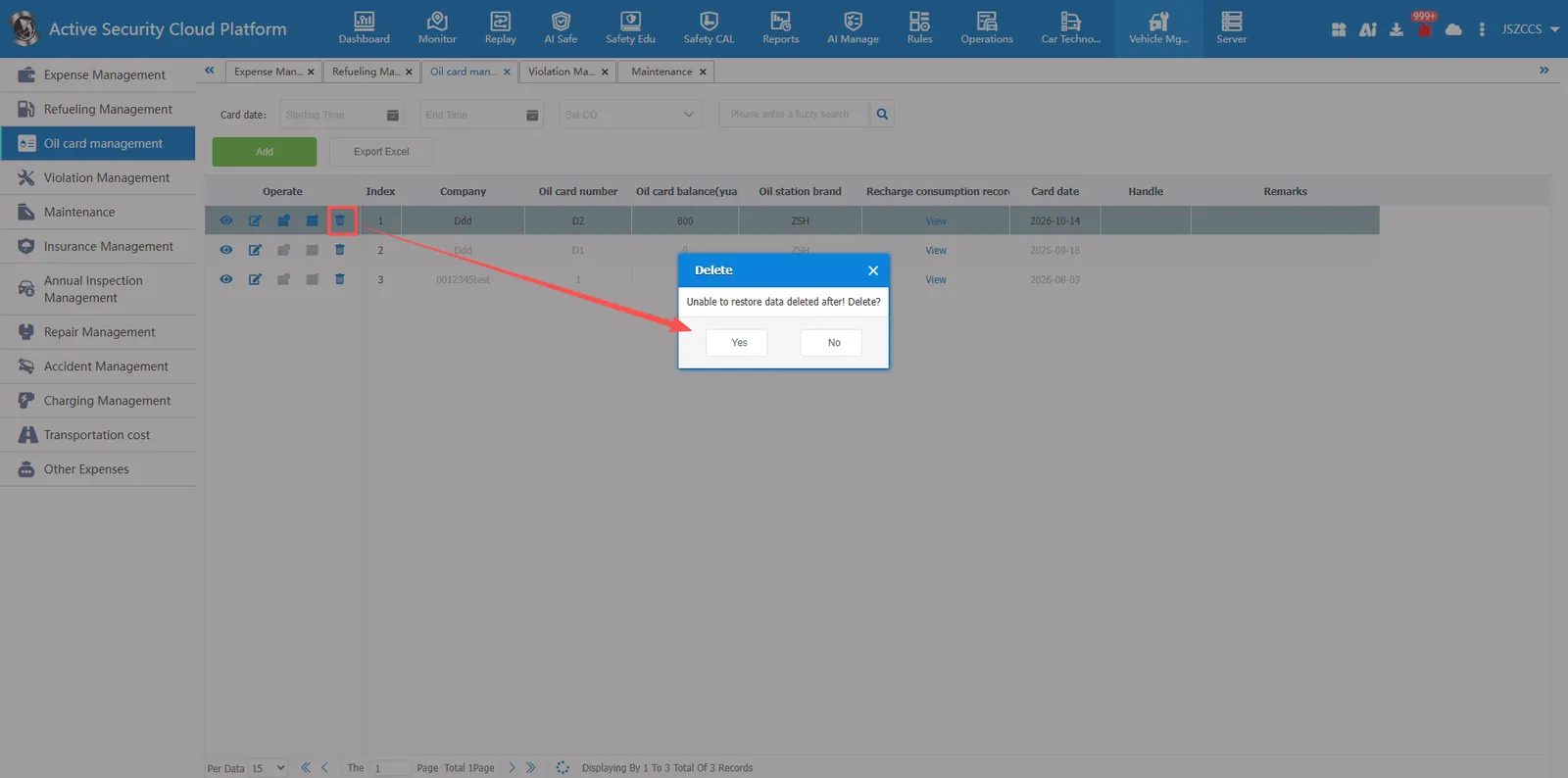
Click Operation button will pop-up the deletion confirmation window to remove invalid or incorrectly entered oil card records, and the data cannot be restored after deletion.
2.1.5 Export oil card information
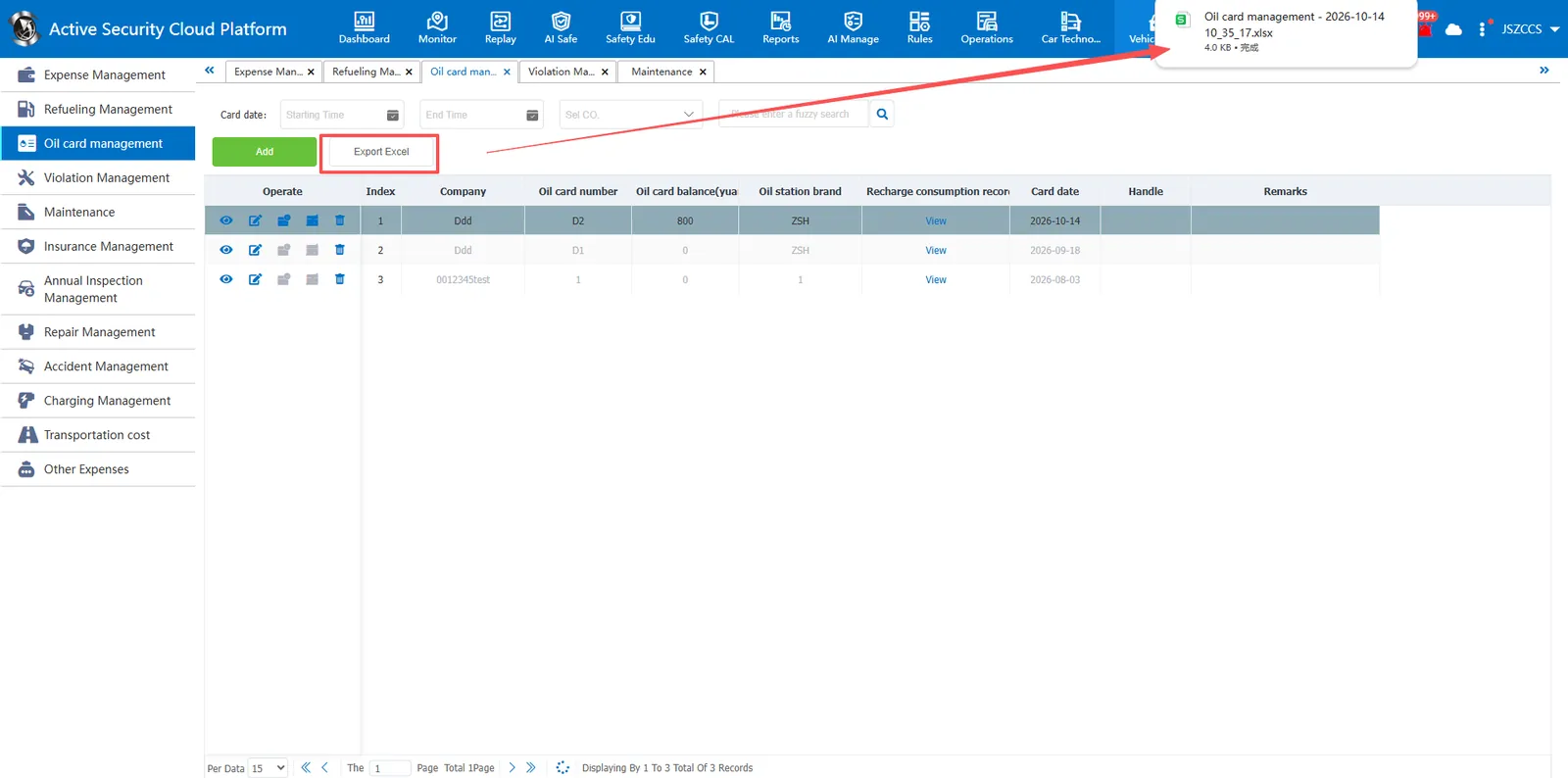
Click the "Export Excel" button, the browser generates a download task, and exports the oil card information to Excel files in batches, which is convenient for offline archiving or data statistics. Export of recharge consumption records is not supported.
2.2 Oil Card Recharge Consumption
2.2.1 Oil Card Recharge
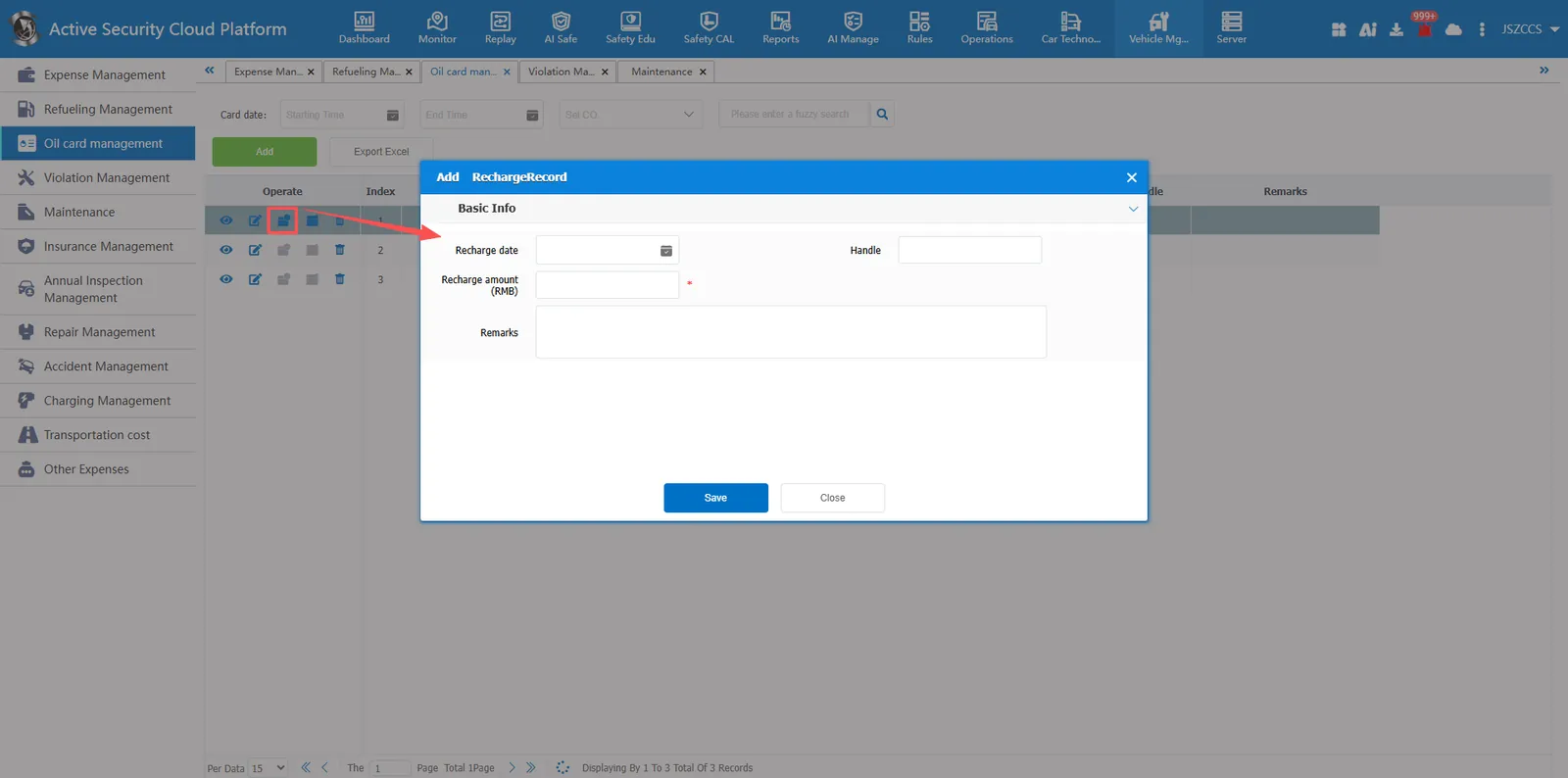
Click operation button, pop-up add window, according to the content of the page to enter the oil card information, the page with a red asterisk (*) is required, please be sure to fill in the complete. The requirements for filling the specific fields are as follows:
- Recharge Date: Click the calendar icon on the right to select the actual recharge date (optional)
- Handler: enter the name of the person currently entering or handling recharge (optional)
- Recharge Amount (Yuan): Enter the current recharge amount (required)
- Remarks: Fill in other information that needs supplementary explanation (optional)
2.2.2 Oil Card Refund
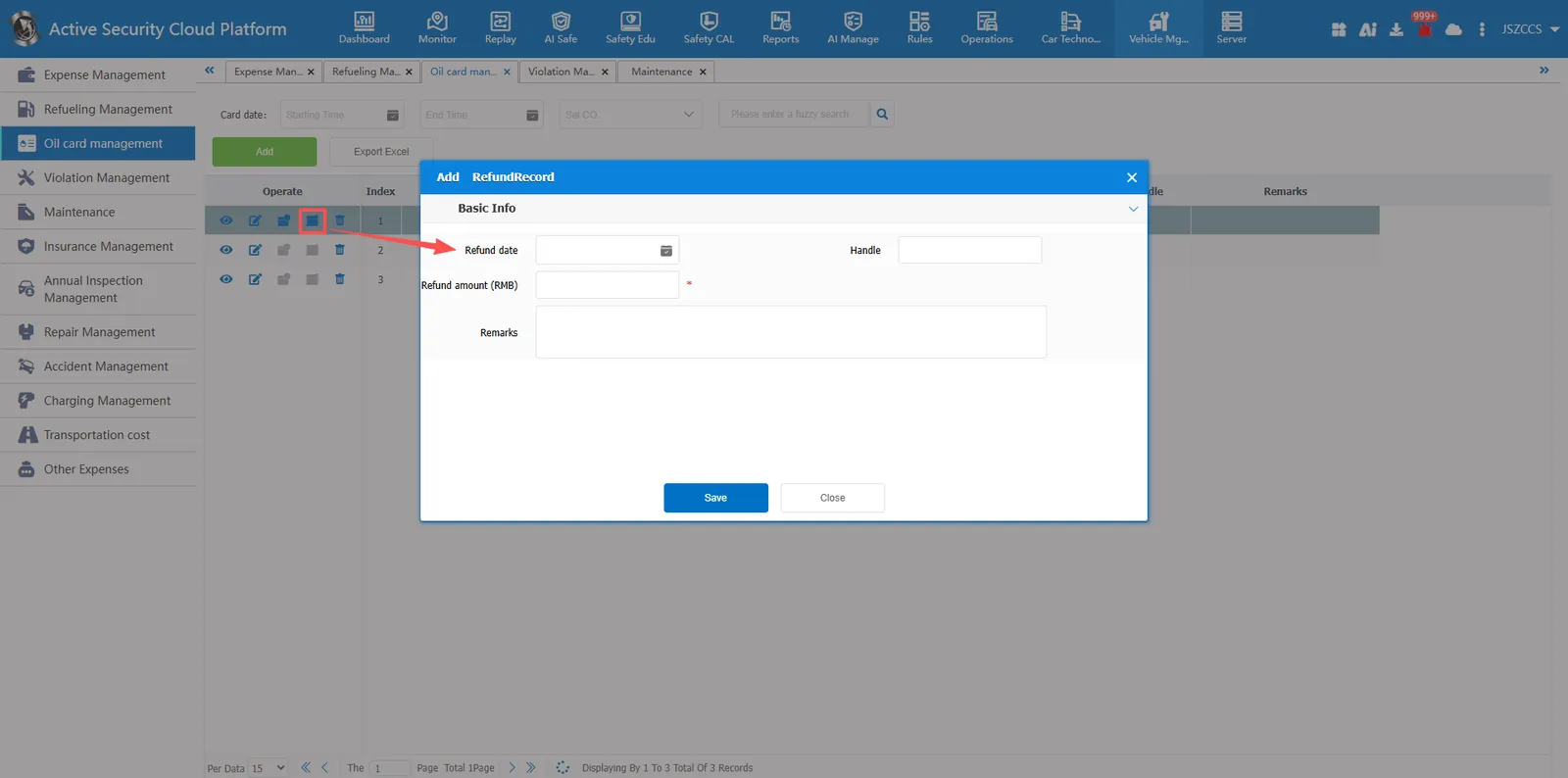
Click operation button, pop-up add window, according to the content of the page to enter the oil card information, the page with a red asterisk (*) is required, please be sure to fill in the complete. The requirements for filling the specific fields are as follows:
- Refund Date: Click the calendar icon on the right to select the actual refund date (optional)
- Handle: enter the name of the person currently entering or handling refund (optional)
- Refund Amount (RMB): Enter the current refund amount (required)
- Remarks: Fill in other information that needs supplementary explanation (optional)
2.2.3 View Recharge Consumption Records
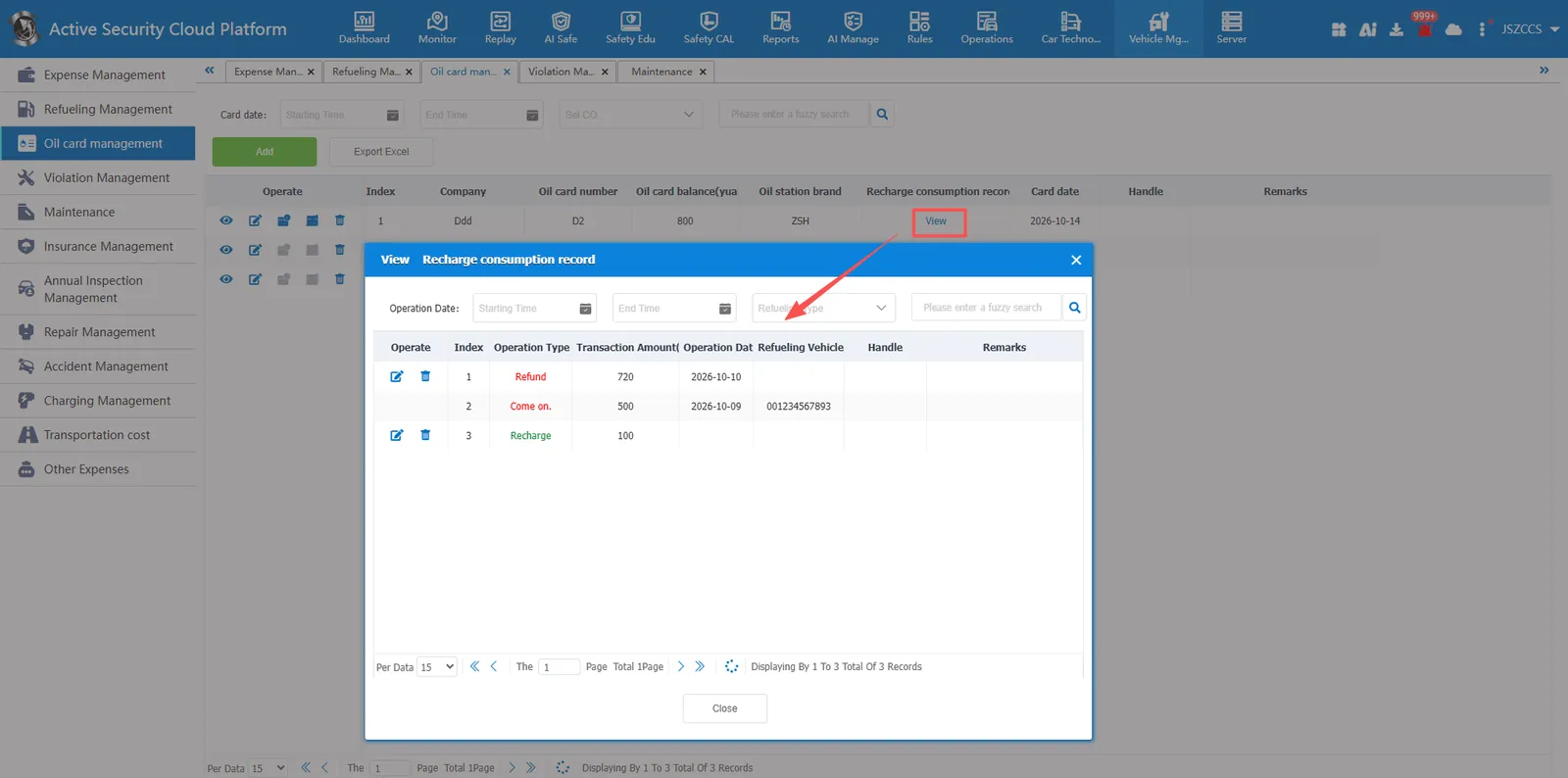
Click the "View" button in the oil card list to pop-up the "View Recharge Consumption Record" window. The top of the window supports fuzzy search by operation date, refueling type and keyword. The list below will display the transaction details of the fuel card, including operation type (recharge, refund, refueling), transaction amount (yuan), operation date, refueling vehicle, handling person and comments.
Support editing and modification of recharge and refund records. The refunded oil card cannot be recharged again.