1. Function description
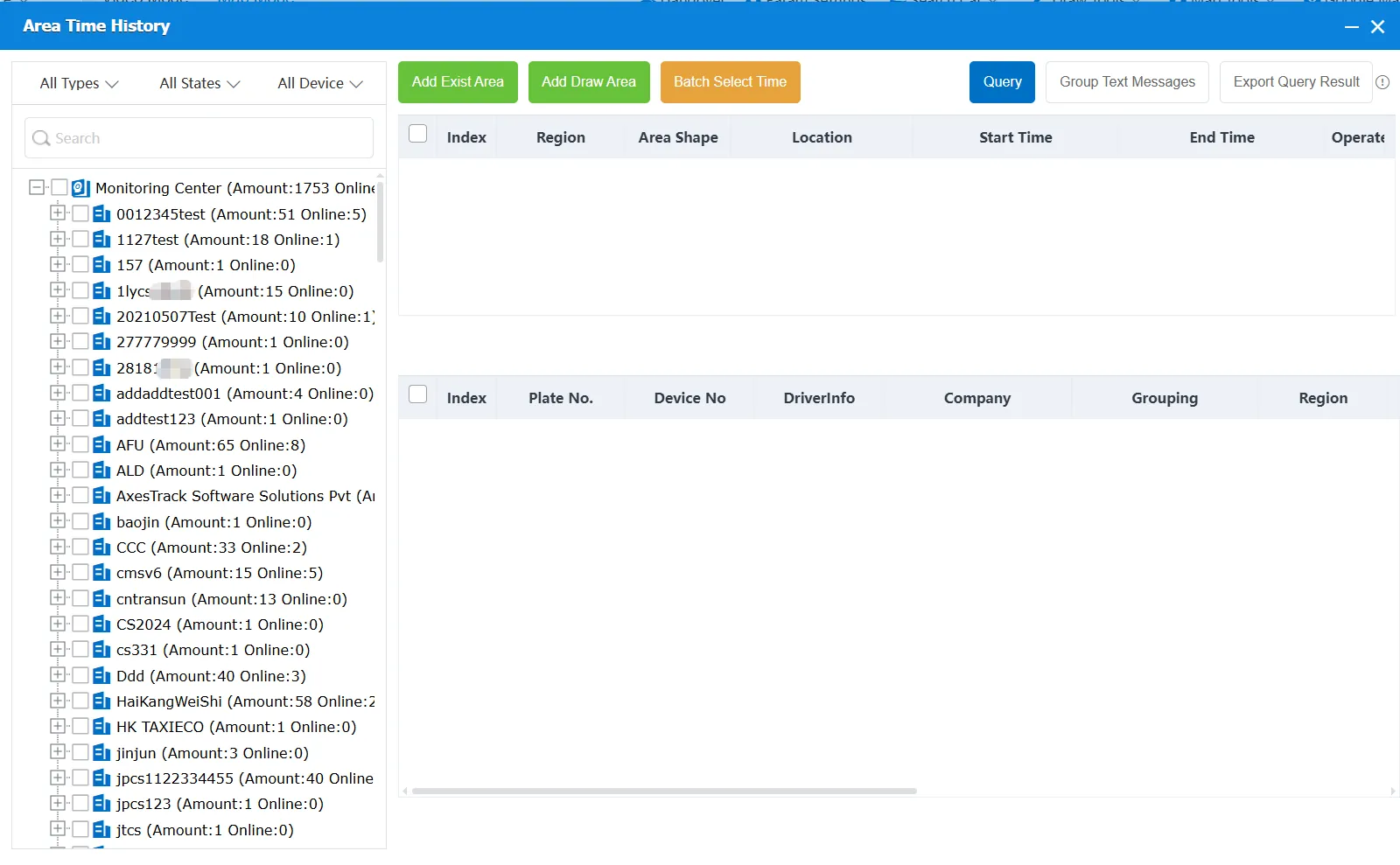
Encircle multiple areas on the map or select existing areas to find vehicles that have passed through the area in multiple historical time periods.
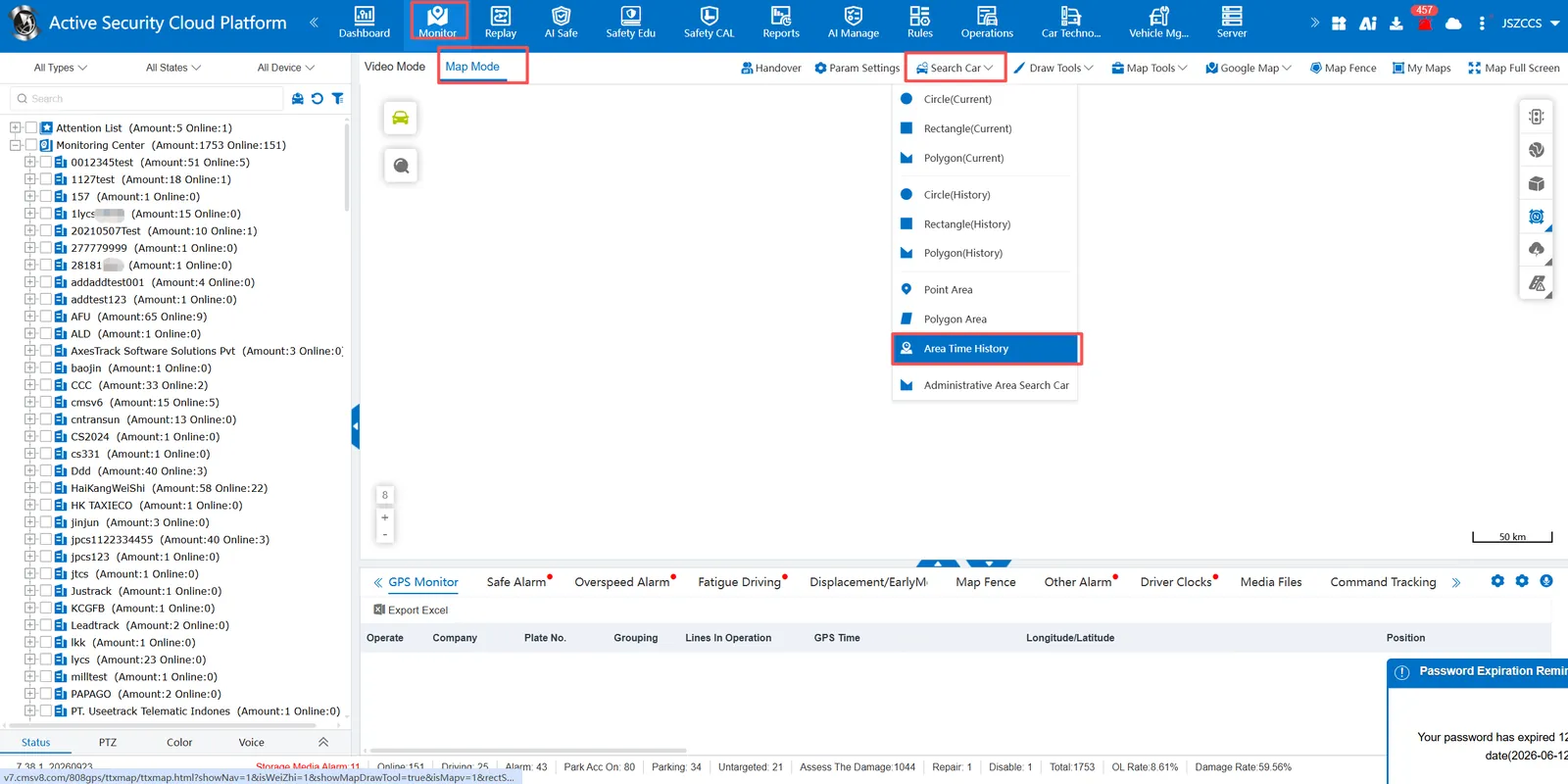
In the map mode of real- time monitoring, click car check to select area time history car check
2, operating instructions
2.1 query operation steps
2.1.1 Select the area
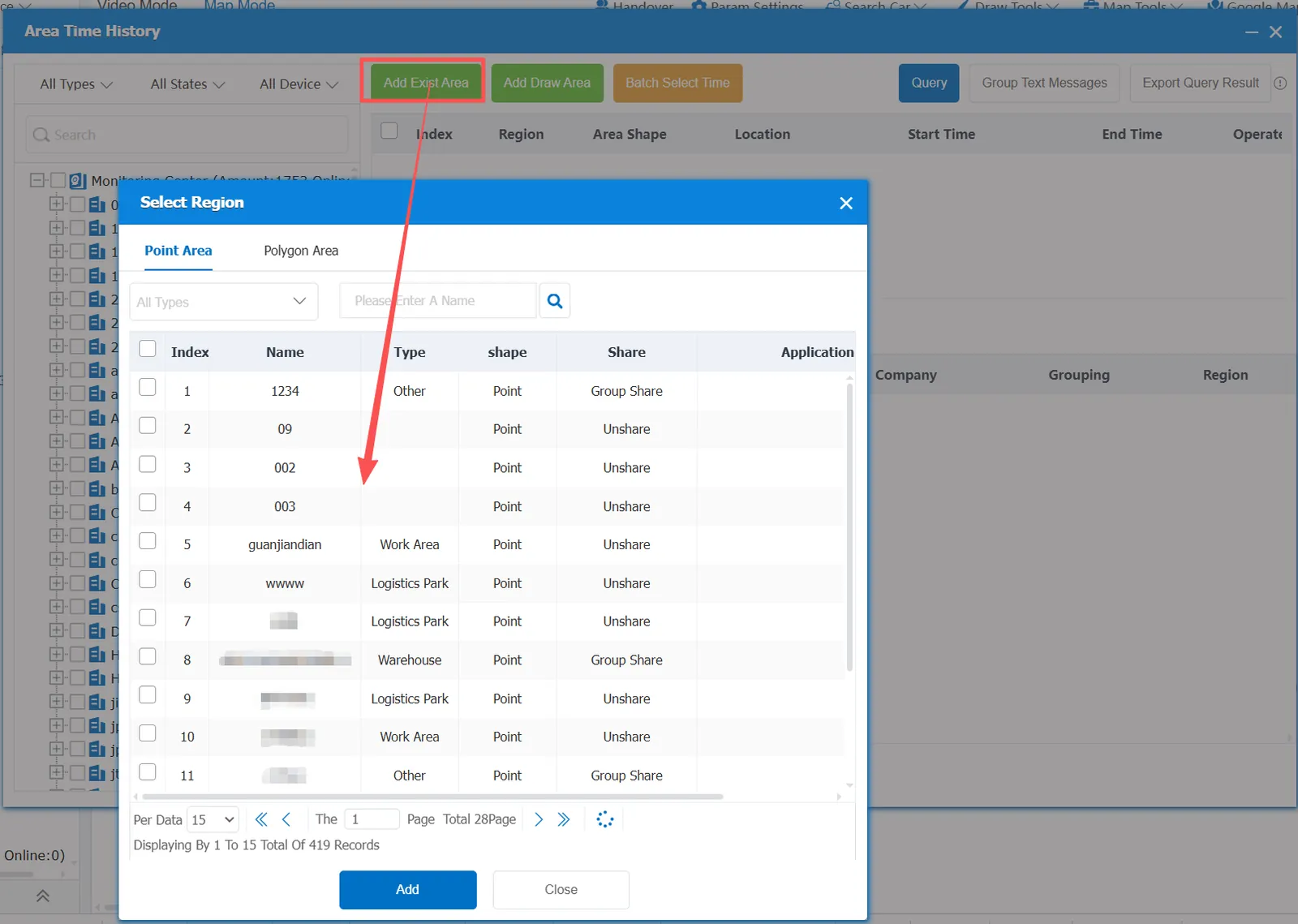
you can select the platform to add the existing area, you can select the point area or the surface area
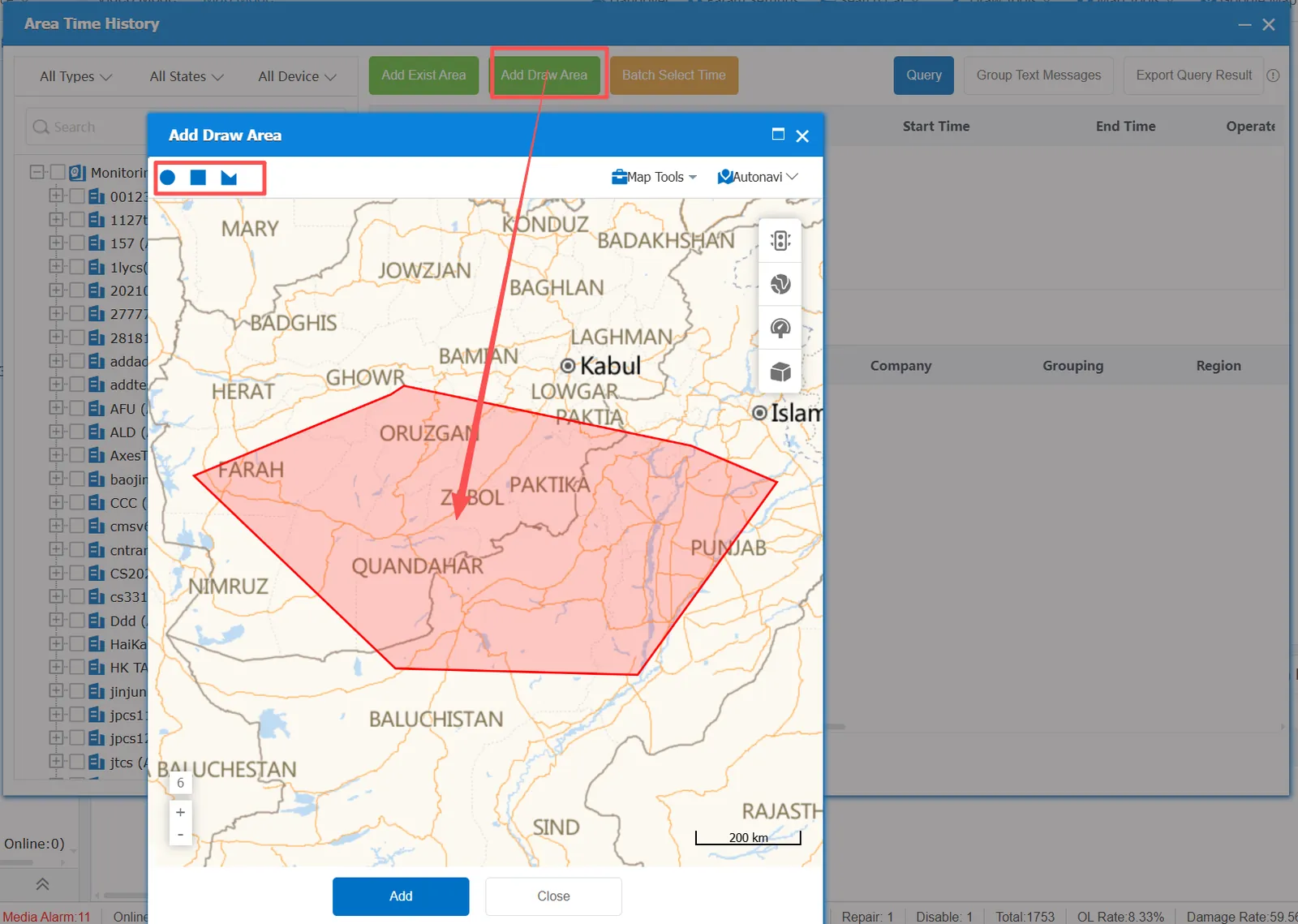
You can also choose to add a new drawing area, there are circles, rectangles, polygons
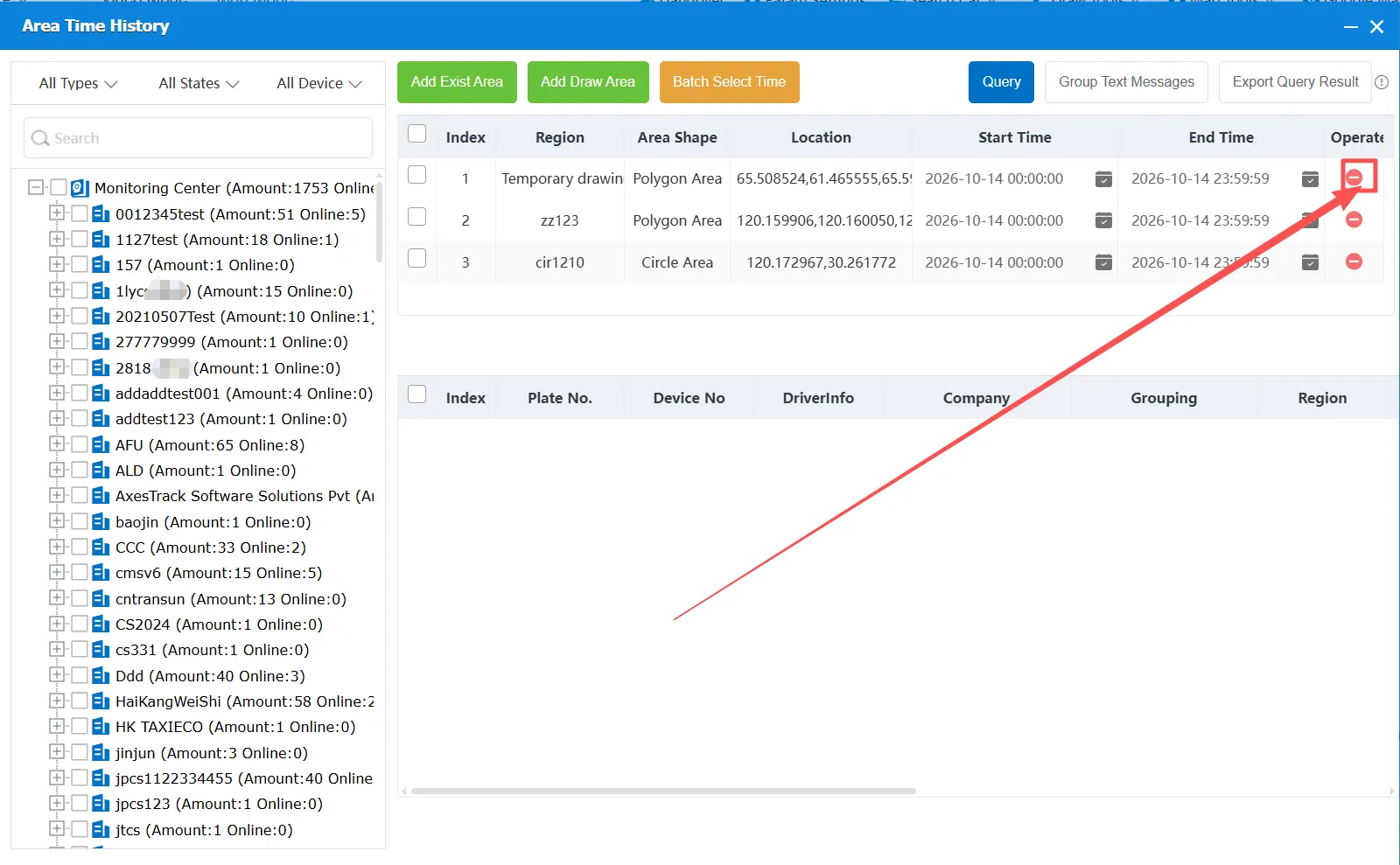
Click on the right➖Can delete added area
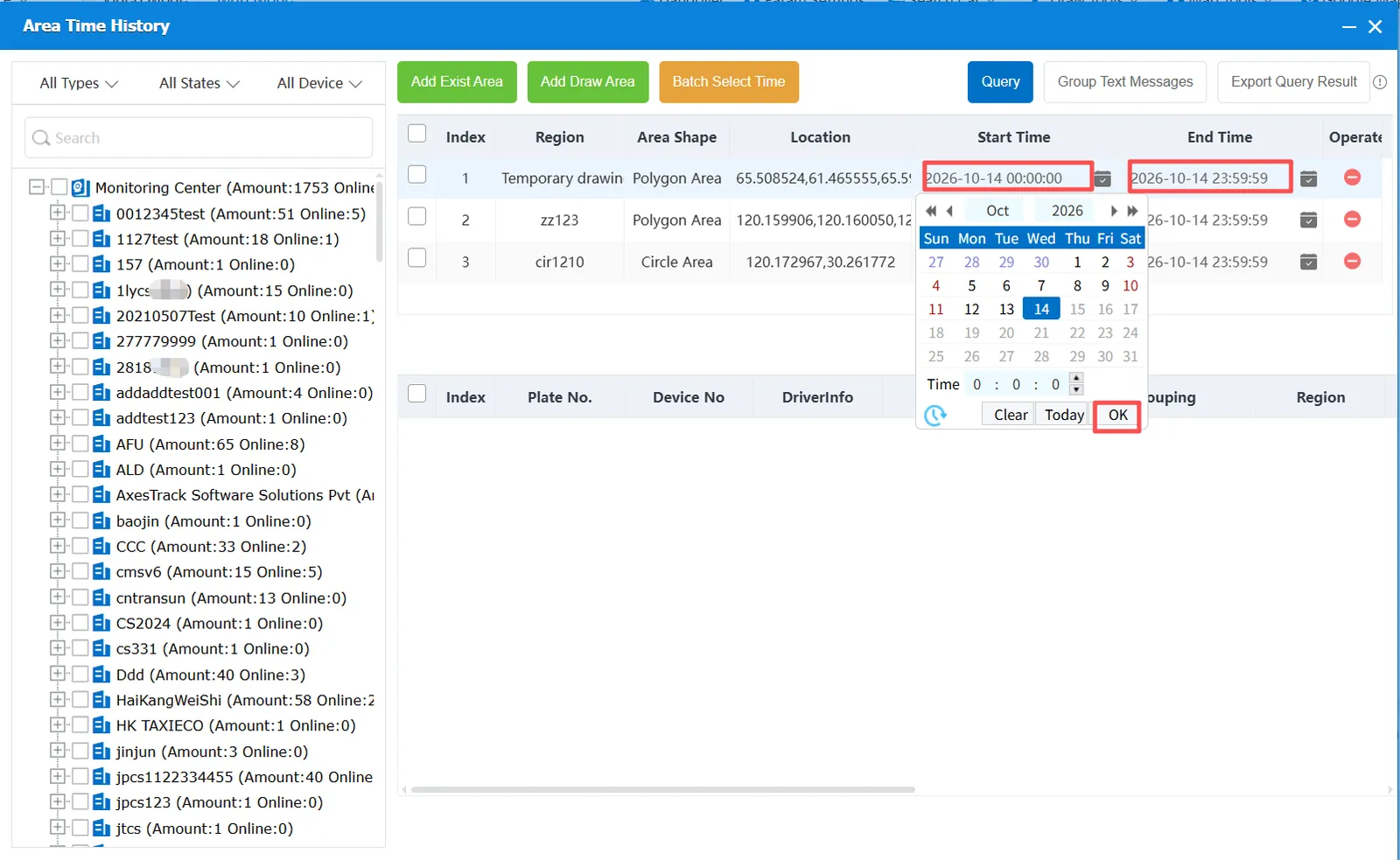
2.1.2 Select Time
Click the date to filter the time, the start to end time can not exceed 7 days
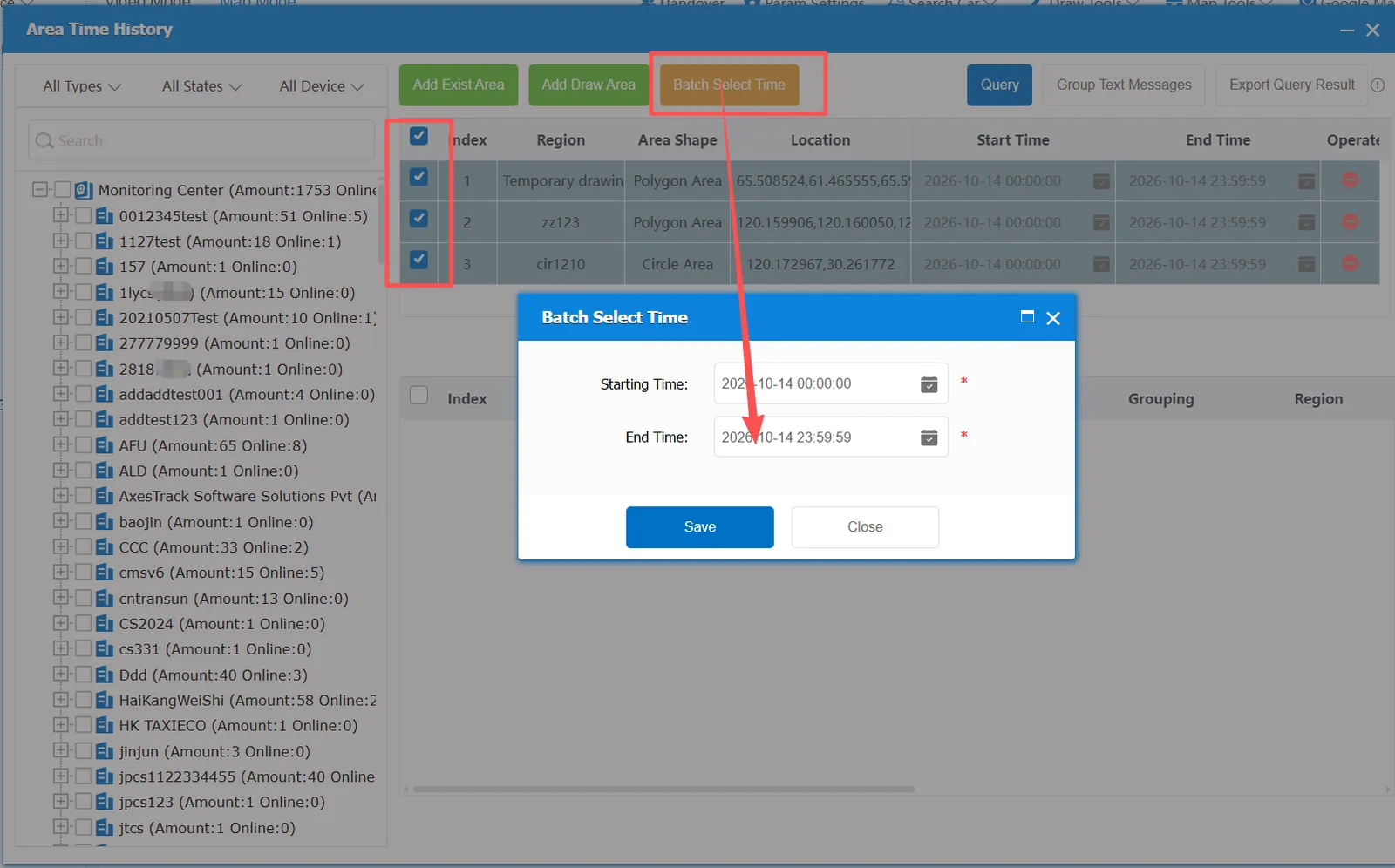
You can also check multiple areas to select time in batches.
2.1.3 Select Vehicle
Select the vehicle to be queried in the monitoring center on the left.
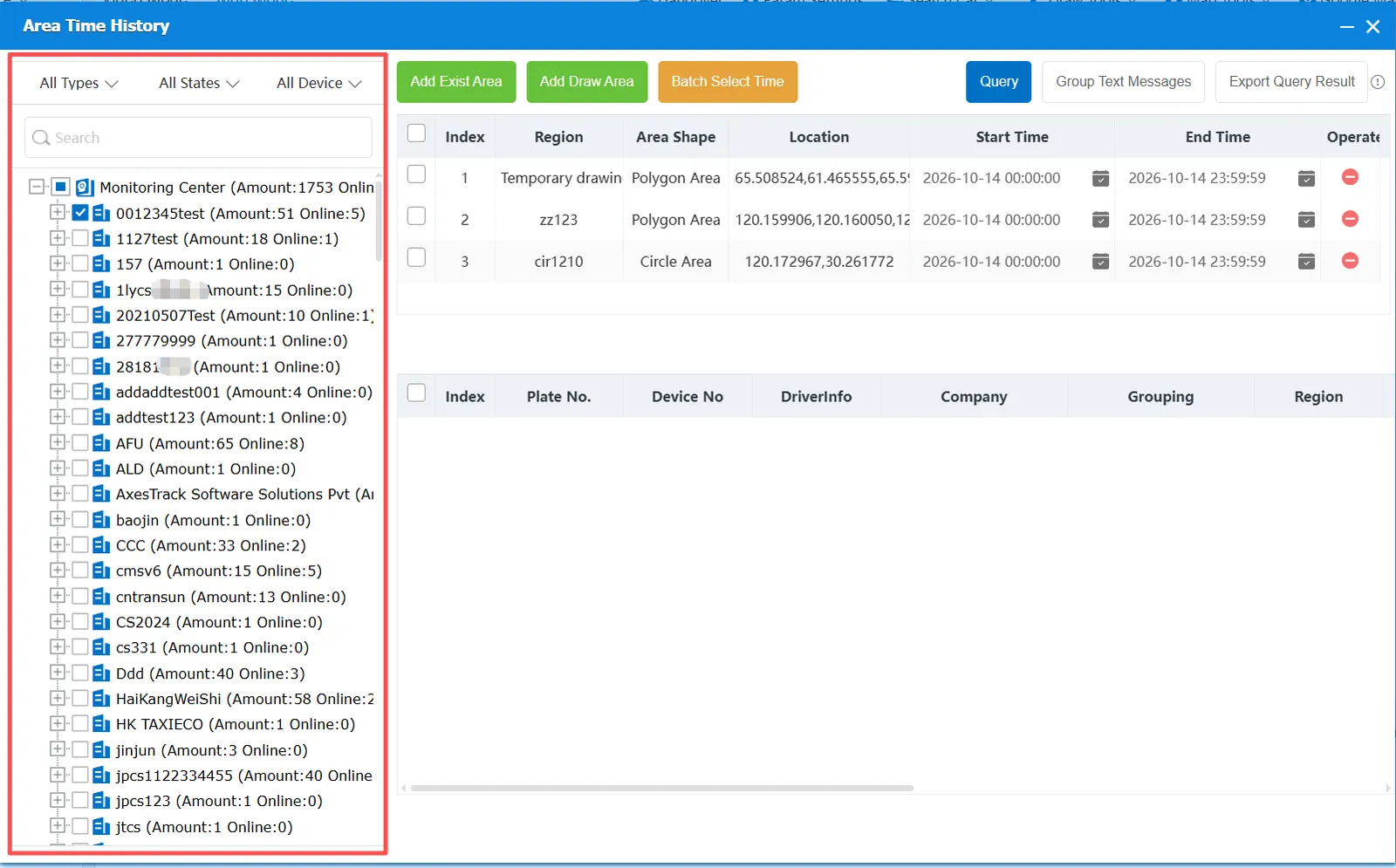
2.1.4 Select Query
Select the area and time, and the vehicle to be queried, and click Query
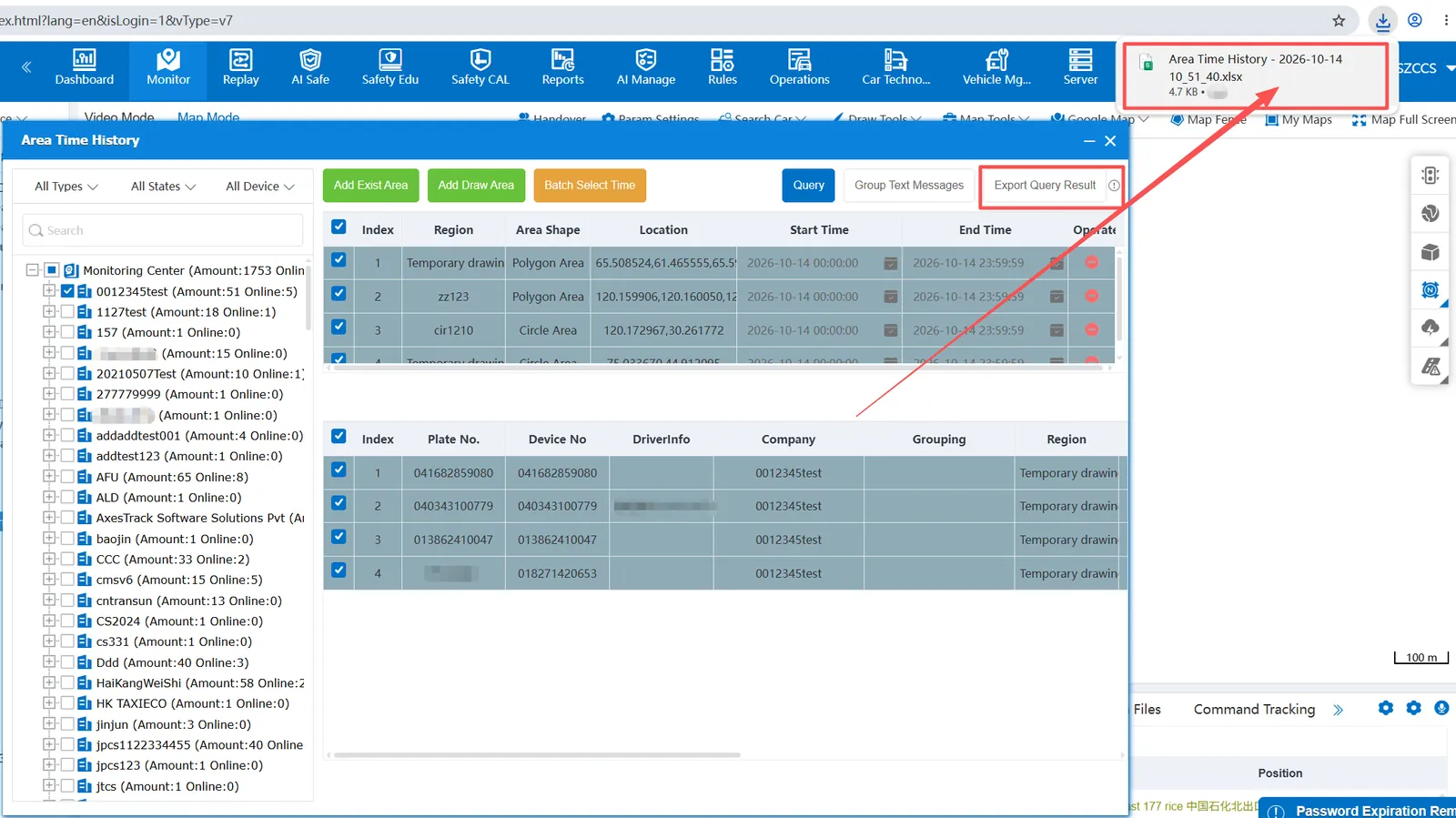
The selected area and the vehicles passing through the specified time will be queried, including license plate number, equipment number, driver information, affiliated company, area name, entry time, departure time, departure location and stay time information.
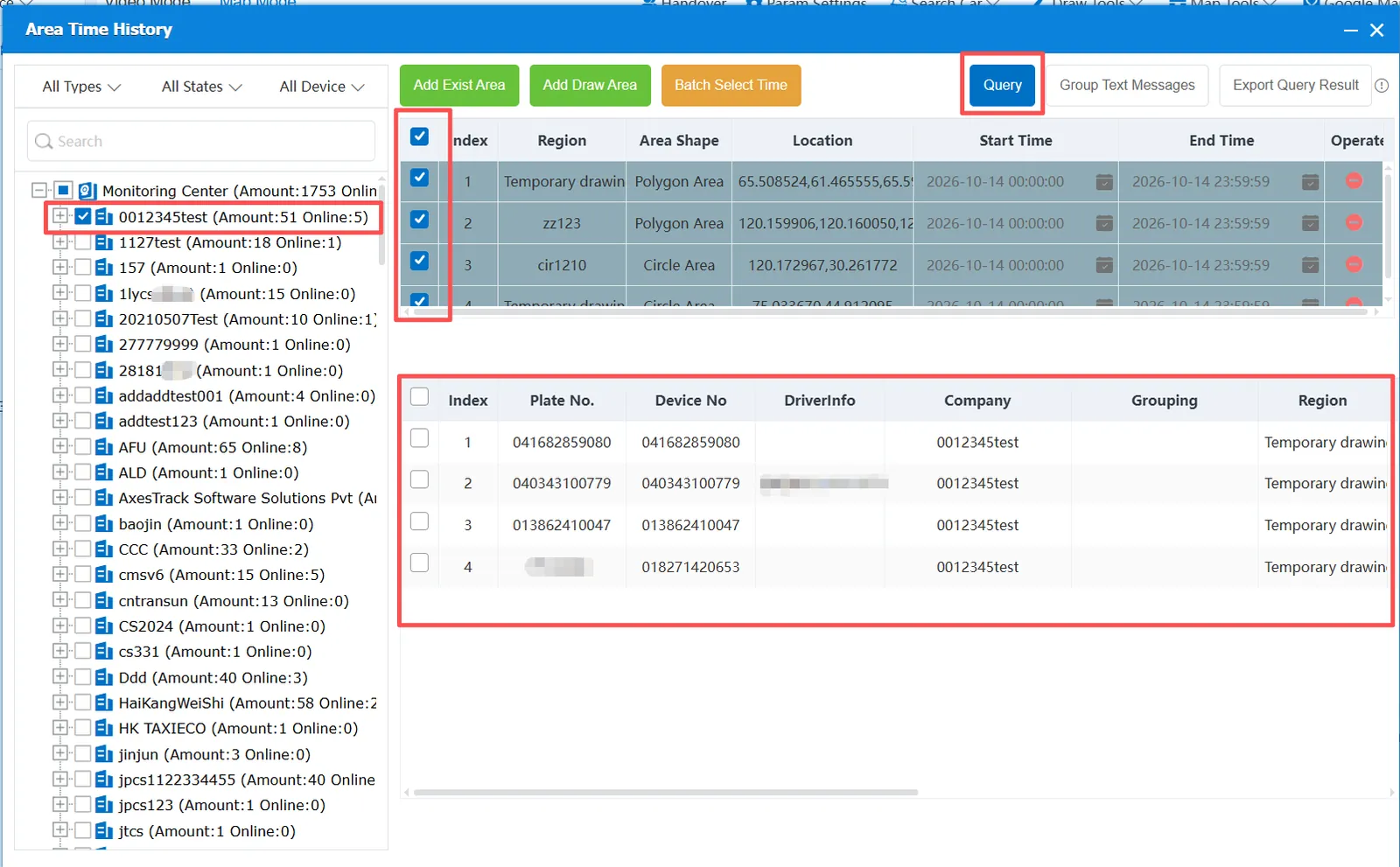
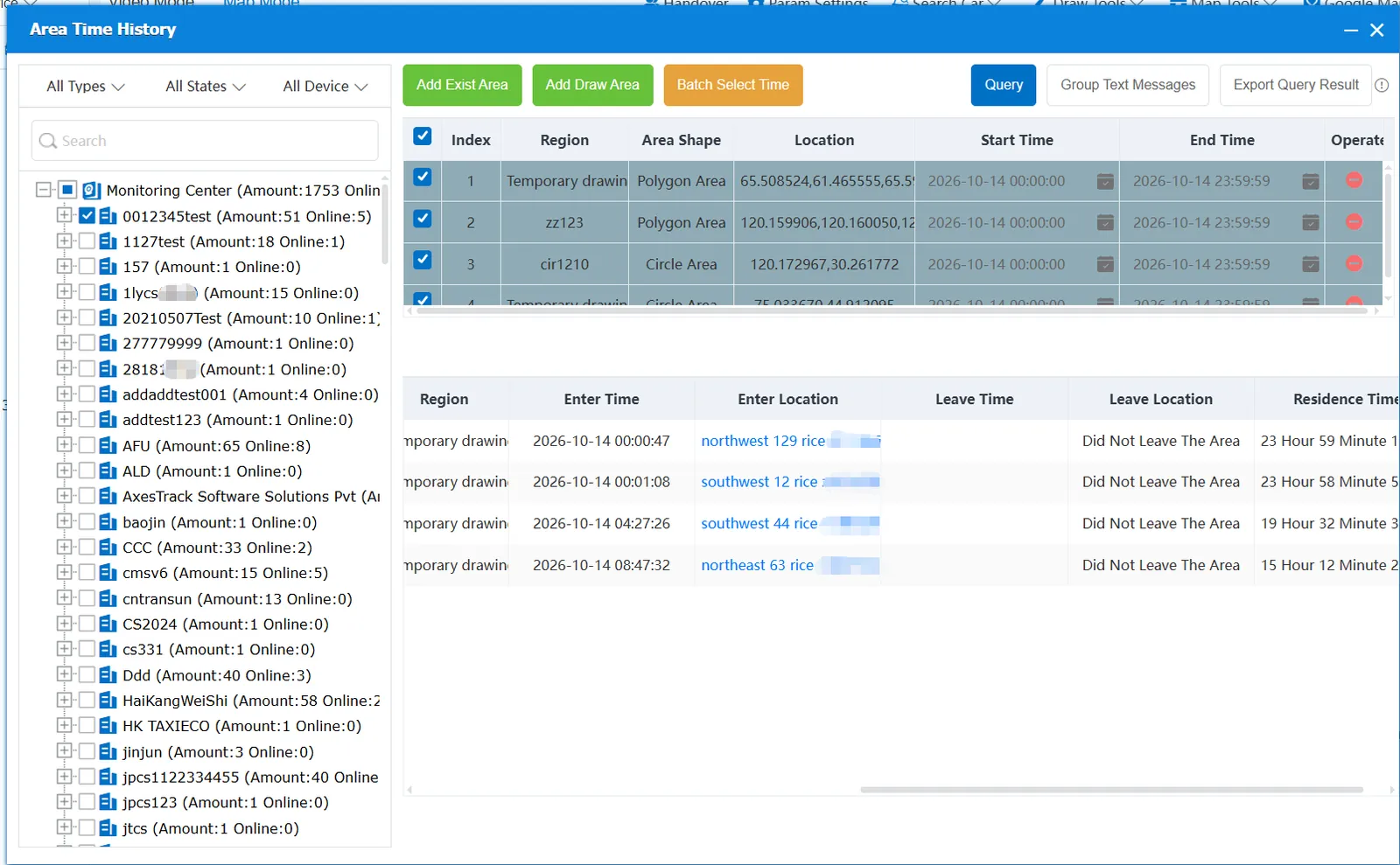
2.2 group text message
Check the queried vehicles and click the group text message in the upper right corner to send a group text message.
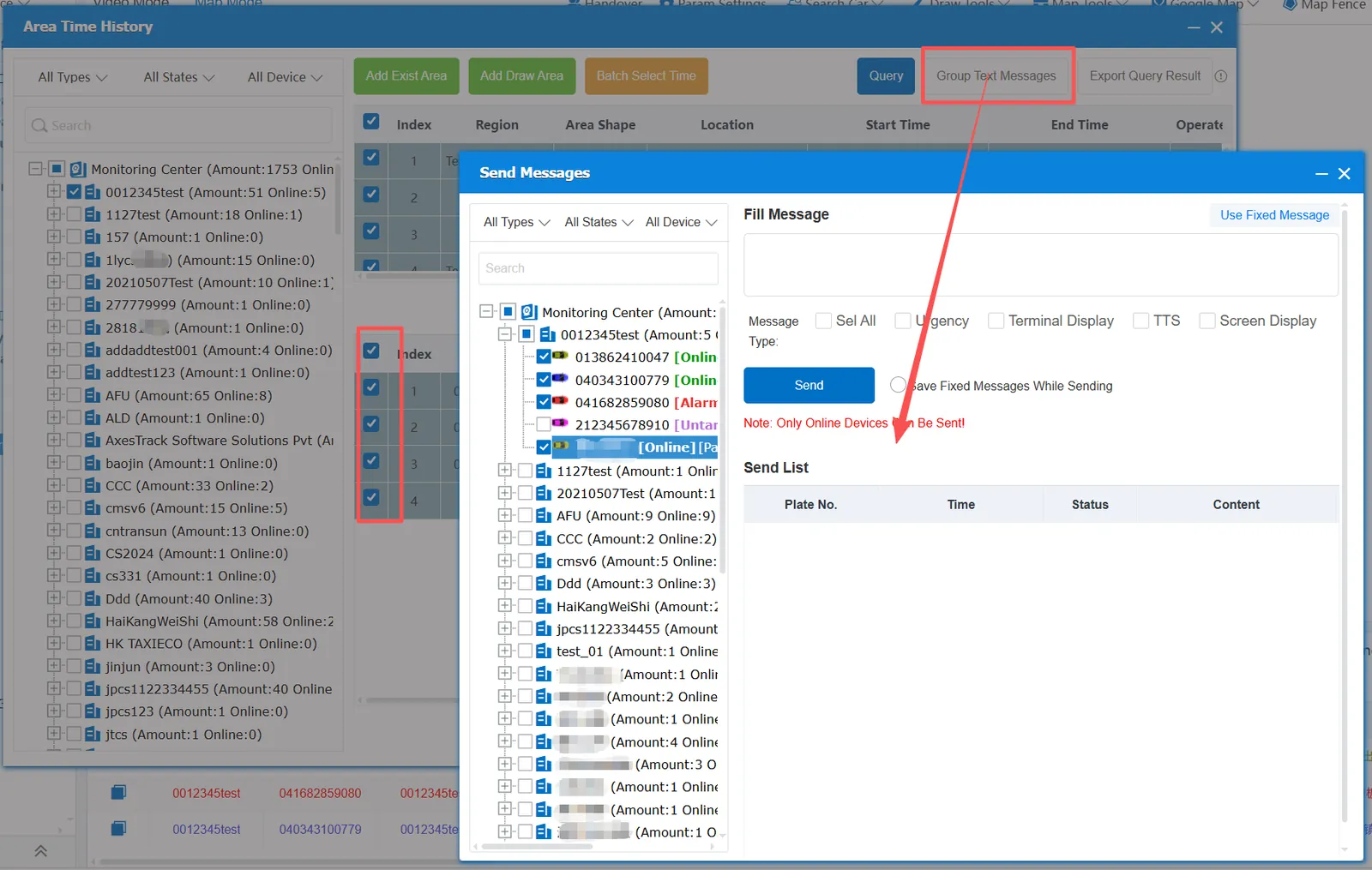
2.3 export query results
Click Export Query Results to download all the found data. xlsx files in the browser.