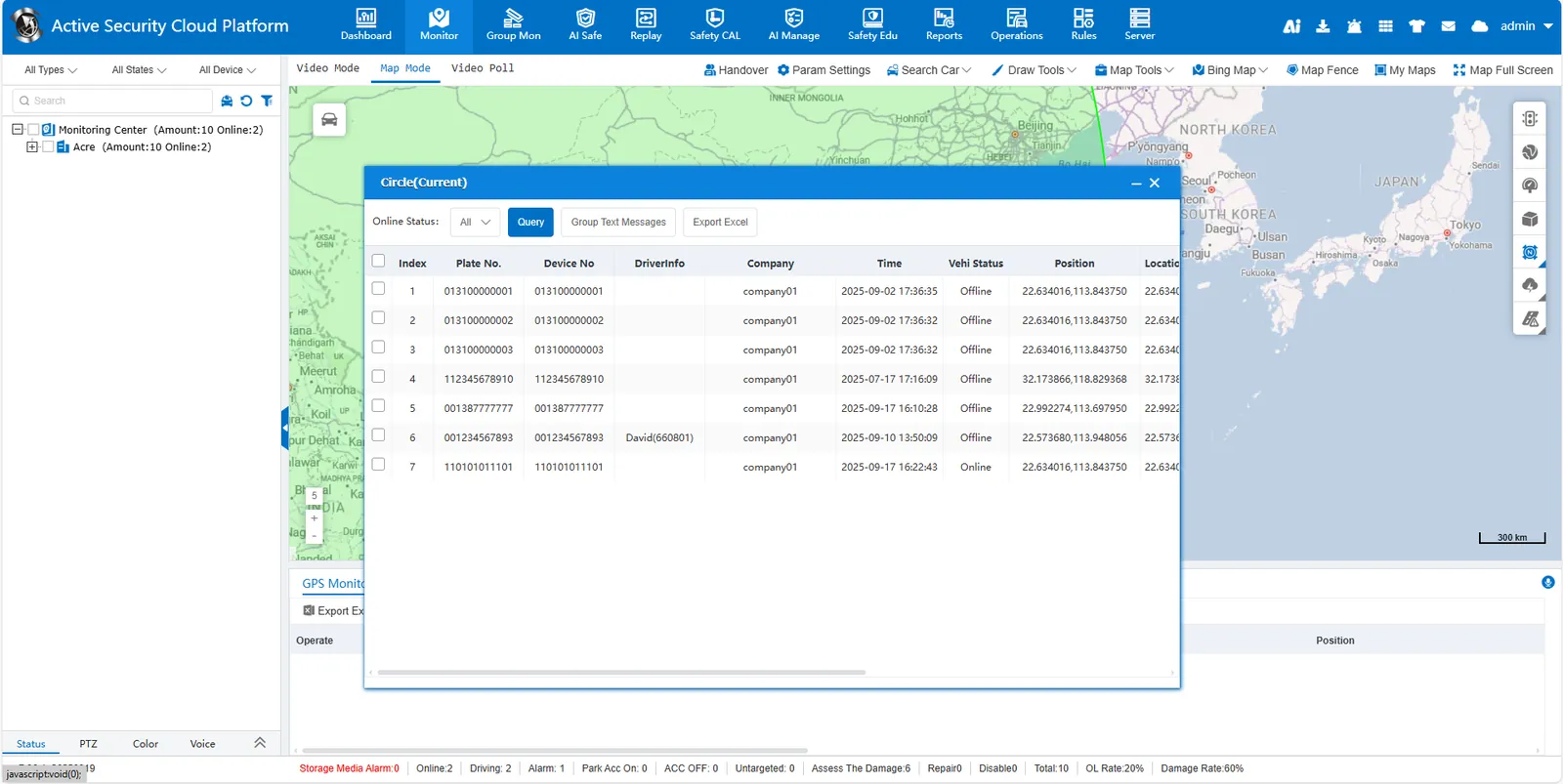
1 Function description
Circle an area on the map to find vehicles currently in the area
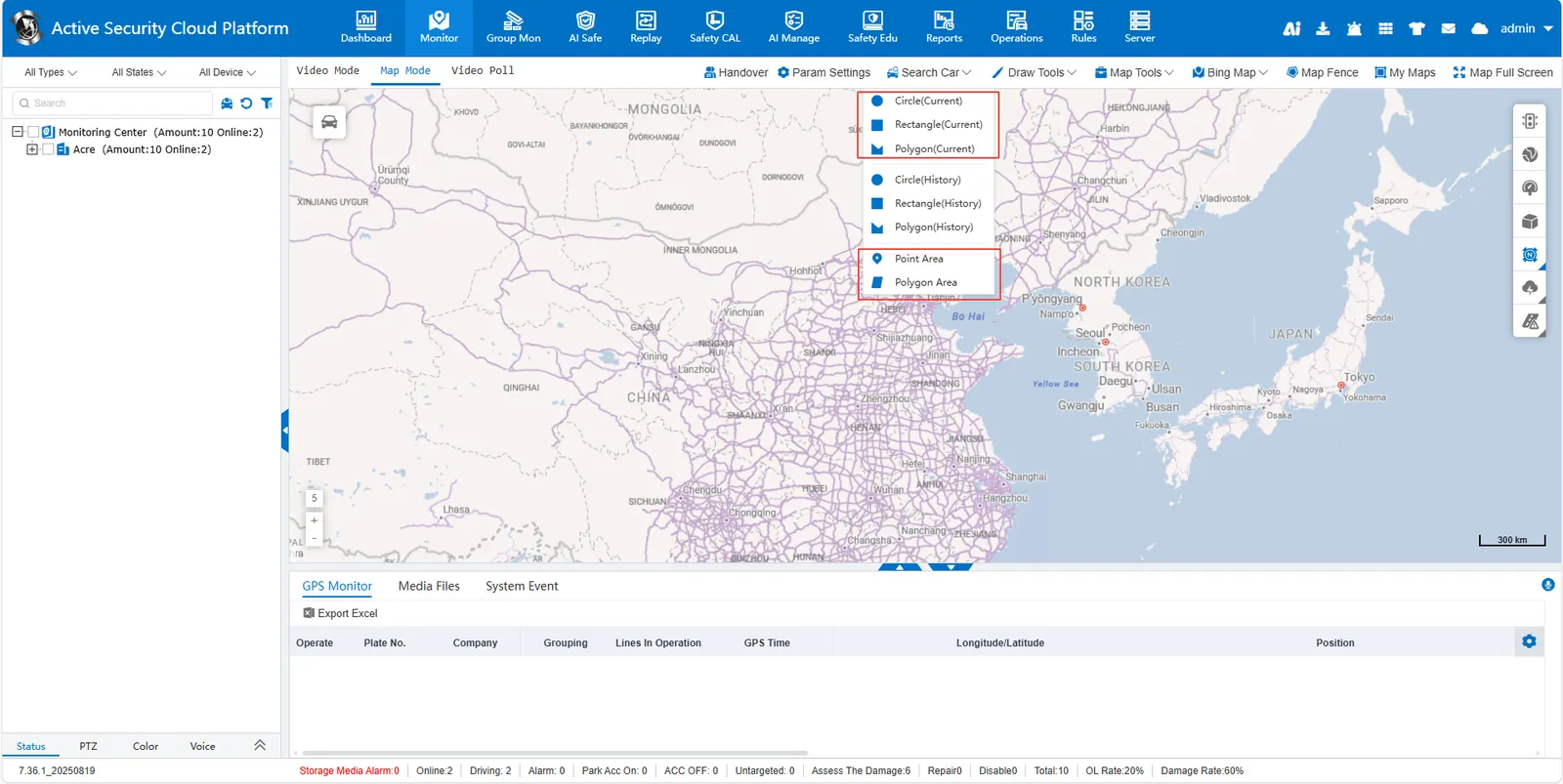
2 operating instructions
Click [Search Car], select Circle(current)/Rectangular(current)/Polygonal(current), and then delineate the area on the map, or select Point Area/Polygon Area in the pop- up window to select the area and query the vehicles currently in the area. Users can send group text messages and export Excel.