1. Function description
The device has a fixed wireless site. When the vehicle enters the designated site and connects to wifi, the files on the device will be automatically uploaded to the server through wifi.
See document:WiFi Download Server Configuration
2. operating instructions
2.1 basic information
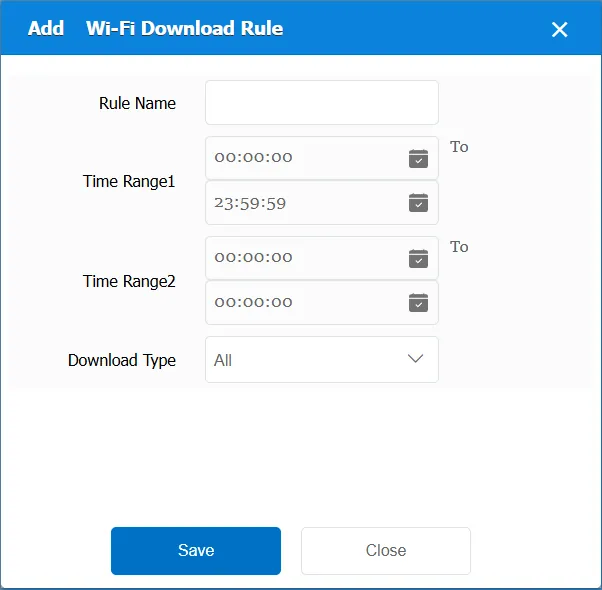
Rule Name: Customize, customize the name according to the actual situation
Time Range 1: the time period when the rule takes effect 1
Time Range 2: the time period when the rule takes effect 2
Download Type:
All: This item is invalid, regardless of the specified file type, and takes effect for all file types.
Video: only for non- alarm video files to download
Picture: Download only for non- alarm picture files
Alarm video: only for the alarm video file to download
Alarm picture: only for the alarm picture file to download
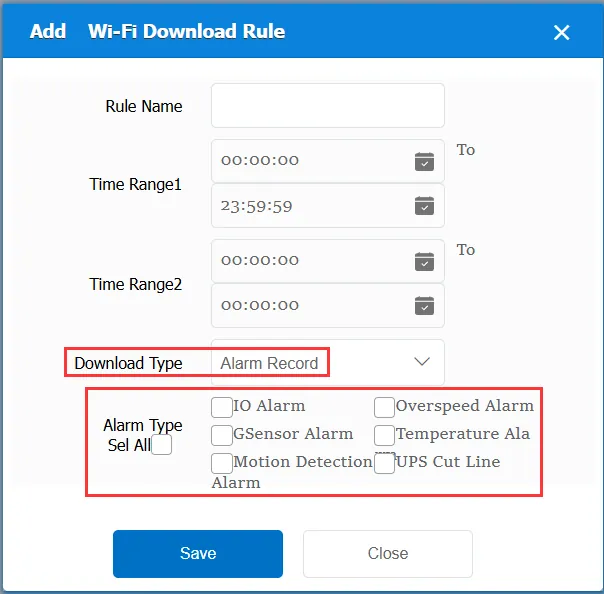
For pictures or videos of the alarm type, the alarm type needs to be specified
Match all vehicles:
No: Only valid for vehicles assigned by this rule
Yes: this rule is effective for all vehicles of the company.
Global Share:
No: Only visible to this company
Yes: visible to all companies on the platform
2.2 information display
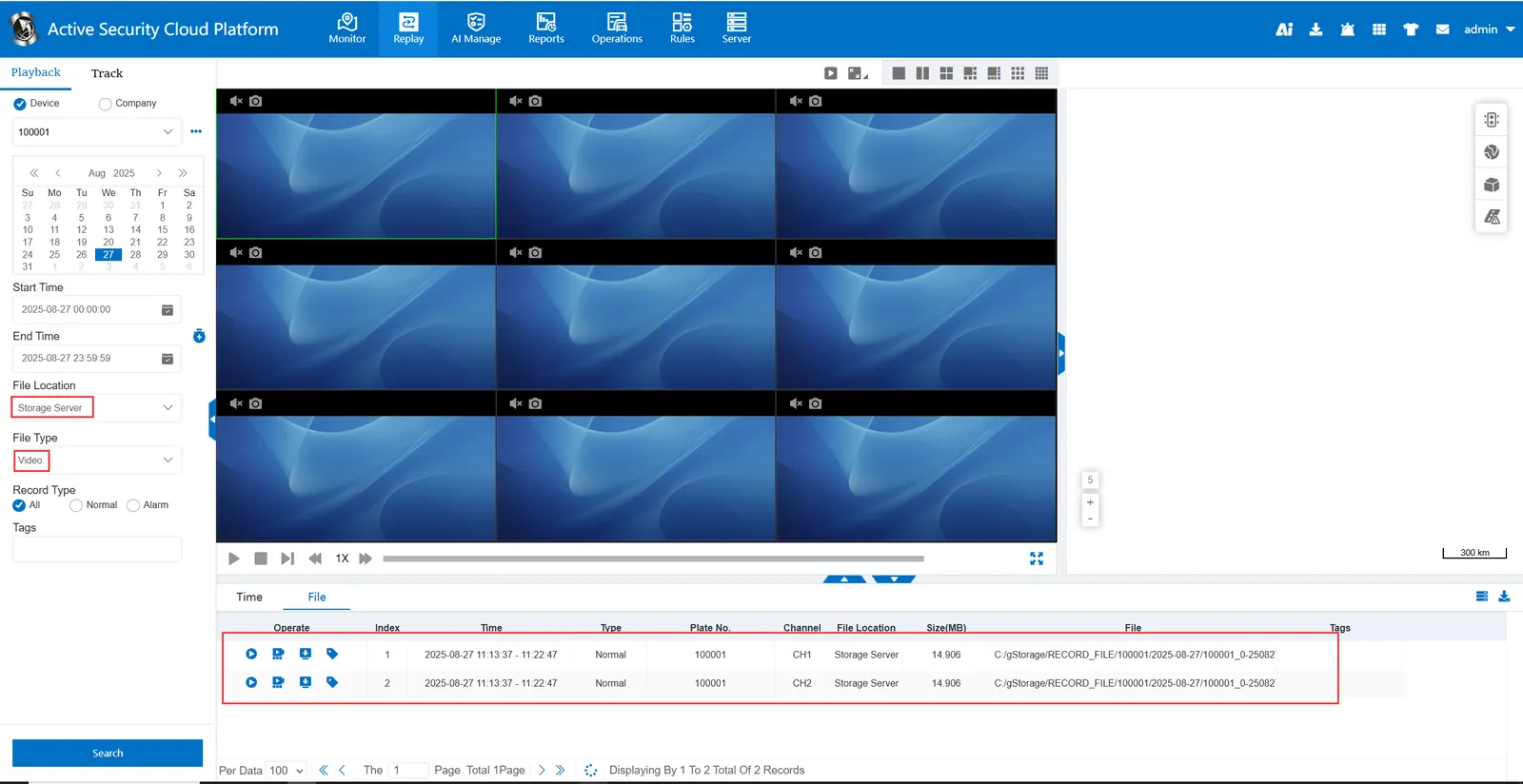
After the wifi rule takes effect, query the video of the storage server and have files.