1. Function description
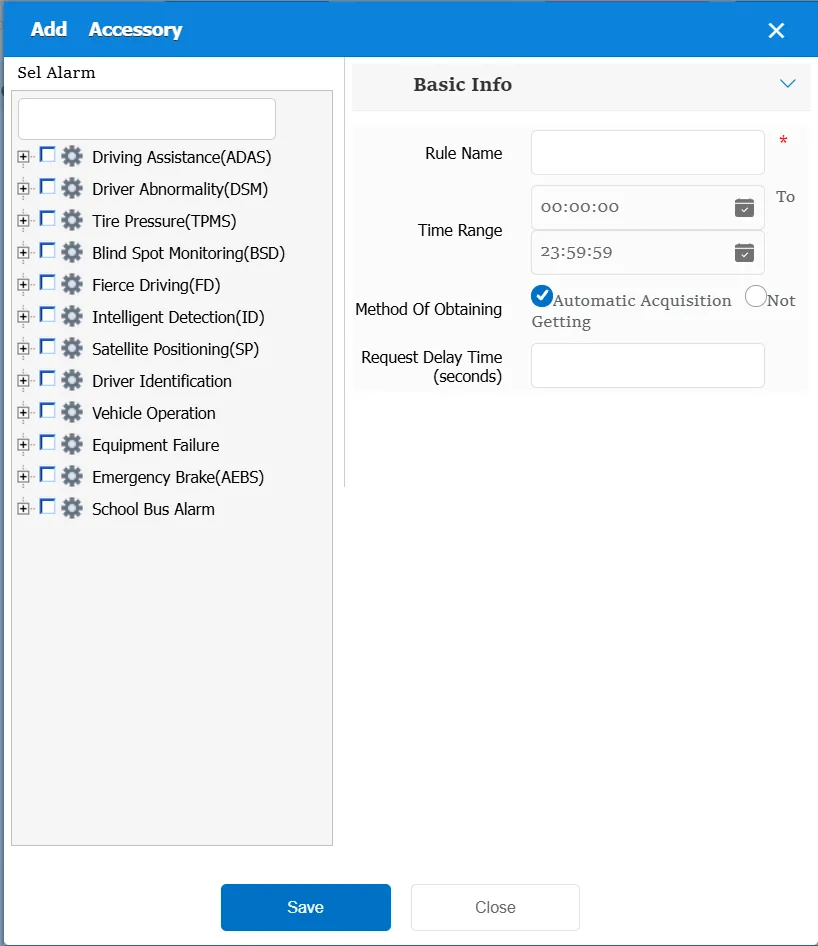
This rule has the function of obtaining alarm accessories from the terminal, supports automatic acquisition of accessories and non- acquisition of accessories, and can set alarm accessory acquisition strategies according to vehicle, alarm type, alarm level, trigger time and other information
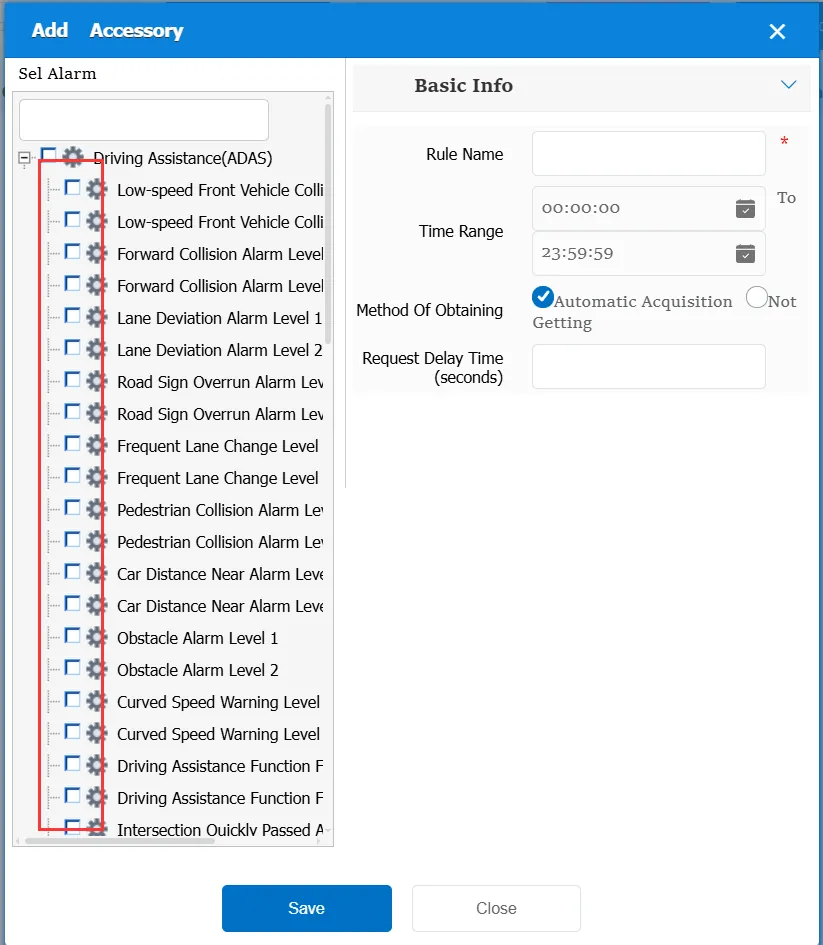
When using this rule, you need to select which alarm types to set to get or not to get attachments
2. operating instructions
2.1 basic information
Rule Name: Customize, customize the name according to the actual situation
Time Range: the time period when the rule takes effect.
Access Method:
Automatic acquisition: This is a default method. When this rule is not configured, when the terminal reports alarm information with attachments, the attachment will also be automatically acquired.
Do not obtain: for all selected alarms, when the alarm reported by the terminal has attachments; this rule prevents the platform from obtaining alarm attachments.
Request delay time (seconds): After receiving the alarm information, hold off for a specified time before obtaining the terminal attachment.
Match all vehicles:
No: Only valid for vehicles assigned by this rule
Yes: this rule is effective for all vehicles of the company.
Global Share:
No: Only visible to this company
Yes: visible to all companies on the platform
