1. Function description
Using terminal uploaded captured images, accurately calculating the number of people in the car through AI algorithms, and performing image analysis every 10 minutes.
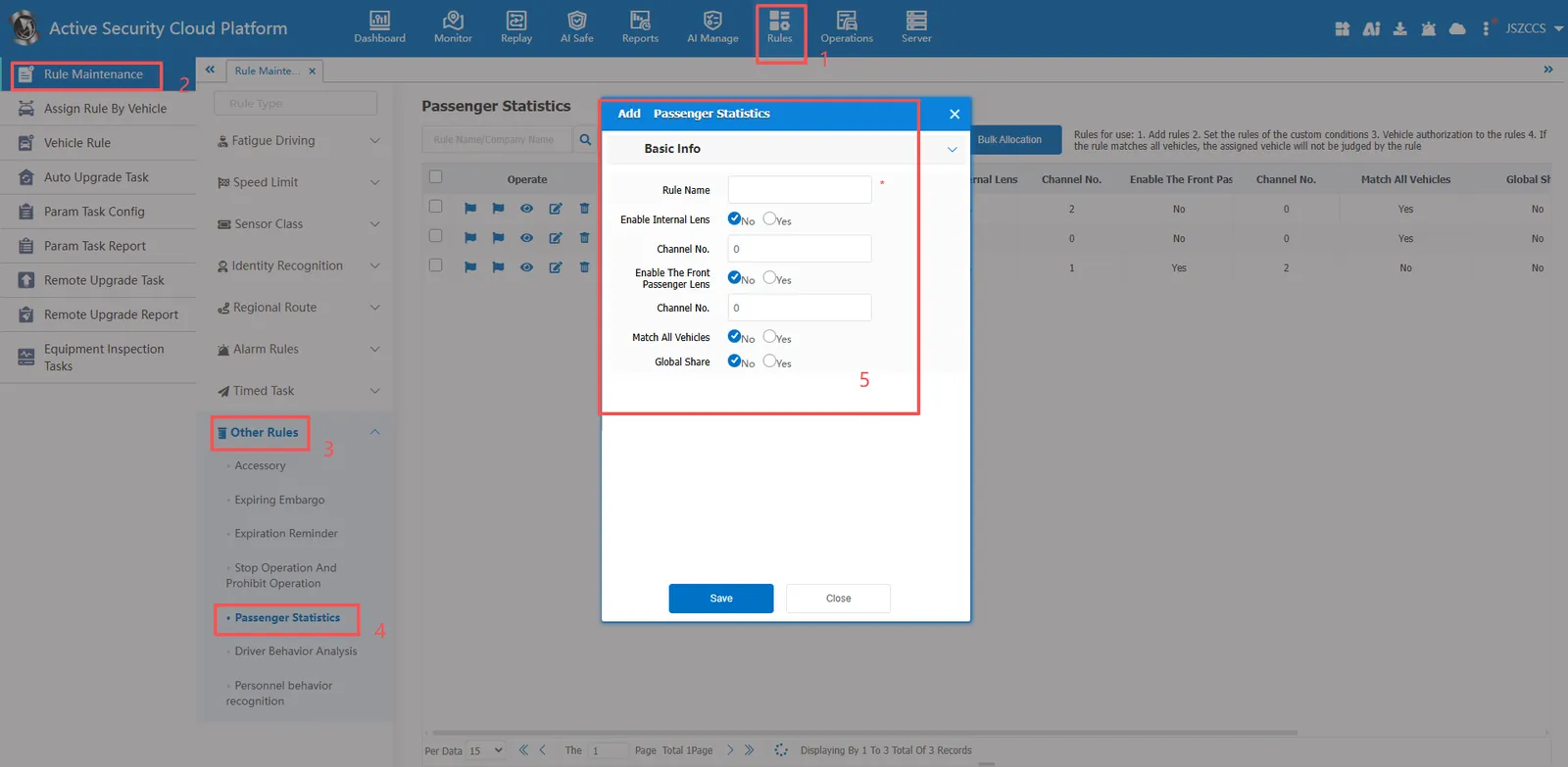
Preconditions (configuration algorithm):
Function entrance: [Server]>[AI Config]>[Algorithm Config]>[Passenger statistics analysis configuration]
Algorithm vendor: CMSV6 (supports uploading local images for testing, requires applying for a key from the regional business manager)
Algorithm vendor: RM (special customized algorithm, not recommended for use)
2. operating instructions
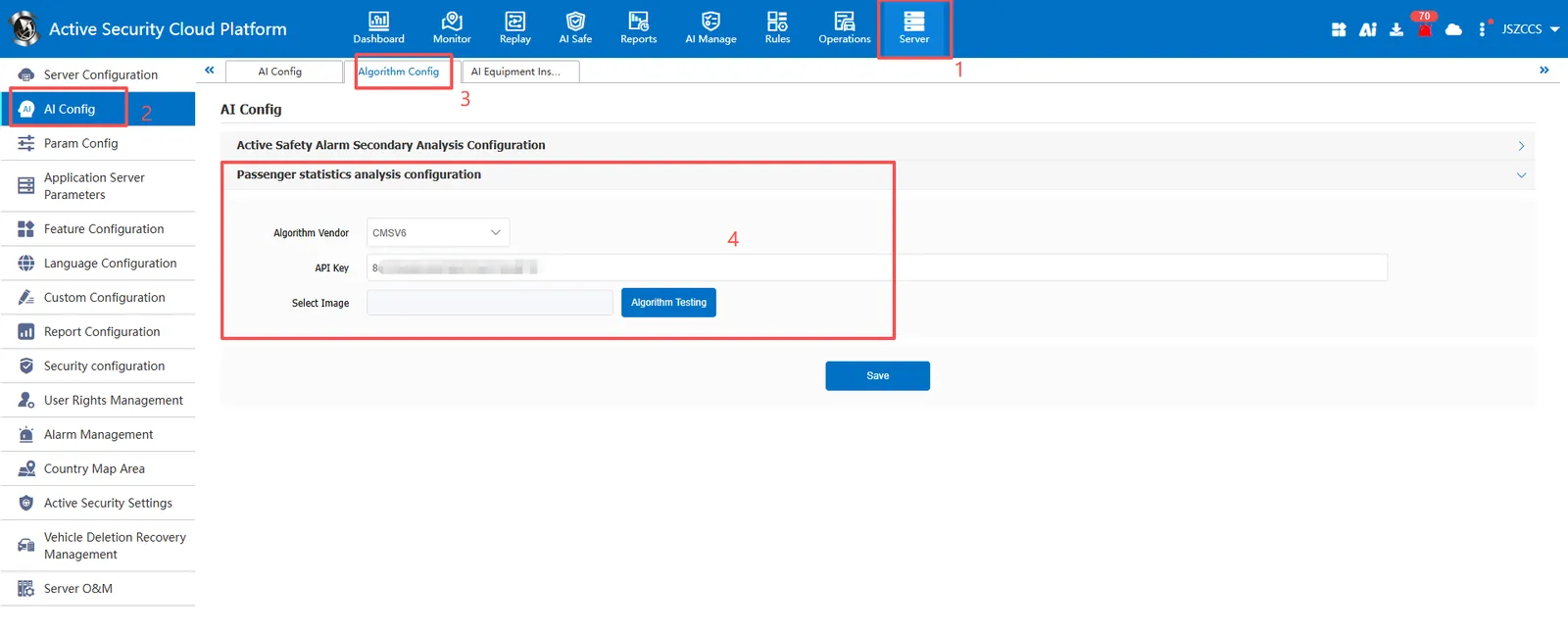
2.1 basic information
Rule Name: Customize, customize the name according to the actual situation
Inner Lens Enable: whether to enable the inner lens
Channel Number: specifies the channel number in the pair, mainly using the image of the channel.
Enable for co- pilot lens: whether to enable internal lens
Channel number: Specify the channel number of the co- pilot, mainly using the picture of the channel
Match all vehicles:
No: Only valid for vehicles assigned by this rule
Yes: this rule is effective for all vehicles of the company.
Global Share:
No: Only visible to this company
Yes: visible to all companies on the platform
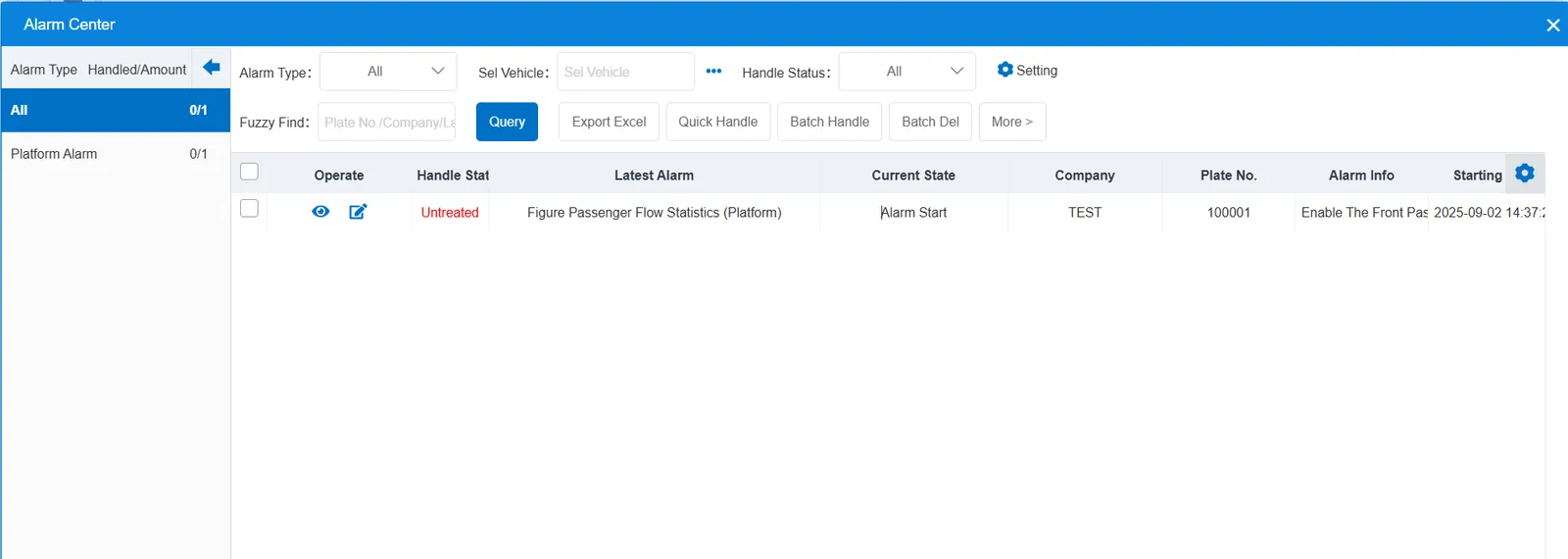
2.2 alarm information display
Vehicle bubble box alarm display:
The alarm is in the vehicle bubble box and is not displayed
alarm center alarm display:
The RM algorithm displays an alarm for "Figure Passenger Flow Statistics (Platform)", while the CMSV6 algorithm does not display it
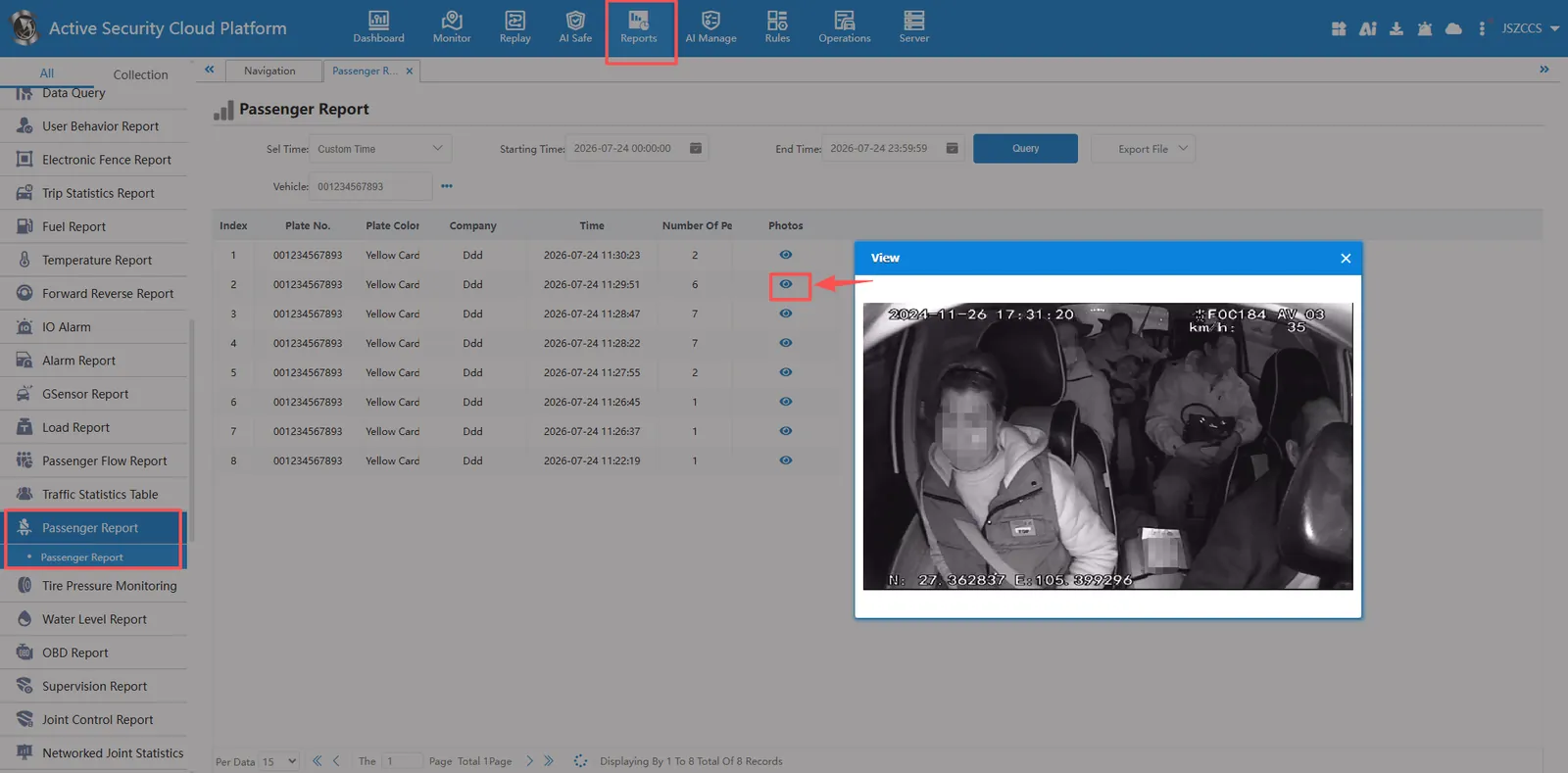
2.3 Number of people statistics query
Report entrance: [Reports]>[Passenger Report]>[Passenger Report]
3. Precautions
CMSV6 algorithm, please upload a personnel image locally, test the algorithm to detect personnel normally, and then configure rules to associate vehicles for use.
