1. Function description
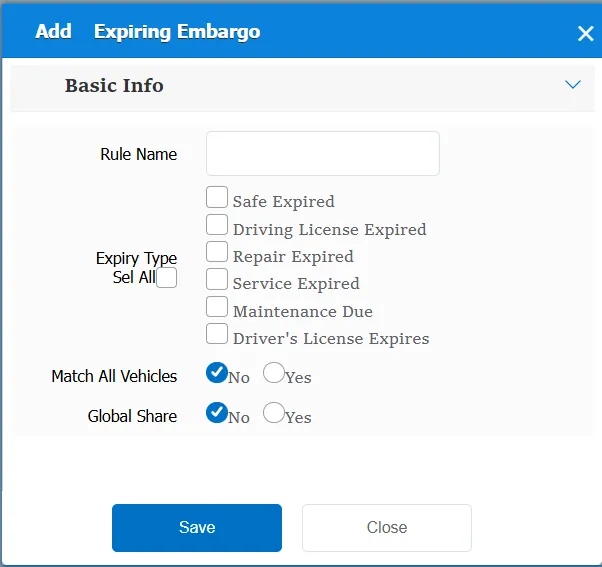
According to the expiration type, when the specified type exceeds the validity period, an expiration embargo alarm will be triggered (platform)
2. operating instructions
2.1 basic information
Rule Name: Customize, customize the name according to the actual situation
Expiration Type:
Driving license expiration: it mainly judges the "driving license expiration time" in the "certificate information" in the vehicle information"
Maintenance due: It determines whether it is due according to the records in the maintenance management.
Service expiration: It mainly judges the "service expiration date" in the "basic information" in the vehicle information"
Maintenance due: it determines whether it is due according to the records in maintenance management.
The driver's license expires: it mainly judges the "expiration date of the driver's license validity period" in the driver's information"
Match all vehicles:
No: Only valid for vehicles assigned by this rule
Yes: this rule is effective for all vehicles of the company.
Global Share:
No: Only visible to this company
Yes: visible to all companies on the platform
2.2 alarm information display
Vehicle bubble box alarm display:
The alarm is in the vehicle bubble box and is not displayed
alarm center alarm display:
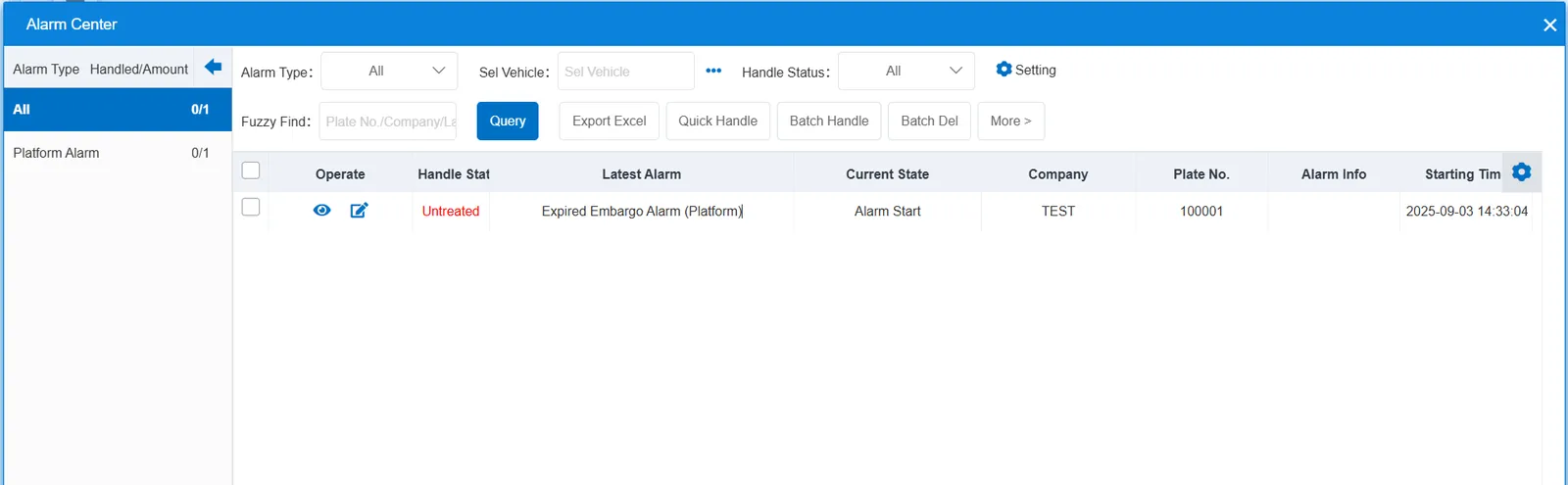
2.3 alarm information query
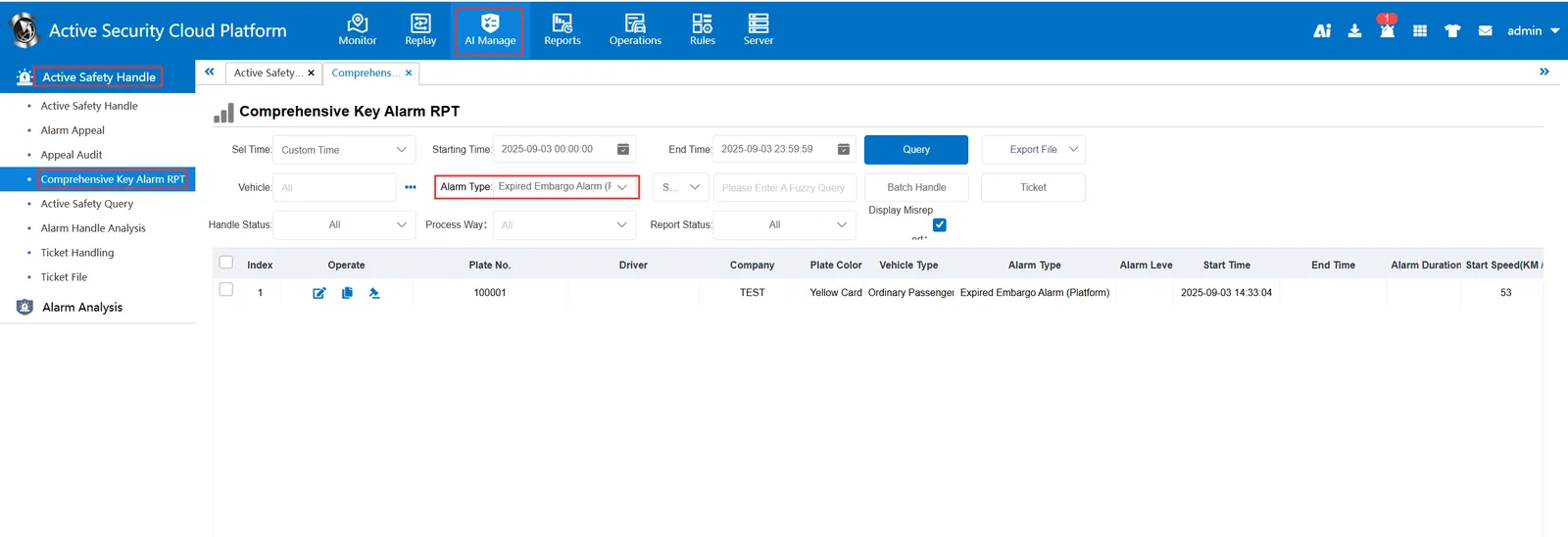
The alarm information is queried in the report of "Security Management"- "Active Security Alarm Processing"- "Comprehensive Key Alarm Report", and the alarm type is selected as "Expired Embargo Alarm (Platform)"