1. Function description
For alarms that can be triggered by the enterprise monitoring platform and the terminal, it is supported to send the corresponding prompt information to the terminal when it is detected that the terminal has a missing report.
At the same time, the missing alarm information will be uploaded to the government supervision platform, and support the recording, comparison, statistics and analysis of the missing alarm and the missing alarm rate.
2. operating instructions
2.1 basic information
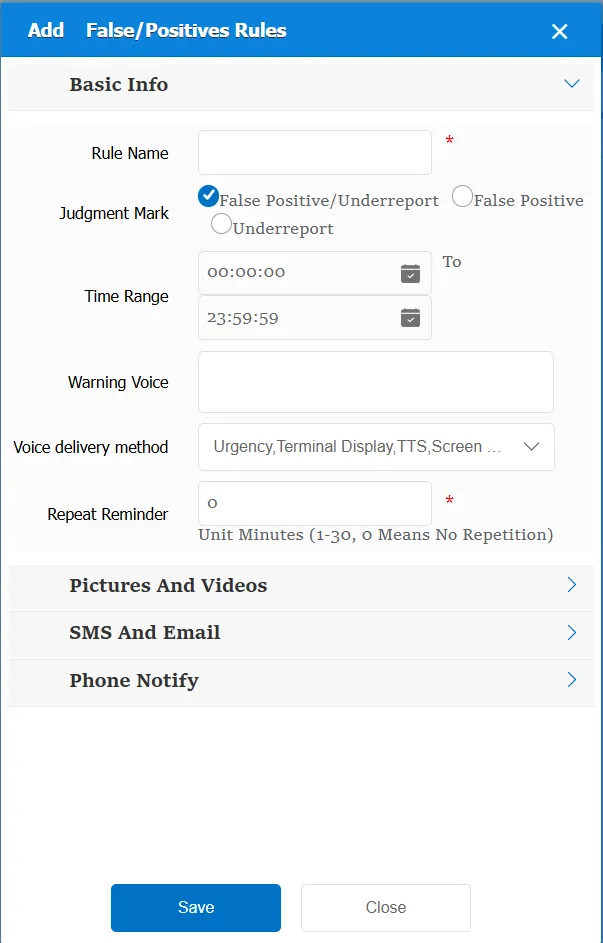
Rule Name: Customize, customize the name according to the actual situation
Judgment Flag:
False positives/false negatives: both false positives and false negatives trigger the rule
False alarm: judge the parameters of overspeed alarm, and generate false alarm if it is false alarm
Missing report: if there is a limited speed value in the vehicle information, it is judged whether it is overspeed in real time according to the speed limit value. If the platform judges overspeed, but there is no overspeed state in the vehicle state, it is judged as missing report, resulting in missing report alarm.
Time Range: the time period when the rule takes effect.
Alarm Voice: the message sent to the device when the alarm is triggered.
Repeated Reminder: During the alarm continuation phase, an alarm voice is sent to the device every specified time.
Match all vehicles:
No: Only valid for vehicles assigned by this rule
Yes: this rule is effective for all vehicles of the company.
Global Share:
No: Only visible to this company
Yes: visible to all companies on the platform
2.2 alarm information display
Vehicle bubble box alarm display:
The alarm is in the vehicle bubble box and is not displayed
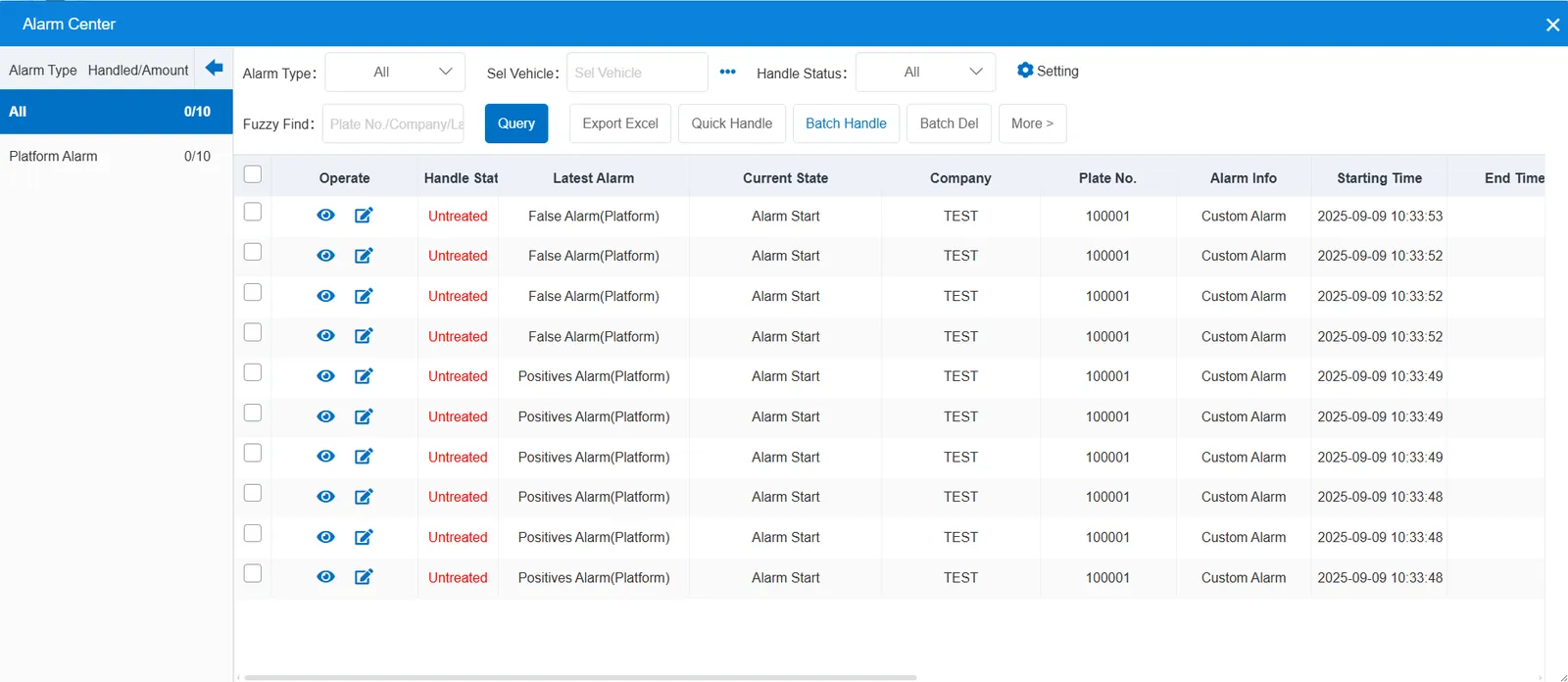
alarm center alarm display:
2.3 alarm information query
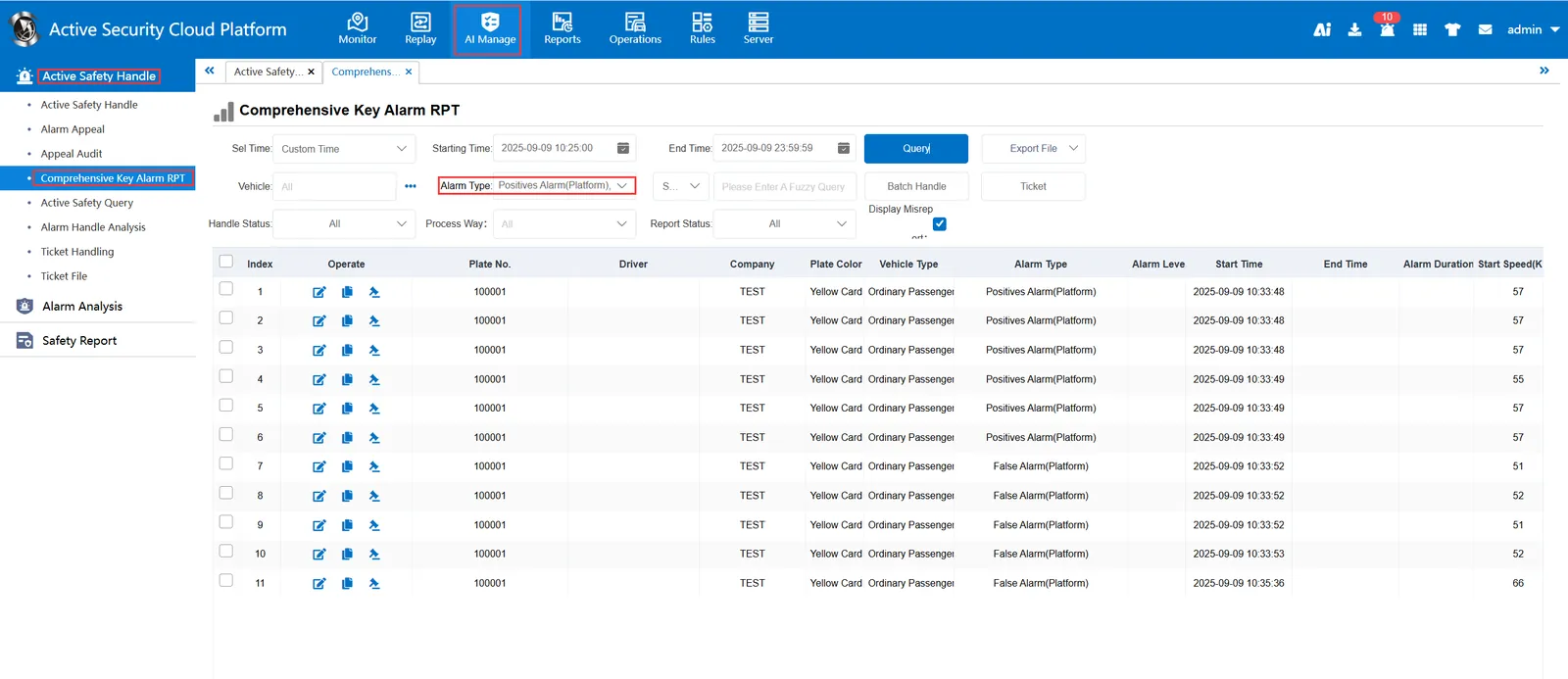
The alarm information is queried in the report of "Security Management"- "Active Security Alarm Processing"- "Comprehensive Key Alarm Report". The alarm type is selected as "Alarm False Alarm (Platform)" and "Alarm Missing Alarm (Platform)"