1. Function description
1. The rule is mainly aimed at the development of the risk level of the "two passengers and one dangerous" vehicle intelligent supervision system in Guangdong Province. Mainly aimed at: speeding, overtime driving, passenger vehicles running at 2- 5 a.m., answering and calling hand- held phones, playing with mobile phones, smoking, physiological fatigue, not wearing seat belts, deviating from the driving position, blocking by infrared blocking sunglasses, failure of equipment blocking, separation of hands from the steering wheel, not looking ahead, pedestrian monitoring in the car aisle (passenger vehicles only), lane change with solid lines, forward collision, lane departure, forward vehicles are too close to these risk types to generate corresponding level 1, level 2, and level 3 risks.
2. The risk of overspeed level shall be judged according to real- time GPS, and the high- speed and other roads shall not be judged (if judgment is required, the road level shall be configured), and the vehicle type shall be judged (passenger transportation and dangerous transportation)
3. The risk of overtime level is judged according to real- time GPS. The GPS speed is greater than 0, and the cumulative exercise time within 24 hours is greater than or equal to 8 hours and 30 minutes.
4. Passenger vehicles run from 2 to 5 a.m. and only judge passenger vehicles (except for registered vehicles)
5. Other levels of risk directly through the corresponding alarm type to judge
6. If an equal/lower risk alarm is generated within 5 minutes, no new risk level alarm is generated.
2. operating instructions
2.1 basic information
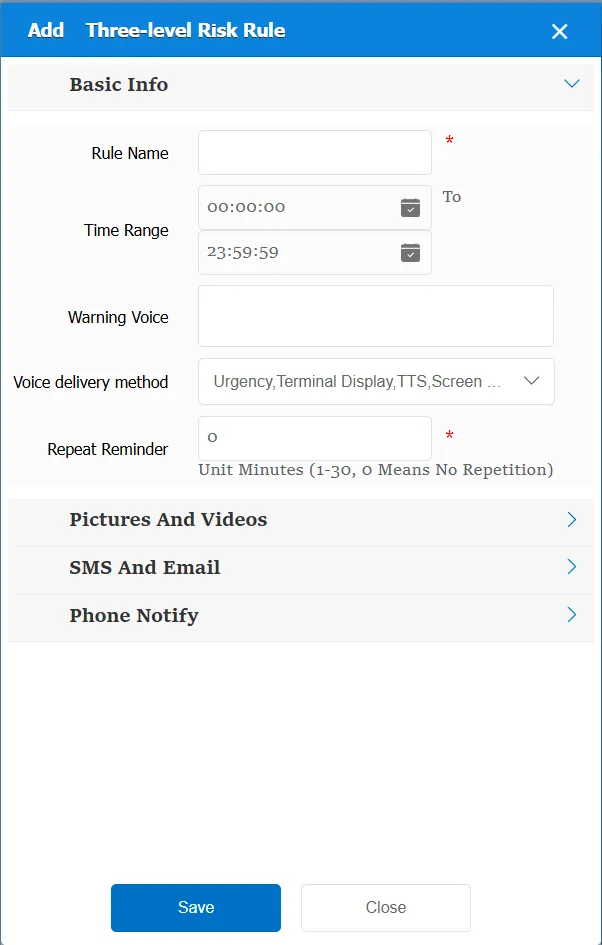
Rule Name: Customize, customize the name according to the actual situation
Time Range: the time period when the rule takes effect.
Alarm Voice: the message sent to the device when the alarm is triggered.
Repeated Reminder: During the alarm continuation phase, an alarm voice is sent to the device every specified time.
Match all vehicles:
No: Only valid for vehicles assigned by this rule
Yes: this rule is effective for all vehicles of the company.
Global Share:
No: Only visible to this company
Yes: visible to all companies on the platform
2.2 alarm information display
Vehicle bubble box alarm display:
The alarm is in the vehicle bubble box and is not displayed
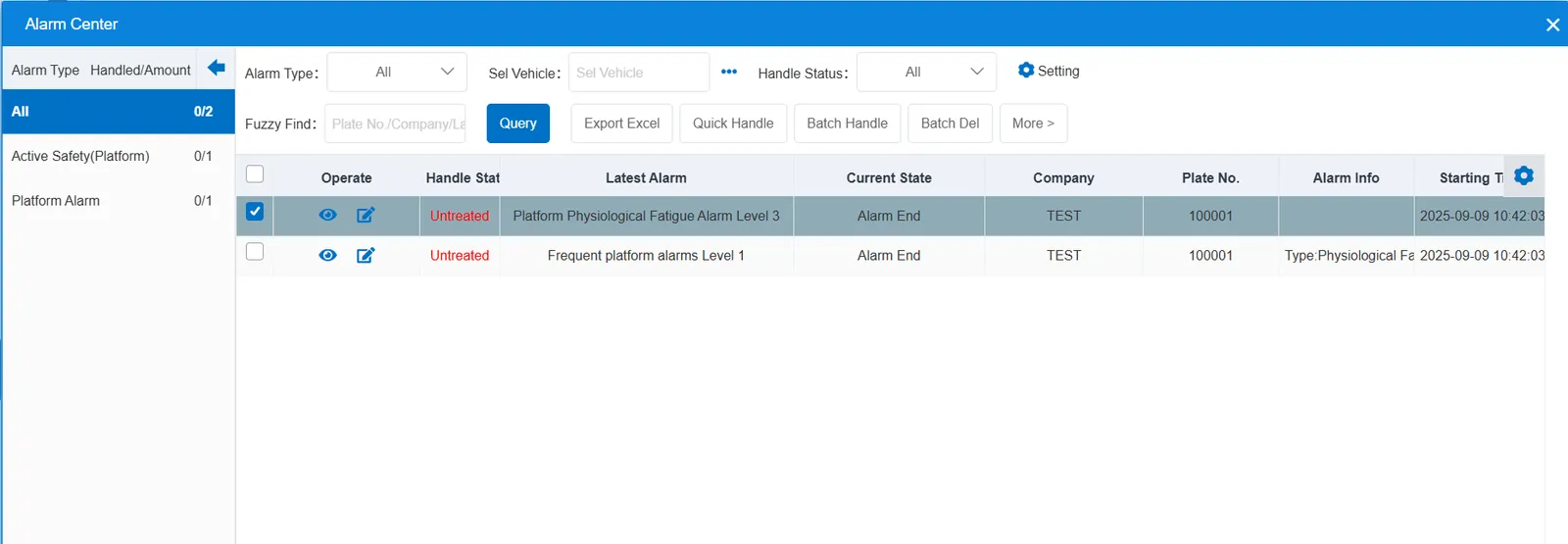
alarm center alarm display:
2.3 alarm information query
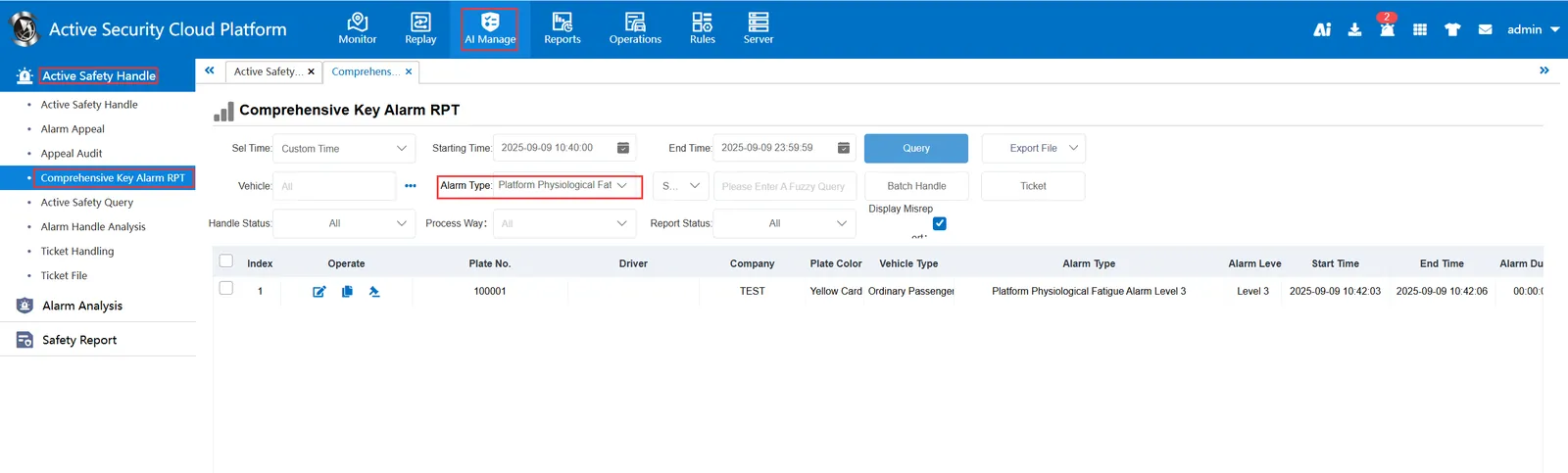
The alarm information is queried in the report of "Statistics Report"-"Network Joint Control Report"-"Key Alarm Processing", and the alarm type is selected as "In and Out Area Alarm (Platform)"