1. Function description
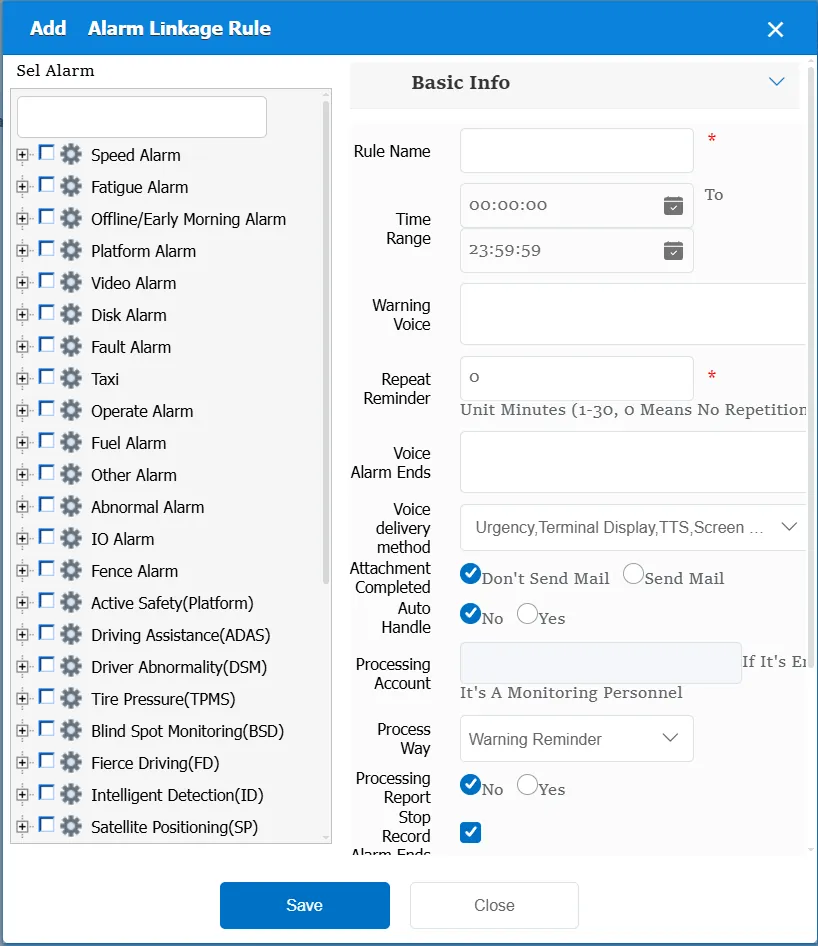
It mainly generates some linkage actions for the specified alarm, such as: issuing alarm voice, alarm processing, etc.
To use this rule, you need to select one or more alarm types first.
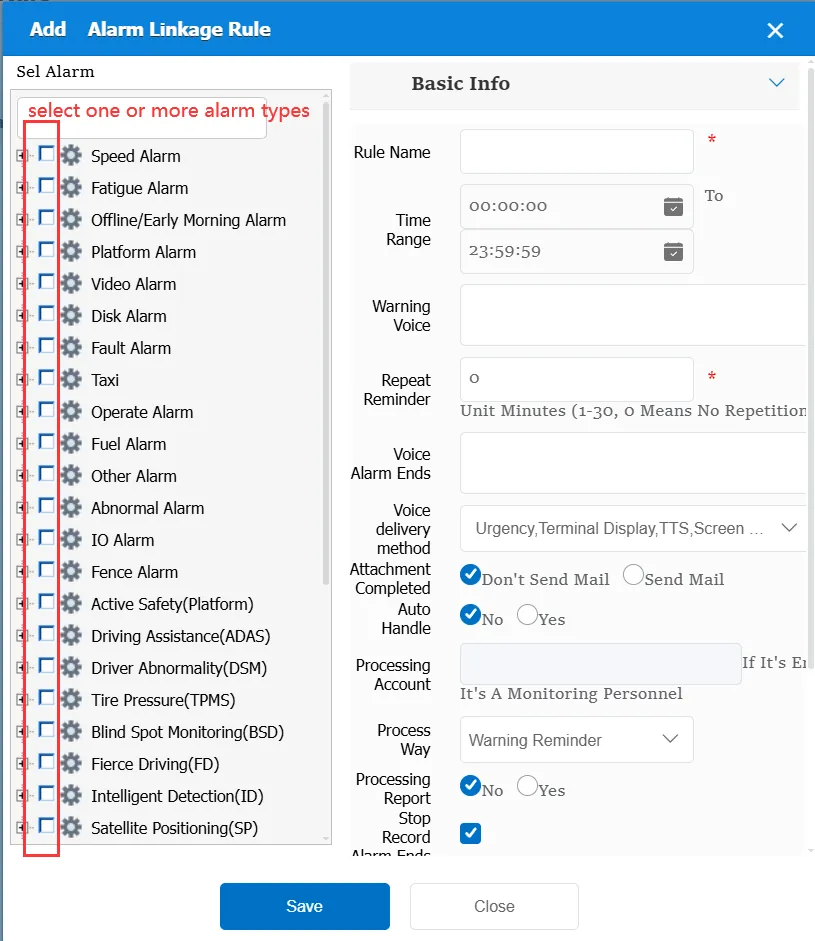
After the alarm type is selected, the selected alarm type will perform the same linkage action.
2. operating instructions
2.1 basic information
Rule Name: Customize, customize the name according to the actual situation
Time Range: the time period when the rule takes effect.
Alarm Voice: the message sent to the device when the alarm is triggered.
Repeated Reminder: During the alarm continuation phase, an alarm voice is sent to the device every specified time.
Alarm End Voice: the message sent to the device when the alarm ends.
When completed:
Do not send mail: when the attachment is uploaded, do not send mail
Send Mail: Send mail when the attachment is uploaded. Need to make mail function normal first
Automatic processing:
No: This item is invalid
Yes: you need to select a processing account. When an alarm is generated, this account will be automatically used to process the alarm.
Match all vehicles:
No: Only valid for vehicles assigned by this rule
Yes: this rule is effective for all vehicles of the company.
Global Share:
No: Only visible to this company
Yes: visible to all companies on the platform
Processing Method:
It takes effect when an option is automatically processed, mainly to determine a way to handle alarms.
Processing Report:
No: do not report to the superior platform through the 809 after alarm processing
Yes: report to the superior platform through 809 after alarm processing
Stop recording at the end of the alarm:
The default is checked, and you need to uncheck it if you don't need it.
