1. Function description
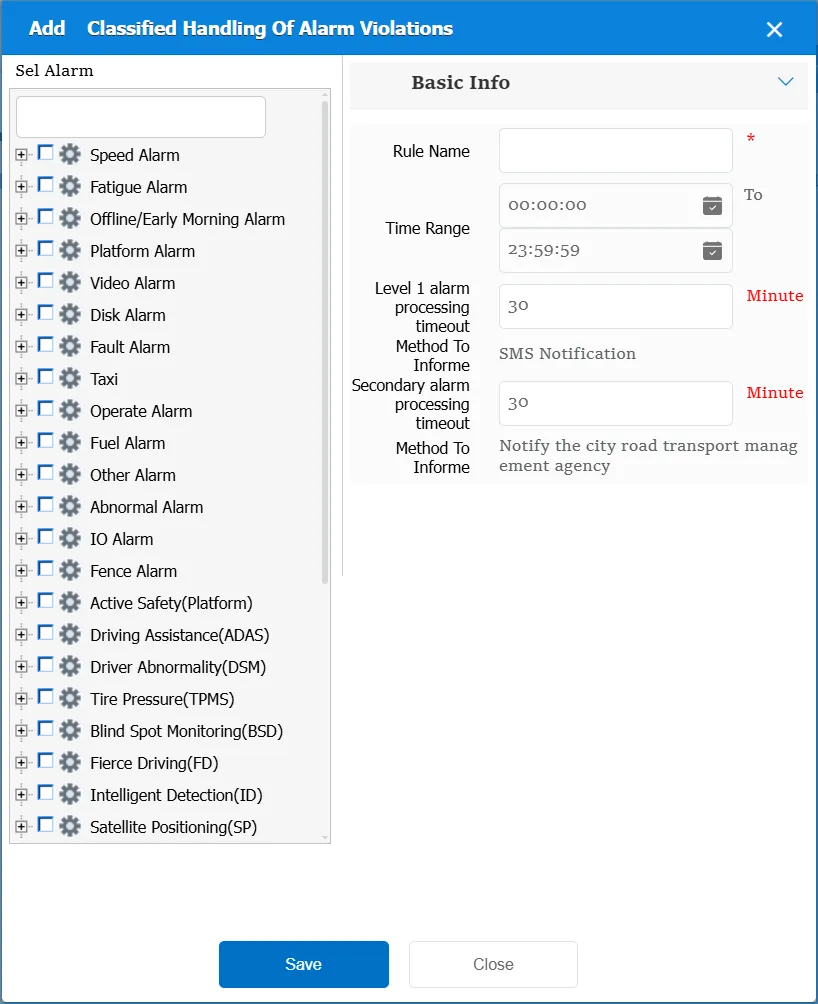
According to the selected alarm type, if the corresponding primary or secondary alarm is generated and the alarm is not processed after the specified time period, the corresponding prompt will be given.
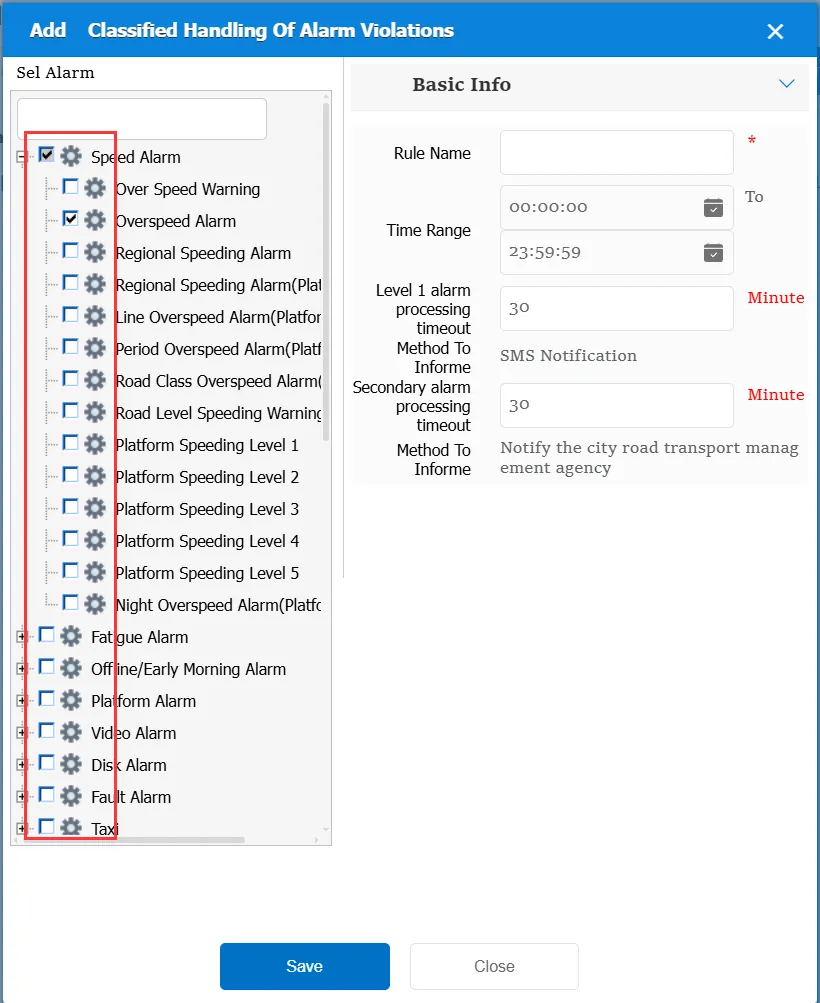
When using this rule, you need to specify the corresponding alarm type first.
2. operating instructions
2.1 basic information
Rule Name: Customize, customize the name according to the actual situation
Time Range: the time period when the rule takes effect.
Level 1 Alarm Processing Timeout: the time span from alarm generation to alarm processing for the corresponding level 1 alarm. If this value is exceeded, the client or mobile phone of the leader in charge of the corresponding enterprise will be notified.
Notification Method: SMS notification: The SMS function needs to be enabled. For more information, see Alibaba Cloud Alarm Linkage SMS Configuration.
Level 2 alarm processing timeout: the time span from alarm generation to alarm processing for the corresponding level 2 alarm. If this value is exceeded, the corresponding local road transport management organization will be notified.
Match all vehicles:
No: Only valid for vehicles assigned by this rule
Yes: this rule is effective for all vehicles of the company.
Global Share:
No: Only visible to this company
Yes: visible to all companies on the platform
2.2 alarm description
After triggering the alarm, it is directly sent to the designated mobile phone by means of short message notification.
