1. Function description
Take the selected area as the scope and the GPS speed of the vehicle as the standard to judge whether the vehicle is speeding;
An alarm is generated if the vehicle's GPS speed is greater than the specified maximum/minimum speed.
Alarm name: regional overspeed alarm (platform)/regional low speed alarm (platform)
2. operating instructions
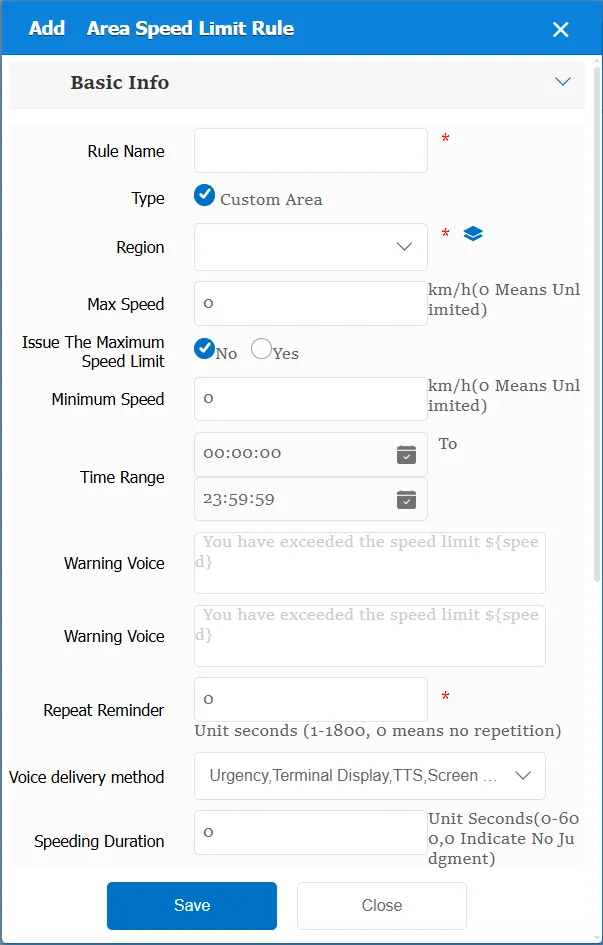
2.1 basic information
Rule Name: Customize, customize the name according to the actual situation
Type:
Custom type: custom area, which is manually added on the platform electronic map.
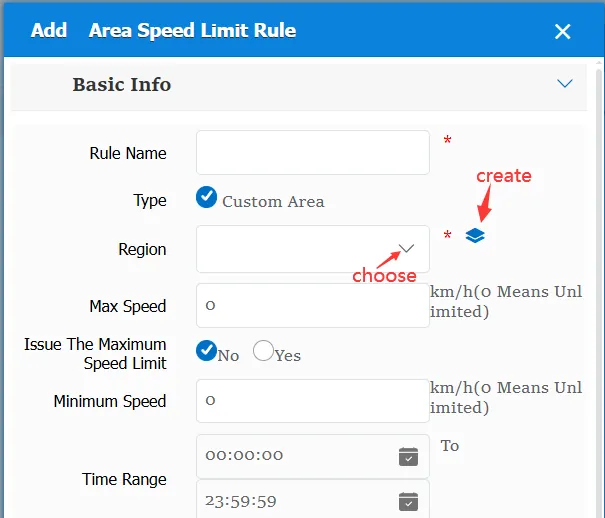
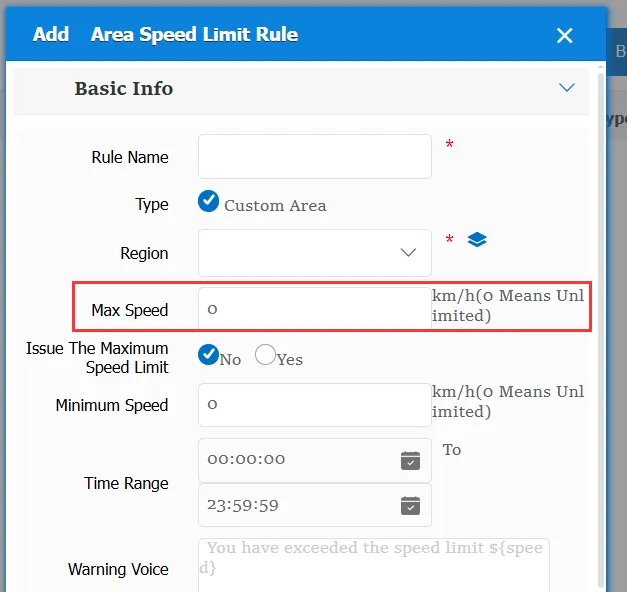
Maximum speed: When the GPS speed of the vehicle exceeds the configured speed, an area speeding alarm will be generated
Minimum speed: When the vehicle GPS speed is lower than the configured speed, an area low speed alarm will be generated
Time Range: the time period when the rule takes effect.
Alarm Voice: the text message sent to the device when the alarm is triggered.
Alert Voice: the text message sent to the device when the alert is triggered.
Repeated Reminder: During the alarm continuation phase, an alarm voice is sent to the device every specified time.
Match all vehicles:
No: Only valid for vehicles assigned by this rule
Yes: this rule is effective for all vehicles of the company.
Global Share:
No: Only visible to this company
Yes: visible to all companies on the platform
Overspeed duration: refers to the time when the GPS speed is greater than or lower than the maximum/minimum speed. Only when this time is exceeded, the corresponding alarm will be generated.
Priority: There are three options: high, medium and low. It means that the same car has multiple regional speed limit rules. According to the high priority and the high priority, the subsequent rules will not be judged if the speed is determined.
Issue the maximum speed limit: when the vehicle enters the designated area, issue the maximum speed designation and give it to the equipment.
Issue basic speed limit: when the vehicle leaves the designated area, issue the basic speed designation and give it to the equipment.
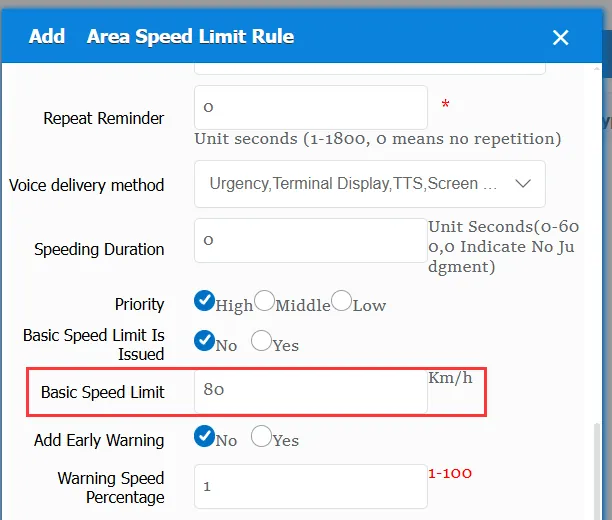
Alert added:
No: This item is invalid
Yes: at this time, you need to fill in an early warning speed percentage, for example, the maximum speed is 80 and the early warning speed percentage is 90. at this time, the speed threshold for triggering the early warning is 80*90% = 72. when the CPS speed of the vehicle exceeds 72 km/h, the early warning will be triggered.
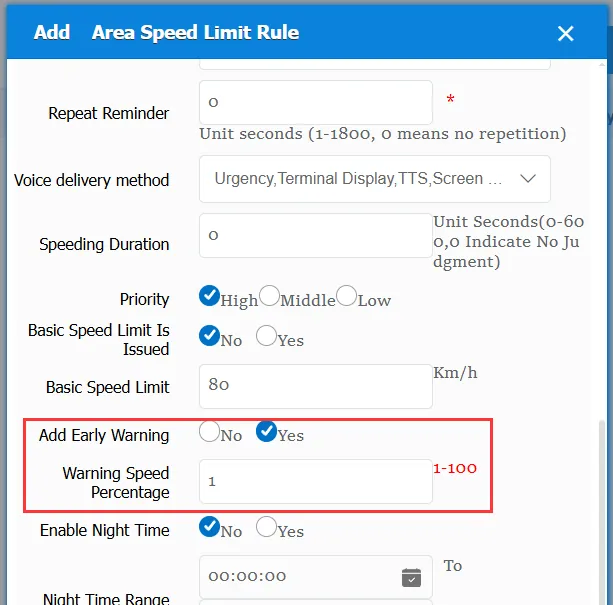
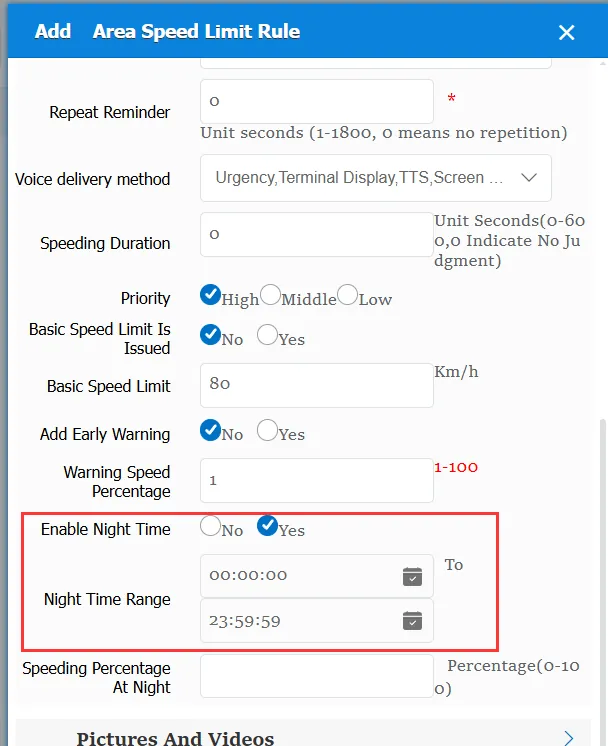
Enable night time selection:
No: This item is invalid
Yes: at this time, you need to select the night time range and the night speed percentage(similar to the early warning speed percentage)
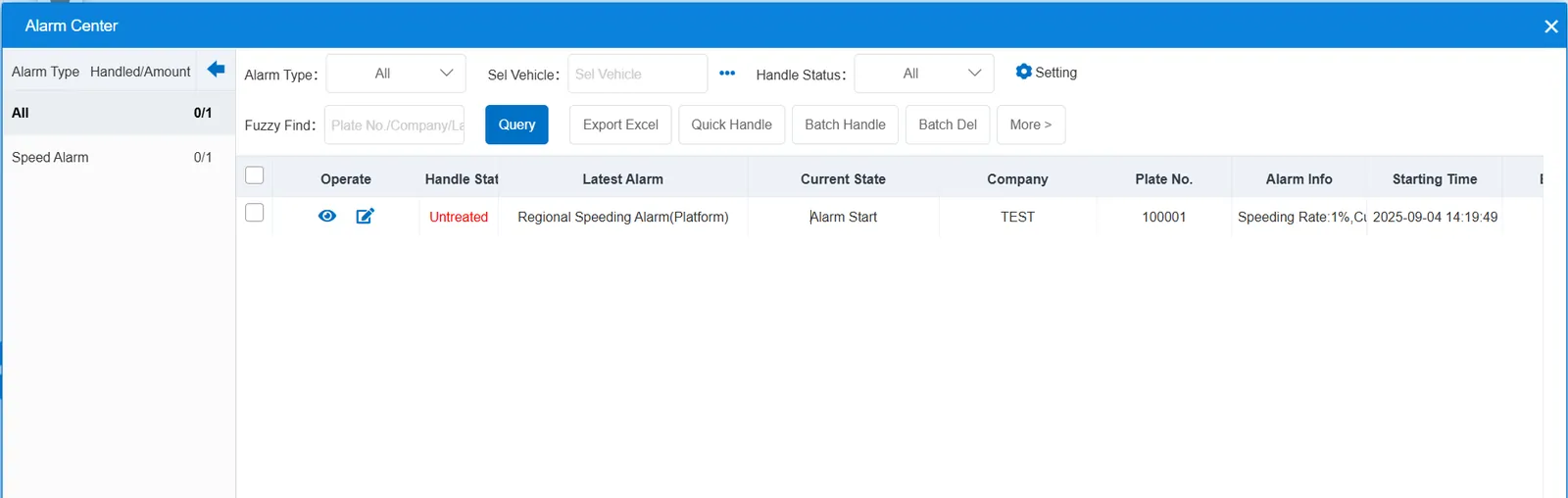
2.2 alarm information display
Vehicle bubble box alarm display:
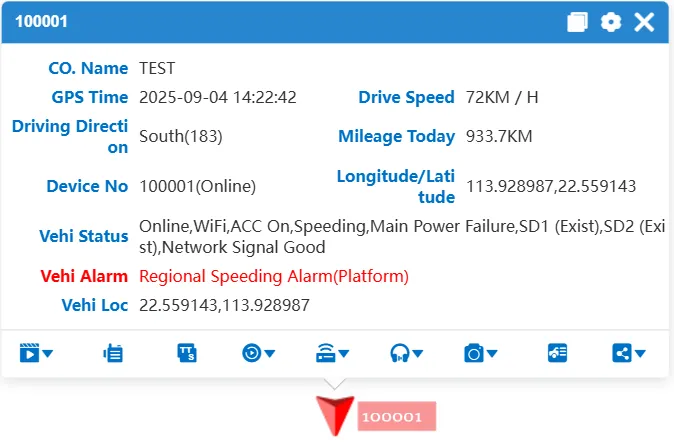
alarm center alarm display:
2.3 alarm information query
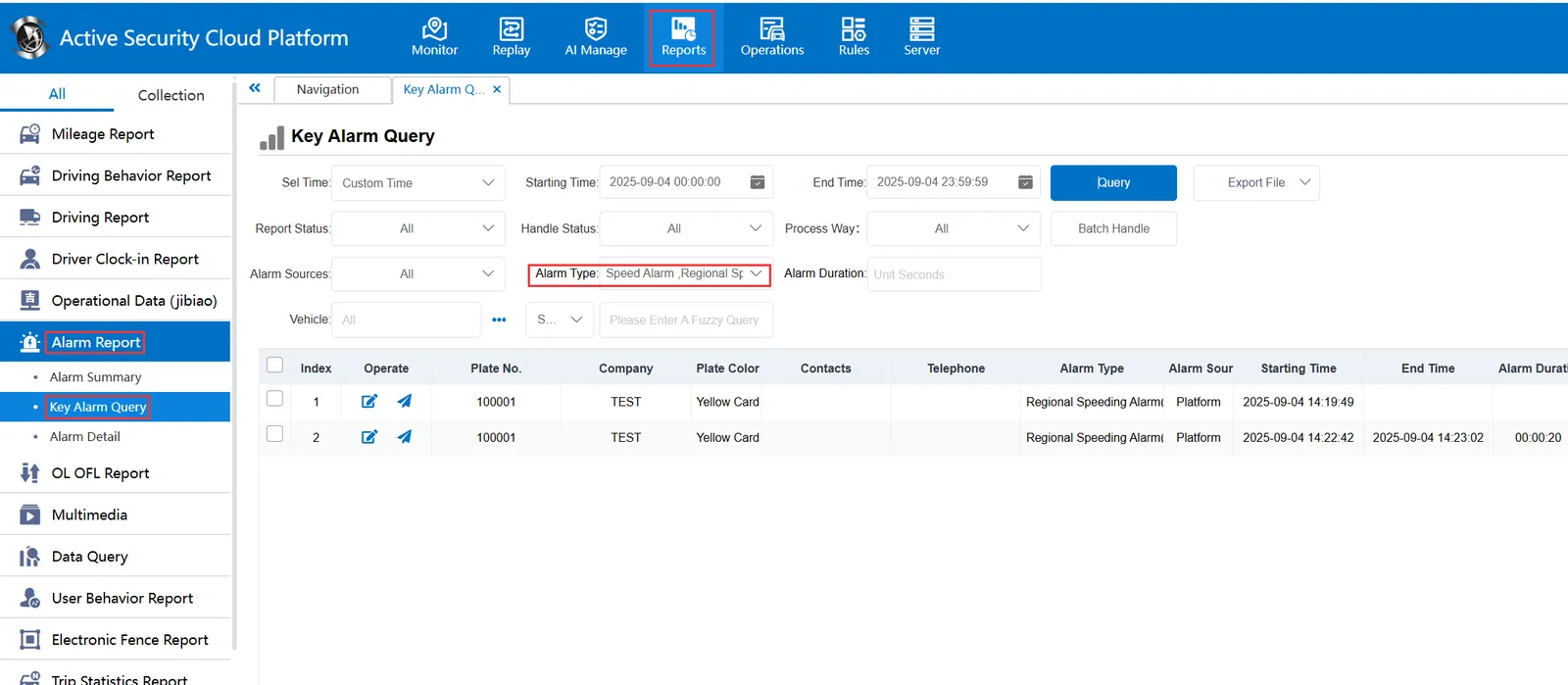
When querying alarms, you can select "Regional Speeding Alarm(Platform)" for "alarm type" in the "Reports"-"Alarm Report"-"Key Alarm Query" report